
athenaHealth Scheduling Best Practices: A 2026 Practice Manager’s Guide
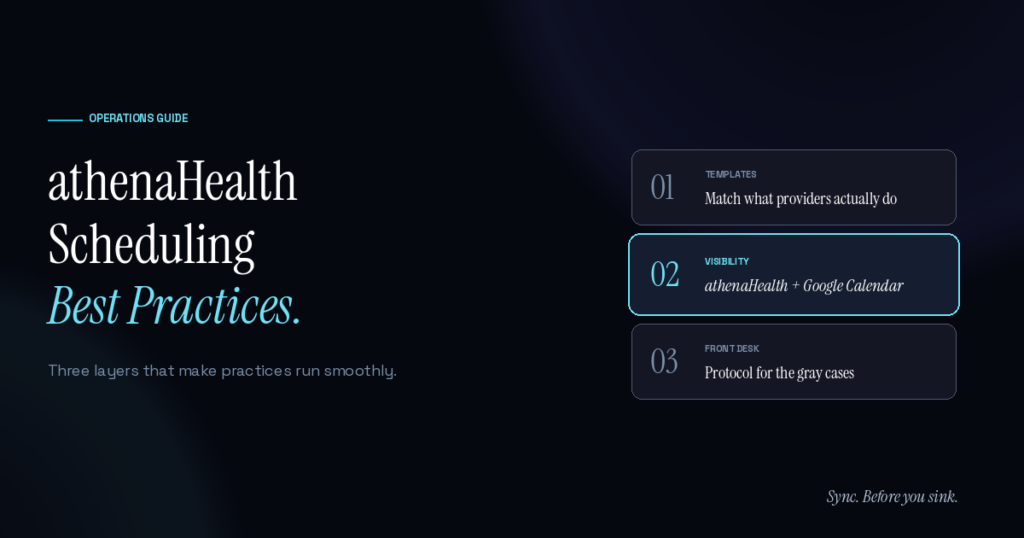
athenaHealth scheduling works best when three layers are aligned: clean provider templates inside athenaHealth, real-time visibility between athenaHealth and the calendars providers actually use, and a front-desk protocol that handles the gray areas. Most practices nail one or two and miss the third. The miss is where the daily friction lives.
This guide walks through the operational practices that separate practices running smoothly on athenaHealth from practices running on heroics. None of it is theoretical — these are the patterns surfaced from practice managers who’ve quietly figured out what works.
What does “best practices” mean for athenaHealth scheduling specifically?
Best practices in athenaHealth scheduling aren’t about advanced features or complicated workflows. They’re about three things being true at once: provider templates inside athenaHealth match what providers actually do, the front desk has visibility into commitments that live outside athenaHealth, and there’s a protocol for handling the gray cases everyone runs into.
Practices that have all three running smoothly tend to share a few common patterns. Clean schedule architecture rather than templates that have drifted. Disciplined ownership of who maintains what. And a pre-clinic review habit that catches mistakes before patients arrive.
According to AHRQ’s perspective on patient safety in primary care, system factors — including scheduling difficulties — contribute to diagnostic errors in ambulatory settings. Scheduling isn’t just an operational matter; it’s tied to patient outcomes.
How should you set up provider templates in athenaHealth?
Provider templates are the foundation. They’re how athenaHealth knows which slots exist, which appointments fit where, and what the practice’s capacity actually is. Templates that don’t match reality cascade into every other problem.
Best-practice template setup:
- Map each provider’s actual working pattern, not their nominal hours. A provider whose schedule says they work Mondays but who actually has surgery every Monday morning needs that captured at the template level, not patched by the front desk every week.
- Update templates whenever the provider’s hours change. Outdated templates are the single biggest source of preventable scheduling errors. Set a quarterly review cadence and a clear owner.
- Use specific appointment types per slot. Generic “appointment” slots make it hard for the front desk to fill correctly. Visit-type tagging (wellness, follow-up, procedure) lets the right patient land in the right slot.
- Match template length to actual encounter time. A 15-minute slot for a 30-minute encounter creates compounding lateness across the day.
- Build in buffer for catch-up slots. Practices that run on time include short buffer slots in the template — usually 10–15 minutes mid-morning and mid-afternoon.
Practices that get template setup right typically find that 70% of their scheduling pain disappears with no other changes.
What does a healthy front desk workflow look like?
The front desk is the daily filter. They’re booking, rescheduling, confirming, and rebooking patients all day, and the quality of that workflow determines whether the schedule holds together or unravels.
Healthy front desk patterns:
- Pre-clinic huddle. First five minutes of the day, walk through every provider’s schedule together. Catches what individual review misses.
- Confirm provider OOO weeks ahead. Don’t wait until the day-before; verify when stakes are high (vacations, conferences, surgeries).
- Use a 24-hour confirmation window. End-of-day, the front desk reviews next-day appointments against provider availability and patient confirmations.
- Document why changes happen. When a slot gets blocked or unblocked, record the reason. Patterns surface fast and inform template updates.
- Don’t rely on memory. Single biggest cause of preventable errors. Always check the calendar of record, not the human’s recollection.
How do multi-location practices handle scheduling without chaos?
Multi-location adds a layer of complexity that single-location practices can’t simulate. Provider was at the south clinic Tuesday, north clinic Wednesday — front desk at south books a Wednesday slot anyway. Schedules look fine inside each location and break at the seam.
Best-practice patterns for multi-location:
- One calendar of record per provider, not per location. Provider schedules should aggregate across all locations into one view the provider and front desk both reference.
- Location-specific appointment types. A Tuesday-south appointment shouldn’t be bookable at the north location even if the provider is “free” in the system.
- Cross-location communication channel. Front desks at different locations need a fast way to ping each other when something doesn’t add up.
- Single source of truth for provider availability. Whether that’s athenaHealth or a synced calendar — but not both, with no reconciliation between them.
The visibility-gap problem compounds at multi-location. A practice with three locations and ten providers has thirty location-provider combinations to keep coherent. Without infrastructure, that breaks.
Why does calendar visibility matter for athenaHealth scheduling?
athenaHealth holds patient appointments cleanly. What it doesn’t see is everything outside it — provider OOO commitments, surgery schedules, conferences, school pickups, team meetings. Most providers maintain those in Google Calendar (or in their head, which is worse).
When the front desk only has visibility into athenaHealth, they’re booking patients into a partial picture. The fix is a bidirectional sync between athenaHealth and the calendar of record — so a block in Google Calendar marks the slot unavailable in athenaHealth, and an appointment in athenaHealth shows up on the provider’s phone.
This is the layer most practices miss. Templates are clean, front desk is disciplined, and double-bookings still happen because nobody knew about the surgery scheduled outside athenaHealth. Sporo Health is built specifically for this athenaHealth + Google Calendar pair — bidirectional sync, white-glove setup in 2–3 days, no PHI ever leaving athenaHealth’s BAA scope.
What metrics should you actually track?
Most practices track no-show rates and call it a day. The metrics that actually surface scheduling health:
- Double-booking rate per provider per week. Industry baseline tends to land in the 1–3 per provider per week range.
- Template drift rate. How often does the template need updating? High drift = templates that aren’t matching reality.
- Days from booking to visit. Compressed timelines often correlate with last-minute cancellations.
- Front-desk override frequency. When the front desk has to manually override a template-suggested slot, that’s a signal.
- Provider satisfaction with the schedule. Rarely measured, almost always informative.
According to the AMA’s 2025 physician AI survey, 57% of physicians cite reducing administrative burden through automation as their top priority for new technology — meaning practices that quietly remove manual scheduling work tend to have happier providers, even before the patient-side benefits show up.
How often should you audit your scheduling setup?
Quarterly is the right cadence for most practices. Annual misses problems for too long; monthly is overkill. A 90-minute quarterly review covering:
- Each provider’s template against current actual hours
- Last quarter’s double-bookings — root causes, patterns
- Front-desk feedback on what isn’t working
- Multi-location reconciliation issues
- Calendar visibility — is what’s outside athenaHealth still landing in athenaHealth correctly?
The audit isn’t about catching things going wrong — it’s about staying ahead of drift. Templates that are 95% accurate degrade to 80% in six months without review.
Frequently Asked Questions
Q: How long does it take to set up athenaHealth scheduling correctly from scratch? A: For a new practice, 2–3 weeks of careful setup gets you to a clean baseline. For existing practices wanting to fix drifted templates, expect 4–6 weeks if it’s done thoroughly.
Q: What’s the single highest-leverage scheduling change for an athenaHealth practice? A: Closing the calendar visibility gap. Templates and front-desk discipline are easy to spot when they’re broken. Visibility gaps are silent — and they cause most of the unexplained double-bookings.
Q: Should the front desk or the provider own template updates? A: Provider commitments belong to the provider. Patient-flow optimization belongs to the front desk and practice manager. The cleanest split: providers communicate hours and OOO; front desk and practice manager translate that into templates.
Q: How do best practices change for high-volume vs low-volume practices? A: Low-volume practices can survive with weaker infrastructure. High-volume practices (over 5 providers, over 100 patients/day) need disciplined templates, daily huddles, and infrastructure for visibility. Manual workarounds don’t scale.
Q: What’s the relationship between scheduling discipline and patient safety? A: Per AHRQ’s analysis of primary care safety, scheduling problems contribute to diagnostic errors and care delays — including missed cancer diagnoses where follow-up appointment difficulty was a factor. Scheduling discipline is patient safety, not just operational efficiency.
Q: How does athenaHealth handle scheduling errors compared to other EHRs? A: athenaHealth’s scheduling logic prevents most simultaneous bookings within the system itself. The blind spot is conflicts with commitments outside athenaHealth — which is what calendar sync addresses.
Q: Is there a quick way to assess if my athenaHealth scheduling is healthy? A: Track double-bookings per provider per week for one month. If the answer is consistently above 1, there’s room to improve. If it’s above 3, infrastructure is missing.
Bring all three layers together
Best practices in athenaHealth scheduling aren’t complicated. Clean templates. Disciplined front desk. Real visibility into what’s happening outside the EHR. Most practices have one or two; the third is usually where the friction lives.
For the visibility layer specifically, Sporo Health closes the gap between athenaHealth and Google Calendar in both directions — set up by Sporo’s team as little as 30 mintues, with PHI never leaving athenaHealth’s BAA scope.
Sync. Before you sink.

[…] of multi-location chaos. The rest needs operational discipline — the same patterns covered in athenaHealth scheduling best practices but with extra cross-site […]
[…] is the same foundation the athenaHealth scheduling best practices guide covers — but for new providers, the calibration happens with less practice manager certainty […]
[…] general athenaHealth scheduling best practices framework applies too, but the OB/GYN-specific metrics above surface specialty-specific issues […]
[…] Two-Way Data Transfers: Created a reliable athenahealth scheduling Google Calendar sync that seamlessly pushes and pulls availability to prevent […]
[…] weekly to catch trend reversals early. athenaHealth scheduling best practices include no-show rate as a core operational metric to monitor […]
[…] these responsibilities part of routine athenahealth scheduling ownership, audit, and measurement practices, so the outage plan has named people before it is […]
[…] accountability should align with the practice’s wider athenahealth scheduling ownership and audit practices. A shared queue can receive alerts, but the inventory should still name the role responsible for […]
[…] before acceptance testing. The new site should inherit explicit ownership and review rules from the athenahealth scheduling operating baseline, not informal habits that differ by front desk or […]
[…] for technical details, while operational staff follow the written control policy. Use broader athenahealth scheduling best practices to align templates, booking rules, visibility, and periodic audits around this daily […]
[…] the practice already has clear ownership and reasonably accurate templates. If not, start with broader athenahealth scheduling best practices. If the request is fundamentally an absence, route it into the physician out-of-office workflow […]