
Multi Location athenaHealth Scheduling: How to Run Multiple Sites Without Chaos
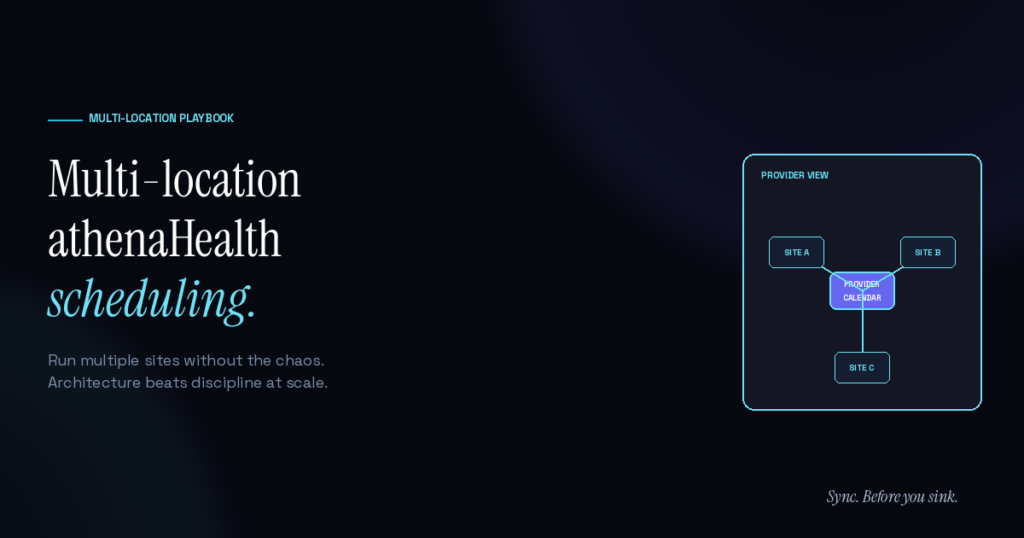
Multi Location athenaHealth practices have a special class of scheduling problems. Provider was at the south clinic Tuesday, north clinic Wednesday — front desk at south books a Wednesday slot anyway. Provider’s “free” slot turns out to be drive time between sites. A reschedule moves a patient to the wrong location. These problems compound across the practice and create the kind of friction that single-location practices can’t simulate.
The structural fix isn’t more discipline at each location. It’s architecture: a single source of truth for provider availability, location-aware templates, and cross-location visibility that closes when staff at different sites can’t see what each other are doing.
Why does Multi Location create unique scheduling problems?
Single-location practices have one front desk seeing one set of schedules in one EHR view. Multi-location adds combinatorial complexity. A practice with three locations and ten providers has thirty location-provider combinations to keep coherent. Without infrastructure, that breaks.
Common failure modes that don’t exist in single-location settings:
- Provider booked at the wrong location. Schedule shows them as available; reality has them at a different site.
- Cross-location reschedule gone wrong. Patient gets rescheduled, ends up at a location they didn’t ask for.
- Drive-time invisibility. Provider’s “free” 1pm slot is actually them driving between sites.
- Inconsistent template enforcement. Each location’s front desk has slightly different practices.
- Communication delay between sites. Site A doesn’t know about a Site B change for hours.
These multi-location failures are a specific subset of the broader scheduling problems athenaHealth practices report — amplified by the cross-site coordination layer that single-location practices don’t have to manage.
According to AHRQ’s analysis of patient safety in primary care, system fragmentation — including across multiple care sites — contributes to communication breakdowns and care delays. Multi-location coordination isn’t just an operational nuisance; it has clinical implications.
What architectural pattern actually works?
Practices that run multi-location athenaHealth setups well share a few structural choices:
1. One calendar of record per provider, not per location. Provider schedules should aggregate across all locations into one view both the provider and front desks at each site can reference. Splitting per-location creates the seam where errors happen.
2. Location-tagged appointment types. Templates should encode location at the appointment-type level. A Tuesday-south appointment shouldn’t be bookable at the north location even if the provider is “free” in the system.
3. Drive time built into templates. If a provider drives 30 minutes between sites at noon, that 30-minute window should be a non-bookable block in the template, not a gap waiting to be filled.
4. Single source of truth for provider availability. Whether that’s athenaHealth or a synced calendar — but not both, with no reconciliation between them. Drift between the two is the root cause of most multi-location chaos.
5. Cross-site communication channel. Front desks at different locations need a real-time way to ping each other when something doesn’t add up. A shared Slack channel, a group text, anything — but it needs to be fast.
How does athenaHealth handle Multi Location natively?
athenaHealth supports multi-location practices with department and provider-location associations in the scheduling logic. The system can track which location a provider is at on which days and enforce location-specific availability rules.
What athenaHealth can’t see is everything outside it. Provider drives between sites? Personal commitments? Conference travel that changes which day they’re where? These usually live in Google Calendar, and the multi-location setup amplifies the visibility gap — because now multiple front desks are working from incomplete information instead of just one.
What does calendar sync solve for multi-location?
Sporo Health’s bidirectional sync between athenaHealth and Google Calendar gives every front desk at every location the same view of provider availability — including provider commitments that live in Google Calendar. A block dropped by the provider in Google Calendar marks the slot unavailable in athenaHealth at every location simultaneously. An appointment booked at one location shows up in the provider’s Google Calendar where the provider sees it on their phone.
For multi-location specifically:
- Same visibility at every site. No “the south clinic knew but the north clinic didn’t” problem.
- Provider’s complete schedule in one view. Provider can see all their location-aware appointments plus personal commitments in their Google Calendar.
- Cross-location changes propagate. A patient rescheduled at one site reflects everywhere immediately.
- Drive time and inter-site travel stay visible. Personal blocks in Google Calendar mark the slot unavailable across all locations.
Sporo Health’s setup process handles multi-location explicitly. The discovery call maps each provider’s location pattern; the configuration phase encodes location-aware rules; sandbox testing validates that cross-location scenarios work correctly.
Multi-location best practices beyond calendar sync
Calendar sync solves the visibility-gap subset of multi-location chaos. The rest needs operational discipline — the same patterns covered in athenaHealth scheduling best practices but with extra cross-site rigor:
- Standardize templates across locations. Same provider’s appointment types should work the same way at every site.
- Cross-location pre-clinic huddle. Weekly or daily quick sync between site front desks.
- Centralized override review. When any front desk has to override a template, route the override through a single review point so patterns surface.
- Quarterly cross-site audit. Each quarter, compare scheduling metrics across sites. Outliers point to specific operational issues.
According to the AMA’s 2025 physician AI survey, 57% of physicians cite reducing administrative burden through automation as their top opportunity for new technology. Multi-location practices have more administrative burden by structure — making infrastructure choices that quietly remove coordination work especially valuable.
Frequently Asked Questions
Q: How many locations is “multi-location” for these problems to start showing up? A: Two locations is enough. The combinatorial complexity grows fast — 2 locations + 5 providers = 10 combinations; 4 locations + 10 providers = 40 combinations.
Q: Does Sporo Health charge differently for multi-location practices? A: Pricing is per-provider, not per-location. A 10-provider practice with one location and a 10-provider practice with three locations pay the same.
Q: How long does Sporo’s setup take for multi-location practices? A: 5–7 days for practices with multiple locations and 20+ providers, vs as little as 30 minutes for the simplest single-provider single-location setups (and 2–3 days for typical single-location practices). The configuration work is more involved at scale but still doesn’t require IT staff from the practice.
Q: Can Sporo handle providers who split time between locations differently each week? A: Yes. The sync respects athenaHealth’s template logic for any pattern athenaHealth itself can encode.
Q: What if my locations are in different states with different scheduling rules? A: Sporo’s sync is location-aware. State-specific scheduling rules encoded in athenaHealth templates are preserved through the sync.
Q: How do you handle providers who travel between sites mid-day? A: Drive time should be encoded as non-bookable blocks in the provider’s template. Sporo respects those blocks across all locations. Providers can also drop drive-time blocks into Google Calendar; those propagate back to athenaHealth.
Q: Will calendar sync help with patient-side multi-location issues (e.g., showing up at the wrong site)? A: Indirectly. Sporo doesn’t communicate with patients — that’s a confirmation tool’s job. But cleaner scheduling reduces the upstream errors that create patient-side confusion.
Architecture beats discipline at scale
Multi-location practices that try to run on discipline alone burn out their front desk teams. The structural problems compound faster than human attention can keep up with. The fix is infrastructure that closes the visibility gaps and lets the operational discipline focus where it actually matters.
For the calendar visibility layer specifically, Sync. Before you sink.

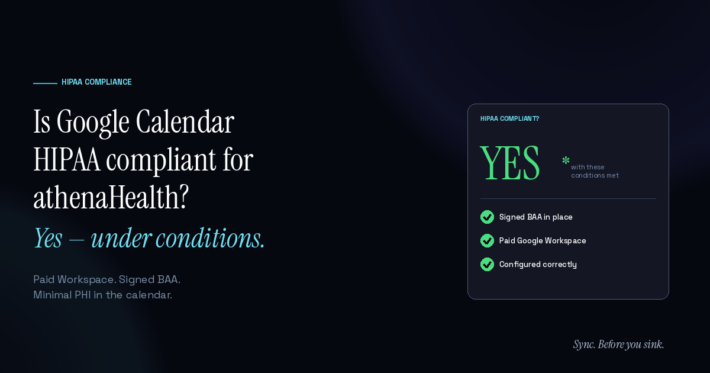
[…] between them still needs its own BAA, and the data crossing the bridge should still be minimized. Multi-location practices follow the same pattern, just with more provider calendars to […]
[…] eats staff time that could go to patients. For anything beyond a single provider — especially multi-location athenahealth scheduling — it stops being viable […]
[…] a provider remains with the organization but leaves one site, use established multi-location scheduling controls to avoid removing access and mappings that are still needed […]
[…] Turn every same-day site change into a capacity decision rather than treating the gap as automatically free. Available time begins when the provider can realistically leave the origin and ends when the provider must be ready at the destination. This transaction-level control complements the broader multi-location athenahealth scheduling model. […]
[…] scoring the choice, confirm the underlying multi-location athenahealth scheduling fundamentals: departments, provider templates, location constraints, appointment types, and shared operating […]
[…] the broader multi-location athenahealth scheduling fundamentals for location architecture, then apply this narrower clock-control standard to every cross-zone […]
[…] standard narrows the broader multi-location athenahealth scheduling foundations into four […]