
Onboarding New Providers to athenaHealth Scheduling (And Where It Goes Wrong)
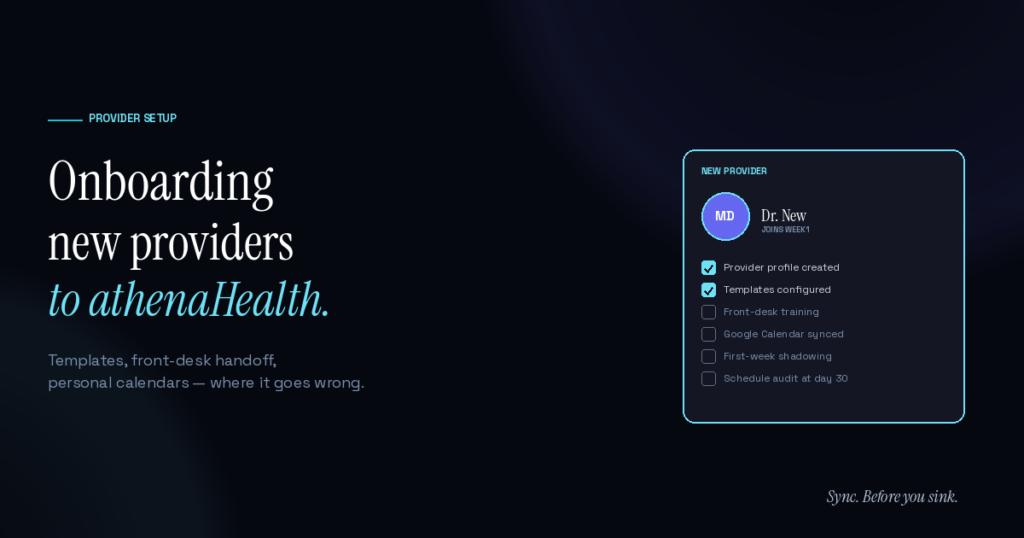
fOnboarding a new provider into an athenaHealth practice’s scheduling system involves more than adding them as a user in the EHR. Provider templates need to match how they actually work, the front desk needs visibility into their schedule preferences and patterns, and the provider’s personal commitments need to align with the EHR’s view of their availability. Practices that handle onboarding well typically take 4–6 weeks of disciplined work and see scheduling errors stabilize within the first 60 days.
The reason this matters: a sloppy onboarding produces 6–12 months of avoidable scheduling friction. Templates that don’t match reality, front-desk uncertainty about provider preferences, and visibility gaps between athenaHealth and the provider’s actual calendar all compound. Most practices that struggle with a new provider’s scheduling can trace the issues back to the first month.
What does “onboarding” actually involve for athenaHealth scheduling?
The full scope is broader than most practices recognize:
- Provider profile creation. Basic — adding the provider to athenaHealth as a user with appropriate access.
- Template configuration. The harder part. Templates need to encode the provider’s actual working pattern, appointment types they see, slot lengths, recurring blocks.
- Front-desk training on the provider. How they prefer to be addressed by patients, how they handle walk-ins, whether they take phone consultations.
- Multi-location mapping (if applicable). Which days at which sites.
- Personal-calendar alignment. External commitments — hospital rounds, conferences, personal blocks — need to be reflected in availability.
- First-week shadowing or pairing. Catching template mismatches in real-time.
- 30-day audit. Reviewing actual scheduling patterns vs. planned templates.
Most practices do step 1 and parts of step 2 well. Steps 3–7 are where the gaps live.
The provider-template phase
Templates are the foundation of everything downstream. Templates that don’t match how the provider actually works will produce constant front-desk overrides, double-bookings, and provider frustration.
Practices that get this right:
- Interview the provider in detail. Not “what hours do you work” but “walk me through a typical week, including external commitments.” Surface the surgery schedule, the conference travel, the school pickup, the recurring meetings.
- Encode actual patterns, not nominal hours. If a provider’s schedule says they work Mondays but they have surgery every Monday morning, that needs to be in the template, not patched by the front desk every week.
- Match slot lengths to actual encounter time. New providers often start with templates inherited from someone else, with slot lengths that don’t match how this provider actually works. Recalibrate within the first 30 days.
- Include realistic buffer capacity. Catch-up slots, charting time, and reactive capacity for clinical surprises.
This is the same foundation the athenaHealth scheduling best practices guide covers — but for new providers, the calibration happens with less practice manager certainty about how the provider actually works.
The front-desk handoff and visibility piece
The front desk’s relationship with each provider is the operational layer where scheduling either works or doesn’t. New providers create uncertainty:
- Front desk doesn’t know the new provider’s preferences yet
- Phone scripts haven’t been updated with the provider’s bio
- Walk-in routing rules need to reflect the new provider’s capacity
- Existing patients who get rerouted to the new provider may need warmer handoff
Practices that handle this well dedicate front-desk time in the first two weeks to building familiarity. Daily 5-minute huddles to surface questions, real-time chat channels for provider-front-desk communication, and explicit training on the new provider’s clinical scope all help.
The personal-calendar piece (where most practices struggle)
The hardest onboarding element is what the AMA’s research describes as “system fragmentation” — the gap between where the provider tracks their own commitments and where the practice’s scheduling system can see them.
Most providers maintain their authoritative personal schedule in Google Calendar. New providers especially — they bring habits from prior practices that don’t always align with the new practice’s tools. If the new practice has bidirectional calendar sync between athenaHealth and Google Calendar already in place, this is a relatively painless onboarding step — the new provider’s Google Calendar becomes a feed to their athenaHealth availability automatically.
Without sync, the provider has to manually communicate every OOO block, every external commitment, every personal recurring pattern. The communication burden during onboarding doubles, and the inevitable gaps produce avoidable double-bookings in the first 60–90 days.
The AMA’s 2025 physician AI survey found 57% of physicians prioritize reducing administrative burden through automation. New provider onboarding is exactly the kind of high-friction administrative process where the right infrastructure makes a measurable difference in provider experience and practice operations.
Common new-provider mistakes
Patterns to watch for:
- Inherited templates left unchanged. The departing provider’s template gets handed to the new provider without recalibration. Almost guarantees template drift.
- Underestimated charting time. New providers in unfamiliar systems chart more slowly initially. Templates that don’t allow for this create cascading lateness.
- Patient panel sizing without ramp. Loading the new provider to full panel capacity in week one. They need 2–3 weeks of lighter loading to establish patterns.
- No 30-day audit. Skipping the planned review means problems compound for 6 months before they’re caught.
- No clear ownership of template updates. Provider, practice manager, and front desk all assume someone else owns it. No one updates anything until it breaks.
Many of the broader athenaHealth scheduling problems practices report originate in onboarding gaps — patterns that get baked into a provider’s scheduling behavior in the first 60 days and persist for years.
The 30-day audit
Building in a structured review at the 30-day mark is the single highest-leverage onboarding practice. The audit:
- Reviews template accuracy against actual scheduling patterns
- Identifies template adjustments needed
- Surfaces front-desk friction points
- Captures provider feedback on what’s not working
- Documents updates for ongoing reference
Most provider scheduling issues are visible in the first 30 days and easy to correct if surfaced explicitly. The same issues, ignored, compound into 6-month problems requiring much harder cleanup.
Frequently Asked Questions
Q: How long does a typical athenaHealth new-provider onboarding take? A: 4–6 weeks of disciplined work to reach a steady operational state. The provider can start seeing patients earlier (week 1 is common), but the scheduling infrastructure stabilizes around week 4–6.
Q: Who owns provider onboarding for scheduling specifically? A: Typically the practice manager, working with the new provider and the front-desk lead. Some larger practices have dedicated onboarding coordinators. The owner needs explicit authority over template configuration.
Q: What’s the single most common onboarding mistake? A: Reusing an inherited template without recalibration. Templates encode a specific provider’s pattern; they almost never transfer cleanly.
Q: How does Sporo Health fit into new-provider onboarding? A: For practices already using Sporo, new-provider onboarding for calendar sync is straightforward — typically 15–30 minutes per provider added during the standard onboarding flow. The provider’s Google Calendar gets mapped to athenaHealth as part of the standard setup.
Q: What if a new provider doesn’t use Google Calendar? A: That’s fine. Sporo’s sync is specifically for athenaHealth + Google Calendar; providers who maintain their schedule entirely in athenaHealth don’t need calendar sync for their personal blocks. They do still benefit from clear template configuration.
Q: How should I think about new-provider onboarding cost? A: Direct cost is mostly internal labor. The cost of doing onboarding poorly is much higher than the cost of doing it well — most onboarding problems show up as 6–12 months of avoidable scheduling friction.
Onboard the way you’d want to be onboarded
New providers form their working impressions of a practice in the first 30 days. Whether their scheduling experience is smooth or chaotic during that window shapes their experience of the practice for years.
For practices using Sporo Health’s bidirectional sync, the personal-calendar piece of onboarding happens automatically. Provider’s Google Calendar becomes a clean feed to athenaHealth availability.
Sync. Before you sink.

[…] A typical onboarding takes as little as 30 minutes for the simplest case, with most practices live in 2–3 days. Multi-location practices typically take 5–7 days to coordinate provider accounts and shared calendars across sites. The setup timeline is covered in more depth here. […]
[…] new-provider scheduling onboarding basics as the permanent-provider baseline, then add the fixed-term boundaries and exit evidence that a […]
[…] the scope, ownership, evidence, exceptions, and final decision in one provider-level record. Use the broader new-provider scheduling onboarding process for background, then narrow this packet to the booking-release […]