
Is Google Calendar HIPAA Compliant for athenaHealth Practices in 2026?

Yes — Google Calendar is HIPAA compliant when used under a signed Google Workspace Business Associate Agreement (BAA), on a paid Workspace edition, and configured correctly. For athenaHealth practices that want bidirectional calendar sync, the safer pattern is to keep Protected Health Information (PHI) inside athenaHealth and sync only non-PHI metadata — appointment type, time, and duration — to Google Calendar.
That distinction is where most practices get tripped up. The BAA is the legal floor. What you actually put inside the calendar determines whether you stay compliant once sync is live.
What does “HIPAA compliant” actually mean for a scheduling tool?
HIPAA compliance for a calendar means two things must be true at once: there is a signed BAA in place with the calendar vendor, and the calendar is configured and used in a way that protects PHI. Either one alone is not enough.
A Business Associate Agreement is the contract that legally allows a third party to handle PHI on a covered entity’s behalf. According to HHS guidance on covered entities and business associates, “if a covered entity engages a business associate to help it carry out its health care activities and functions, the covered entity must have a written business associate contract or other arrangement with the business associate that establishes specifically what the business associate has been engaged to do and requires the business associate to comply with the Rules’ requirements to protect the privacy and security of protected health information”.
In plain terms: no BAA, no PHI. And the BAA only covers what it explicitly lists.
Is Google Calendar covered under Google Workspace’s BAA?
Yes. Google Calendar is one of the core services explicitly included in Google Workspace’s HIPAA BAA. As of 2026, Google’s BAA covers a defined subset of core services for use with PHI as long as the healthcare organization configures those services to be HIPAA compliant, including Gmail, Calendar, Drive, Google Chat, Google Meet, Google Voice, and several others.
Three caveats matter for athenaHealth practices:
- Paid Workspace only. A free @gmail.com account is never HIPAA compliant. The BAA only covers paid Google Workspace editions.
- Super admin must accept the BAA. The BAA lives in your Admin Console under Account Settings → Legal & Compliance Settings. It must be reviewed and accepted before any PHI flows through covered services.
- Configuration is on you. Signing the BAA does not configure the tenant. As one 2026 compliance guide puts it bluntly, “Signing the BAA without configuring the tenant gives you the legal framework without the controls that make it work in practice. The BAA is a legal agreement. Configuration is the actual security.”
So the legal floor is there. But Google Calendar’s compliance only protects what’s inside Google Calendar. It doesn’t protect anything that crosses into a service that isn’t covered.
Does athenaHealth’s BAA extend to Google Calendar?
No. athenaHealth’s BAA covers PHI inside athenaHealth. Google’s BAA covers PHI inside Google Workspace’s covered services. If you build a bridge between them yourself — or use a third party that doesn’t sign its own BAA — you create a gap.
That gap is the most common source of compliance risk in this exact use case. Practices try to solve “I can’t see my athenaHealth schedule on my phone” by manually copying appointments into Google Calendar, or by exporting CSVs, or by piping things through workflow automation tools that weren’t designed to carry PHI. The moment patient names, provider names, or clinical detail land in a calendar event without a BAA covering that path, you are out of compliance.
This is the architectural problem Sporo Health was purpose-built to solve. The bridge between athenaHealth and Google Calendar is itself a business associate, with its own signed BAA, and is engineered so PHI never has to make the trip.
What happens if you sync PHI into a Google Calendar without proper protection?
You take on liability you don’t need. Business associates and covered entities are “directly subject to HIPAA Security Rule requirements (administrative, physical, and technical safeguards)” and HHS/OCR has the authority to impose civil monetary penalties directly on business associates.
Specifically, a non-compliant sync can put practices in these positions:
- PHI in an uncovered service. If sync events flow through a personal Gmail account, a free Google Workspace tier, or a tool whose BAA does not cover this exact data path, that’s a violation regardless of intent.
- PHI in covered services without configuration. Even with a paid Workspace and signed BAA, missing controls like Multi-Factor Authentication, Data Loss Prevention rules, audit logs, and proper retention policies are gaps an auditor will find.
- Patient names and clinical context in event titles. Even inside a properly covered Google Calendar, putting “John Smith — colonoscopy follow-up” into a calendar title makes that PHI viewable to anyone with shared calendar access. Front desk staff, admin assistants, and personal devices syncing the calendar all become PHI access points.
The simpler the data crossing the bridge, the smaller the surface area for an incident. That’s the principle Sporo’s bidirectional sync is built around.
What’s the safest way to sync athenaHealth appointments to Google Calendar in 2026?
Three rules, in order of importance:
- Sign BAAs everywhere PHI could go. athenaHealth’s BAA covers athenaHealth. Google Workspace’s BAA covers Google Workspace’s covered services. The sync vendor in between must sign its own BAA. If any link in that chain is missing, the chain is broken.
- Sync the minimum data needed. A doctor looking at a Google Calendar event needs to know there is something at 2:00 PM and roughly what kind of thing it is. They do not need to see the patient’s name, the diagnosis, or the chart number — that detail lives in athenaHealth, one click away. Less data in Google Calendar means less surface area for a breach.
- Configure the Google Workspace tenant. Even with a perfect sync, a misconfigured Workspace is a problem. Enable MFA, restrict external calendar sharing, turn on audit logs, set retention policies through Vault, and limit which staff have access to which calendars.
Here’s how the three common athenaHealth + Google Calendar approaches stack up against those rules:
| Approach | Has BAA in place | Limits data crossing the bridge | Risk profile |
|---|---|---|---|
| Manual copy/paste from athena to Google Calendar | No (staff transcribing PHI) | Depends on what staff type in | High — easy to leak patient names into event titles |
| Generic workflow automation (Zapier-style) | Some sign BAAs, many do not | No — typically forwards full event detail | High when BAA is missing; medium when present |
| Personal calendar export from athenaHealth | No (PHI in a personal tool) | No — full appointment detail | Critical — out of compliance |
| Purpose-built bidirectional sync (Sporo) | Yes — signed BAA before any data flows | Yes — metadata only, no PHI | Low — by design |
How does Sporo Health stay BAA-protected for athenaHealth and Google Calendar sync?
Sporo Health is the first purpose-built bidirectional sync for athenaHealth and Google Calendar, designed from the start around HIPAA-compliant data minimization. Three architectural choices keep the bridge safe:
- Signed BAA before any data flows. A Sporo BAA is executed during onboarding, before sync is enabled. That puts the sync vendor inside the chain of business associate accountability HHS expects.
- PHI never enters Google Calendar. The data pushed to Google Calendar is limited to appointment type, time, duration, and lightweight non-clinical metadata. Patient names, provider names, locations, and any clinical detail stay inside athenaHealth, where the existing athenaHealth BAA already covers them.
- Rolling sync window. Sporo only mirrors the next allotted portion of appointments at any time, so the calendar isn’t a long-term store of even the limited metadata that does cross.
A typical onboarding takes as little as 30 minutes for the simplest case, with most practices live in 2–3 days. Multi-location practices typically take 5–7 days to coordinate provider accounts and shared calendars across sites. The setup timeline is covered in more depth here.
Frequently Asked Questions
Q: Is a free Gmail account ever HIPAA compliant? A: No. There is no configuration, workaround, or agreement that makes a free Google account HIPAA compliant. The BAA only applies to paid Google Workspace editions. Any staff member using a personal Gmail for patient information is creating a HIPAA violation regardless of how the rest of the practice’s Workspace is configured.
Q: Does Google sign a BAA with healthcare practices directly? A: Yes. The BAA is built into Google Workspace and must be accepted by a super admin in the Admin Console under Account Settings → Legal & Compliance Settings. Once accepted, the BAA covers the use of covered services for PHI by that Workspace tenant.
Q: Is Google Calendar specifically on the BAA-covered services list? A: Yes. Google Calendar is one of the explicitly listed core services in the Google Workspace BAA’s covered services attachment. The current list is published at Google Workspace’s HIPAA Implementation Guide.
Q: What about patient names in calendar event titles — is that allowed? A: It’s technically permitted inside a properly covered Workspace, but it’s not advisable. Calendar events are often shared with personal devices, delegates, and assistants. Keeping PHI out of event titles reduces breach surface area and aligns with HIPAA’s minimum necessary standard. Sporo’s metadata-only sync is built around exactly this principle.
Q: Can a covered entity be held liable for a business associate’s breach? A: Yes, in many situations. CMS guidance notes that “the covered entity that is party to the transaction can be held accountable for the business associate’s noncompliance”. Choosing sync vendors that take their own BAA obligations seriously is part of due diligence.
Q: How does Sporo handle the rest of the HIPAA safeguards beyond the BAA? A: The BAA is the legal layer. The technical layer includes encrypted data transit, audit logging, role-based access control, and the metadata-only sync window described above. Practices can request the full compliance overview during a discovery call.
Q: What if our practice uses athenaOne plus a self-hosted Google Workspace — does that change anything? A: No. The two BAAs are independent: athenaHealth’s BAA covers athenaHealth, and your Google Workspace BAA covers Workspace. The bridge between them still needs its own BAA, and the data crossing the bridge should still be minimized. Multi-location practices follow the same pattern, just with more provider calendars to coordinate.
The bottom line for athenaHealth practices
Google Calendar can be HIPAA compliant. The signed BAA is the floor — but compliance lives in what you actually do with it. The safest pattern for athenaHealth practices is to keep PHI inside athenaHealth, keep Google Calendar configured correctly under Google Workspace’s BAA, and use a purpose-built bridge with its own BAA that minimizes what crosses between them.
That’s exactly what Sporo Health was built for: bidirectional sync that stays consistent in both directions, with appointment-type-and-time metadata only, under a signed BAA from day one. A short discovery call walks through the compliance setup, the onboarding timeline, and the specific data flow before any contracts are signed.

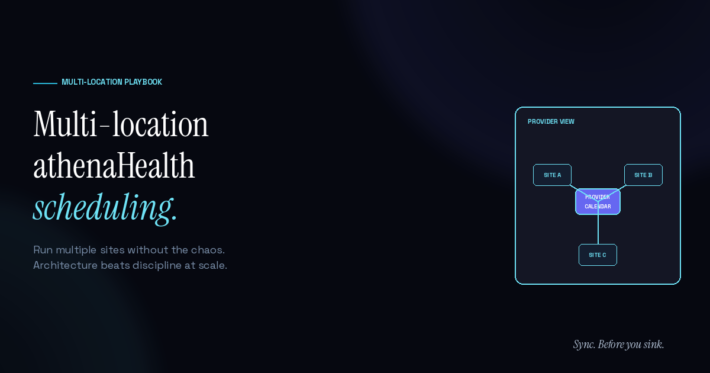
[…] Is Google Calendar HIPAA Compliant? athenaHealth Easy Guide on Multi Location athenaHealth Scheduling: How to Run Multiple Sites Without Chaos […]