Should an All-Day Calendar Event Block a Physician’s athenahealth Schedule?
How should all-day calendar events affect physician availability in athenahealth? Practice managers should not let the all-day label decide. Classify each item by purpose, availability status, owner, exact date range, and booked-care impact, then choose one action: ignore, block, confirm, or temporarily contain booking. Verify the result in athenahealth and the physician’s own Google Calendar or Outlook copy.
For physicians and scheduling teams, the core distinction is operational: a date label explains what is happening, while an availability control determines whether patients may be booked. Birthdays, holidays, reminders, location notices, and conference labels should not consume capacity unless the practice has separately established that the physician is unavailable.
How should all-day calendar events affect physician availability in athenahealth?
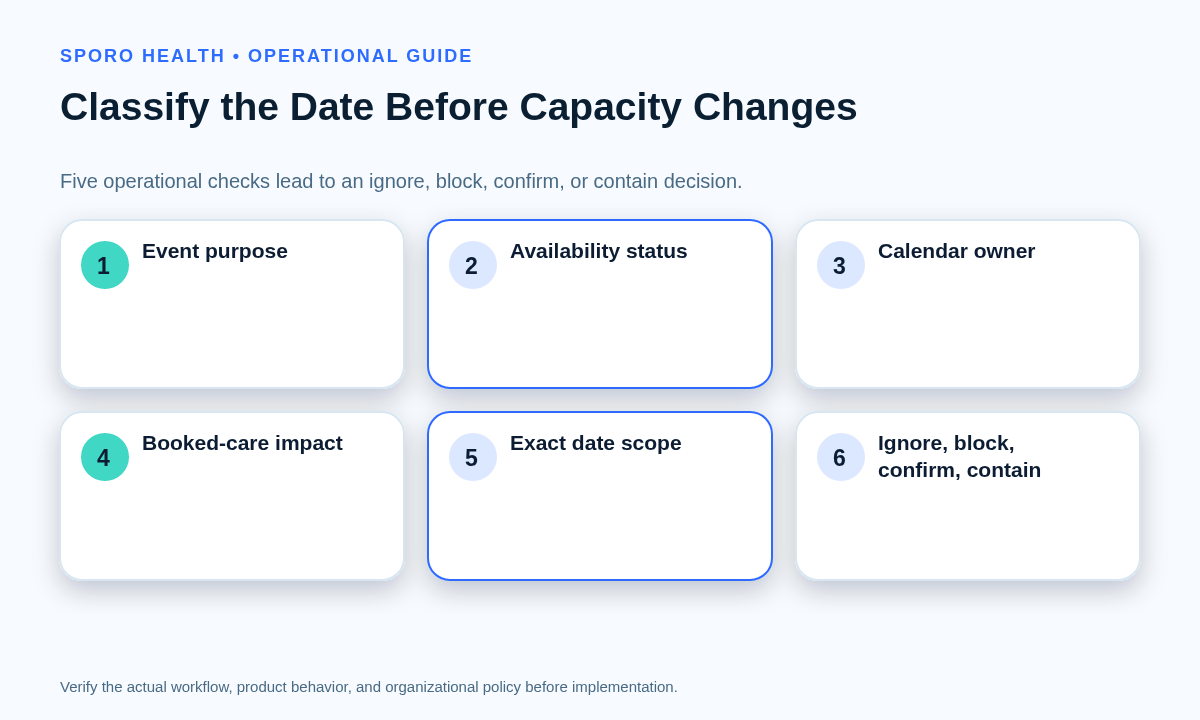
An all-day label should never be the sole trigger for closing or preserving capacity. Staff should evaluate five facts: the event’s operational purpose, availability status, ownership, exact date scope, and effect on booked care. The broader availability-precedence playbook for physician personal calendars can define which commitments have authority; this guide adds the date-only rules.
- Purpose: Is this information, a location signal, a provisional plan, or approved unavailability?
- Status: Does the physician’s copy show Free, Tentative, Busy, Out of Office, transparent, or opaque?
- Owner: Who may confirm the physician’s intent and authorize a capacity change?
- Date scope: Which clinic dates are included, and which date must reopen?
- Booked care: Are appointments already present on any affected date?
Which all-day event disposition should staff use?
Use four dispositions: ignore, block, confirm, or contain. Choose the smallest action that protects verified unavailability without treating every visible banner as a full-day scheduling restriction.
| Evidence | Booked-care impact | Disposition | Required action |
|---|---|---|---|
| Informational purpose; Free or transparent; date scope known | None | Ignore | Leave athenahealth capacity unchanged and retain the label as information. |
| Approved absence; blocking status; authorized owner; exact dates known | None or future capacity only | Block | Restrict only the applicable clinic dates and verify the first reopened date. |
| Conference, invitation, provisional plan, or status inconsistent with the title | Risk not yet established | Confirm | Assign an owner and deadline; use the confirm-or-release workflow for tentative physician holds. |
| Calendars disagree, boundaries are uncertain, or existing appointments overlap | Immediate operational risk | Contain | Pause new booking only for disputed provider-dates while preserving existing appointments. |
Once an event is confirmed as approved full-day unavailability, route it through the physician out-of-office availability-control workflow so approval, coverage, affected appointments, and reopening are managed explicitly.
Should a busy all-day Google Calendar event block a physician’s entire clinic day?
A Busy all-day Google Calendar event can block an entire day in Google availability checks, but it should affect athenahealth only when the practice’s policy confirms true unavailability. Google’s Events resource represents all-day items with start.date and end.date; the end is exclusive. It also separates opaque events, which block time, from transparent events, which do not.
Google confirms that a Busy all-day event can remove a day from calendars selected for appointment-schedule conflict checking in its availability guidance. That Google behavior does not independently decide athenahealth capacity. Test the physician’s selected source calendar, transparency, start date, exclusive end date, recurrence, and final expected clinic dates.
Google also defines birthdays as transparent annual all-day events in its event-type documentation. Treat birthdays, reminders, holidays, working-location notices, and conference labels as informational unless separate evidence establishes unavailability.
Should an Outlook all-day event marked Free affect athenahealth availability?
No; an Outlook all-day event marked Free should normally remain informational for availability purposes. Microsoft Graph exposes isAllDay and showAs as separate properties. Its event resource lists Free, Tentative, Busy, Out of Office, Working Elsewhere, and Unknown states and requires all-day start and end values to be midnight in the same time zone.
Microsoft’s Outlook all-day event guidance also shows that a Free all-day item can provide a visible notice without blocking work time. Test the intended dates, time zone, Show As value, recurrence scope, invitation response, and the physician’s own event copy rather than relying on a default or another attendee’s view.
Why can a multi-day calendar event appear to block the wrong date?
A multi-day event can appear to block the wrong date when staff infer scope from its banner instead of verifying the underlying start and end boundaries. Test every clinic date through the first date that should be bookable again. If midnight conversion or regional calendar settings are involved, use the DST-safe cross-time-zone scheduling playbook to investigate before releasing capacity.
| Control | Google Calendar | Outlook | Operational check |
|---|---|---|---|
| Date scope | Date start and exclusive date end | Midnight start and end in one time zone | List each affected clinic date and first reopened date. |
| Availability | Opaque or transparent | Show As value | Compare status with approved physician intent. |
| Ownership | Selected calendar and physician event copy | Physician event copy and invitation response | Verify the copy used by the workflow. |
| Recurrence | Series plus instances and exceptions | Series master, occurrence, or exception | Test one occurrence and a future occurrence. |
| Privacy | Visibility is separate from transparency | Sensitivity is separate from Show As | Verify availability without requiring private details. |
How should private events and booked patient care be handled?
Keep event visibility, availability status, and the disposition of booked patient care as three separate controls. Google exposes visibility and transparency separately, while Microsoft exposes sensitivity and Show As separately. Microsoft’s private-event guidance likewise lets an owner select privacy and availability independently.
Scheduling staff may need only the provider, date range, source calendar, and availability signal—not the event title or description. Use the minimum-necessary calendar data governance worksheet to document that boundary.
If an all-day event overlaps booked patient care, preserve those appointments while an authorized owner decides whether to keep, move, cover, or cancel them. A synchronization process can reflect an approved schedule state; it should not make the operational decision about existing appointments.
What should all-day event acceptance testing cover?
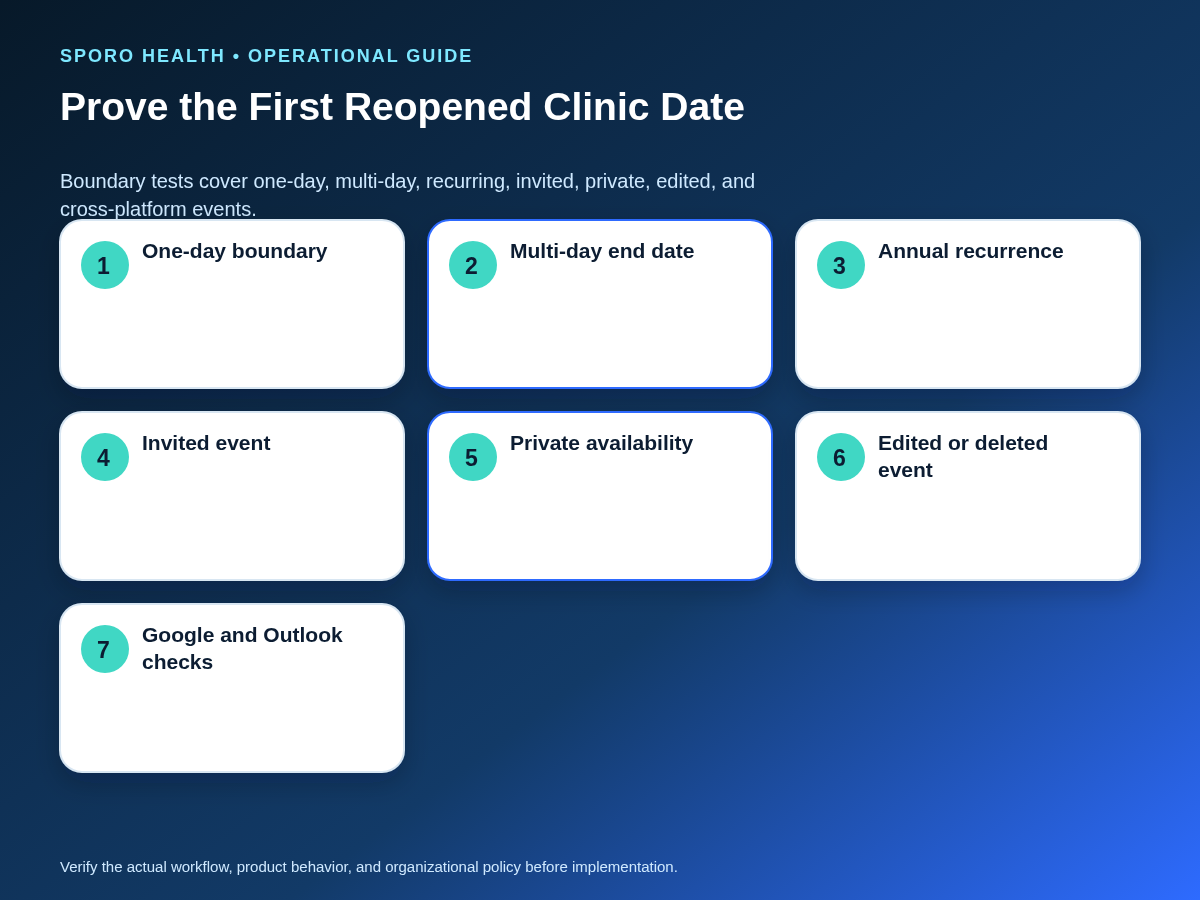
Acceptance testing should cover every event shape that can change a full provider-day, not just one simple vacation example. Each case needs an expected external-calendar state, an expected athenahealth capacity state, and a named verifier.
| Case | Expected external state | Expected athenahealth state | Verifier |
|---|---|---|---|
| One-day approved absence | Blocking on intended date only | That clinic date unavailable; next date open | Scheduling lead |
| Multi-day absence | Exact first and final affected dates | Only listed clinic dates unavailable | Practice manager |
| Recurring annual birthday or holiday | Informational or nonblocking | Capacity unchanged | Calendar owner |
| One edited recurrence | Exception differs from series | Only approved occurrence changes | Integration owner |
| Invited event with unclear response | Response and status documented | Confirm or contain pending decision | Physician or delegate |
| Private event | Details limited; availability visible | State follows availability, not title access | Authorized reviewer |
| Cross-time-zone event | Correct date in physician and clinic views | Correct local clinic dates affected | Implementation owner |
| Edited or deleted event | Current occurrence or deletion visible | Restriction corrected and stale dates released | Named verifier |
What should staff do when calendars disagree about a full clinic day?
When calendars disagree, preserve booked appointments and contain only the unresolved provider-dates until an authorized owner corrects and verifies the state. Do not delete or recreate events merely because one view looks wrong.
- Capture evidence: Record provider, calendar, event identifier, recurrence scope, status, dates, time zone, and both observed schedule states.
- Protect care: Keep existing appointments unchanged and pause new booking only where the unresolved risk warrants it.
- Find authority: Identify the physician, delegate, manager, or integration owner permitted to decide the intended state.
- Correct the smallest object: Change one occurrence rather than a series when appropriate; remove a false block or add an approved missing restriction.
- Retest boundaries: Verify every affected clinic date and the first bookable date after the event.
- Close with evidence: Record the correction, verifier, completion time, and whether similar events require review.
Use the same flow for a false full-day block, a false-open physician day, an extra apparent date, a stale recurring occurrence, or disagreement between month, agenda, mobile, and scheduling views.
Which measures reveal false blocks and false-open days?
Track defects by affected provider-day and source calendar, not merely by the number of tickets. Provider-days show the operational scope of a full-day error, while source segmentation reveals whether one calendar, event type, or rule repeatedly needs correction.
| Measure | Calculation or review |
|---|---|
| False-block rate | All-day-derived blocks reversed as incorrect divided by reviewed blocks. |
| False-open rate | Confirmed unavailable provider-days left bookable divided by sampled unavailable days. |
| Wrong-date releases | Count provider-days reopened too early or too late. |
| Confirmation aging | Count unresolved events beyond the practice-defined decision deadline. |
| Repeat corrections | Count events or series requiring another correction after closure. |
| Affected provider-days | Sum the clinic dates exposed to each defect. |
Review trends by Google Calendar or Outlook, event purpose, recurrence type, provider, and location. Use the results to refine policy and tests rather than setting an unsupported universal threshold.
How should practice managers implement the rule set?
Practice managers should turn the matrix into a short policy, a named approval path, and a repeatable test pack before relying on all-day events. Start with a limited provider-calendar cohort, record expected results, and require a second person to verify high-risk date boundaries.
- Define which event purposes are informational, provisional, or approved unavailability.
- Map Google transparency and Outlook Show As states to the four dispositions.
- Name who may confirm intent, alter capacity, manage booked care, and verify closure.
- Run the full acceptance suite, including edits, deletions, recurrence exceptions, privacy, and the first reopened date.
- Review false blocks, false-open days, confirmation aging, and repeat corrections after launch.
To evaluate connected-calendar options, review the Sporo Health overview, the vendor’s athenahealth and Google Calendar product page, its athenahealth and Microsoft Outlook product page, and Sporo Health’s athenaConnect Marketplace listing. Treat product statements as vendor claims and require witnessed tests for the practice’s configuration.
The practical answer to how should all-day calendar events affect physician availability in athenahealth is therefore policy first, platform semantics second, and verified capacity changes third. A visible date banner alone is never enough.
Frequently asked questions
Should a busy all-day Google Calendar event block a physician’s entire clinic day?
Only when the practice has confirmed that the event represents approved unavailability for the affected clinic date. Google may treat a Busy all-day event as a full-day conflict, but staff still must verify the selected calendar and the intended athenahealth rule.
Should an Outlook all-day event marked Free affect athenahealth availability?
No. An all-day label and Show As are separate, and Free communicates availability. If the physician is truly unavailable, an authorized owner should correct the status or apply the approved restriction, then verify both systems.
Do birthdays and holidays on a physician calendar need to block patient booking?
No, not by default. Keep birthdays, holidays, reminders, working-location notices, and conference labels informational unless the practice separately confirms physician unavailability for those dates.
How should a private all-day event affect physician availability?
Private visibility should limit details according to the platform and permissions, while availability follows the event’s availability state. Staff should use only the date range and availability signal needed for scheduling.
Why can a multi-day calendar event appear to block the wrong date?
Date-only boundaries may not match what staff infer from the event banner. Verify the stored start, exclusive or midnight end, every affected clinic date, and the first bookable date after the event.
What should staff do when Google Calendar or Outlook disagrees with athenahealth about a full clinic day?
Preserve booked care, contain new booking only for the disputed provider-dates when warranted, capture both states, correct the authoritative record, and retest through the first date that should be open.
Sources