Temporary Provider Scheduling in athenahealth: A Start-to-Exit Checklist
A temporary provider scheduling checklist for athenahealth practices should control the assignment as one fixed-term lifecycle. Practice managers should approve the provider’s scope, first and last bookable dates, account and calendar path, appointment handoff, change rules, and exit evidence before booking opens. The goal is not faster onboarding; it is a schedule that can start, change, and close without residual capacity or access.
How do you apply a temporary provider scheduling checklist for athenahealth practices?
Control the provider as one fixed-term lifecycle, not as ordinary onboarding followed by an improvised departure. Approve the assignment boundary, scheduling scope, access path, owners, extension rule, exit sequence, and required evidence before the first slot becomes bookable.
This differs from a permanent provider launch, a reversible leave, or offboarding that begins only after notice. The assignment’s planned end shapes every start decision, including template design, future booking, calendar ownership, and permissions.
What belongs in the fixed-term provider control card?
The control card should bind the provider’s identity, approved scope, lifecycle dates, owners, calendar paths, and exit obligations in one record. Do not distribute these decisions across an offer letter, ticket queue, spreadsheet, and email thread without one authoritative index.
| Control area | Record before launch | Closure evidence |
|---|---|---|
| Identity and ownership | Provider identity, sponsoring owner, and operations, credentialing, IT, and scheduling owners | Approval and accepted ownership |
| Schedule envelope | Departments, locations, appointment types, template version, booking channels, and exclusions | Approved final-scope comparison |
| Calendar and access | External calendars, inputs, write destination, sharing, delegation, integration authorization, and cutoff | Access map and cutoff proof |
| Dates and handoff | Authorization, first and last bookable dates, assignment end, future-appointment owner, extension deadline, and reconciliation date | Booking scan and closed exceptions |
Use new-provider scheduling onboarding basics as the permanent-provider baseline, then add the fixed-term boundaries and exit evidence that a temporary assignment requires.
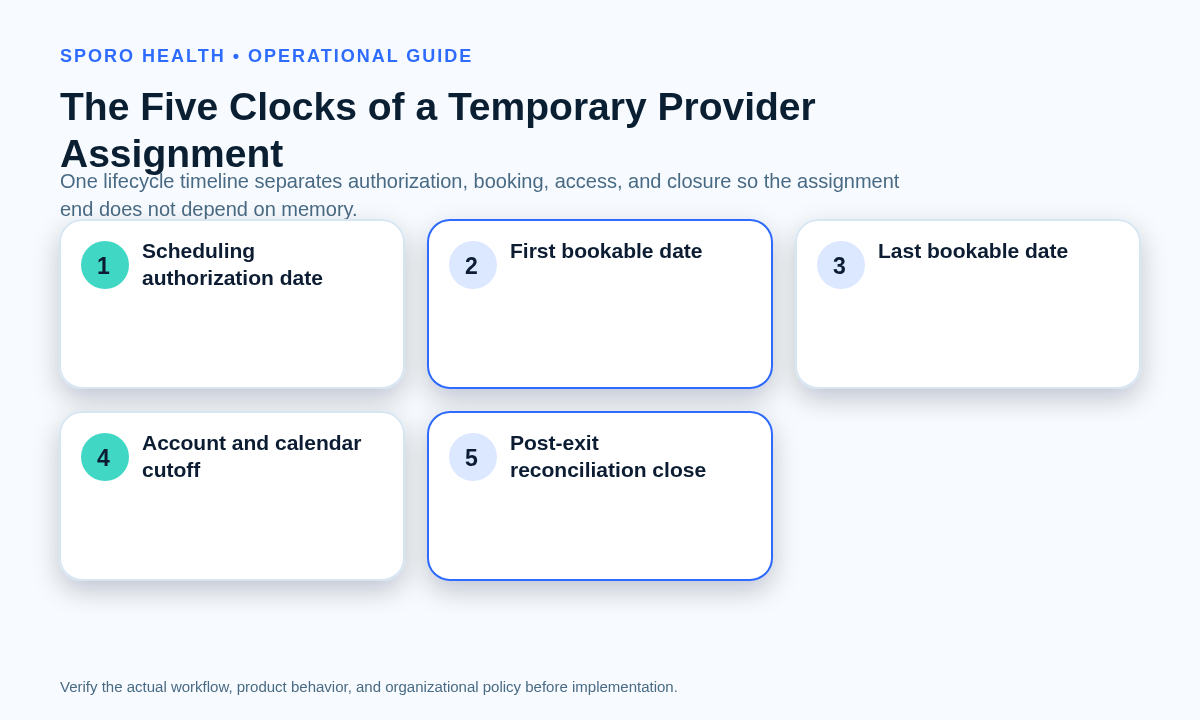
Which five clocks control a temporary provider assignment?
Use five separate clocks because authorization, booking, access, and operational closure do not necessarily occur on the same date. Putting one generic “end date” on the record leaves important transitions ambiguous.
- Scheduling authorization date: when approved configuration work may begin.
- First bookable date: the earliest date any channel may offer the provider.
- Last bookable date: the final date a new appointment may be placed with the provider.
- Account and calendar cutoff: when personal access, sharing, delegation, and integration rights end or narrow.
- Post-exit reconciliation close: when residual bookings, capacity, events, mappings, and exceptions have been verified.
The last bookable date may precede the assignment end when future obligations would otherwise cross the approved term. The reconciliation date should follow the cutoff long enough to test both near-term and later schedule horizons.
What should the temporary provider’s schedule-scope envelope include?
The envelope should state exactly where, when, how, and for which appointment types the provider may be booked—and what remains excluded. It should cover departments, locations, appointment types, booking channels, template rules, external-calendar inputs, write destinations, buffers, recurring blocks, and exceptions.
- Approved hours and effective dates
- Departments and physical or virtual locations
- Permitted appointment types and slot rules
- Staff, patient, referral, and other booking channels
- Buffers, protected blocks, and recurring exceptions
- Google Calendar or Outlook availability inputs
- The approved calendar write destination
- Explicitly prohibited locations, types, and channels
Do not copy another provider’s template by default. Reuse it only after an owner approves the disposition of every inherited rule and boundary tests prove the temporary scope. The athenahealth schedule template versus temporary change guide can help classify baseline and bounded rules.
Use the current athenahealth appointment API reference and the practice’s authorized configuration as technical validation sources; a public reference does not prove tenant-specific UI behavior.
When is a temporary provider ready for booking?
Open booking only after the template, permissions, calendar mapping, staff workflow, representative appointment states, and rollback path pass a documented readiness gate. An unresolved dependency should produce a conditional go or no-go, not an assumption that it will be corrected after launch.
- Compare the provider profile and schedule rules with the approved control card.
- Confirm permissions are limited to the approved role and assignment.
- Verify included calendar mappings and confirm excluded calendars are absent.
- Test the first allowed date, last allowed date, and first prohibited date.
- Test create, reschedule, cancel, external block, and recurring-exception states.
- Have schedulers demonstrate the booking, exception, and escalation workflow.
- Rehearse rollback without deleting authoritative records or hiding obligations.
The front-desk calendar-sync readiness checklist provides additional scenario drills when scheduling staff will independently manage connected-calendar exceptions.
How should appointments beyond the temporary provider’s end date be handled?
Set the last bookable date before launch and assign every appointment that could extend beyond the term to a preapproved owner and disposition. Do not leave confirmed appointments, multi-appointment series, waitlist entries, or pending requests for end-of-term cleanup.
- Remain with the provider: the appointment is wholly within the approved term.
- Reassign: another authorized provider or schedule owner accepts the obligation before confirmation.
- Coverage review: the item is held from unsupported booking until an authorized owner decides its destination.
- Authorized extension: the assignment change passes its control gate before the old boundary expires.
Apply the boundary to every booking channel. A template that closes correctly is insufficient if a staff override, waitlist workflow, online channel, or recurring series can still create obligations beyond the approved scope.
How should athenahealth, Google Calendar, or Outlook access be time-bound?
Apply the assignment cutoff to every access layer rather than treating one account action as complete offboarding. Where supported, configure automatic expiration; always pair it with a dated owner task, escalation route, and post-cutoff access test.
NIST account-management guidance calls for defined account managers, notifications when access is no longer required, and automatic removal or disabling of temporary accounts after an organization-defined period. It also calls for auditing account changes. See NIST SP 800-53 Revision 5.1, AC-2.
- athenahealth user, role, department, and scheduling permissions
- Google Workspace or Microsoft 365 sign-in access
- Calendar sharing, delegation, groups, and mailbox permissions
- Integration authorization, provider mapping, and calendar write access
Google advises administrators to cancel, transfer, or release future events and secondary calendars before deleting a user; suspension and deletion have different consequences. Review Google Workspace’s calendar exit guidance before changing the account.
Microsoft documents separate password reset, session sign-out, and sign-in blocking steps. For organized meetings, its Remove-CalendarEvents guidance also allows previewing future cancellations and notes that the mailbox must remain enabled to send them. Review the Microsoft 365 access-blocking procedure rather than assuming one action is immediate or complete.
If connected-calendar visibility is in scope, Sporo’s current athenahealth and Google Calendar product page and athenahealth and Microsoft Outlook product page describe its commercial options. Treat those descriptions as vendor claims and verify provider-level start, extension, cutoff, and residual-event behavior. Privacy and compliance conclusions require authorized review of the actual configuration, contracts, fields, access, and retention.
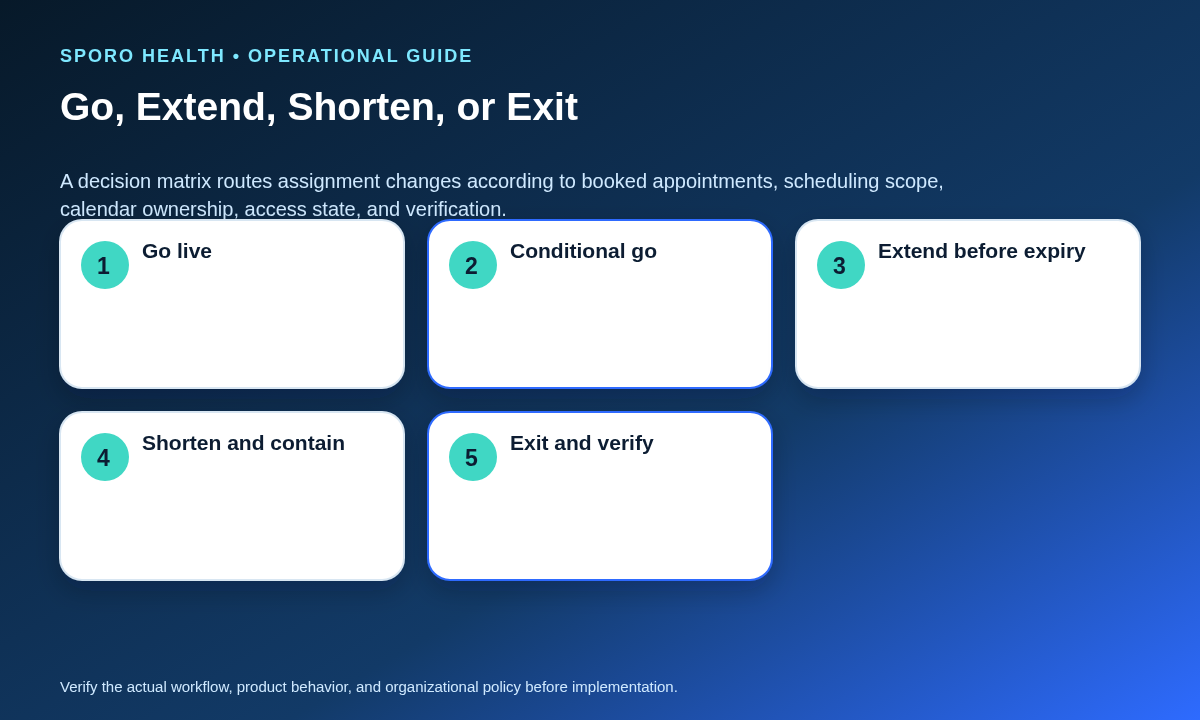
What happens when the assignment is extended, shortened, or moved?
Treat every extension, shortened term, department change, or exit as a new controlled change before the current boundary. Update each affected date, schedule rule, appointment obligation, permission, calendar mapping, test case, and exit task, then have someone other than the implementer verify the new scope.
| Trigger | Scheduling action | Access and calendar action | Decision gate |
|---|---|---|---|
| Extend | Move approved end, booking, handoff, and reconciliation dates | Extend only approved permissions and mappings | Test old and new boundaries before expiry |
| Shorten | Close later capacity and assign affected obligations | Advance cutoffs and scan recurring assets | Contain booking until the new boundary passes |
| Change scope | Add or remove departments, locations, types, or channels | Rescope permissions, inputs, and write destinations | Test inclusions and exclusions independently |
| Exit | Close obsolete capacity and complete handoffs | End or narrow access and dispose of calendar assets | Pass the residual-state scan |
After any material change, use a provider calendar access recertification workflow to confirm that the surviving access still has an approved business purpose.
What must the temporary provider exit gate verify?
The exit gate passes only when obsolete booking capacity is closed, future obligations have owners, calendar assets have dispositions, access has ended or narrowed, and residual-state tests are clean. Verify evidence rather than accepting “account disabled” or “template ended” as proof of complete closure.
- No open capacity after the approved boundary
- No unowned future appointments, requests, or waitlist entries
- No unintended recurring blocks or organized meetings
- Approved disposition for secondary calendars and other calendar assets
- No stale delegates, shares, groups, or mailbox permissions
- No residual integration authorization or provider-calendar mapping
- No reopened capacity in near-term or later test windows
Google Calendar identifies recurring instances through fields such as the recurring event ID and original start time in its Events resource. Microsoft Graph can list occurrences and exceptions within a defined time range through its event instances method. Operationally, this means a clean series master alone is not sufficient evidence; test expanded occurrences and exceptions across the assignment boundary.
For a deeper sequence covering ownership, future obligations, disconnection, and recovery, use the provider calendar offboarding checklist.
How should lifecycle reliability be measured?
Measure defects by provider assignment and approved boundary, not by raw appointment or event volume. Each measure should have an owner, denominator or counting rule, review cadence, and documented response threshold.
| Measure | Operational definition |
|---|---|
| Bookings beyond term | Appointments placed after the approved last bookable boundary |
| Overdue access cutoffs | Access paths still active after their approved cutoff |
| Unowned obligations | Future appointments or waitlist items without an accepted owner |
| Change defects | Extension, shortening, or scope changes that fail verification |
| Residual mappings | Calendar or integration mappings surviving without approval |
| Reopened capacity | Booking capacity that returns after closure |
| Exit exception closure | Elapsed time from identified exception to verified resolution |
Review the scorecard at the assignment level so one high-volume provider does not conceal a small number of temporary assignments with repeated boundary failures.
How do you put the temporary provider scheduling checklist for athenahealth practices into use?
Start with one assignment, one accountable sponsor, and one control card that remains authoritative from approval through reconciliation. Do not open booking until every required owner has accepted their tasks.
- Create the control card and five-clock map.
- Approve the schedule-scope envelope and exclusions.
- Set the last bookable date and future-obligation rules.
- Configure bounded accounts, permissions, calendars, and mappings.
- Run readiness and boundary tests.
- Open booking with a conditional-dependency register if needed.
- Process extensions and scope changes through the matrix.
- Run the exit gate, residual scan, and scorecard review.
If connected calendars are part of the plan, review Sporo Health’s scheduling and automation resources and its current athenaConnect Marketplace listing for athenahealth calendar sync. Validate any vendor claim against the practice-owned control card, acceptance tests, and exit requirements before enrollment.
Frequently asked questions
What is a temporary provider scheduling checklist for athenahealth practices?
It is one fixed-term control record from authorization through post-exit verification. It connects approved scope, booking dates, access, future-appointment ownership, changes, and exit evidence for one temporary provider assignment.
Should a temporary provider reuse an existing athenahealth schedule template?
Reuse is acceptable only after every inherited rule has an owner-approved disposition. Test hours, locations, appointment types, buffers, recurring blocks, exceptions, and both assignment boundaries before opening booking.
How should a practice set the last bookable date for a temporary provider?
Set the last bookable date before launch and make every booking channel enforce it. Choose it early enough that appointments or series extending beyond the term receive an approved owner and disposition.
How should appointments after a temporary provider’s end date be handled?
Assign each future appointment or waitlist item to a named owner before the end date. The approved disposition may be reassignment, coverage review, or an authorized extension; do not defer ownership to cleanup.
How can Google Calendar or Outlook access be time-limited for a temporary clinician?
Apply the approved cutoff to the account, calendar permissions, delegated access, and integration authorization. Use automatic expiration where supported, plus a dated owner task, escalation path, and residual-access test.
What should happen when a temporary provider assignment is extended?
Treat the extension as a controlled change before the current boundary expires. Update dates, schedule rules, appointment obligations, permissions, calendar mappings, tests, and exit tasks, then obtain independent verification.
What should a temporary provider exit audit verify?
Verify closed booking capacity, owned future appointments and waitlists, approved calendar-event and asset dispositions, ended or narrowed access, disconnected or rescoped integrations, and clean near-term and later-date scans.
Sources
Primary and first-party references used for current technical, platform, lifecycle, and vendor-description claims:
- athenahealth appointment API reference
- NIST SP 800-53 Revision 5.1
- Google Workspace calendar transfer and cancellation guidance
- Google Calendar Events API reference
- Microsoft 365 sign-in and access-blocking guidance
- Microsoft Graph event instances reference
- Microsoft Exchange Remove-CalendarEvents reference
- Sporo Health Google Calendar product description
- Sporo Health Outlook product description