
Multi-Resource Appointments in athenahealth: A Specialty Clinic Coordination Playbook
To answer how to schedule multi-resource appointments in athenahealth specialty clinics, specialty-practice managers should release a slot only when the provider, location, room, equipment, support role, buffers, and booking rules all pass one resource-ready gate. Record the patient appointment and dependent reservations as one linked transaction, then verify the complete set after confirmation, rescheduling, cancellation, substitution, or exception recovery.
Athenahealth documents multi-resource scheduling in its current Appointment Schedule and a consolidated workflow for rescheduling multi-resource series. The practice still needs its own dependency, ownership, hold, substitution, verification, and recovery rules. This playbook addresses those operational controls without offering clinical advice.
How do you schedule multi-resource appointments in athenahealth specialty clinics?
Release a multi-resource appointment for booking only when the complete required resource set is available, reservable, and verifiable for the applicable interval. Treat a provider-only opening as a proposed slot, not confirmed capacity, until every required dependency passes.
Athenahealth’s Summer 2026 athenaOne Service Description says Appointment Schedule supports booking multiple providers or resources for the same or different intervals. Athenahealth also describes a single rescheduling workflow for appointments in a multi-resource series. Those capabilities provide a platform foundation; the following controls define how a practice should operate it.
What resources should the practice link to each appointment type?
Build an appointment-type dependency register that classifies every provider, location, room, equipment asset, support role, buffer, and booking restriction. Each entry needs an accountable owner, booking rule, release rule, and approved fallback.
| Class | Meaning | Accountable owner | Booking and release rule |
|---|---|---|---|
| Required | The appointment cannot proceed operationally without it. | Provider, site, room, equipment, or staffing owner | Reserve before confirmation; release whenever the linked appointment closes. |
| Conditional | Required only when a documented appointment condition applies. | Owner of the triggering rule | Resolve the condition before booking or route the transaction for review. |
| Substitutable | One member of a pre-approved equivalent class is required. | Resource-class owner | Use only an approved fallback and record which asset was selected. |
| Informational | Useful context that does not reserve capacity. | Information owner | Display it, but do not treat it as proof of availability or reservation. |
Where individual appointments sit inside protected specialty sessions, align this register with the recurring procedure-block release and recovery playbook so block availability and patient-level resource readiness are not confused.
How should staff confirm that every resource is ready?
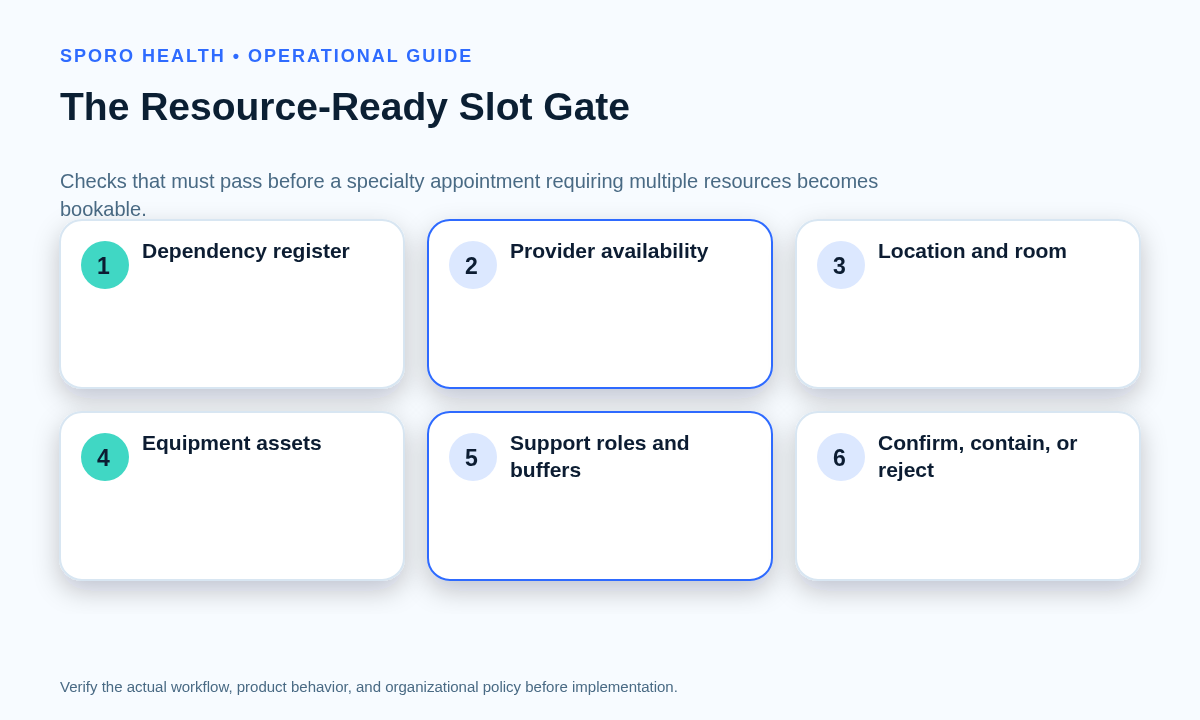
Run one resource-ready slot gate across the full interval before exposing or confirming the appointment. The gate should return only three dispositions: confirm the complete set, contain the proposed slot while a named issue is resolved, or reject it and search again.
- Identify the appointment type and load its current dependency register.
- Check provider availability, permissions, and applicable department or location.
- Check every required room, equipment asset, and support role.
- Include setup, preparation, cleanup, travel, or turnover buffers where applicable.
- Apply appointment-type, lead-time, and booking-channel restrictions.
- Reserve the complete set and read back each resulting state.
- Confirm only when no required dependency remains proposed or unresolved.
A healthcare scheduling study demonstrated the underlying logic by aligning participant, coordinator, room, and equipment availability before proposing a common interval; see the IMPACT multi-resource scheduling study. For local controls, use the provider-location booking-authority guide. Urgent requests should still pass this gate, supplemented by the same-day add-on capacity and conflict workflow.
How should linked bookings and temporary holds be controlled?
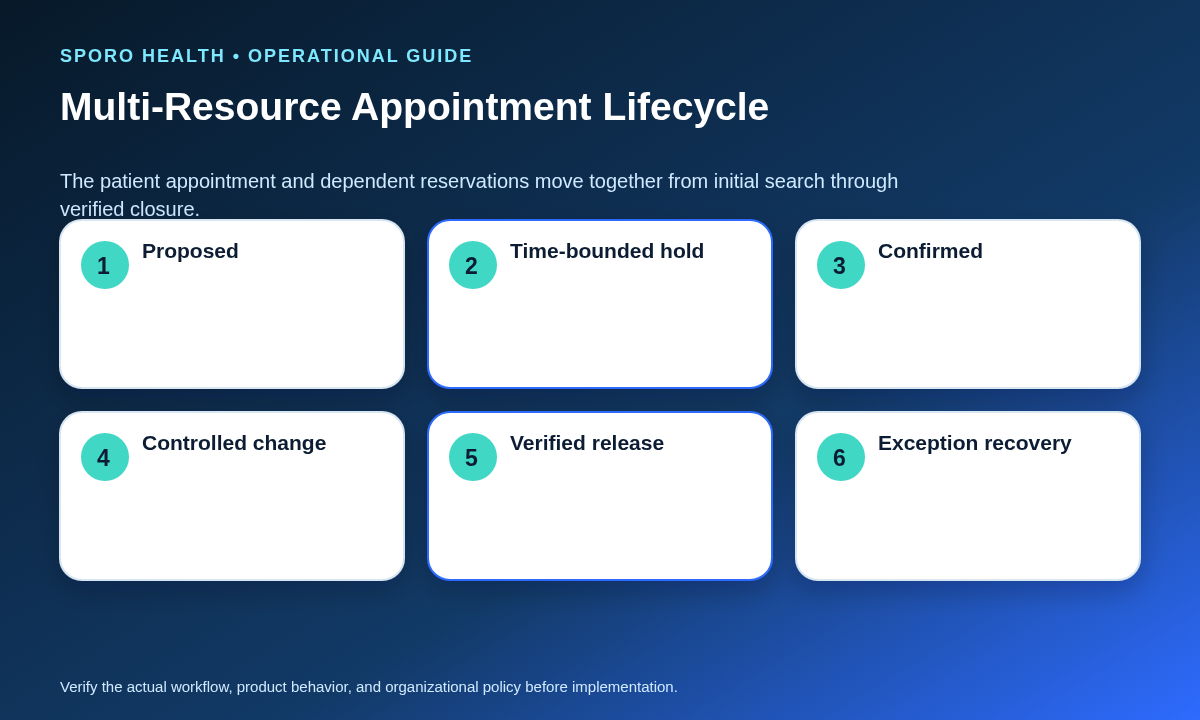
Use one transaction record to show the patient appointment and every dependent reservation in a shared lifecycle. A transaction should remain open whenever its linked records disagree or a required reservation has not reached the intended state.
| State | Operational meaning | Exit condition |
|---|---|---|
| Proposed | A candidate interval has been identified. | All dependencies pass or the proposal is rejected. |
| Held | Named resources are provisionally reserved. | The hold converts, expires, or is deliberately released. |
| Confirmed | The patient appointment and required resources are reserved and verified. | A change or cancellation begins. |
| Changed | The linked set is moving to a new state or interval. | Every component is verified at its destination. |
| Released | All reservations are closed or intentionally retained. | Final disposition is verified and documented. |
| Exception | The linked records are incomplete, conflicting, stale, or uncertain. | An owner repairs, rolls back, substitutes, or escalates the transaction. |
A hold-expiration worksheet should record the purpose, owner, exact resources and interval, creation time, expiration time, release trigger, release method, and escalation path. An expired hold that still restricts capacity becomes an exception rather than silently remaining in place.
Who should own and verify a multi-resource appointment?
Assign one transaction owner to coordinate the booking while retaining accountable owners for each individual resource. A named verifier should confirm that the patient appointment and every required reservation reached the intended state before closure.
- Transaction owner: coordinates confirmation, change, cancellation, and exception recovery.
- Resource owners: maintain availability, booking rules, substitution classes, and release authority.
- Verifier: compares the final linked set with the dependency register and requested interval.
- Escalation authority: decides questions beyond scheduling-team authority.
How should staff reschedule or cancel the linked resource set?
Process a reschedule or cancellation as one controlled transaction, not as unrelated edits. Do not close the change merely because the patient appointment or provider time moved successfully.
- Capture the current linked set before editing.
- Mark the transaction as changed so others know it is in progress.
- Find a new interval through the complete resource-ready slot gate, or identify every record requiring release.
- Move or release each required reservation using the intended scope.
- Compare old and new intervals for stale or duplicate reservations.
- Verify the final disposition and route any mismatch to exception handling.
A cancellation is complete only when every linked reservation is released or intentionally retained with a documented reason. Apply the broader controls in the front-desk reschedule and cancellation reconciliation workflow while preserving multi-resource atomicity.
When may scheduling staff substitute another resource?
Allow scheduling staff to substitute only within a documented, pre-approved operational equivalence class. Escalate any decision involving clinical suitability, credentials, safety, policy, or an unapproved resource difference.
| Requested change | Scheduler action | Required control |
|---|---|---|
| Approved room within the same operational class | Substitute | Verify capacity, features, location, interval, and readiness. |
| Approved equipment asset within an equivalent class | Substitute | Verify availability and current operational eligibility. |
| Approved support-role coverage | Substitute | Verify the role is included in the appointment-type fallback rule. |
| Any unapproved or judgment-dependent difference | Contain and escalate | Obtain the appropriate clinical, credentialing, safety, or policy decision. |
How should Google Calendar or Outlook fit the workflow?
Use external calendars for documented visibility or resource-calendar functions, but do not assume they reserve athenaOne resources. The practice must test each create, change, cancellation, hold, and substitution pathway across the systems it actually uses.
Google’s Calendar FreeBusy API returns busy intervals for a set of calendars, while its Directory resource-calendar API can inventory organizational resources with attributes such as capacity, building, category, and features. These capabilities do not by themselves prove that an athenaOne booking reserves those resources.
Microsoft Graph’s getSchedule operation reports availability for users, rooms, and equipment. Microsoft also documents room-mailbox booking policies and delegate approval. Again, the existence of a Microsoft 365 reservation does not establish the state of an athenaOne resource.
Practices evaluating provider visibility can review Sporo Health’s commercial pages for an athenahealth and Google Calendar connection or an athenahealth and Microsoft Outlook connection. Ask the vendor to demonstrate the exact boundaries; neither page is used here as proof of room, equipment, or support-role reservation.
Which measures reveal partial or orphaned bookings?
Measure whether linked transactions remain complete, recoverable, and verified rather than relying on total appointment volume. Define each denominator locally and track trends by appointment type, location, resource class, channel, and responsible workflow.
| Measure | Practical definition | What it reveals |
|---|---|---|
| Partial-booking rate | Reviewed bookings missing at least one required reservation divided by reviewed multi-resource bookings. | Failure at confirmation or change. |
| Orphaned-reservation rate | Stale resource reservations found after a move or cancellation divided by changed or canceled transactions reviewed. | Incomplete release or rescheduling. |
| Expired holds | Holds remaining active after their documented deadline. | Capacity restricted by stale provisional work. |
| Resource-related reschedules | Confirmed appointments changed because a required resource was unavailable or wrong. | Dependency or readiness defects. |
| Exception age | Elapsed time from exception detection to verified disposition. | Recovery workload and ownership gaps. |
| Verification failures | Checks that find at least one linked record in the wrong state. | Transaction-control reliability. |
Route unresolved partial bookings, stale holds, and verification failures into a visible queue with the daily schedule exception-queue handoff process. Review recurring patterns before changing appointment definitions, resource rules, or staff authority.
How should the practice pilot the workflow?
Pilot the workflow with representative appointment types and exception scenarios before expanding it across specialties, locations, resources, or channels. The pilot should prove both successful booking and safe recovery from incomplete transactions.
- Select appointment types with different room, equipment, staffing, and buffer dependencies.
- Complete and approve their dependency registers and substitution classes.
- Test normal confirmation, conditional resources, hold expiration, rescheduling, cancellation, and approved substitution.
- Inject a declined resource, stale hold, partial change, and verification failure.
- Confirm that staff contain uncertainty rather than making unauthorized judgment calls.
- Review scorecard results and unresolved evidence before broadening scope.
Put the athenahealth multi-resource appointment workflow into use
Use this playbook as the operating answer to how to schedule multi-resource appointments in athenahealth specialty clinics: define dependencies, gate the complete interval, control holds, move linked reservations together, verify closure, and learn from exceptions. If provider-calendar visibility is also a gap, explore Sporo Health and its athenaConnect Marketplace listing, then evaluate any proposed connection against the pilot scenarios above.
Frequently asked questions
How do you schedule multi-resource appointments in athenahealth specialty clinics?
Release the slot only after every required provider, location, room, equipment asset, support role, buffer, and channel rule passes for the same interval. Create one linked transaction record and verify every reservation after confirmation.
What belongs in an appointment-type dependency register?
Record each resource as required, conditional, substitutable, or informational, with its owner, booking rule, release rule, and approved fallback. Keep the register at appointment-type level so staff do not reconstruct dependencies from memory.
When should staff use a temporary resource hold?
Use a temporary hold only when a defined decision is pending and the hold has an owner, exact scope, expiration time, release method, and escalation path. If those fields are missing, do not let the hold restrict capacity.
Who should own and verify a multi-resource appointment?
Assign one transaction owner to coordinate the appointment while each resource retains an accountable owner. Close the transaction only after a named verifier confirms that every linked record reached the intended state.
When is a multi-resource reschedule complete?
A reschedule is complete when the patient appointment and every required linked reservation have moved to the new interval or received a documented exception disposition. A provider-only move is not complete.
When is a multi-resource cancellation complete?
A cancellation is complete only when the patient appointment and every linked reservation are released or intentionally retained with a documented reason. Verification should confirm that no stale room, equipment, or support-role reservation remains.
Can Google Calendar or Outlook reserve athenaOne rooms and equipment?
Do not assume they do. Google and Microsoft document free/busy and resource-calendar capabilities, but the practice must separately document and test whether its athenaOne workflow or integration reserves, changes, and releases those resources.
Sources
Primary materials reviewed September 14, 2026:
- athenaOne Service Description, Summer 2026 Release Edition
- Athenahealth practice-management updates for multi-resource rescheduling
- Google Calendar FreeBusy query documentation
- Google Workspace resource-calendar directory documentation
- Microsoft Graph getSchedule documentation
- Microsoft room-mailbox booking documentation
- IMPACT clinical-research visit scheduling study

2 Comments
Comments are closed.
[…] room or equipment representation, and the Outlook resource-mailbox response. The broader multi-resource appointment coordination in athenahealth workflow can govern clinical dependencies; this playbook governs the Microsoft mailbox […]
[…] sequence is different from multi-resource appointment coordination in athenahealth, which aligns several resources for one visit. It also differs from recurring patient appointment […]