
Personal vs. Work Google Calendar for athenahealth Scheduling: An Account-Control Guide
For practice privacy leaders comparing personal vs work Google Calendar for athenahealth scheduling, the operational default should be a practice-approved, organization-managed Google Workspace account. Treat a personal account as a documented exception: limit it to an approved purpose, confirm vendor support, and prove revocation, continuity, and recovery. Decide account ownership, calendar type, human access, and application authorization separately before connecting anything.
Which Google Calendar model should a practice approve?
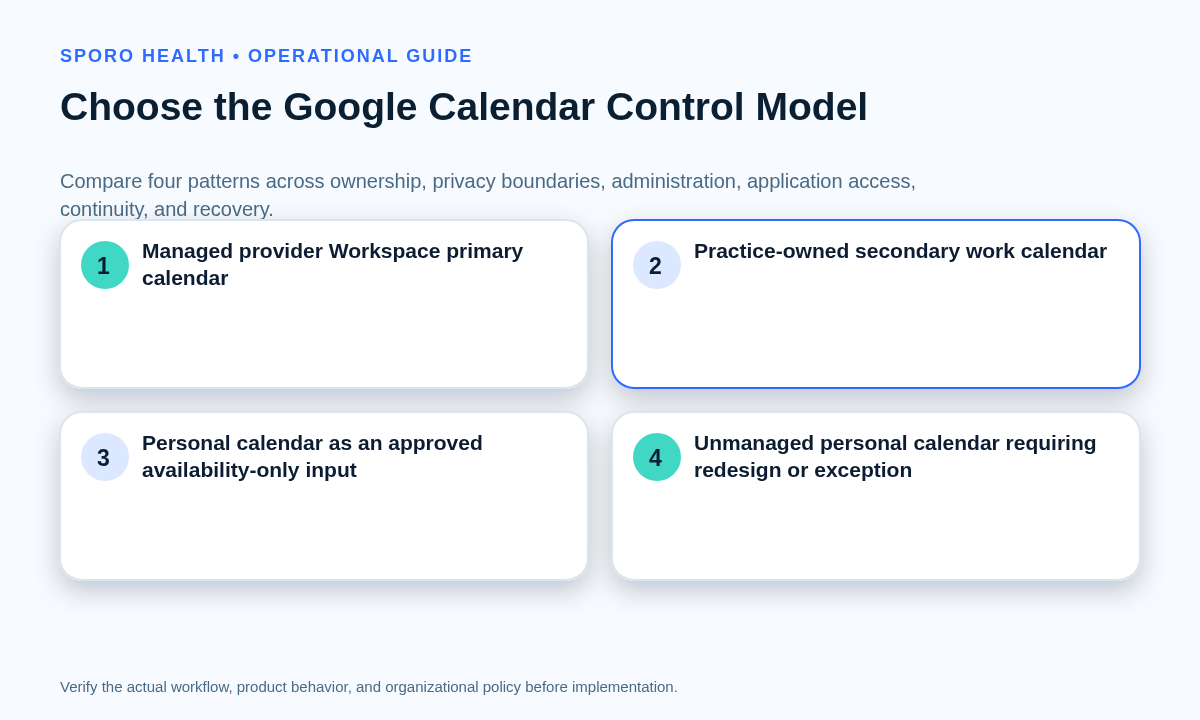
Approve an organization-managed provider primary calendar as the default, then use a secondary or personal model only when its conditions are documented and tested. Google explains that administrators can control how organization accounts and services work. Review the broader athenahealth Google Calendar sync evaluation checklist for physicians before applying this narrower ownership decision. See Google’s work or school account guidance.
| Calendar model | Control profile | Default decision | Required gate |
|---|---|---|---|
| Managed provider primary calendar | Provider identity and primary calendar are administered inside the practice-approved Workspace domain. | Approve | Vendor support, access, revocation, continuity, and recovery are complete. |
| Practice-owned secondary work calendar | A separate work calendar is created in the managed domain with a named data owner. | Condition | Verify write support, ownership transfer, organizer behavior, and offboarding. |
| Personal calendar as an availability-only input | Only an approved busy signal crosses the boundary; work events are written elsewhere. | Redesign | Prove that personal titles, descriptions, attendees, locations, and other details are excluded. |
| Unmanaged personal calendar | A consumer account holds work events and independently grants application access. | Reject | Do not connect until it is redesigned or accepted through an authorized exception. |
How should personal vs work Google Calendar for athenahealth scheduling be scored?
Score each provider-calendar pair across seven factors, and do not let a strong total hide a zero on revocation or recovery. This is a practice-owned screening aid, not a compliance score. Use 0 for absent or uncontrolled, 1 for documented but conditional, and 2 for managed and tested.
- Organizational administration: Can authorized administrators control or suspend the account?
- Personal-data separation: Are personal details kept outside the work data flow?
- Human access: Are viewers, editors, groups, and administrators documented?
- Application authorization: Are the OAuth client, scopes, consent, and revocation known?
- Calendar ownership: Are the account owner, data owner, and calendar type explicit?
- Lifecycle continuity: Can leave, email changes, and departure be handled?
- Recoverability: Is there a tested rollback and accountable recovery owner?
A 12–14 result with no zero can support approval. A 9–11 result may support a conditioned decision. Lower scores, mixed personal and work populations, or a zero in ownership, revocation, continuity, or recovery should trigger redesign or rejection.
What belongs in the calendar-control registry?
Create one registry row for every active provider-calendar pair, not merely one row per provider or Google account. A managed account can contain several calendars, and one provider may contribute more than one availability input.
- Identity: provider, account owner, sign-in address, domain, calendar identifier, and primary or secondary status.
- Data path: approved availability inputs, write destination, visibility rules, calendar purpose, and prohibited fields.
- Control: administrators, human access, application access, retention owner, support owner, revocation method, continuity owner, and recovery location.
For a managed account, record what administrators can access, restrict, or delete rather than assuming the provider alone controls the data. Google describes those administrator capabilities in its managed end-user notice.
How should personal and work events stay separate?
Keep personal commitments in a separate personal calendar when feasible and transmit only the approved availability signal needed to prevent a conflict. Google distinguishes free/busy access from scopes that read or modify event data, and its calendar sharing model includes a free-busy role that does not reveal event details. See the Calendar API scope list and Calendar sharing documentation.
The practice should define which busy, free, recurring, private, all-day, tentative, and family-calendar events may affect availability. Use the rules for physician personal-calendar conflicts to set precedence, then document permitted fields in the minimum necessary calendar data worksheet. Marking an event private changes some viewer behavior; it does not settle ownership, OAuth access, administrator access, exports, mobile apps, or lifecycle control.
Which permissions and administrative controls need approval?
Approve human sharing and application authorization as separate control paths, using only the access required for the tested workflow. A calendar shared with a work account is still owned by the original account, while an OAuth application acts through its own client and granted scopes. The Google Calendar sharing permissions for medical practices guide addresses the human side.
- Record the exact OAuth client ID and requested Calendar scopes.
- Identify who may grant consent and whether Workspace administrators must configure the app.
- Map each scope to a tested read, availability, create, update, or cancellation purpose.
- Document user-side, administrator-side, and vendor-side revocation procedures.
Google advises developers to choose narrowly focused scopes, and Workspace administrators can control third-party access to Calendar data through API controls. See Google’s app access control guidance. A BAA or service list is not a configuration decision: Google lists Calendar as Included Functionality under the applicable HIPAA Business Associate Addendum, while HHS says an organization must still understand the solution and conduct its own risk analysis. Review HHS cloud-computing guidance and its minimum-necessary and role-based policy summary with authorized privacy and legal reviewers.
What changes between primary and secondary Google calendars?
Verify calendar type before choosing a write destination or migration method because primary and secondary calendars have different ownership behavior. Google states that a primary calendar is assigned to the account and cannot be transferred, while secondary calendars can be transferred; for work accounts, the new owner must be in the same organization. Google also distinguishes calendar data ownership from users holding an owner-level ACL role. See Google Calendar transfer guidance and the sharing model.
Export and import are not equivalent to ownership transfer. Google notes that imported events do not include guests or conference data, and CSV imports can convert recurring series into separate events. Review the Google Calendar import limitations before approving a migration.
How do you migrate from a personal to a managed calendar?
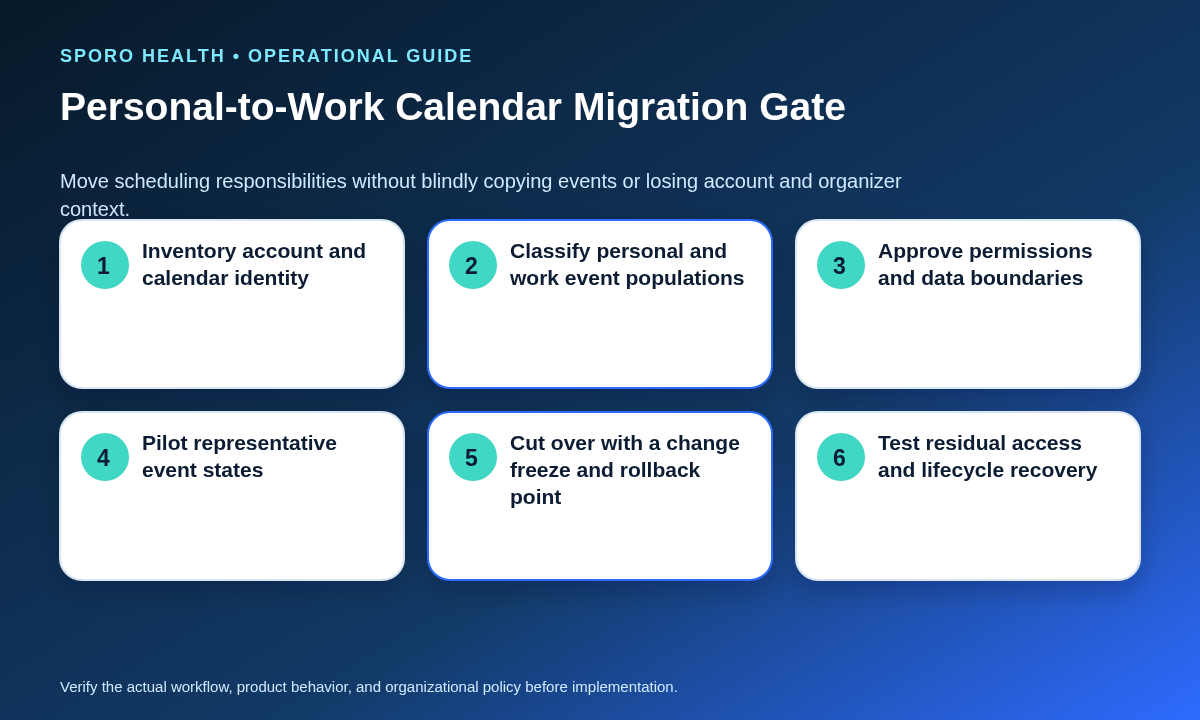
Use a bounded migration with an inventory, change freeze, representative pilot, verified cutover, residual-access check, and rollback point. Do not bulk-copy a mixed calendar before classifying ownership and event behavior.
- Set the target: name the managed account, destination calendar, data owner, administrators, and vendor mapping.
- Inventory events: classify future work events, personal items, recurring series, organizers, guests, conferencing, sharing, and mobile access.
- Select a method: compare event movement, secondary-calendar transfer, or import against ownership and vendor constraints.
- Pilot a cohort: test representative private, free, recurring, guest, mobile, and conferencing states.
- Freeze and cut over: pause competing edits, migrate approved content, reconnect access, and verify the write destination.
- Close or roll back: test old tokens, shares, mobile sessions, duplicates, future events, and restoration of the previous mapping.
When the move changes the provider’s sign-in identity, use the provider email-change cutover checklist to preserve a before-and-after identity map.
Which exceptions need redesign or explicit approval?
Treat every account the practice cannot administer, revoke, support, or recover as an exception rather than counting it as governed. Apply the following default paths.
| Scenario | Default path |
|---|---|
| Solo practice without a managed domain | Condition: name the owner, backup, recovery method, and exit plan. |
| Independent contractor | Condition: use a managed contract account or approved availability-only input with an expiration date. |
| Provider without a managed account | Redesign: create an approved work identity before allowing calendar writes. |
| Mixed personal and work calendar | Redesign: separate event populations and move work writes to a controlled destination. |
| Family-shared personal calendar | Reject: do not use it as the work-event destination. |
| Administrators cannot control the proposed account | Reject or escalate: require an authorized, documented risk decision. |
What should acceptance testing and lifecycle controls cover?
Test the permitted workflow, prohibited data paths, and failure states before approval, then repeat lifecycle tests after material account or permission changes. Each result should identify the provider-calendar pair, expected outcome, actual outcome, evidence, owner, and disposition.
- Event behavior: creation, movement, cancellation, recurring-series changes, occurrence exceptions, private events, free events, and mobile edits.
- Identity and access: account suspension, user revocation, administrator changes, OAuth removal, expired consent, and changed calendar identifiers.
- Continuity: provider leave or departure, support-owner absence, duplicate prevention, failed migration, rollback restoration, and residual access.
Google says users can remove a third-party app’s access from their account, but the practice should verify the resulting vendor behavior and retained data rather than assuming revocation completes every step. See Google’s linked-app management guidance. Incorporate the provider calendar offboarding checklist into the approved lifecycle plan.
How do you measure calendar-control coverage?
Calculate calendar-control coverage as complete active provider-calendar pairs divided by all active provider-calendar pairs, multiplied by 100. A pair is complete only when ownership, administration, permissions, revocation, continuity, and recovery are all documented. Unresolved pairs remain exceptions in the denominator.
Review drift for newly connected calendars, changed account or calendar identifiers, new human or application access, stale revocation evidence, and recovery plans not retested after a material change. Report both the percentage and the age and severity of open exceptions.
What should you ask the vendor before connection?
Ask the vendor to demonstrate the exact account and calendar model, not merely confirm that Google Calendar is supported. As of September 18, 2026, Sporo’s current athenahealth and Google Calendar product page says appointments appear in a “personal Google Calendar.” Treat that as vendor wording, not the practice’s ownership decision.
- Which consumer and managed Workspace account types are supported?
- Can primary calendars, secondary calendars, and availability-only inputs be configured separately?
- What are the OAuth client ID, scopes, consent authority, and administrator requirements?
- Which personal and work fields are read, stored, transformed, written, or retained?
- What happens after suspension, token revocation, ownership transfer, email change, or provider departure?
- How are migration defects, duplicates, rollback, support escalation, and residual data handled?
Inspect the current Sporo Health athenaConnect Marketplace listing as part of due diligence, and resolve any difference between the listing, product page, contract, demonstration, and proposed configuration.
How should the practice document its decision?
Record approve, condition, redesign, or reject for every provider-calendar pair and attach the registry, scorecard, tests, exceptions, and accountable owners. The practical answer to personal vs work Google Calendar for athenahealth scheduling is not “always personal” or “always work”; it is the model the practice can administer, minimize, revoke, continue, and recover.
If Sporo is being evaluated, begin with the Sporo Health homepage and request evidence for the selected Google model. Practices standardized on Microsoft 365 can separately review the athenahealth and Outlook calendar option. Keep the first decision bounded until the acceptance evidence supports wider use.
Frequently asked questions
These answers summarize the account-control decisions that should be resolved before a Google Calendar connection or migration. Local policy, contracts, configuration, and authorized review still govern the final decision.
Can a physician use a personal Gmail calendar for athenahealth scheduling?
A personal Gmail calendar is not automatically suitable or unsuitable. Approve it only for a documented purpose after reviewing account ownership, administrative limits, data boundaries, authorization, continuity, recovery, and the practice’s risk decision.
Does sharing a personal calendar with a work account make it practice-managed?
No. Sharing can expose an approved view, but it does not transfer account control, application authorization, ownership, retention, offboarding, support, or recovery to the practice.
Is marking a Google Calendar event private enough to separate personal and work data?
No. Private visibility changes what some calendar viewers can see; it does not independently resolve account ownership, administrator access, OAuth access, exports, mobile apps, or lifecycle controls.
Should athenahealth-related events go on a primary or secondary Google calendar?
It depends on the approved model. Verify the vendor’s supported destination and the calendar’s ownership and transfer behavior before selecting either type.
How should a practice revoke Google Calendar integration access when a provider leaves?
Use the documented revocation path for both the Google account and the vendor connection. Then test that tokens, human access, scheduled writes, and residual mobile or shared access no longer work.
What is calendar-control coverage?
Calendar-control coverage is the percentage of active provider-calendar pairs with complete ownership, administration, permission, revocation, continuity, and recovery records. Unresolved pairs remain exceptions.
Sources
Primary documentation consulted September 18, 2026:
- Google: Work or school Google Account
- Google: Data access by your administrator
- Google Workspace: Control app access
- Google Calendar API scopes
- Google Calendar sharing model
- Google Calendar transfer guidance
- Google Calendar import guidance
- Google linked-app management
- Google Workspace HIPAA Included Functionality
- HHS guidance on HIPAA and cloud computing
- HHS summary of the HIPAA Privacy Rule
- Sporo Google Calendar product page

One comment
Comments are closed.
[…] choose between personal and managed Google calendars when identifying the source ownership model. Then complete a Microsoft 365 preflight for an […]