Disconnected Provider Calendar in athenahealth Sync: A Reauthorization-and-Reconciliation Runbk
For healthcare IT teams asking how to recover a disconnected provider calendar in athenahealth sync, the safe path is to contain the affected provider-calendar pair, identify which control layer failed, restore only that layer, and reconcile a bounded change gap. Do not start with bulk event recreation. Resume normal scheduling only after both systems match, duplicate risk is controlled, and an accountable owner accepts the recovery evidence.
What should happen first when a provider calendar disconnects?
Contain only the affected provider-calendar pair, identify the last confirmed synchronized change, activate the approved near-term fallback, and preserve evidence before reconnecting. Record the provider identity, target calendar, first observed symptom, last successful transaction, current booking horizon, error text, consent or permission changes, and the owner controlling recovery.
- Tell scheduling staff which provider and calendar are affected and which system currently governs edits.
- Protect near-term appointments and availability with a documented fallback rather than improvised double entry.
- Preserve token errors, application logs, platform audit records, notification identifiers, and recent mapping data.
- Check whether other provider-calendar pairs remain healthy before declaring a broader incident.
Use the calendar sync alert-to-action triage matrix to classify the initial signal. If several providers or a shared dependency are affected, move to the calendar integration outage recovery runbook instead of treating each provider separately.
Which control layer failed?
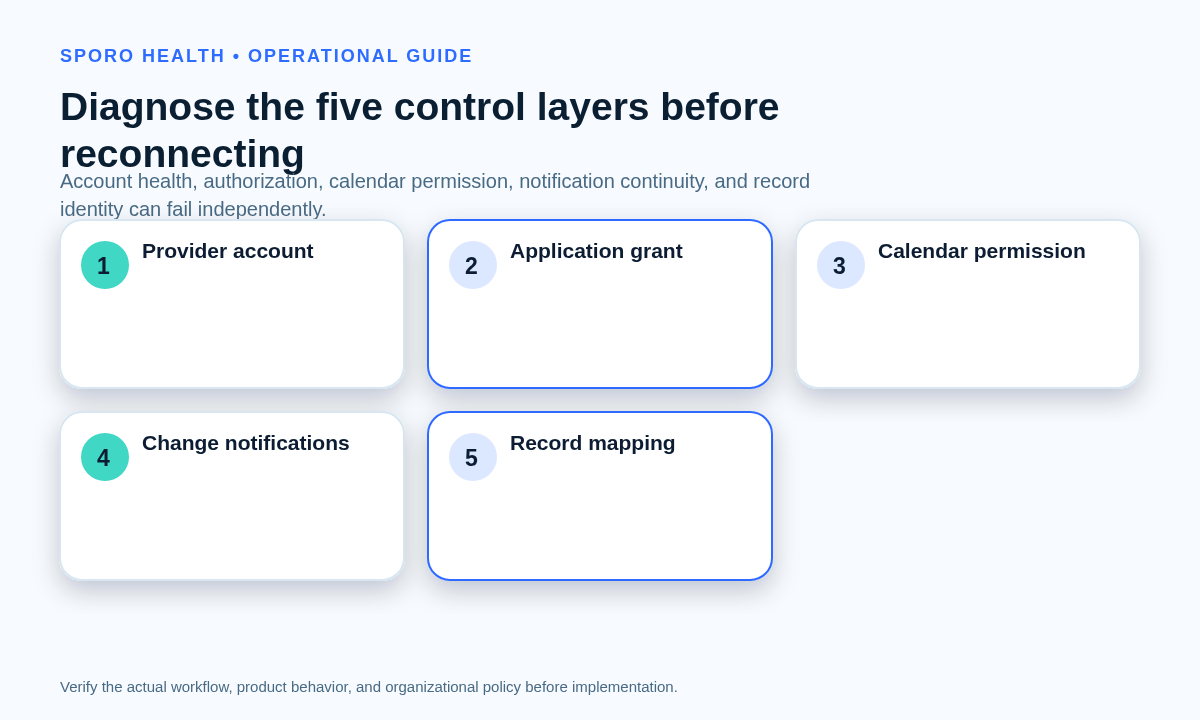
Diagnose five layers independently: provider account state, application authorization, calendar-level permission, change-notification continuity, and appointment-to-event mapping. A usable account does not prove that consent remains valid, and valid consent does not prove that notifications continued arriving. Google documents both OAuth grants that can become unusable and notification channels that expire separately; Microsoft likewise separates refresh-token authorization from subscription lifecycle events. See Google OAuth guidance, Google Calendar push-notification guidance, Microsoft refresh-token guidance, and Microsoft Graph lifecycle guidance.
| Control layer | Evidence to inspect | Failure question |
|---|---|---|
| Provider account | Account enabled state, intended sign-in identity, mailbox or calendar existence | Can the intended provider identity still authenticate and own or access the target calendar? |
| Application authorization | Consent record, granted scope, refresh result, revocation or invalid-grant error | Can the approved application still obtain and use access? |
| Calendar permission | Target calendar ID, sharing or mailbox permission, calendar replacement history | Can the authorized identity reach the intended calendar? |
| Notification continuity | Google channel expiration or Microsoft subscription and lifecycle state | Did change delivery stop even though resource access still works? |
| Record mapping | Appointment ID, external event ID, recurrence identity, last applied version | Can each scheduling record still be matched to its existing event? |
Which recovery action fits the evidence?
Route the case by its first proven failed layer rather than calling every disconnection an expired token. If evidence remains ambiguous, keep the pair contained and escalate with the complete evidence bundle.
| Evidence pattern | Primary action | Do not do first |
|---|---|---|
| Provider account disabled, deleted, or mapped to the wrong identity | Correct or restore the approved identity, then retest authorization | Authorize a convenient substitute account |
| Refresh fails, consent is revoked, or required scope is absent | Use the approved interactive reauthorization path | Delete existing calendar events |
| Authorization works but the target calendar is inaccessible | Repair the calendar permission or target-calendar mapping | Request broader application scope |
| Resource access works but a watch channel or subscription expired, was removed, or missed changes | Renew or recreate notification delivery and start bounded change recovery | Ask the provider to reconnect without testing the grant |
| Both access and notification checks pass, but records update the wrong event | Quarantine uncertain mappings and escalate mapping repair | Bulk delete and recreate events |
| Several providers fail through one shared component | Open broader incident handling and protect all affected schedules | Run unrelated provider-level reconnects in parallel |
What must be verified before reauthorization?
Verify the intended provider identity, exact target calendar, approved access scope, active account state, authorized approver, and containment status before presenting a consent screen. This gate prevents a technically successful reconnection to the wrong account or calendar.
- Identity: stable provider identifier, current email or UPN, tenant or Workspace domain, and expected account owner.
- Calendar: calendar ID or mailbox and whether the target was renamed, replaced, moved, or converted.
- Scope: currently approved permissions and the business purpose for each permission.
- Authority: the person permitted to grant consent and the administrator needed for tenant-level approval.
- Containment: fallback owner, edit restrictions, and the recorded last-known-good state.
If identity attributes changed, use the provider email change cutover checklist rather than treating the case as ordinary reauthorization. After emergency repair, use the provider calendar access recertification workflow to examine residual human, group, administrative, and application paths.
Where does the replay window begin and end?
The replay window begins at the last confirmed synchronized state and ends only when change delivery, reconciliation, and monitoring are restored. The alert timestamp is evidence of detection, not a safe starting boundary. The actual gap may begin earlier if notifications stopped silently or a refresh failed before the alert.
| Boundary field | What to record |
|---|---|
| Last confirmed state | The latest transaction verified in both systems with matching identity and schedule state |
| Earliest possible failure | First failed refresh, expired channel, removed subscription, missing delivery, or unexplained sequence gap |
| Detection time | When monitoring or staff first recognized the problem |
| Restoration time | When authorization, permission, and notification tests first succeeded |
| Reconciliation end | When every transaction in the bounded interval received a documented disposition |
| Monitoring acceptance | When the accountable owner accepted healthy post-recovery evidence |
Google incremental synchronization uses stored sync tokens and may require a new full synchronization when a token becomes invalid; that is a refresh of the integration’s state, not permission to delete and recreate external events. Microsoft Graph delta queries can retrieve created, updated, or deleted events within a defined calendar view. See Google incremental synchronization and Microsoft Graph event delta queries.
How should missed changes be reconciled without duplicates?
Build a transaction-level replay ledger, preserve existing appointment-to-event identity, and quarantine every uncertain match. Apply the practice’s source-of-truth rules to each transaction instead of replaying an undifferentiated batch. The athenahealth Appointment API reference can provide endpoint context, but the integration owner must confirm the vendor’s actual status and mapping rules.
| Transaction class | Ledger question | Duplicate-safe disposition |
|---|---|---|
| Create | Does an event already exist for this appointment identity? | Create only when no valid mapped event exists |
| Update | Did content change without changing time or identity? | Update the mapped event in place |
| Reschedule | Is this the same appointment at a new time? | Move the mapped event; do not create a second copy |
| Cancellation | What final state should the connected event use? | Apply the approved cancellation behavior to the mapped event |
| External availability | Was a provider block created, changed, or removed during the gap? | Reconcile it against booked care and source-of-truth rules |
Record the source ID, destination ID, prior state, observed states, chosen disposition, executor, verifier, and evidence link. If identity is missing or conflicting, stop that record and use the duplicate-event identity troubleshooting guide. Bulk delete-and-recreate work should require a documented procedure, impact review, and rollback plan.
How do Google Calendar and Outlook recovery checks differ?
Test authorization and notification continuity separately on both platforms, but use each platform’s own recovery evidence. A successful account connection proves neither uninterrupted delivery nor a complete replay.
| Check | Google Calendar | Microsoft Outlook |
|---|---|---|
| Authorization failure | An unusable or invalidated refresh grant can require the user to authenticate and consent again. | Refresh tokens can expire or be revoked; the application should route the user through interactive authentication when required. |
| Notification continuity | Watch channels can expire and have no automatic renewal; a replacement channel must be created. | Subscriptions can require reauthorization, be removed, or report missed notifications through lifecycle events. |
| Missed-change recovery | Use incremental synchronization where valid, or rebuild client state when the sync token is invalid. | Use a defined delta-query window or another documented resynchronization method after missed delivery. |
Routine access-token expiration should normally be absorbed by the integration’s refresh process. A provider-facing reconnect is appropriate when the approved grant can no longer be refreshed or used. Do not assume that a password or administrator change caused the incident: token effects vary by account, client, policy, and action, so use account state, consent records, platform logs, and vendor evidence.
What tests must pass after reconnection?
Run representative positive and negative tests across both systems before reopening routine booking. Use new test records or approved non-production-safe scenarios; do not experiment on active patient appointments without the practice’s authorized procedure.
- Create one representative appointment and verify one mapped external event.
- Update a non-time field and verify the existing event changes in place.
- Reschedule the record and prove that its identity is preserved.
- Cancel it and verify the approved final state in both systems.
- Test a private external event without exposing unnecessary details.
- Test one recurring series occurrence and one series-level change.
- Repeat or retry a processed change and verify that no extra event appears.
Capture timestamps, source and destination identifiers, screenshots or logs, expected and observed results, and the verifier. After the known gap closes, apply the calendar sync drift reconciliation framework to sample later schedule states for recurrence.
When can normal scheduling resume?
Resume only when schedule parity, replay closure, duplicate control, healthy monitoring, and accountable acceptance are all documented. A green connection indicator or successful consent screen satisfies only part of the recovery gate.
| Closure criterion | Required evidence |
|---|---|
| Affected schedules match | Comparison of athenahealth and the target calendar across the replay window and near-term horizon |
| Missed changes are closed | Every ledger row has an applied, no-action, superseded, or escalated disposition |
| Duplicate risk is controlled | Identity checks and negative retry tests produced no unexplained copies |
| Monitoring is healthy | Authorization, notification, processing, and reconciliation signals are current |
| Ownership is accepted | Named operations or integration owner approves reopening and remaining exceptions |
Continue measuring repeat reauthorization requests, notification-renewal failures, unresolved replay transactions, mapping exceptions, and duplicate detections during the practice-defined observation period. Escalate recurrence rather than normalizing repeated reconnects.
How to recover a disconnected provider calendar in athenahealth sync safely
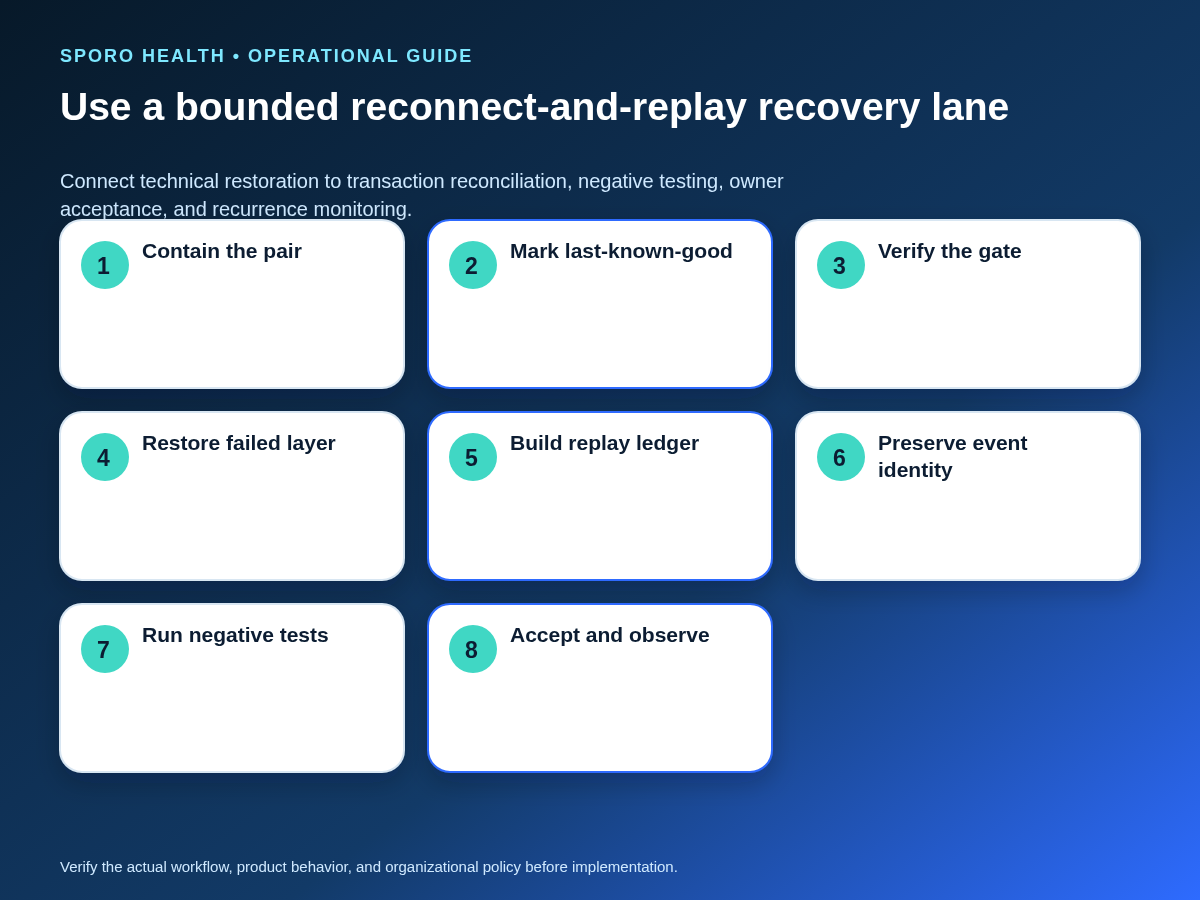
Use one controlled lane: contain, diagnose, authorize, restore, replay, test, accept, and observe. Keep the provider-calendar pair as the recovery unit unless evidence proves a broader dependency failed. This runbook is operational guidance; privacy, security, contractual, and configuration-specific decisions require review by authorized owners.
Teams evaluating a commercial connection can review Sporo Health, the current athenahealth and Google Calendar connection, the athenahealth and Microsoft Outlook connection, and the Sporo Health listing in athenaConnect Marketplace. Ask the vendor to demonstrate the exact reconnect, replay, identity-preservation, monitoring, and escalation behavior for your approved configuration rather than relying on general product claims.
Frequently asked questions
What is the first action when one provider calendar disconnects?
Contain only the affected provider-calendar pair, record the last confirmed synchronized change, protect near-term scheduling with the approved fallback, and preserve logs before reconnecting. Do not broaden the pause unless evidence shows a shared failure.
Does an expired access token always require the provider to reconnect?
No. Routine access-token expiration should normally be handled by the integration; ask the user to reconnect only when the approved grant can no longer be refreshed or used. Confirm that condition from token errors and vendor evidence.
Where should the replay window begin?
The replay window begins at the last confirmed synchronized state, not automatically at the alert timestamp, and ends after reconciliation and monitoring are restored. Use evidence from both systems to set those boundaries.
Should front-desk staff recreate events after a calendar disconnect?
No. Front-desk staff should follow the documented fallback and exception ledger; recreating known events can break identity mappings and create duplicates. Uncertain records should be quarantined for an authorized owner.
How can you distinguish authorization failure from notification failure?
A failed token refresh, revoked consent, or missing scope points to authorization; a usable grant with an expired, removed, or missed notification subscription points to delivery continuity. Test the layers separately before reconnecting.
When can normal scheduling resume after reconnection?
Resume normal scheduling only when both systems match for the affected window, missed changes are resolved, negative duplicate tests pass, monitoring is healthy, and an accountable owner accepts the evidence. A successful sign-in alone is not sufficient.
Sources
- Google for Developers: Using OAuth 2.0 for Web Server Applications
- Google for Developers: Google Calendar Push Notifications
- Google for Developers: Synchronize Resources Efficiently
- Microsoft Learn: Refresh Tokens in the Microsoft Identity Platform
- Microsoft Learn: Reduce Missing Subscriptions and Change Notifications
- Microsoft Learn: Get Incremental Changes to Events in a Calendar View
- athenahealth: Appointment API Reference