Provider Calendar Access Reviews for athenahealth Practices: A Recertification Workflow
For practice privacy leaders, a provider calendar access review checklist for athenahealth practices should identify every human, group, administrative, and application path to each provider calendar; assign a named reviewer; record one of five decisions; complete remediation; retest for residual access; and preserve closure evidence. Run it on a documented risk-based cadence and after material role, vendor, incident, or platform changes.
What should a provider calendar access review checklist for athenahealth practices cover?
It should cover every effective route by which a person or application can reach a provider calendar, not merely the names displayed in a calendar-sharing screen. Direct shares, delegates, groups, organization defaults, mailbox rights, administrative privileges, user consent, tenant consent, and application assignments can create separate paths that require separate decisions.
HHS describes role-appropriate information access management, regular activity review, and periodic technical and non-technical evaluation in its current Security Rule summary. OCR also distinguishes access authorization from the procedures used to establish, document, review, and modify access in its guidance on controlling access to ePHI. Whether those requirements apply to a particular calendar depends on its data, configuration, contracts, and use.
Keep the access question separate from the data question. Use the field-level calendar data governance worksheet to decide what information may flow; use this review to decide who or what may reach it. This is an operational framework, not legal or medical advice.
How do you build and expand the access topology?
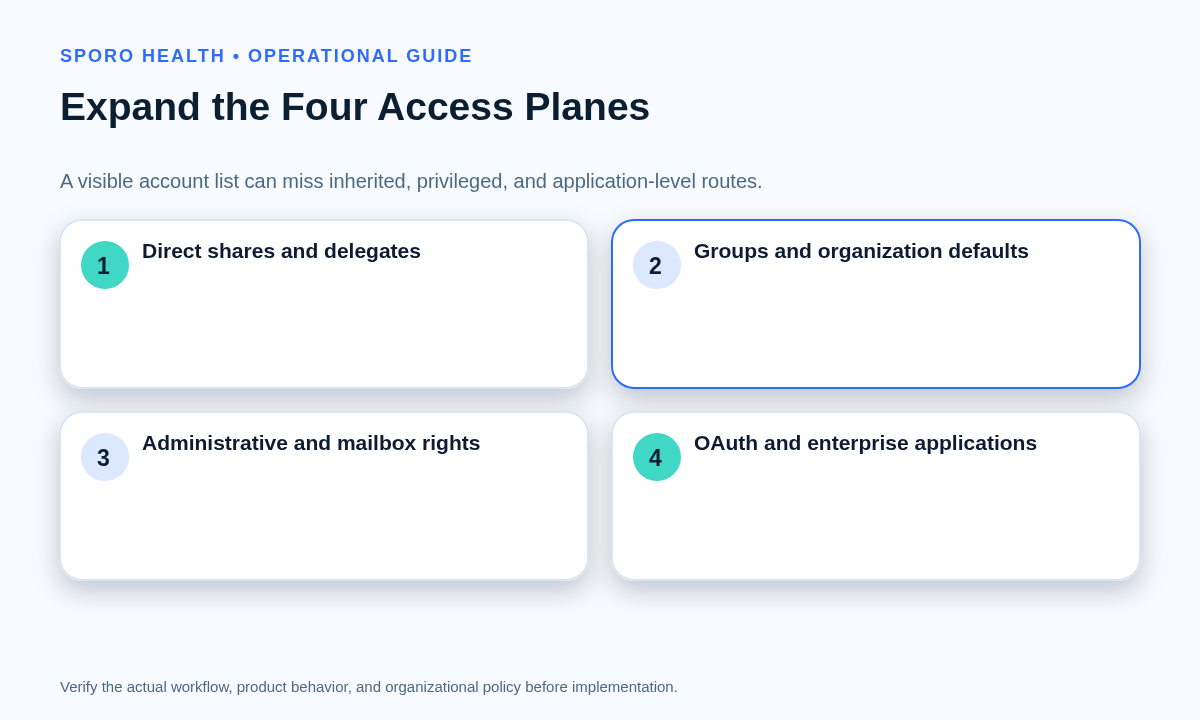
Build one worksheet across four access planes, then convert inherited entries into reviewable person-or-application-to-calendar paths. A group name, organization default, role, or application permission is an intermediate entitlement—not the final answer to who has effective access.
| Plane | Inventory | Expansion question | Useful evidence |
|---|---|---|---|
| Direct | Shares, delegates, calendar-folder permissions | Which named identity reaches which calendar? | ACL or permission export |
| Inherited | Groups, nested groups, organization defaults | Which current members receive the right? | Membership and default-setting export |
| Administrative | Roles, shared-mailbox rights, privileged operators | Who can view, grant, or restore access? | Role and delegation records |
| Application | OAuth clients, service principals, tenant grants, assignments | Which application can reach which providers and scopes? | Consent, scope, assignment, and owner records |
Record one row for every provider-calendar-access path: provider-calendar pair, owner, platform, business purpose, access principal, path, permission level, last approval, reviewer, decision, remediation owner, due date, and closure evidence. Preserve multiple paths for the same principal; removing one path does not remove another.
- Export direct calendar shares and delegate permissions.
- Expand groups and organization defaults into their current recipients, resolving nested membership where applicable.
- Overlay administrative roles, mailbox rights, application assignments, granted scopes, and tenant or user consent.
- Normalize the result into a path register and reconcile it against the approved provider population.
Review application access separately from human sharing. Google documents how administrators can inspect accessed apps and requested services in Workspace API controls; athenahealth documents practice registration of production applications through API app authorization in its API access guide. A permission label does not demonstrate how a product actually uses data, so request purpose, assignment, and data-flow evidence. The physician calendar sync evaluation checklist provides broader evaluation context.
Who should review each access path?
Separate operational confirmation, role validation, technical verification, exception review, and final closure accountability. Asking one person to perform every step makes it easier to approve a familiar name without validating the underlying entitlement.
| Reviewer | Decision responsibility | Required evidence |
|---|---|---|
| Calendar owner | Confirm the operational need | Purpose and expected activity |
| Manager | Validate role and population alignment | Current responsibilities |
| IT administrator | Verify the technical path and privilege | Platform export or configuration record |
| Privacy or security leader | Review exceptions and unresolved risk | Rationale, safeguards, owner, expiration |
| Control coordinator | Track remediation and close the review | Decision, retest, and completion record |
Calendar owners should not approve technical facts they cannot observe, and IT should not infer business need from recent activity alone. One coordinator remains accountable until every finding is closed or formally escalated.
Which decision should each finding produce?
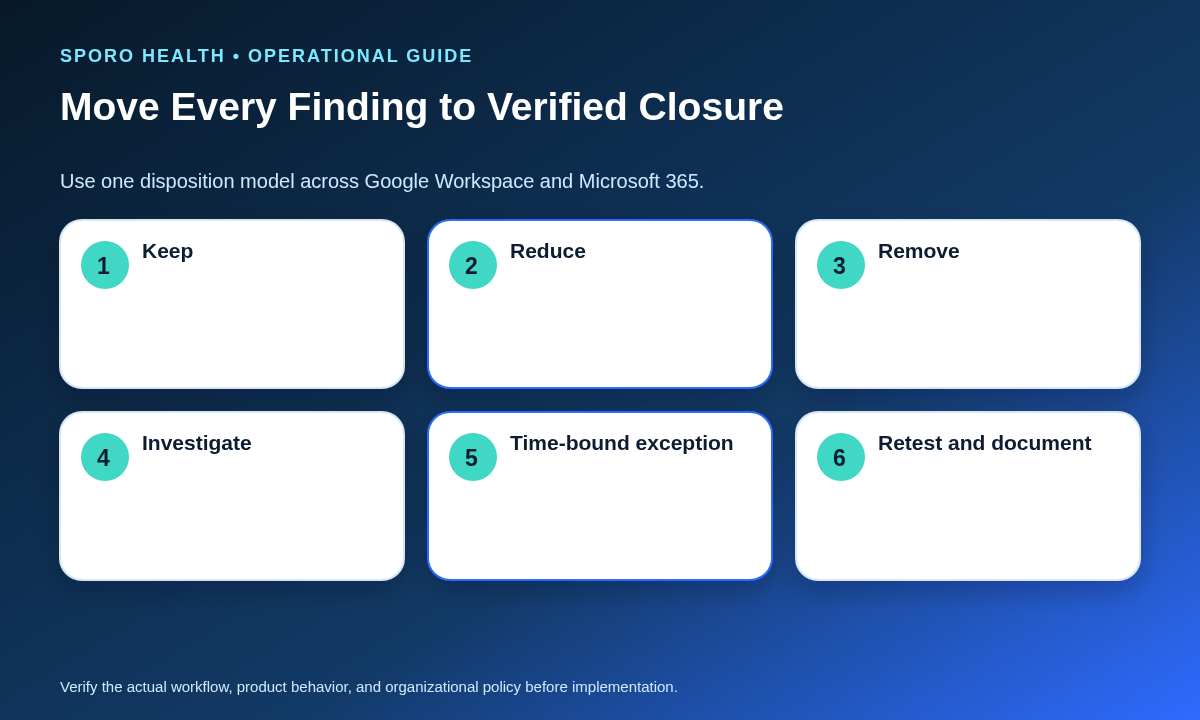
Each path should end in exactly one of five outcomes: keep, reduce, remove, investigate, or approve a time-bound exception. Avoid ambiguous labels such as “reviewed” or “looks correct,” which do not tell the remediation owner what must happen next.
| Outcome | Use when | Closure evidence |
|---|---|---|
| Keep | Purpose, population, path, and privilege remain justified | Reviewer, approval, rationale, next review |
| Reduce | The purpose remains valid but current privilege is excessive | New permission and successful retest |
| Remove | No current authorized purpose exists | Revocation record and denied-access test |
| Investigate | Owner, membership, path, or purpose cannot be established | Named investigator, due date, resolved disposition |
| Time-bound exception | Temporary access is necessary despite a documented concern | Approver, safeguards, owner, expiration, follow-up |
A time-bound exception is not permanent approval. It should return to the queue before expiration, and recurring exceptions should appear on the control scorecard.
How should Google Workspace access be reviewed?
Review Calendar ACLs, group recipients, organization visibility, privileged management paths, third-party applications, and relevant log events, then verify every approved change. Google allows calendar owners to grant different sharing levels to people or groups and to remove those entries through the sharing interface, as described in Google Calendar sharing documentation.
- Export or inspect each in-scope calendar’s ACL; Google’s ACL list method returns the calendar’s access-control rules.
- Expand Google Group entries and organization-level access into effective recipients rather than approving the label alone.
- Identify administrators able to change Calendar sharing or API controls and confirm that their responsibilities remain current.
- Review accessed applications, client IDs, requested Calendar services, scopes, organizational-unit rules, and approved purpose.
- Use available Calendar log events to investigate changes or discrepancies; availability depends on edition and privileges.
Use the existing guide to Google Calendar sharing and visibility controls when reviewers need permission-level context. Close a removal only after the former user, group member, or application path can no longer perform the denied action.
How should Microsoft 365 access be reviewed?
Review calendar permissions, mailbox delegation, inherited group access, enterprise-application grants, application scope, and audit evidence as distinct surfaces. Microsoft Graph can return the identities and roles with which a user or group calendar has been shared or delegated through the calendarPermissions endpoint.
- Inventory primary and secondary provider calendars, their owners, and calendar-level shares or delegates.
- Inspect mailbox-level rights separately because Exchange Full Access and delegation permissions can create a broader route than a calendar-folder entry.
- Expand security-group and application assignments into current effective recipients.
- Review admin and user consent for enterprise applications. Microsoft documents how to inspect and revoke those grants in its enterprise-application permission guide.
- Where licensed and appropriately scoped, use recurring Microsoft Entra access reviews for supporting group or application recertification, while accounting for snapshot and nested-group limitations.
The Microsoft 365 calendar integration preflight explains initial scope decisions. This recurring review tests whether those decisions still match the active population and business purpose.
How do you remove access and test for residual paths?
Revoke the identified path, wait for the relevant platform change to apply, test the denied action with non-sensitive test data, and search for a second route before closing the finding. A successful configuration change is not sufficient evidence if access remains through a group, mailbox, administrator, cached authorization, or application grant.
- Capture the original path and expected denied capability.
- Remove or reduce the right at its authoritative source rather than masking it in a client.
- Retest with a controlled account, test event, permission query, or application check appropriate to the path.
- If access persists, inspect nested groups, organization defaults, mailbox rights, alternate calendars, user consent, tenant consent, application assignments, and administrative roles.
- Route failed revocations, unknown owners, unsupported accounts, conflicting approvals, and inaccessible systems to an investigator with a due date.
- Record the final state and independently confirm closure where the risk warrants it.
If the finding involves a departure, use the provider calendar offboarding checklist. Offboarding is still not a substitute for a population-wide review because active workforce members can retain stale access after role or group changes.
What evidence and cadence should you use?
Keep enough evidence to reconstruct the original path, the decision, the remediation, and the post-change result, and set a cadence based on documented risk. The closure record should identify the provider-calendar pair, principal, path, prior permission, reviewer, approver, decision, justification, action owner, completion time, test method, result, exception expiration, and evidence location.
HHS states that regulated entities should periodically evaluate safeguards and reevaluate risk when their environment changes. Its risk-analysis guidance does not prescribe one universal frequency. Establish and approve a cadence that reflects calendar sensitivity, workforce change, application scope, administrative privilege, prior findings, and available monitoring.
Add event-driven reviews after transfers, leave, departures, group redesign, vendor or scope changes, incidents, acquisitions, platform migrations, and material policy changes. Retain records under the practice’s approved legal, security, privacy, and records-management requirements.
Which measures belong on the scorecard?
Measure whether the review reached the full effective-access population and whether decisions produced timely, verified change. Counts alone can hide unexpanded groups, overdue findings, or repeat exceptions.
| Measure | Definition | Control question |
|---|---|---|
| Population coverage | Reviewed effective paths divided by in-scope paths | Did the review reach the whole topology? |
| Overdue attestations | Decisions past their due date | Where is reviewer follow-through weak? |
| Access reductions | Paths reduced or removed | Did recertification change stale access? |
| Remediation age | Median and oldest open finding age | How long does exposure remain unresolved? |
| Residual-test failures | Changes that failed post-remediation testing | Are second paths being missed? |
| Recurring exceptions | Exceptions repeated across review cycles | Which temporary conditions have become structural? |
Segment results by platform, access plane, provider population, permission severity, and remediation owner. Investigate trends instead of using a single pass rate as proof that access governance is effective.
Put the checklist into practice
Treat the provider calendar access review checklist for athenahealth practices as a control loop: map, expand, decide, remediate, retest, and document. Begin with a limited provider population, confirm that the four-plane inventory finds known paths, and expand only after reviewers can produce consistent decisions and closure evidence.
If connected calendars are part of the environment, review Sporo Health, the vendor’s athenahealth and Google Calendar product page, its athenahealth and Microsoft Outlook product page, and the Sporo Health listing in the athenaConnect Marketplace. Use those destinations for evaluation, then verify actual permissions, assignments, contracts, and data flows in the practice’s own environment.
Frequently asked questions
What is a provider calendar access review checklist for athenahealth practices?
It is a recurring control that inventories every effective human and application path to provider calendars, records an explicit decision, completes remediation, retests access, and preserves closure evidence. It is broader than a one-time sharing review or a single-provider offboarding task.
Why is a direct-share list not enough?
A direct-share list is not enough because access can also arrive through groups, organization defaults, mailbox delegation, administrative privileges, shared resources, user consent, tenant consent, and application assignments. Review the resulting person-or-application-to-calendar path, not only the top-level account name.
How should groups be reviewed?
Expand each group into its current effective recipients before requesting approval. Preserve the group and nested-membership path in the worksheet so reviewers can identify why each person received access and remediation owners can change the authoritative membership rather than an unrelated calendar setting.
How should third-party calendar integrations be recertified?
Review the application identity, owner, approved purpose, granted scopes, consent type, provider assignments, and observed data flow separately from human shares. Confirm how access can be revoked and retested; a permission name or vendor description alone does not prove actual use.
What evidence should a medical practice keep after a calendar access review?
Keep the original access path, reviewer decision, approver, justification, remediation action, completion time, test method, result, and any exception owner and expiration date. The record should show that no unapproved direct, inherited, administrative, or application path remained at closure.
How often should provider calendar access be reviewed?
Use a documented risk-based cadence rather than assuming one interval fits every practice. Add event-driven reviews after role changes, leave, departures, vendor or permission changes, incidents, group redesign, and platform migrations, and reassess the cadence when findings or environmental risks change.
Is provider offboarding enough to control calendar access?
No, provider offboarding does not replace recurring access review. Offboarding addresses a known lifecycle event, while population-wide recertification can uncover stale access held by active workers, nested groups, broad defaults, retained delegates, administrators, and applications even when no provider has departed.
Sources
- HHS: Summary of the HIPAA Security Rule
- HHS OCR: Controlling Access to ePHI
- HHS: Guidance on Risk Analysis
- Google Calendar: Share your calendar
- Google Calendar API: List ACL rules
- Google Workspace: Calendar log events
- Google Workspace: Control app access to Workspace data
- Microsoft Graph: List calendar permissions
- Microsoft Exchange Online: Manage recipient permissions
- Microsoft Entra: Review enterprise-application permissions
- Microsoft Entra: Create access reviews for groups and applications
- athenahealth: API access guide