
athenahealth Google Calendar Sync for Physicians: A 9-Point Checklist
An athenahealth Google Calendar sync for physicians should be evaluated as a schedule-integrity system, not a convenience feature. Physicians and practice operators should define which system has authority, which data may move, how every change is reconciled, who owns access, how failures surface, and what a limited rollout must prove before the practice expands it.
Why is calendar sync a schedule-integrity problem?
The problem is whether every person making a scheduling decision sees dependable availability. A physician may use athenahealth for clinical appointments while meetings, call coverage, procedures, travel, or personal commitments live elsewhere. If staff must compare those views by memory, email, or duplicate entry, the practice has no explicit rule for deciding which view is current.
That ambiguity creates operational work: someone checks two systems, resolves discrepancies, contacts the physician, and repairs stale entries. It does not follow that a sync product will recover a particular number of hours. The broader burden is still relevant: an AMA-supported study of ambulatory physician work identified EHR/desk work and practice administration among sources of dissatisfaction and time pressure; it did not study calendar synchronization.
The technical building blocks are real but do not settle the workflow. athenahealth publishes an appointment API reference, while Google documents event fields and operations in the Google Calendar Events API. A safe implementation still needs practice-specific rules for authority, identifiers, access, conflicts, retries, and exceptions.
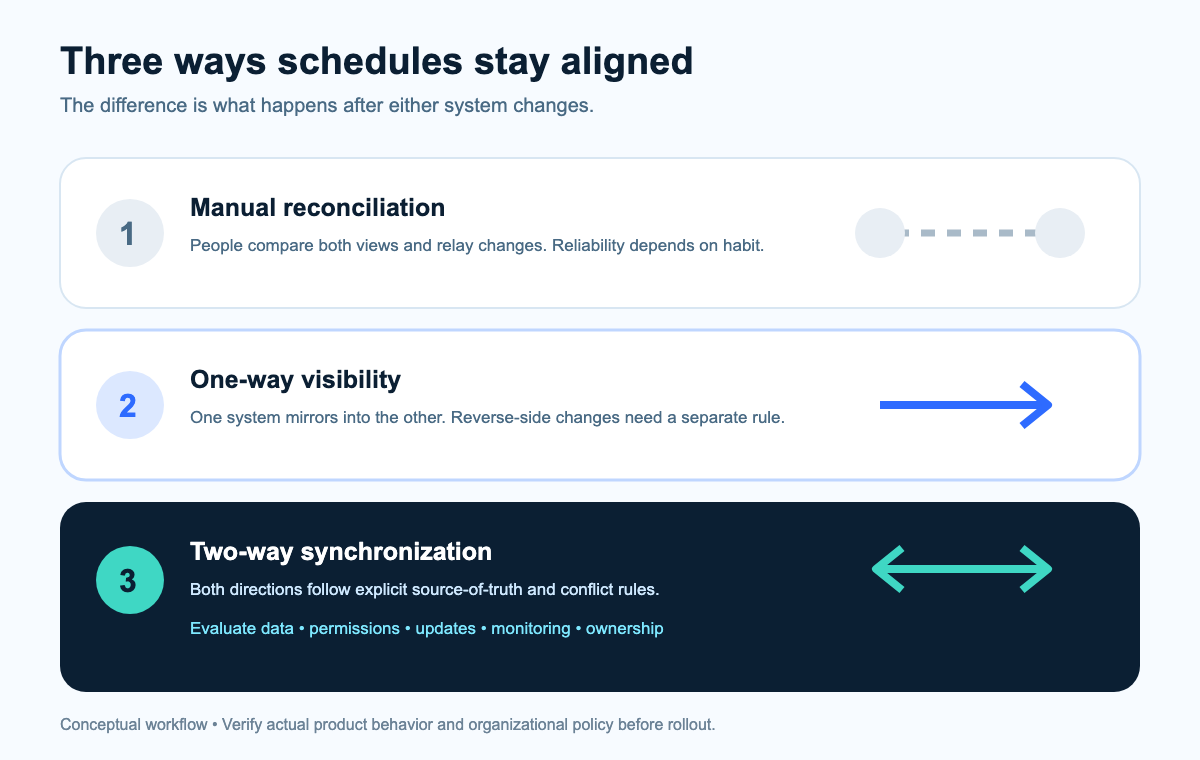
How do manual, one-way, and two-way approaches compare?
Choose the least complex model that keeps the scheduling decision reliable. One-way visibility may be enough when physicians only need to view clinical commitments elsewhere. Two-way synchronization is relevant when external commitments must also influence bookable availability. Manual reconciliation remains reasonable for low-volume or temporary workflows if ownership and response times are explicit.
| Approach | Best fit | Operational strength | Main question to test |
|---|---|---|---|
| Manual reconciliation | Small, infrequent, or temporary workflows | Human judgment handles exceptions | Who checks, how often, and what happens when the two views disagree? |
| One-way visibility | Physicians need a convenient view of clinical commitments | Reduces duplicate viewing effort without allowing external edits to affect the clinical schedule | How are cancellations, reschedules, duplicates, and stale copies corrected? |
| Two-way synchronization | External blocks must influence availability used by staff | Can reduce manual reconciliation when both directions have defined authority | How are competing edits, private events, outages, and unsupported states resolved? |
How to evaluate an athenahealth Google Calendar sync for physicians
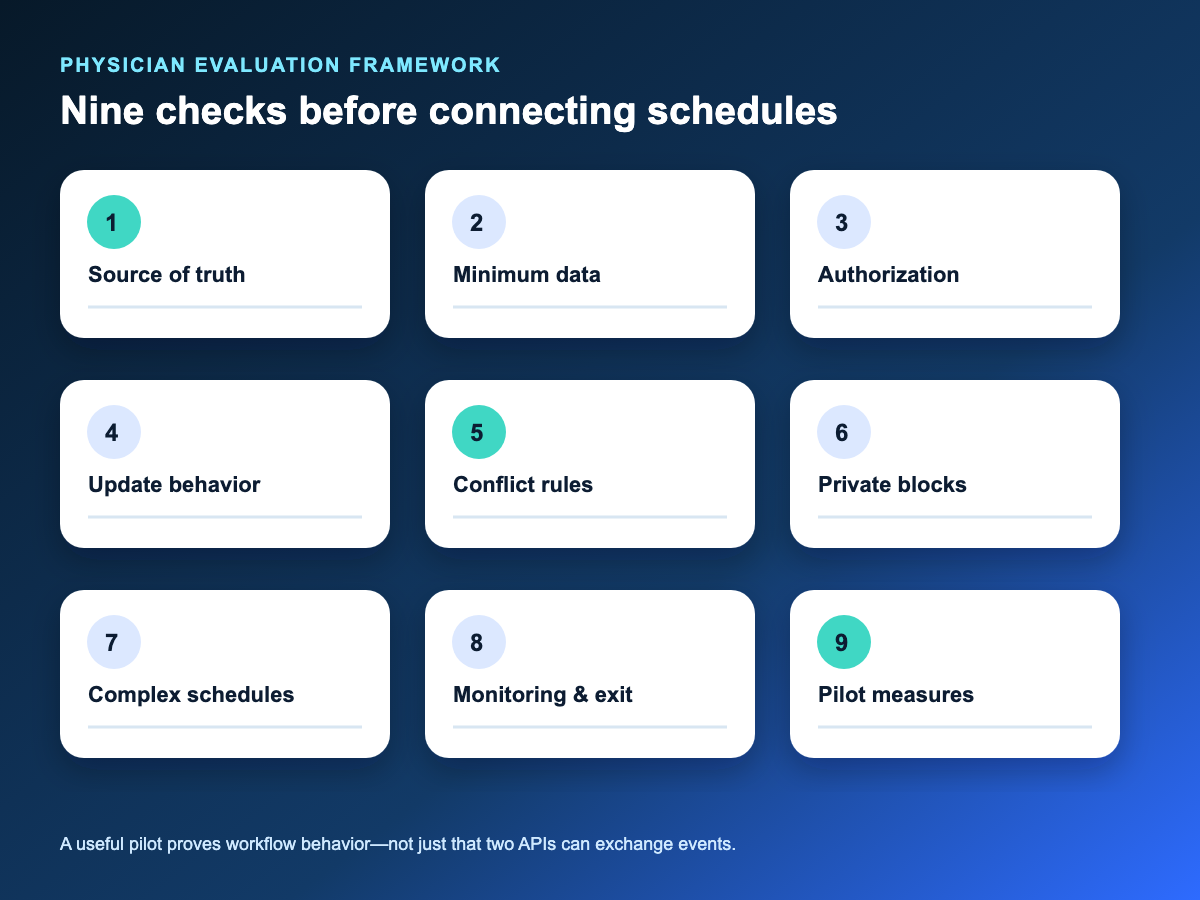
Use these nine points as acceptance criteria, not as a feature wishlist. Ask each vendor to demonstrate the relevant behavior with realistic test records and to document any state the product cannot reconcile automatically.
1. Which system is the source of truth?
Name the authoritative system for each kind of scheduling fact. Patient appointments, provider availability blocks, meeting invitations, and out-of-office periods may have different owners. Write down which system wins for each category, who may override it, and whether the other calendar is an editable surface or only a projection. “Two-way” is incomplete without this authority map.
2. What is the minimum necessary calendar data?
Move only the fields needed for the operational purpose. Decide whether the external calendar needs merely busy/free status, time and duration, a generic label, location, appointment type, or anything else. Google’s event model can contain summaries, descriptions, locations, attendees, attachments, and visibility settings, so an API’s ability to carry data is not a reason to send it. Review field choices, contracts, retention, access controls, and policy with the practice’s authorized privacy/security team.
3. Who authorizes access and owns each account?
Use managed identities and explicit ownership wherever the organization requires control. Confirm who grants access, which calendar is connected, which permissions are requested, how credentials are rotated or revoked, and what happens if a physician changes roles. Test accidental selection of a personal calendar, duplicate authorizations, and access removal. Authorization should be traceable to an accountable practice owner, not depend on shared passwords.
4. What happens on create, update, reschedule, and cancel?
Test the full lifecycle in both directions. Include a new appointment, changed time, changed duration, cancellation, restored event, recurring block, and deletion. Verify that one real-world item does not become two records after a retry. Google documents separate event insert, update, patch, delete, and watch operations; the product must explain how it maps those technical states to the practice’s scheduling rules in the Calendar Events resource.
5. What happens when both systems change?
Require a deterministic rule for simultaneous or near-simultaneous edits. Ask what happens when staff reschedule an appointment while the physician edits the corresponding external event, when a deleted event reappears during recovery, or when a write succeeds in one system and fails in the other. The answer should identify precedence, duplicate prevention, retry limits, escalation, and the visible final state. “Last write wins” is a rule, but it may not be the right one for every record type.
6. How are private commitments and out-of-office blocks handled?
Availability can be useful without exposing event details. Specify whether a private commitment should appear elsewhere as a generic busy block, whether a free event should affect bookability, and who may see its source. Google’s calendar-sharing permissions distinguish free/busy visibility from event-detail and editing access, while its Calendar privacy guidance notes that sharing and administrator visibility affect who can see calendar content. Those controls need configuration review; they do not establish healthcare compliance by themselves.
7. Does the model fit providers, departments, locations, and time zones?
Map the real operating model before connecting accounts. Build a matrix of provider, athenahealth department, external calendar, location, and time zone. Add shared call calendars, rotating coverage, cross-location travel, daylight-saving transitions, recurring events, and clinicians working in more than one department. The test is whether every item reaches the intended destination once—not whether a simple single-provider demo succeeds.
8. How are failures, recovery, audit, and offboarding handled?
A trustworthy sync makes drift observable and recoverable. Ask how the product detects failed reads or writes, retries safely, alerts an owner, replays missed changes, and shows what happened during an investigation. Define the manual fallback during an outage. For offboarding, confirm how access is revoked, future writes stop, vendor-held data is handled under governing agreements, synced events are retained or removed, and the practice verifies completion.
9. What must a limited rollout prove?
Start with a bounded workflow and predeclared success measures. Choose representative providers and include normal appointments, reschedules, cancellations, private blocks, and an exception. Record the baseline and then measure schedule mismatches, manual reconciliation time, stale or duplicate items, failed updates, and staff escalations. Set stop conditions for privacy, mapping, or reliability failures. Expand only after the evidence shows that the workflow is more dependable for both physicians and schedulers.
Google Calendar or Outlook?
Use the platform your organization can govern and your clinicians already use consistently. The decision should follow identity management, administrator controls, device patterns, sharing policy, support ownership, and actual provider behavior—not a universal claim that one calendar is better. A mixed environment may require separate scope and tests. Organizations standardized on Microsoft 365 can review Sporo’s current athenahealth and Outlook calendar page; do not assume its workflow is identical to the Google offering without confirming the current product details.
What should you ask before choosing a sync product?
Ask for evidence tied to your workflow. A useful buying conversation should produce clear answers to these questions:
- Which records and fields move in each direction by default, and which are configurable?
- What permissions are requested, who authorizes them, and how are they revoked?
- Which system has authority for appointments, availability blocks, cancellations, and exceptions?
- How are duplicate, recurring, private, all-day, and out-of-office events treated?
- What occurs when two users edit the same time period or one system is unavailable?
- How are failures detected, surfaced, retried, audited, and escalated?
- How are providers, departments, calendars, locations, and time zones mapped?
- What are the practice’s responsibilities for configuration, privacy, security, support, and offboarding?
- Which claims can the vendor demonstrate using a realistic test plan?
- What pilot measures and stop conditions will determine whether to expand?
How should you evaluate the current product?
Compare current vendor evidence against the nine acceptance criteria. Sporo describes its offering on the athenahealth and Google Calendar product page. You can also review the Sporo page in the athenaConnect Marketplace and the separate setup-oriented athenahealth and Google Calendar guide. Treat product-page statements as vendor claims, confirm the current scope directly, and have the appropriate operational and privacy/security owners review the configuration.
An athenahealth Google Calendar sync for physicians is worth advancing when the practice can explain its authority model, minimum data, conflict behavior, recovery process, ownership, and measurement plan in plain language. The goal is not more calendar automation. It is a schedule physicians and staff know how to trust—and know how to verify when something goes wrong.
Frequently asked questions
- What is two-way athenahealth calendar synchronization?
- It is a workflow in which defined changes can move from athenahealth to an external calendar and defined external-calendar changes can affect the scheduling view in return. The practice still needs explicit authority and conflict rules.
- Does calendar synchronization prevent double-booking?
- No. It may reduce conflicts caused by mismatched calendar availability, but template errors, simultaneous actions, mapping mistakes, outages, and human decisions can still create conflicts.
- Does using Google Calendar make a workflow compliant?
- No. Compliance depends on the facts of the workflow, including contracts, configuration, access, data choices, retention, and organizational policy. The practice’s authorized privacy/security team should review the arrangement.
- Should athenahealth always be the source of truth?
- Not automatically for every field. A practice may designate athenahealth as authoritative for patient appointments while assigning different authority to provider availability blocks. Document the rule by record type.
- What data should appear in an external physician calendar?
- Only data needed for the defined operational purpose. Many workflows can use time, duration, and a generic busy state; the practice should justify every additional field before enabling it.
- How should a practice test cancellation and rescheduling behavior?
- Create controlled test records, change them in each system, introduce a competing edit or temporary failure, and verify the final state, duplicate handling, alert, audit trail, and manual fallback.
- Is Google Calendar or Outlook better for physician scheduling?
- Neither is universally better. Choose based on the organization’s managed identity, administrative controls, support model, clinician habits, and the verified behavior of the specific integration.
Sources
- athenahealth appointment API reference
- Google Calendar Events API reference
- Google Calendar privacy basics
- Google Calendar sharing permissions
- AMA/Dartmouth ambulatory physician-work study
- Sporo Google Calendar product page
- Sporo Microsoft 365/Outlook product page
- Sporo setup-oriented Google Calendar guide
- Sporo athenaConnect Marketplace page

5 Comments
Comments are closed.
[…] schedule authority before tenant configuration. The practice’s schedule-integrity evaluation checklist can help settle which appointment and availability states require a defined owner. The Microsoft […]
[…] ONC describes health IT implementation as a multi-stage effort involving configuration, clinicians, workflows, people, processes, culture, and contingency planning. That supports treating expansion as change control rather than bulk account activation (ONC implementing health IT guidance). Before designing waves, evaluate schedule-integrity requirements before rollout. […]
[…] the broader schedule-integrity evaluation checklist to place this field review within authority, reliability, conflict, and rollout […]
[…] evidence artifact, owner, defect field, and retest result. Establish the requirements first with a broader calendar-sync evaluation checklist, and define the minimum necessary calendar data before creating visibility and negative […]
[…] a pilot. Start from the practice’s requirements rather than the vendor’s feature list. A schedule-integrity evaluation checklist can help reviewers define authority, permitted data, event states, conflicts, and rollout […]