
athenahealth Reschedules and Cancellations: A Front-Desk Reconciliation Workflow
The recommended athenahealth reschedule and cancellation workflow treats every change as a controlled state transition. Front-desk leaders should identify the original record, authorize one edit, verify both schedule states, and either close, escalate, or hand off the exception with evidence. This keeps routine mismatches from becoming duplicate, orphaned, or stale entries.
What is the recommended athenahealth reschedule and cancellation workflow?
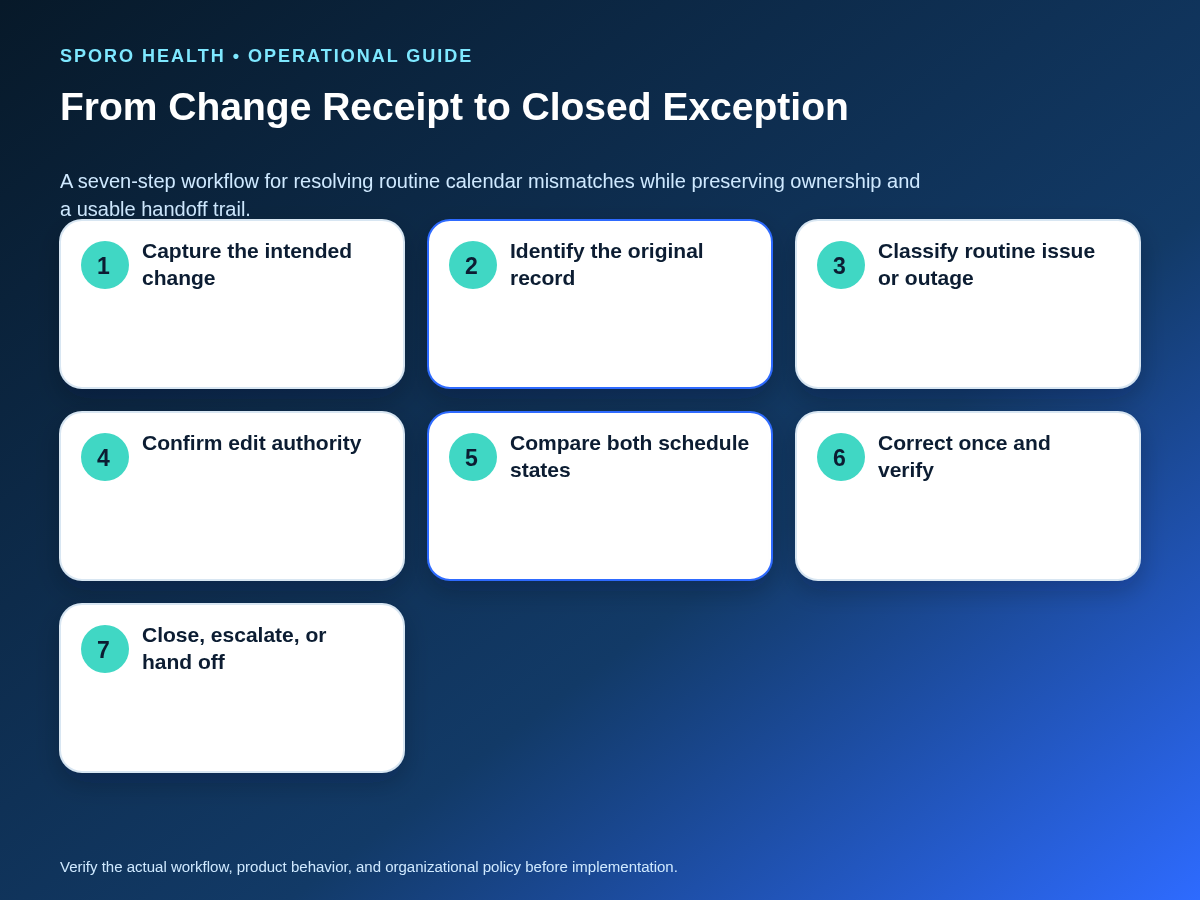
Treat each schedule change as one transaction, not as unrelated edits in separate systems. The sequence is capture, identify, classify, authorize, compare, correct once, verify, and then close or hand off. Staff should prove the intended state in the designated scheduling source and confirm the corresponding external-calendar state before considering the work complete.
- Capture the requested change and its operational reason.
- Locate the original appointment, block, or recurring instance.
- Decide whether the issue is routine or part of a broader failure.
- Confirm which person and system have edit authority.
- Compare the current states without making another edit.
- Apply one reconciled action and verify the endpoint.
- Close with evidence, escalate, or create a complete handoff.
The integration owner should map this procedure to the current athenahealth appointment API reference and the deployed integration. Front-desk staff should not have to infer technical endpoint behavior during a live scheduling exception.
Is the mismatch routine or an outage?
Keep an isolated, safely verifiable mismatch in the routine queue; move broad or unsafe failures to the outage process. Outage indicators include several providers failing together, multiple change types stopping at once, service-status evidence of disruption, or an inability to identify a safe corrective action.
If the pattern is unclear, compare it with these common athenahealth scheduling problems. When the evidence points to a widespread incident, stop transaction-level experimentation and use the calendar integration outage recovery runbook. A routine queue should never become a substitute for incident control.
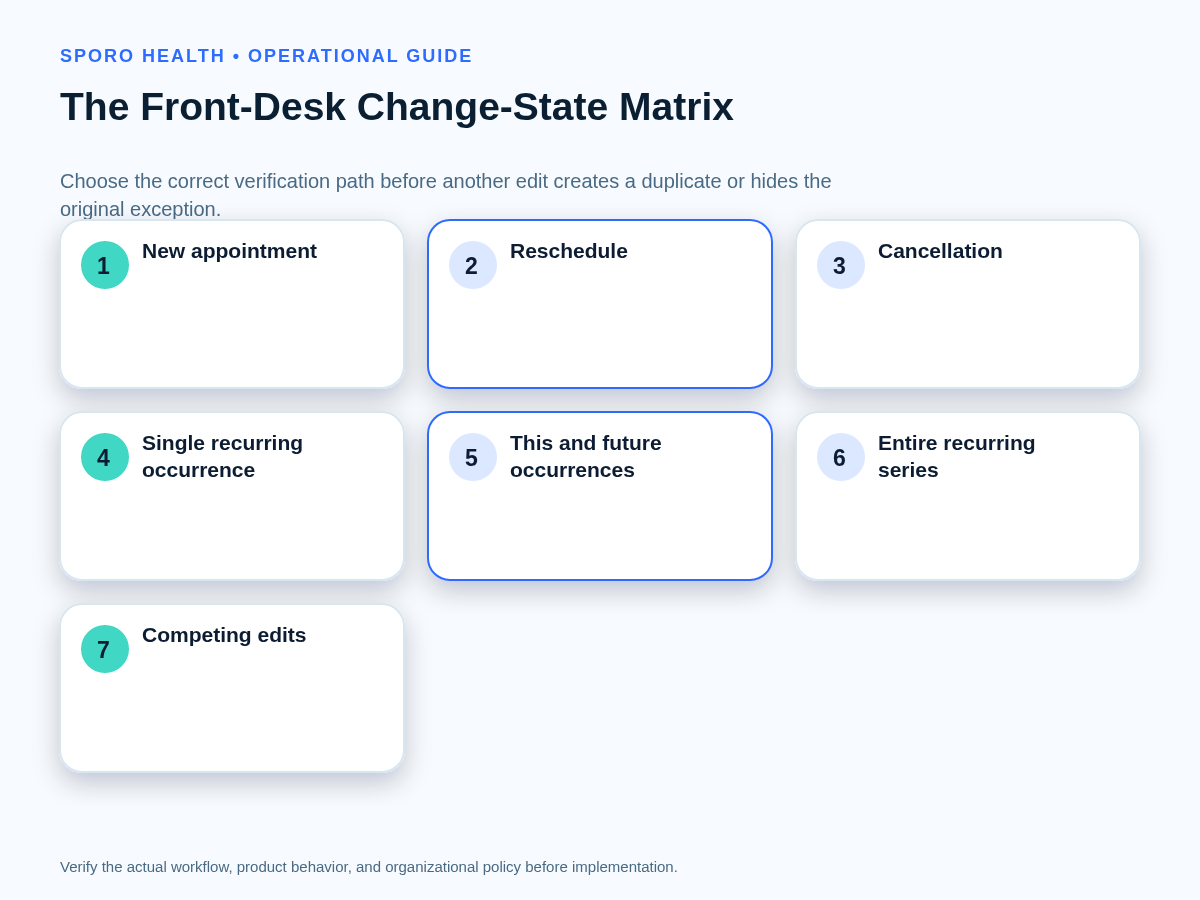
Change-state decision matrix
Use this matrix before making another edit. The endpoint column describes what staff must be able to observe; it does not assume that every integration implements changes in the same way.
| Change received | Decision before editing | Expected endpoint | Closure evidence |
|---|---|---|---|
| New appointment | Is this genuinely new, or an unmatched copy? | One active appointment and one correct external representation | Matched identity, time, provider, and verifier |
| Reschedule | Which existing record is moving? | Old time released; new time represented once | Before-and-after states and resolution time |
| Cancellation | Is the intent to cancel, delete a copy, or release a block? | No active or blocking representation remains incorrectly | Cancellation state and obsolete-entry disposition |
| Single recurring occurrence | Which dated instance is affected? | Only that occurrence changes | Parent series and instance identity retained |
| This and future occurrences | Where does the new pattern begin? | Past instances remain stable; future pattern is correct | Boundary date and future spot-checks |
| Entire recurring series | Does the decision truly apply to every occurrence? | One consistent series state | Series master and near-term instances checked |
| Competing edits | Which authorized decision reflects current intent? | One reconciled state; losing edit documented | Timestamps, decision-maker, and superseded change |
What should staff capture before changing anything?
Create a compact edit-authority and event-identity worksheet before touching the records. Record the provider, appointment or block, original date and time, intended new state, initiating system, matched external event, last known editor, change timestamp, reason, authorized editor, and verification owner.
This worksheet extends the ownership and protocol principles in athenahealth scheduling best practices. It can live in an approved operations tool, but it should avoid unnecessary patient details and should not become a second clinical record.
- Designated source: Where must the authoritative schedule state be proven?
- Original identity: Which existing record or recurring instance is changing?
- External match: Which calendar item corresponds to that record?
- Ownership: Who may edit, approve ambiguity, verify, and escalate?
- Evidence: What observation will demonstrate that the transition is complete?
Who should be allowed to edit each system?
Name an authorized editor, an ambiguity approver, and an integration owner instead of relying on informal assumptions. The editor performs routine changes, the provider or manager confirms uncertain intent, and the integration owner investigates identity, permissions, API, or synchronization failures.
Practices using Google Workspace should document calendar access alongside their broader Google Calendar sharing and role permissions. The same operating principle applies to Microsoft 365: viewing a schedule, editing an event, approving a provider decision, and administering an integration are different responsibilities.
How should a reschedule be processed?
Match the original appointment and calendar entry, update the authorized source once, and prove that the old time was released before closing. Do not create a replacement merely because the original is hard to find.
- Freeze parallel edits while the change is being reconciled.
- Match provider, original time, duration, record identity, and external event.
- Apply the authorized reschedule once.
- Verify that the old time is no longer active or blocking incorrectly.
- Verify that the new time appears once and carries the intended availability state.
- If identity cannot be proven, move the item to the exception queue.
Identity matters because calendar platforms distinguish an event from its displayed time. Google documents event IDs, recurring-event IDs, and an immutable original start time that identifies a recurring instance even after it moves; Microsoft Graph exposes identifiers and version fields such as iCalUId, seriesMasterId, and changeKey. These are integration-owner signals, not fields staff should guess from the screen. Google Events reference; Microsoft Graph event resource.
How should a cancellation be processed?
First define whether the intended result is a canceled appointment, deletion of an external copy, or release of an availability block. Then verify that no active or blocking representation remains where it should not.
- Confirm the appointment or block identity before acting.
- Apply the cancellation in the authorized source.
- Check whether the corresponding calendar item is canceled, removed, or retained in a nonblocking state as designed.
- Confirm that availability is released only when operationally intended.
- Record the verifier and time of confirmation.
Calendar deletion signals require technical handling: Google incremental synchronization returns deleted entries, while Microsoft Graph delta queries can report added, updated, and deleted events. Staff should escalate when the integration cannot prove that a cancellation was consumed correctly. Google synchronization guidance; Microsoft Graph calendar-view delta guidance.
Once schedule integrity is confirmed, continue with the downstream cancellation and slot-recovery workflow. Patient communication and filling capacity are subsequent tasks, not substitutes for reconciling the original change.
How should recurring provider blocks be changed?
Decide whether the instruction applies to one occurrence, this and following occurrences, or the entire series before editing. Each path can change a different set of events and therefore needs its own verification evidence.
| Scope | Required control | Verification |
|---|---|---|
| One occurrence | Identify the dated instance without severing its relationship to the series | Confirm adjacent occurrences are unchanged |
| This and following | Record the boundary date and verify platform-specific series behavior | Check the last unchanged instance and several future instances |
| Entire series | Confirm the decision applies to all occurrences and existing exceptions | Check the series master, exceptions, cancellations, and near-term expansion |
Google warns against editing many instances individually when the intent is to change the series and documents a split-series procedure for future occurrences. Microsoft represents recurring series through masters, occurrences, exceptions, and canceled occurrences. Because those models differ, the practice should verify its deployed workflow instead of assuming identical behavior. Google recurring-events guidance; Microsoft Graph event resource.
What should happen when both calendars were edited?
Freeze additional edits, compare authority and timestamps, confirm current intent, and apply one reconciled outcome. Document which change was accepted, which was superseded, and who made the decision.
- Capture both visible states and their last-known modification times.
- Identify whether either editor lacked authority for that type of change.
- Ask the designated decision-maker to confirm the intended provider schedule.
- Apply one correction through the authorized path.
- Verify both systems and record the losing change as superseded.
At the technical layer, conditional modification can reduce lost updates: Google supports If-Match with an event etag, while Microsoft exposes a changeKey that changes with the event version. The front desk should still follow the operational freeze-and-confirm rule because a specific integration may not expose or use those controls. Google resource-version guidance; Microsoft Graph event resource.
How should duplicate, orphaned, and stale entries be handled?
Identify the surviving authoritative record before deleting, recreating, or retrying anything. Repeated blind edits can hide the original failure, generate another copy, or overwrite a legitimate competing change.
| Observed state | Recovery action | Evidence required before action |
|---|---|---|
| Duplicate | Select the survivor; dispose of the extra through the authorized path | Matching identity, timestamps, and intended appointment state |
| Orphaned external entry | Trace its source before deletion or rematching | No valid designated-source record and no pending transition |
| Stale entry | Confirm it reflects an obsolete version, then reconcile once | Newer authoritative state and completed change evidence |
| Uncertain identity | Stop and escalate | Provider or manager confirmation plus integration-owner review |
Google allows a client-supplied event ID to help prevent duplicate creation after a request succeeds but its response is lost; Microsoft provides transactionId for a similar retry scenario. Those controls illustrate why recovery should preserve identity rather than default to another create operation. Google event-creation guidance; Microsoft Graph event resource.
Review these exceptions alongside the broader controls for preventing double-booking in athenahealth, but keep the transaction recovery record specific: what survived, what was removed, who verified it, and why.
How should front-desk exceptions be prioritized?
Prioritize by appointment proximity and operational impact, then assign the item to one of three ownership lanes. Near-term patient appointments and unavailable-provider conflicts come before distant administrative blocks; broad failures leave this queue for the outage process.
| Lane | Typical issue | Owner | Exit condition |
|---|---|---|---|
| Staff-correctable | Matched routine change with clear authority and intent | Authorized scheduler | Both states verified and closure recorded |
| Confirmation required | Ambiguous scope, competing instruction, or uncertain availability | Provider or practice manager | Decision documented, then corrected and verified |
| Technical escalation | Unknown identity, repeated failure, permission issue, or unsafe retry | Integration owner or vendor support | Root condition resolved or safe workaround approved |
Within each lane, sort first by time until the affected appointment, then by the risk of a provider conflict or unusable slot. Do not use one universal age target for every practice; establish local review thresholds based on operating hours, escalation coverage, and schedule volume.
What belongs in the end-of-shift reconciliation?
Reconcile unresolved exceptions, near-term schedule risk, and ownership before the shift ends. The handoff should make the next safe action obvious without forcing the receiving team to repeat failed edits or reconstruct the history.
| Measure | How to count it | What it reveals |
|---|---|---|
| Open mismatch age | Time since the exception was first recorded | Items that may be stalled or under-owned |
| Reopened exceptions | Closed items returned to the queue | Weak verification or recurring failure patterns |
| Duplicate corrections | Extra entries removed or reconciled | Identity and retry problems |
| Unresolved near-term appointments | Open exceptions inside the practice-defined review window | Immediate operational exposure |
| Handoff completeness | Items containing every required handoff field | Whether ownership can transfer safely |
For each unresolved item, record the affected provider and time, current safe scheduling instruction, actions already attempted, evidence captured, next owner, escalation status, and the next follow-up time or trigger. Keep unnecessary patient details out of shared handoff artifacts. Review trends over time, but set local thresholds only after observing the practice’s actual workload and coverage model.
Put the athenahealth reschedule and cancellation workflow into practice
Use this athenahealth reschedule and cancellation workflow for isolated changes during otherwise normal service. Train staff to pause before recreating an entry, preserve event identity, correct once, and close only with verification evidence. Maintain a separate outage process for broad failures.
If recurring cross-calendar reconciliation remains a significant operating burden, review the Sporo Health homepage, current athenahealth–Google Calendar product information, athenahealth–Outlook Calendar product information, and Sporo Health’s athenaConnect Marketplace listing. Treat those destinations as vendor information and confirm workflow fit, permissions, data choices, and exception handling for the practice’s actual configuration.
Frequently asked questions
What is the recommended athenahealth reschedule and cancellation workflow?
Treat each change as a controlled state transition: identify the original record, apply one authorized action, verify the resulting schedule states, and close or escalate the exception with evidence.
When should a routine mismatch become an outage?
Move to the outage process when multiple providers or change types fail together, service-status evidence indicates disruption, or staff cannot verify a safe correction; otherwise keep the item in the routine exception queue.
Who verifies a reschedule before it is closed?
The named verification owner confirms that the old time is released, the new time is correct in the designated source, and the external-calendar representation is resolved.
Should staff recreate an unmatched event?
No. Staff should first identify the surviving authoritative record and determine whether the unmatched item is duplicate, orphaned, stale, or still processing before any recreation.
How should one occurrence of a recurring block be changed?
Treat it as an instance-level exception, preserve its link to the recurring series, verify only the intended date changed, and confirm platform-specific behavior before closing.
What belongs in the end-of-shift handoff?
List the affected provider and time, current safe scheduling instruction, evidence captured, actions attempted, next owner, escalation status, and follow-up trigger without unnecessary patient details.
Sources
- athenahealth: Appointment API reference
- Google Calendar API: Recurring events
- Google Calendar API: Events resource
- Google Calendar API: Synchronize resources efficiently
- Google Calendar API: Get specific versions of resources
- Google Calendar API: Create events
- Microsoft Graph: Get incremental changes to events in a calendar view
- Microsoft Graph: Event resource type

2 Comments
Comments are closed.
[…] every required action separately before selecting a role. The practice’s front-desk reschedule and cancellation workflow should identify who may initiate, verify, and escalate changes before Outlook permissions are […]
[…] a defined front-desk workflow for reschedules and cancellations to control live transactions. If the report arrived through monitoring, the alert-to-action […]