
Decommissioning an athenahealth Calendar Integration: A Controlled-Exit Checklist
To learn how to decommission an athenahealth calendar integration, practice managers and calendar integration implementation owners should first define the final synchronized change, the new schedule authority, artifact dispositions, access-removal sequence, verification gates, and rollback triggers. The safe objective is not merely to turn off software; it is to preserve an accurate, usable provider schedule while every connection, event population, permission path, and exception reaches a documented exit state.
How to decommission an athenahealth calendar integration
Inventory every provider-calendar pair, define the final synchronized change, freeze ambiguous edits, name the new schedule authority, and assign owners before stopping the integration. Use the official athenahealth Appointment API reference as the technical starting point for identifying affected appointment operations, while the practice’s approved operating policy defines who may create, reschedule, cancel, or restrict availability.
- Approve the scope, target state, owners, and cutover window.
- Record every provider, external calendar, location, account, mapping, and permission path.
- Set the final synchronized-change boundary and a temporary freeze for uncertain edits.
- Activate the replacement or manual workflow as the documented schedule authority.
- Resolve events, recurring series, mappings, logs, exports, and retained evidence by class.
- Remove access in layers, test residual paths, reconcile schedules, and close exceptions.
What belongs in the exit control record?
The control record should give every provider-calendar pair a disposition, two cutover timestamps, an artifact plan, an access-removal owner, a verification owner, and a recovery decision. Evidence accepted during a calendar sync operations handoff checklist can seed the inventory, but retirement requires proof that the post-integration state works.
| Disposition | Use it when | Required gate |
|---|---|---|
| Wave | The pair is ready to exit with an approved cohort. | Shared rules and recovery are tested. |
| Hold | A prerequisite, owner, or artifact decision is missing. | The integration remains controlled until resolved. |
| Disconnect | No replacement calendar connection is planned. | The manual or EHR workflow is ready. |
| Migrate | The pair will move to another integration or calendar. | Target mapping and acceptance tests pass. |
| Exception | The pair cannot follow the standard path. | A named owner and bounded treatment exist. |
For each row, record the provider, calendar ID or mailbox, department or location, current connection, proposed disposition, last accepted synchronized edit, new authority start, artifact treatment, access paths, verification sample, and rollback readiness.
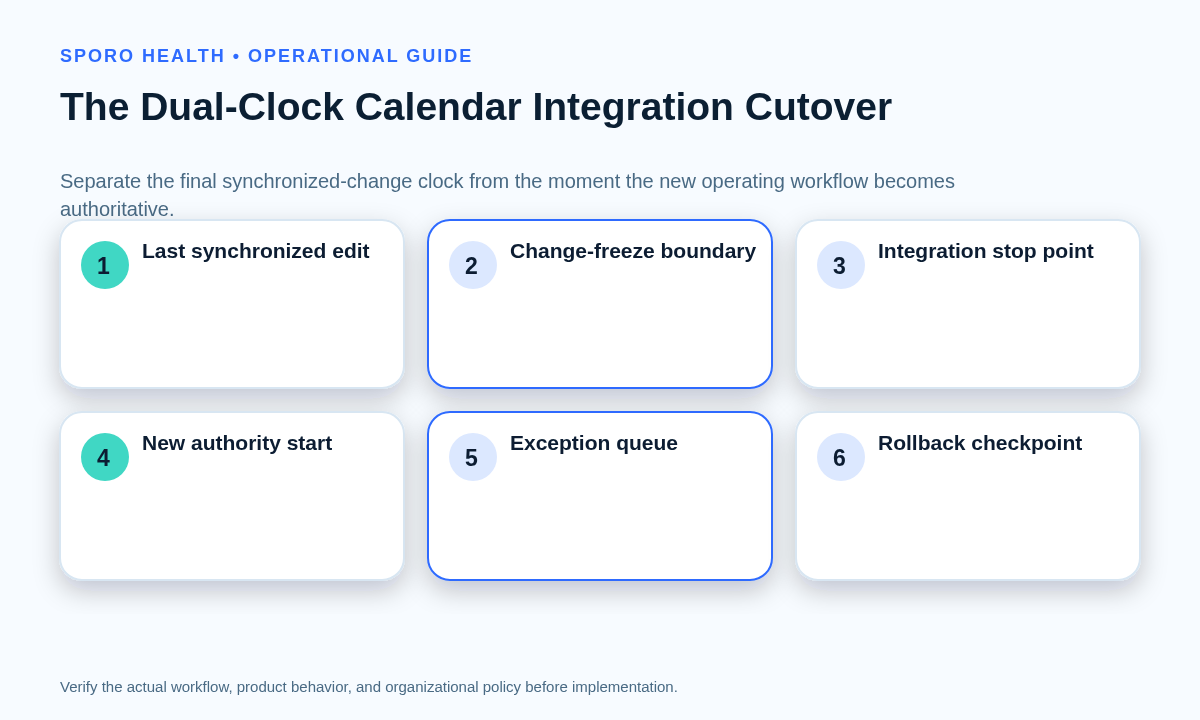
How should the dual-clock cutover work?
The cutover must separate the last change the integration is allowed to synchronize from the moment the new operating workflow becomes authoritative. Adapt the temporary procedures in a calendar integration outage fallback runbook for the freeze and recovery window, but do not plan to restore synchronization unless a rollback trigger is met.
| Control | Final-sync clock | New-authority clock |
|---|---|---|
| Timestamp | Last accepted synchronized change | Replacement workflow becomes authoritative |
| Permitted action | Only approved edits that can finish before stop | All new creates, moves, cancellations, and availability changes |
| Ambiguous edit | Freeze and place in the exception queue | Resolve under the new authority rule |
| Evidence | Final state capture and sync-stop confirmation | First verified change completed through the new workflow |
Gap rule: do not leave an interval in which staff are unsure which workflow governs a change. If the timestamps cannot meet cleanly, use a documented freeze with one exception owner.
Should decommissioning happen provider by provider or all at once?
A provider-by-provider exit is safer when calendars, locations, account ownership, artifact populations, or fallback readiness differ. Use the narrower provider calendar offboarding checklist when only one departing provider is affected rather than the full integration.
| Decision | Choose it when | Stop condition |
|---|---|---|
| Provider waves | Pairs have different mappings, permissions, recurrence risks, or replacement readiness. | Any pair fails its exit gate. |
| Single cutover | All affected pairs share tested rules, owners, access models, artifact decisions, and rollback procedures. | A cross-practice defect threatens schedule continuity. |
What happens to existing events and integration artifacts?
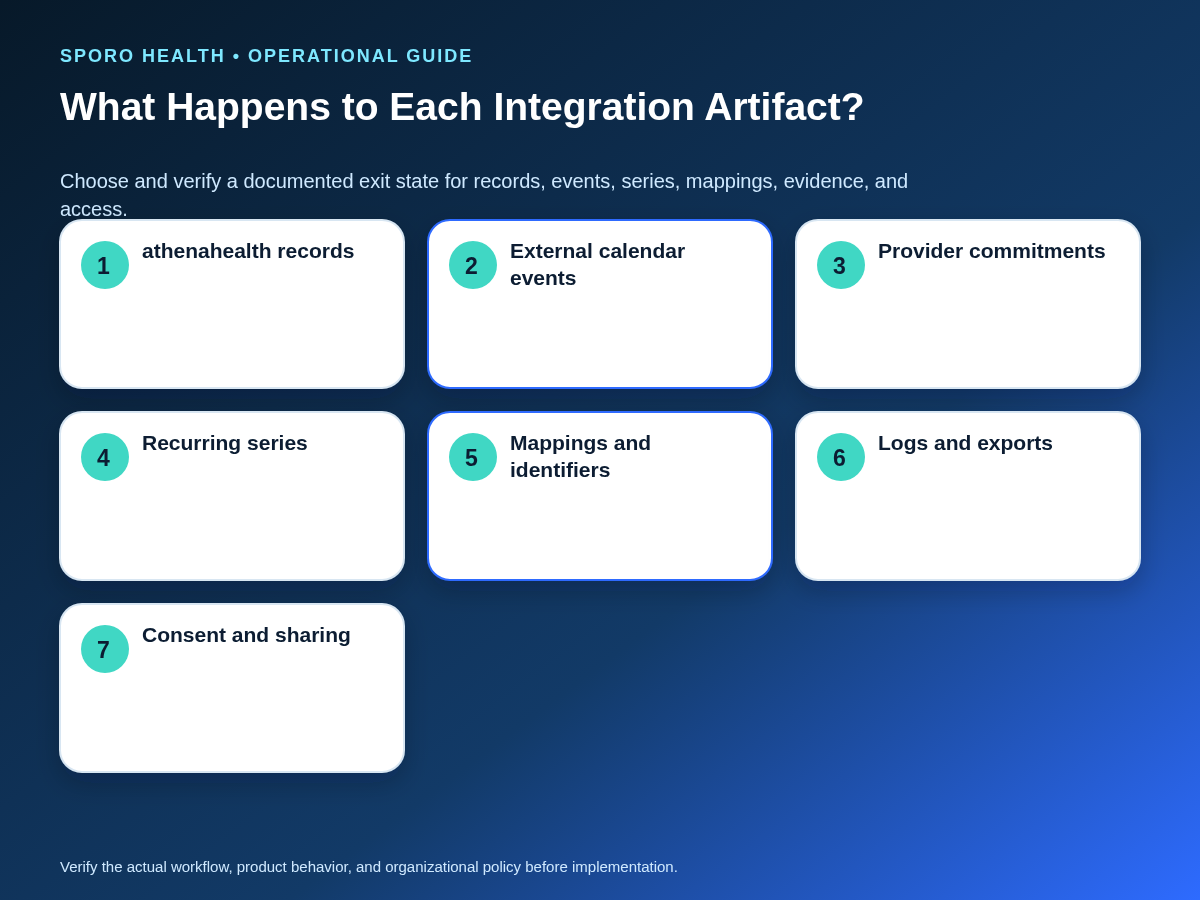
Do not delete existing external-calendar events in bulk by default; classify each artifact population before selecting retain, remove, replace, transfer, or manual review. Apply the approved calendar event retention policy for athenahealth integrations to mappings, logs, exports, calendar copies, and evidence.
| Artifact | Exit question | Verification |
|---|---|---|
| athenahealth records | Which record remains authoritative for patient scheduling? | Sample future schedules and recent changes. |
| Integration-created events | Will they remain useful, become stale blocks, or be replaced? | Check origin, ownership, busy state, and future horizon. |
| Provider-created commitments | How will they enter the new availability workflow? | Test a new commitment after cutover. |
| Recurring series | Are exceptions and cancellations preserved? | Inspect representative future instances. |
| Mappings and identifiers | What must be retained for recovery or reconciliation? | Test that retained references resolve correctly. |
| Logs and exports | What evidence is authorized and necessary? | Record owner, location, access, and disposition date. |
| Consent and sharing | Which application and human paths remain? | Run separate residual-access tests. |
Google distinguishes event IDs, recurring-instance IDs, and shared iCalendar identifiers in its Events reference. Its incremental synchronization guidance also says changed results include deleted entries, which is why exported mappings and final state evidence should be reconciled rather than treated as interchangeable with visible events. See Google’s synchronization guide. For Outlook meetings, note that deleting an organizer’s event can send cancellation messages to attendees, according to the Microsoft Graph delete-event documentation.
How should recurring calendar items be handled?
Review recurring items at the series, occurrence, exception, and cancellation levels before changing or removing them. Google documents separate instance handling and a multi-step method for changing all following occurrences in its recurring-events guide. Microsoft Graph similarly distinguishes series masters, occurrences, exceptions, and canceled occurrences in its event resource.
- Inspect a normal future occurrence.
- Inspect a modified exception and a cancellation.
- Confirm provider-created commitments are not integration artifacts.
- Test whether retained events still block or release time as approved.
- Document the series identifier and the exact scope of any change.
When should Google Workspace or Microsoft 365 access be removed?
Remove application access only after required final synchronization, evidence capture, and schedule verification are complete, unless immediate containment is necessary. Vendor disconnection, OAuth consent, enterprise application permissions, calendar sharing, delegation, and account access are distinct paths. Use a provider calendar access review workflow to build the effective-access inventory.
Google Workspace authorization-removal sequence
- Confirm the vendor-side connection has stopped and capture its final state.
- Review the app in Google Workspace API controls. Google documents that administrators can restrict third-party access to services such as Calendar, and that changing access can revoke affected tokens; follow the current Google Workspace app-access guidance.
- Remove user authorization or revoke tokens that are no longer needed in accordance with Google’s OAuth policies.
- Remove direct people, group, public, or organization-wide calendar sharing separately. Google’s calendar-sharing documentation describes these controls.
- Test that the former connection cannot read or write and that the approved staff workflow still works.
Microsoft 365 authorization-removal sequence
- Stop the vendor connection and preserve the approved evidence packet.
- Review delegated permissions, application permissions, user consent, and admin consent separately. Microsoft’s enterprise-application permission guidance provides distinct review and revocation paths.
- Remove the applicable OAuth permission grants and application role assignments through an authorized administrator.
- Remove Outlook sharing or delegation independently; Microsoft documents calendar permissions and delegate removal in its sharing and delegation guide.
- Test former application, user, group, and delegate paths against the approved target state.
Residual-access test
Record the identity tested, calendar, attempted read or write, expected result, actual result, tester, and timestamp. Include vendor access, previously consenting users, administrative grants, groups, delegates, direct shares, and any mailbox or account path discovered in the inventory. A successful vendor disconnect alone does not close the access work.
What should rollback restore?
A usable rollback plan states what can be restored, who can authorize it, which mappings and permissions are required, and how exit-window edits will be reconciled. Roll back because defined evidence shows schedule continuity is at risk—not simply because the new workflow is unfamiliar.
| Signal | Immediate containment | Decision |
|---|---|---|
| Stale external blocks | Contain affected availability and classify event origin. | Correct disposition or restore the prior controlled path. |
| Missing availability | Pause uncertain booking and compare approved schedules. | Repair the new workflow or roll back the pair. |
| Duplicate-looking events | Do not bulk-delete; compare identifiers and ownership. | Preserve the correct event and repair the mapping. |
| Post-cutover integration edits | Freeze the affected pair and test residual access. | Remove the remaining path or invoke rollback. |
| Provider fails the exit gate | Hold that pair outside the next wave. | Remediate, except, or restore its approved fallback. |
The rollback packet should contain the prior provider-calendar mapping, restorable permissions, last known schedule state, exit-window exception queue, restoration approver, vendor contact path, and reconciliation method. Confirm restoration feasibility before cutover; do not assume a disconnected service can be re-enabled automatically.
How do you verify the integration is fully disconnected?
Verify that synchronized writes have stopped, the new workflow handles required changes, retained events have correct dispositions, residual access tests pass, and sampled schedules match the approved post-exit state. The daily athenahealth schedule reconciliation playbook can supply the exception ownership and closure method during stabilization.
| Scorecard measure | Exit condition |
|---|---|
| Sampled schedule agreement | Selected provider, date, location, and change-state samples match the approved state. |
| Unresolved exceptions | Every open item has an owner, impact, disposition, and deadline. |
| Residual access findings | No unapproved application or human path succeeds. |
| Staff workflow failures | Failed create, move, cancel, or availability scenarios are corrected and retested. |
| Incorrect retained-event dispositions | Any sampled error triggers reclassification of the affected population. |
Set the stabilization period according to practice risk and change volume rather than an arbitrary duration. Reconciliation can end only after the scorecard is accepted by the named operational and technical owners.
Controlled-exit implementation checklist
- Approve scope, target state, owners, and rollback authority.
- Inventory every provider-calendar pair and access path.
- Assign wave, hold, disconnect, migrate, or exception dispositions.
- Complete artifact and recurring-series reviews.
- Record both cutover clocks and start the edit freeze.
- Finish the final approved synchronization and evidence capture.
- Activate and test the new schedule-authority workflow.
- Remove vendor, consent, application, sharing, and delegation access.
- Run recovery scenarios and the post-exit scorecard.
- Close only after schedule continuity and exception ownership are accepted.
What should the practice do next?
Approve the controlled-exit record before anyone disconnects the production integration. This is how to decommission an athenahealth calendar integration without treating “off” as proof of continuity: govern the authority switch, artifact decisions, access closure, recovery, and verification as one coordinated change.
If replacement remains in scope, compare each candidate against this checklist. Start with Sporo Health, review the current athenahealth and Google Calendar product page, the athenahealth and Microsoft 365/Outlook product page, and the Sporo Health listing in the athenaConnect Marketplace. Treat product descriptions as vendor claims and confirm current behavior, permissions, retention, recovery, and exit support before deciding.
Frequently asked questions
How to decommission an athenahealth calendar integration safely?
Start by documenting the last synchronized change and the moment the replacement workflow becomes authoritative. Then stop writes, classify artifacts, remove each access path, verify schedules, and retain a tested recovery option until exit evidence is accepted.
Should existing external-calendar events be deleted when the integration is disconnected?
No, not by default. Classify each event population by origin, recurrence, ownership, future value, and false-availability risk before choosing retain, remove, replace, or manual review.
Should decommissioning happen provider by provider or all at once?
Use provider-by-provider waves when calendars, locations, permissions, or recovery readiness differ. Consider one cutover only when the affected pairs share tested rules, owners, and rollback procedures.
When should Google Workspace or Microsoft 365 calendar access be revoked?
Revoke access after the required final synchronization, evidence capture, and schedule verification are complete. Remove vendor, consent, application, sharing, and delegation paths separately, then test for residual access.
How should recurring calendar items be handled during retirement?
Review the series master, representative future occurrences, exceptions, and cancellations before changing anything. A safe disposition must preserve provider-created commitments and avoid creating false availability.
What should an athenahealth calendar integration rollback plan restore?
It should identify which connection, mapping, permission, schedule state, and queued edits can be restored, who authorizes restoration, and how changes made during the exit window will be reconciled.
When can post-decommission schedule reconciliation end?
Reconciliation can end when sampled schedules match the approved post-exit state, synchronized writes remain stopped, residual access tests pass, staff can use the new workflow, and every exception has an owner.
Sources
- Appointment API reference — athenahealth.
- Google Calendar Events reference — Google.
- Recurring events guide — Google.
- Synchronize resources efficiently — Google.
- Control which apps access Google Workspace data — Google Workspace Admin Help.
- OAuth 2.0 policies — Google.
- Share your calendar — Google Calendar Help.
- Review permissions granted to enterprise applications — Microsoft.
- Microsoft Graph event resource — Microsoft.
- Share or delegate an Outlook calendar — Microsoft.
- Delete an event — Microsoft.

One comment
Comments are closed.

[…] from actual experience. For the final bucket, use the operational duties in Sporo’s guide to plan a controlled calendar integration exit as prompts for prospective cost […]