Calendar Event Retention for athenahealth Integrations: A Preserve-or-Delete Governance Guide
A calendar event retention policy for athenahealth integrations should classify every scheduling-related copy before assigning any retention period. Practice privacy leaders, healthcare IT administrators, practice managers, and health information governance leaders should separate the source scheduling record, external event, integration state, logs, and exports; then approve an owner, clock, disposition, hold path, and verification evidence for each.
What should a calendar retention policy govern?
It should govern each copy separately rather than treating synchronized data as one record. The scheduling record, external event, mapping state, operational log, audit evidence, and export or backup may serve different purposes and may have different owners, authorities, clocks, and end states.
Start with the record class, not a convenient number. The HHS medical-record retention FAQ states that the HIPAA Privacy Rule does not itself set a medical-record retention period and that state law generally governs. Separately, 45 CFR 164.316 requires specified Security Rule documentation to be retained for six years from creation or the date last in effect, whichever is later.
Those authorities do not create one universal period for every calendar copy. An approved period should follow classification of applicable law, contract, operational purpose, investigation or legal hold, recovery requirement, and data-minimization goal. Authorized legal, privacy, records, and contractual reviewers should approve the source used for each period.
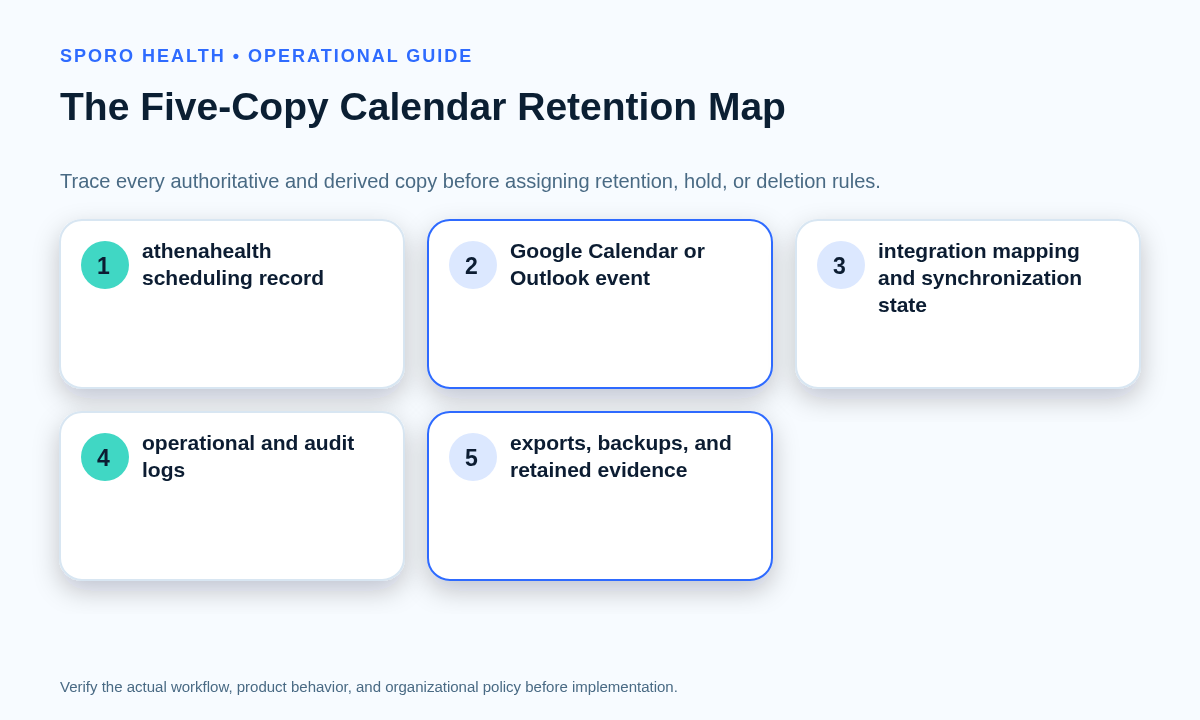
How do you build the five-copy retention inventory?
List where each copy resides, why it exists, how it connects to other copies, and what must remain intact when it is disposed. Do this before enabling automated deletion or changing a tenant-wide rule.
Use the minimum necessary calendar data worksheet to confirm that every retained field has an approved purpose. Retention does not justify collecting or exposing data that the workflow does not need.
| Copy | Governance role | Inventory details |
|---|---|---|
| athenahealth scheduling record | Candidate authoritative schedule record; confirm in the source-of-truth policy | Practice, department, provider, appointment or block identifier, state, change authority, and continuity dependency |
| External calendar event | Derived event or approved availability signal | Tenant, mailbox or calendar, organizer, attendees, event and series IDs, recurrence, visibility, and deletion state |
| Integration mapping or state | Technical relationship between records | Connected identifiers, synchronization state, last transition, error state, dependency, and cleanup owner |
| Operational and audit logs | Troubleshooting, control, or evidence record | Actor or system, action, timestamp, result, purpose, access owner, and related case or event identifier |
| Exports, backups, and retained evidence | Recovery, transfer, reporting, or disposition proof | Scope, custodian, creation date, restore path, replacement cycle, approved use, and destruction evidence |
Mark a copy unclassified if any required field is unknown. Unclassified data proceeds to investigation, not automatic deletion.
How should retention authority and clocks be assigned?
Give every copy a named owner, clock trigger, approved period source, hold rule, end disposition, and closure test. A duration without those fields is not an executable retention rule.
Ownership should also remain separate from current access. The provider calendar access recertification workflow helps determine who can reach calendar data; the retention matrix determines who may preserve, hold, or dispose of it.
| Copy | Clock trigger | Approved authority | Hold behavior | End disposition and evidence |
|---|---|---|---|---|
| Scheduling record | Approved record-class event | Applicable law and records schedule | Suspend disposition when authorized | Preserve or dispose under the authoritative-system procedure |
| External event | Event end, cancellation, or approved lifecycle trigger | Calendar record class, contract, and platform scope | Protect covered organizer or custodian copies | Search, attendee, series, and recovery checks |
| Mapping or state | Verified disconnection or final synchronized state | Operational dependency and vendor terms | Retain identifiers needed to preserve held data | No active dependency or orphaned mapping remains |
| Logs and audit evidence | Creation, incident closure, or investigation closure | Security, privacy, audit, contractual, and legal authority | Freeze relevant evidence | Approved purge plus retained disposition proof |
| Exports and backups | Purpose closure, supersession, or approved backup cycle | Recovery, records, contractual, and legal authority | Prevent overwrite or purge where required | Restore test, custody record, or destruction evidence |
The matrix should cite the authority behind a period instead of presenting an unexplained number. Review it whenever the workflow, contract, platform, record class, or legal requirement changes.
Which disposition should each copy receive?
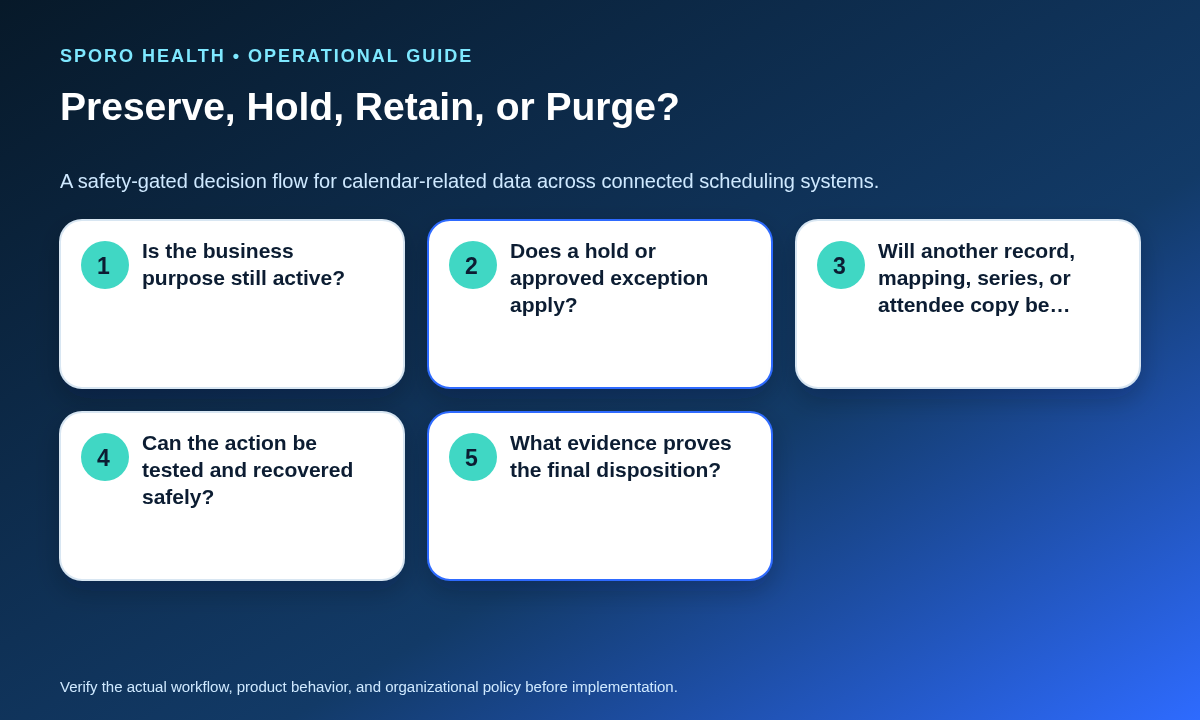
Choose preserve, retain to a trigger, hold, or purge; stop if the copy remains unclassified. The decision applies to one classified copy, not automatically to every related system.
| Outcome | Use when | Required action |
|---|---|---|
| Preserve | The copy remains authoritative or necessary for schedule continuity | Protect integrity and document the next review trigger |
| Retain to trigger | The approved purpose remains active or the clock has not expired | Record the trigger, owner, authority, and planned end action |
| Hold | An authorized legal, investigation, audit, or preservation instruction applies | Suspend routine deletion and record scope, authority, and release control |
| Purge | The period expired and every dependency and recovery need cleared | Pass the purge gate, test narrowly, execute, and verify |
| Stop: unclassified | Purpose, owner, authority, clock, dependency, or evidence is unknown | Block automatic deletion until classification is approved |
What must the purge-safety gate prove?
It must prove that deletion is authorized, bounded, recoverable where required, and harmless to schedule continuity. The approver should require every gate item to pass or record a formal exception.
- No applicable legal, investigation, audit, contractual, or preservation hold remains.
- The source scheduling record and required future schedule remain intact.
- Dependent mappings, reports, exports, backups, and retained evidence have approved outcomes.
- Recurring-series, single-occurrence, organizer, and attendee effects are understood.
- Approved recovery and restore needs have been cleared or tested.
- The accountable owner and authorized approver are recorded.
- A limited, representative purge test passed before expansion.
- Containment, rollback, and final evidence procedures are ready.
User-visible disappearance is not lifecycle completion. Google documents distinct cancelled states for recurring exceptions and other deleted events in its recurring-events guide and Calendar event resource documentation. Microsoft documents that its Graph cancel action moves an organizer’s event to Deleted Items in the event cancellation reference. Verification should therefore extend beyond the normal calendar view.
How do Google Workspace and Microsoft 365 retention controls differ?
Apply one governance standard but create and test a separate implementation card for each platform. Do not assume equivalent scope, clocks, recurring-event behavior, recovery paths, holds, or account-deletion effects.
| Control area | Google Workspace | Microsoft 365 |
|---|---|---|
| Retention scope | Google Vault Calendar retention covers listed primary-calendar event types but excludes secondary-calendar events and certain other items. | Microsoft’s Exchange retention guidance says calendar items with an end date are supported by retention policies but not retention labels. |
| Clock | Vault starts the retention period when the event ends. | Do not copy Google’s clock. Confirm the configured policy behavior with representative mailbox items. |
| Recurring events | Vault treats a recurring series as one event and bases its end on the final occurrence or platform limit. | Test the series, exceptions, and occurrence-level actions independently rather than inferring parity. |
| Deletion path | Cancelled and deleted states can have different API and synchronization implications. | Calendar items can pass through Deleted Items or Recoverable Items depending on the action and applicable retention controls. |
| Holds and departures | Vault holds override retention for covered Calendar data. | Retention or holds can suspend permanent deletion; a covered departing user’s mailbox can become inactive after account deletion. |
| Rollout test | Use a small organizational scope and verify primary versus secondary calendars. | Use test mailboxes with applicable item types, policy scope, holds, and recovery checks. |
What should the Google Workspace implementation card test?
It should record calendar type, organizational scope, event type, clock, series behavior, hold coverage, purge mode, and expected propagation before any broad rule is enabled. Google warns that a misconfigured retention rule can immediately expose older data to irreversible purge, so a limited test is essential. Its Calendar hold documentation also explains that covered data on hold is protected from ordinary retention purge.
Keep visibility governance separate: Google Calendar sharing controls for medical practices answer who can see or change events, while this implementation card governs how long covered copies remain and how disposition is proved.
What should the Microsoft 365 implementation card test?
It should record mailbox type, calendar-item eligibility, policy scope, Deleted Items and Recoverable Items behavior, holds, recurring cases, and account-deletion effects. Include at least one item with an end date, one recurring series, a cancellation, a deletion, a held item, and a departure scenario.
Human calendar permissions are a different control layer. Use the Outlook Editor versus Delegate role guide to govern staff access, but use Purview, Exchange, application, and retention evidence to approve lifecycle behavior.
How should lifecycle exceptions be handled?
Provider departure, mailbox deletion, vendor termination, and migration should invoke named procedures rather than ad hoc cleanup. Each procedure should preserve the authoritative schedule first, freeze uncertain deletion, and route every obsolete derived copy through the approved matrix.
The provider calendar offboarding checklist can coordinate access cutoff and schedule handoff. Add the retention decisions below instead of assuming that account removal disposes of every copy.
| Trigger | Preserve first | Disposition and closure |
|---|---|---|
| Provider departure | Future schedule, accountable owner, and required calendar assets | Classify mailbox, events, mappings, logs, and exports; verify access removal separately |
| Mailbox or account deletion | Approved held or retained content and recovery needs | Confirm policy coverage before deletion; test search and recovery expectations |
| Vendor termination | Source records, continuity plan, necessary logs, and configuration evidence | Reconcile mappings and obtain approved return, retention, or deletion evidence |
| Calendar migration | Source schedule, identifiers, recurrence boundaries, and rollback path | Reconcile old and new copies and investigate duplicates or orphans before purge |
How do you verify deletion and other dispositions?
Compare the approved expected state with every relevant system and retain evidence of the comparison. Sample aged, cancelled, recurring, migrated, held, restored, and offboarded items before expanding automation.
- Select representative records by platform, provider, calendar type, recurrence, disposition, and lifecycle trigger.
- Write the expected state for the scheduling record, external event, mapping, logs, and exports or backups.
- Execute the approved action on a limited sample and allow for the documented platform-processing window.
- Search each system, test permitted recovery, compare identifiers, and route discrepancies to a named owner.
- Close the sample only when evidence supports every expected state.
| Worksheet field | What to record |
|---|---|
| Sample identity | Record class, platform, provider, date range, event or series ID, and mapping ID |
| Expected states | Required state for all five copies, including hold and recovery expectations |
| Observed states | Search result, visible state, API or administrative result, and dependent-report result |
| Exception | Missing source, orphaned event, stale mapping, retained export, unexpected attendee copy, or failed restore |
| Closure | Evidence location, verifier, approval, date, and next review trigger |
An orphaned copy is a derived event, mapping, log, or export that lacks a valid authoritative relationship or approved preservation reason. Investigate it rather than recreating or deleting it reflexively.
Which measures show that the policy is working?
Measure classification and disposition quality rather than counting deletions alone. Review trends by platform, record class, owner, and lifecycle trigger.
- Policy coverage: approved in-scope copies divided by discovered copies
- Overdue exceptions and expired holds awaiting authorized action
- Sampled disposition accuracy against expected cross-system states
- Orphaned-copy findings by copy type and root cause
- Failed purge, search, recovery, or restore tests
- Records with unresolved ownership or period authority
- Time to close an approved deletion request with complete evidence
How should the practice put this guide into operation?
Begin with one policy owner, one approved matrix, and one limited platform cohort. Do not begin with a tenant-wide purge. For product context, review Sporo Health’s healthcare automation overview, the current athenahealth and Google Calendar product page, the athenahealth and Microsoft Outlook product page, and Sporo Health’s athenaConnect Marketplace listing.
Treat product descriptions as vendor information, not retention evidence. Ask for deployment-specific answers about mapping state, operational logs, exports, backups, holds, account termination, deletion controls, and the evidence available to customers.
How should a calendar event retention policy for athenahealth integrations be approved?
Approve it only when every copy has a purpose, owner, authority, clock, disposition, exception path, platform test, and closure evidence. The final decision packet should contain the five-copy inventory, authority matrix, Google and Microsoft implementation cards, purge gate, exception procedures, sampling results, unresolved risks, and named approval owners.
Frequently asked questions
What is a calendar event retention policy for athenahealth integrations?
It is a cross-system rule set that classifies the scheduling record, external event, integration state, logs, and exports separately, then assigns each an owner, trigger, disposition, hold path, and closure evidence.
How long should external calendar events be retained for medical practice scheduling?
Do not use a universal period. Classify the record, identify applicable law, contract, operational purpose, hold status, data-minimization goal, and approved authority, then assign a documented trigger and owner.
Is deleting a Google Calendar or Outlook event enough?
No. Verify the source scheduling record, organizer and attendee effects, recurring series, integration mapping, logs, exports or backups, recovery path, and hold status before closing the action.
Can Google Workspace and Microsoft 365 use the same retention rule?
Use the same governance standard, but separate implementation cards. Their scope, retention controls, recurring-event behavior, deletion paths, holds, and offboarding mechanics should be tested independently.
How should recurring calendar events be tested before purge?
Test the parent series, one past occurrence, one future occurrence, a cancelled exception, an attendee copy, and any split series. Confirm identifiers and expected states in every connected system.
Should unclassified integration data be deleted automatically?
No. Unclassified data should enter a stop condition until its purpose, owner, authority, clock, dependencies, hold behavior, and evidence requirement are approved.
How should provider offboarding affect calendar retention?
Revoke access and preserve schedule continuity separately from data disposition. Classify the departing provider’s calendar, mappings, logs, exports, and mailbox state, then follow approved hold, transfer, retain, or purge procedures.
Sources
- HHS: Does the HIPAA Privacy Rule require medical-record retention?
- eCFR: 45 CFR 164.316 documentation requirements
- Google Vault: Retain Google Calendar events
- Google Vault: Place Google Calendar events on hold
- Google Calendar API: Recurring events
- Google Calendar API: Events update resource
- Microsoft Purview: Retention for Exchange
- Microsoft Graph: Cancel an event