When a Physician Calendar Event Moves: An athenahealth Two-Interval Recovery Guide
For practice managers asking how to fix athenahealth availability after moving a physician calendar event, treat the move as one linked two-interval transition. Protect the destination from new booking, preserve the event’s identity and recurrence scope, then verify that the original interval reopened only after other constraints were excluded. Close the incident only when both calendar and athenahealth states match the approved outcome.
How to fix athenahealth availability after moving a physician calendar event
Protect the destination interval, preserve the move evidence, and verify the old and new times as one transaction. Do not begin by deleting the event, recreating it, or reopening the original time. First confirm that the commitment is supposed to constrain booking under the practice’s physician personal-calendar conflict rules.
- Record the provider, calendar, original start and end, destination start and end, time zone, actor, and observed change time.
- Prevent new booking at the destination through the practice’s approved containment path if that interval is incorrectly open.
- Check both intervals for booked appointments, other events, schedule-template restrictions, or separate approved blocks.
- Preserve screenshots, identifiers, status values, and recurrence scope before another edit changes the evidence.
Treat the external calendar and athenahealth as two observations to reconcile, not as interchangeable proof. A correct-looking event does not prove that booking state is correct, and an unavailable slot does not prove that the moved event caused the restriction.
What does the two-interval matrix show?
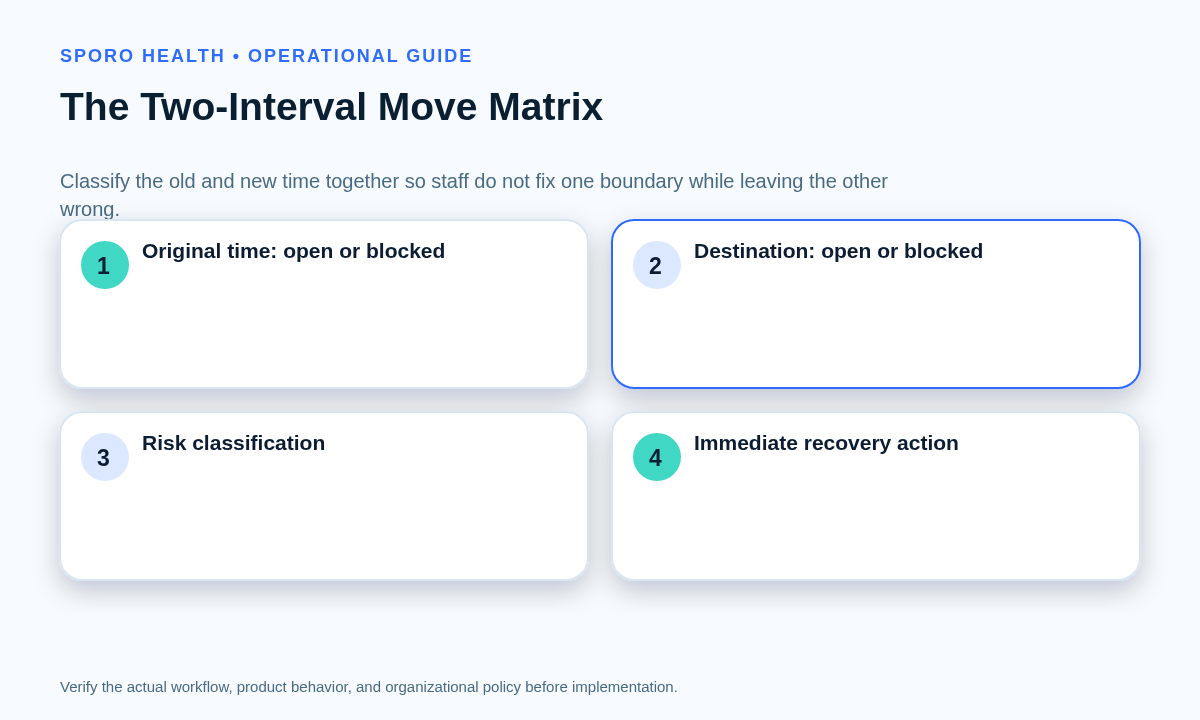
The expected result is old open and new blocked, provided no separate rule, booking, or restriction still applies to the old time. Classifying both intervals together prevents staff from repairing one boundary while leaving the other wrong.
| Original interval | Destination interval | Classification | Immediate action |
|---|---|---|---|
| Open | Blocked | Expected transition | Confirm the old time has no surviving constraint and complete closure checks. |
| Blocked | Blocked | Double block | Keep the destination protected; identify the independent or stale cause at the original time. |
| Open | Open | Missed destination block | Contain destination booking, then test event status, calendar coverage, identity, and recurrence scope. |
| Blocked | Open | Dual-boundary failure | Protect the destination and stop discretionary edits until both failed boundaries are explained. |
Use the false-open physician time diagnostic for the destination branch and the stale-block reopening runbook for the original branch. Neither branch should close without rechecking the other interval.
What belongs in the moved-event lineage card?
Record one linked transition rather than opening two unrelated availability tickets. The card should let a verifier reconstruct what moved, which identity survived, what recurrence boundary was selected, and whether patient booking was affected.
- Context: provider, department or location, connected calendar, time zone, and approved availability rule.
- Before and after: original and destination starts and ends, busy or availability status, and observed athenahealth state.
- Identity: calendar event ID, iCalendar UID where available, parent-series ID, occurrence ID, original occurrence start, and integration mapping reference.
- Change evidence: actor, organizer, attendee-copy status, updated timestamp or version marker, and selected edit scope.
- Impact: booked appointments, pending offers, recurring neighbors, containment action, correction, verifier, and closure time.
Google’s recurring-event documentation explains that recurringEventId identifies the parent and originalStartTime identifies a recurring instance even after it moves; the Events resource also documents event IDs and iCalendar UIDs. Microsoft Graph’s event resource exposes fields such as seriesMasterId, originalStart, and changeKey. Capture what is available without assuming the two platforms represent lineage identically.
How should recurrence scope be tested?
Classify the selected edit scope before touching the parent series, then inspect the boundary occurrence and its neighbors. A single moved occurrence is an exception; a this-and-following change establishes a new forward boundary; a whole-series edit may affect past and future instances.
| Observed edit | Required verification |
|---|---|
| One occurrence | Verify the selected occurrence, its original start, and the immediately preceding and following instances. |
| This and following | Check the last unchanged occurrence, the first changed occurrence, future cadence, and prior exceptions. |
| Entire series | Confirm the approved scope truly includes every occurrence and inspect existing exceptions before closure. |
| Attendee-copy change | Compare the attendee’s copy with the organizer-controlled event; do not treat a local move as organizer approval. |
| Apparent replacement | Determine whether the old event was cancelled or deleted and whether a new active identity now exists. |
Google Calendar Help and Microsoft Support describe distinct one-event, forward-looking, and series-level edit choices. If the event represents an absence, apply the same scope discipline used in the physician out-of-office availability workflow.
What if the destination overlaps a booked patient appointment?
Do not silently overwrite either commitment. Stop additional booking at the destination, preserve the patient appointment and physician-event evidence, and route an authorized decision about the appointment, provider obligation, alternate coverage, or another valid destination.
Scheduling staff should not make a clinical or policy decision merely because one system changed later. Record the minimum necessary appointment reference under local policy, identify the decision owner, complete any approved communication, and verify the final appointment and availability state in both systems. The original interval must still be checked separately; resolving the collision does not prove that the old time reopened.
How should Google Calendar and Outlook be tested separately?
Use the same operational rule but separate platform evidence cards. Google Calendar and Outlook expose different identity, recurrence, status, organizer, and change-tracking fields, so a passing test on one platform does not prove parity on the other.
| System | Evidence to capture | Operational test |
|---|---|---|
| Google Calendar | Event ID, iCalendar UID, recurring-event ID, original occurrence start, actual start and end, status, transparency, organizer, and updated time. | Inspect the event or exception, verify the selected recurrence scope, and compare both athenahealth intervals. |
| Outlook or Microsoft Graph | Event ID, type, series-master ID, original start, current start and end, change key, show-as value, organizer, and attendee-copy behavior. | Confirm whether the physician is organizer or attendee, inspect the intended occurrence or series, and compare both intervals. |
| athenahealth | Provider, department, original and destination availability, booked appointments, applicable schedule restrictions, and change evidence. | Confirm the old and new booking states independently rather than inferring them from the calendar event. |
Google incremental synchronization includes changed and deleted entries, while Microsoft Graph calendar-view delta queries can return added, updated, and deleted events. The athenahealth API catalog lists appointment reschedule, changed-appointment, booked-appointment, and open-slot endpoints. These documents support evidence collection, but they do not establish how a particular integration handles physician-owned availability moves.
What is the smallest-correction recovery flow?
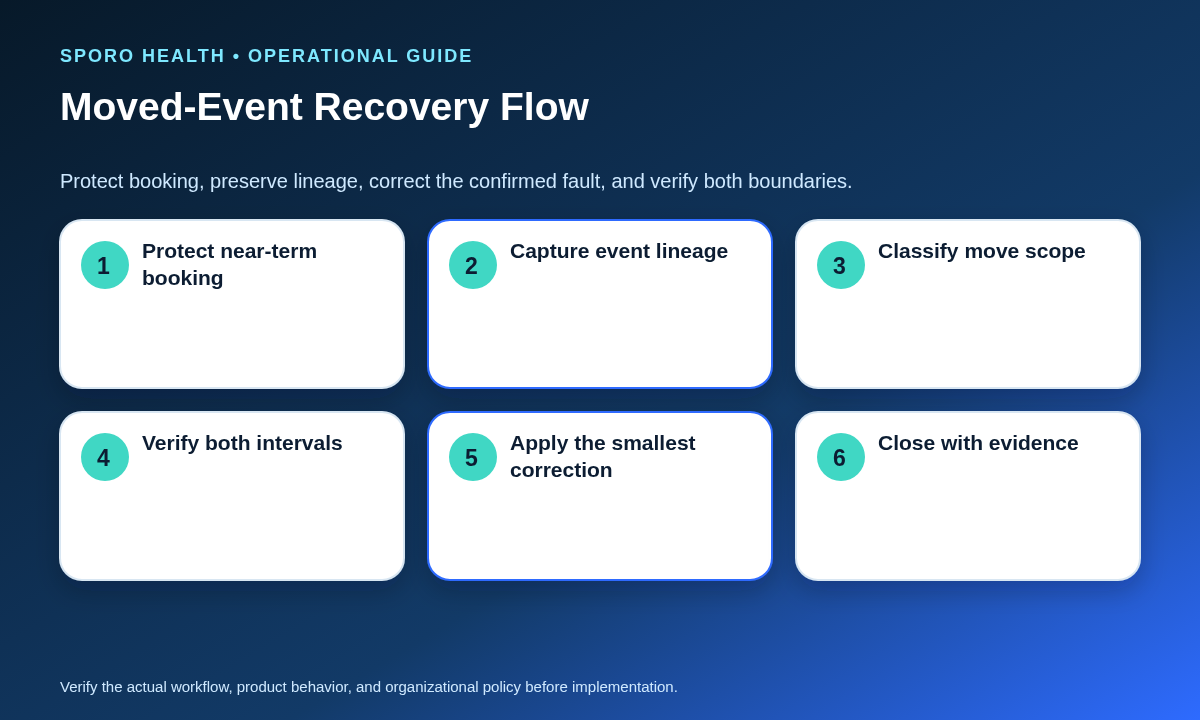
Correct only the confirmed fault after destination booking is protected and the move evidence is preserved. Avoid a broad series edit, mass reopening, or delete-and-recreate workaround when the mismatch is limited to one interval or occurrence.
- Contain the incorrectly open destination interval.
- Capture the lineage card and both interval states.
- Classify the matrix outcome and recurrence boundary.
- Identify whether the fault is the event state, coverage, mapping, recurrence exception, stale original block, or another independent restriction.
- Apply the narrowest approved correction.
- Verify adjacent recurring occurrences and both intervals.
- Scan for extra events, stale blocks, cancelled copies, and unmapped state before closure.
If the move appears to have created another active copy, use the duplicate calendar event troubleshooting guide to choose the surviving identity and verify replay safety.
When can the incident close?
Close only when every affected boundary and surviving identity matches the approved state. A correct destination alone is insufficient.
- The original interval is open or blocked for a documented, valid reason.
- The destination interval has the approved booking state.
- The surviving event or occurrence retains traceable identity and the intended recurrence scope.
- The connected calendar shows the correct organizer, attendee-copy, status, time, and neighboring occurrences.
- Booked appointments and communications have an authorized final disposition.
- No duplicate event, orphaned mapping, stale block, or unexplained cancelled copy remains.
- A named verifier recorded the final evidence and closure time.
How should moved-event integrity be measured?
Measure moved-event integrity as verified clean transitions divided by moved events reviewed. Keep failure classes separate so one rate does not hide which boundary or control is failing.
| Measure | Numerator | Denominator |
|---|---|---|
| Clean transition rate | Old interval correctly released and destination correctly protected | Moved events reviewed |
| Double-block rate | Old and destination intervals both incorrectly blocked | Moved events reviewed |
| Missed-destination rate | Destination incorrectly open | Moved events reviewed |
| Dual-boundary failure rate | Old incorrectly blocked and destination incorrectly open | Moved events reviewed |
| Recurrence-spillover rate | Moves that altered unapproved neighboring occurrences | Recurring moves reviewed |
| Manual-recovery rate | Moves requiring staff correction after the initial edit | Moved events reviewed |
Track booked-patient collisions as a separate count and rate. Review results by platform, calendar type, recurrence scope, provider-calendar pair, and correction path rather than combining unlike workflows into one average.
Where do connected-calendar options fit?
Connected-calendar products may transport or expose schedule state, but they do not replace practice-owned authority, recurrence, collision, and closure rules. Practices evaluating a workflow can review Sporo Health, the current athenahealth and Google Calendar connection, the athenahealth and Microsoft Outlook connection, and the Sporo Health Google Calendar Sync listing in athenaConnect Marketplace.
Treat these as vendor materials. Ask for a configuration-specific demonstration covering a single-event move, a moved recurring occurrence, a this-and-following change, a booked-patient collision, a double block, a missed destination block, and duplicate or orphan detection before relying on the workflow.
Practical conclusion
To fix athenahealth availability after moving a physician calendar event, protect booking first and diagnose the old and new intervals together. Preserve the surviving identity, separate recurrence scopes, route booked-patient conflicts to an authorized owner, and apply only the smallest confirmed correction. The change is complete when both systems and every affected occurrence show the approved state.
Frequently asked questions
Why is the old physician time still blocked after moving a calendar event?
The old time remains blocked when another constraint still applies or stale state was not released. Keep the destination protected, compare the original interval against templates, other events, booked appointments, and duplicate blocks, then reopen it only after the surviving cause is identified and resolved.
Why is the new physician time still open after rescheduling a calendar event?
The destination remains open when the moved event did not produce the intended restriction or the event is outside approved scope. Contain the interval first, then verify calendar, busy status, recurrence scope, event identity, and the athenahealth view before applying the smallest correction.
How should a moved recurring calendar event affect athenahealth availability?
A moved recurring event should affect only the approved occurrence scope. Record whether the edit was one event, this and following events, or the entire series, then inspect the boundary occurrence and its neighbors before changing the parent series.
What should staff do when a moved calendar event overlaps a booked patient appointment?
Do not silently overwrite the patient appointment or the physician commitment. Contain further booking and route an authorized decision on the appointment, provider obligation, coverage, or another valid destination, then verify both systems after execution.
Should staff delete and recreate a moved calendar event?
Usually no. Deleting and recreating can break lineage, create duplicates, or leave stale restrictions, so preserve the surviving event or occurrence unless an approved recovery path specifically requires replacement and includes a residual-state scan.
How do you find duplicate or orphaned blocks after a calendar event moves?
Compare identifiers, original and current times, series relationships, active calendar copies, and both athenahealth intervals. A duplicate is an extra active representation; an orphan is surviving state with no valid current parent, event, appointment, or approved restriction.
What proves the moved event is fully recovered?
Recovery is complete only when the old interval, new interval, connected calendar, athenahealth booking state, booked appointments, and neighboring recurring occurrences match the approved result, with no duplicate or orphaned state remaining.
Sources
- Google Calendar API: Recurring events
- Google Calendar API: Events resource
- Google Calendar Help: Create and change recurring events
- Google Calendar API: Incremental synchronization
- Microsoft Graph: Event resource
- Microsoft Graph: Incremental event changes
- Microsoft Support: Change an Outlook event
- athenahealth: Available APIs
- Sporo Health: athenahealth and Google Calendar
- Sporo Health: athenahealth and Microsoft Outlook