Moving a Patient Appointment to Another Provider in athenahealth: A Transfer-Integrity Workflow
To answer how to move a patient appointment to another provider in athenahealth, front-desk leaders should verify that the destination is operationally valid, select the practice-approved update or cancel-and-rebook path, make one controlled change, and close only when the destination, source, patient communication, resources, and in-scope calendars agree.
This is an operations workflow, not a clinical suitability rule. Questions about continuity, coverage, or whether a provider is appropriate for the patient must go to the practice’s authorized role.
How to move a patient appointment to another provider in athenahealth?
Control the change as one source-to-destination transaction rather than as two unrelated bookings. Record the existing appointment, verify the replacement provider and every applicable dependency, make the approved change, communicate the final details, and scan for source residue before closure.
athenahealth’s public Appointments documentation distinguishes booking and managing appointments, updating existing appointment information, and reporting booked, rescheduled, or cancelled appointments. That supports a transaction-level control model, but it does not determine which path a particular practice’s interface, permissions, configuration, or policy requires. The broader front-desk reschedule and cancellation workflow provides a foundation for routine change control.
What should staff verify before moving the appointment?
An open slot is not enough; the destination must be valid for the specific appointment. Complete the destination-provider gate before changing or releasing the source booking.
| Gate | Verify | Stop condition |
|---|---|---|
| Authority | The provider is approved for this transfer and the scheduler has booking authority. | Approval, coverage, or suitability is unresolved. |
| Appointment design | Appointment type, duration, department, and any required reason or prerequisite match. | The destination requires a different unapproved workflow. |
| Setting | Location or visit mode is correct and available for the intended time. | The patient or provider cannot use the proposed setting. |
| Dependencies | Rooms, equipment, support roles, linked appointments, and preparation steps are available. | Any required dependency is missing or uncertain. |
| Communication | The team knows what the patient must confirm and who will send the final details. | The communication or confirmation path is undefined. |
If a gate fails, keep the source controlled and route the question to the authorized owner. Scheduling teams should not infer clinical interchangeability from appointment labels or apparent capacity.
How should the provider-transfer request be classified?
Classify the request by everything that changes, not merely by the new provider’s name. The class determines approvals, dependencies, communication, and verification.
- Provider-only: provider changes while time, location, mode, type, duration, and resources are intended to remain stable.
- Provider plus time: the destination provider requires a different interval.
- Provider plus location or mode: the transfer also changes department, clinic, or in-person versus virtual delivery.
- Linked appointment: the booking belongs to a recurring series, resource set, or sequential itinerary.
- Uncertain: the team cannot prove destination fit or the full scope of change.
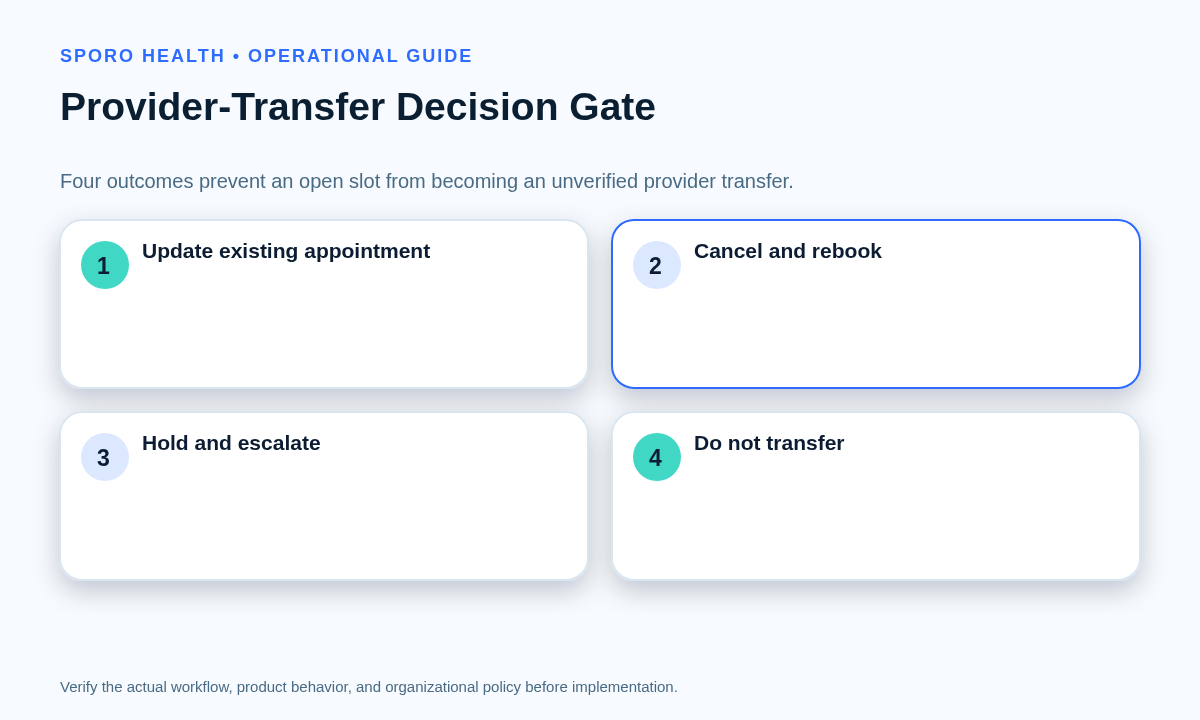
Should staff update the appointment or cancel and rebook it?
Use the path that preserves the approved transaction state with the least ambiguity. Do not choose an in-place update merely because it appears faster, and do not cancel first unless the approved workflow requires it.
| Outcome | Use when | Required control |
|---|---|---|
| Update existing appointment | The approved workflow preserves the intended appointment identity and all dependencies can be revalidated. | Record the before-and-after state and verify the surviving appointment. |
| Cancel and rebook | Local policy or system behavior requires a new appointment transaction. | Control the replacement before releasing the source whenever the workflow permits. |
| Hold and escalate | Provider fit, authority, prerequisites, resources, or transaction behavior is unresolved. | Name an owner, protect the source, and set a decision deadline. |
| Do not transfer | No valid destination exists or the patient declines the available option. | Retain or disposition the source under practice policy and document the reason. |
Can front desk choose a replacement provider without approval?
Front desk can locate candidate capacity, but it should not make clinical suitability, continuity, or coverage decisions unless the practice has explicitly assigned that authority. The workflow should name who approves the provider, who edits the appointment, who communicates with the patient, and who independently verifies closure.
Ask the patient to confirm when local policy requires it or when the proposed provider, time, location, mode, or instructions differ from what the patient previously accepted. If the patient cannot be reached, use the approved pending or escalation state rather than implying consent.
What belongs on the provider-transfer transaction card?
The transfer card should preserve enough evidence to reconstruct, verify, or reverse the change. Use one card for one appointment transfer.
| Field group | Minimum record |
|---|---|
| Identity | Appointment ID or available stable identifier, patient-facing reference, request time, and transfer class. |
| Before and after | Source and destination providers; old and new time, type, duration, department, location, and mode. |
| Dependencies | Resources, prerequisites, recurring or sequential links, reminders, and in-scope calendar records. |
| Ownership | Approver, edit owner, verifier, patient-communication owner, and current status. |
| Control evidence | Destination verification, communication result, final checks, last safe state, and rollback point. |
What sequence should control the transfer?
Protect the source until the destination transaction is controlled, unless the practice’s approved workflow requires another sequence. Use a single edit owner so competing changes do not create two active appointments or lose the original.
- Freeze informal edits and open the transfer card.
- Complete the destination-provider gate and obtain required approvals.
- Confirm the patient communication or confirmation path.
- Secure the destination according to the selected update or cancel-and-rebook path.
- Apply the appointment and dependency changes in the approved order.
- Communicate the final provider, time, location or mode, and instructions.
- Verify the destination, remove source residue, record evidence, and close the card.
If the source must close before the destination can be secured, use a bounded hold, named owner, recovery deadline, and documented last safe state. Do not leave the appointment between owners or rely on memory.
What if time, location, mode, duration, or resources also change?
Revalidate every changed element instead of copying assumptions from the source appointment. A provider transfer can become a cross-location reschedule, mode conversion, duration change, or resource rebooking even when the original request mentioned only the provider.
- Use the cross-location appointment reschedule workflow when the destination changes departments or clinics.
- Apply multi-resource appointment coordination when rooms, equipment, support staff, or other reservations are required.
- Recheck patient instructions and access details when the visit mode changes.
- Confirm that the destination provider’s approved appointment type and duration fit the actual booking.
How do recurring or sequential appointments affect the transfer?
Define whether one appointment or a wider chain is changing before any edit is made. Preserve unaffected occurrences and bookings, then verify every transaction that the approved scope touches.
For recurring care, record whether the change applies to one occurrence, selected future occurrences, or a newly approved pattern. For linked itineraries, use the sequential appointment dependency workflow to protect order, timing windows, locations, and resources without asking scheduling staff to make clinical decisions.
How should Google Calendar or Outlook be checked after the provider changes?
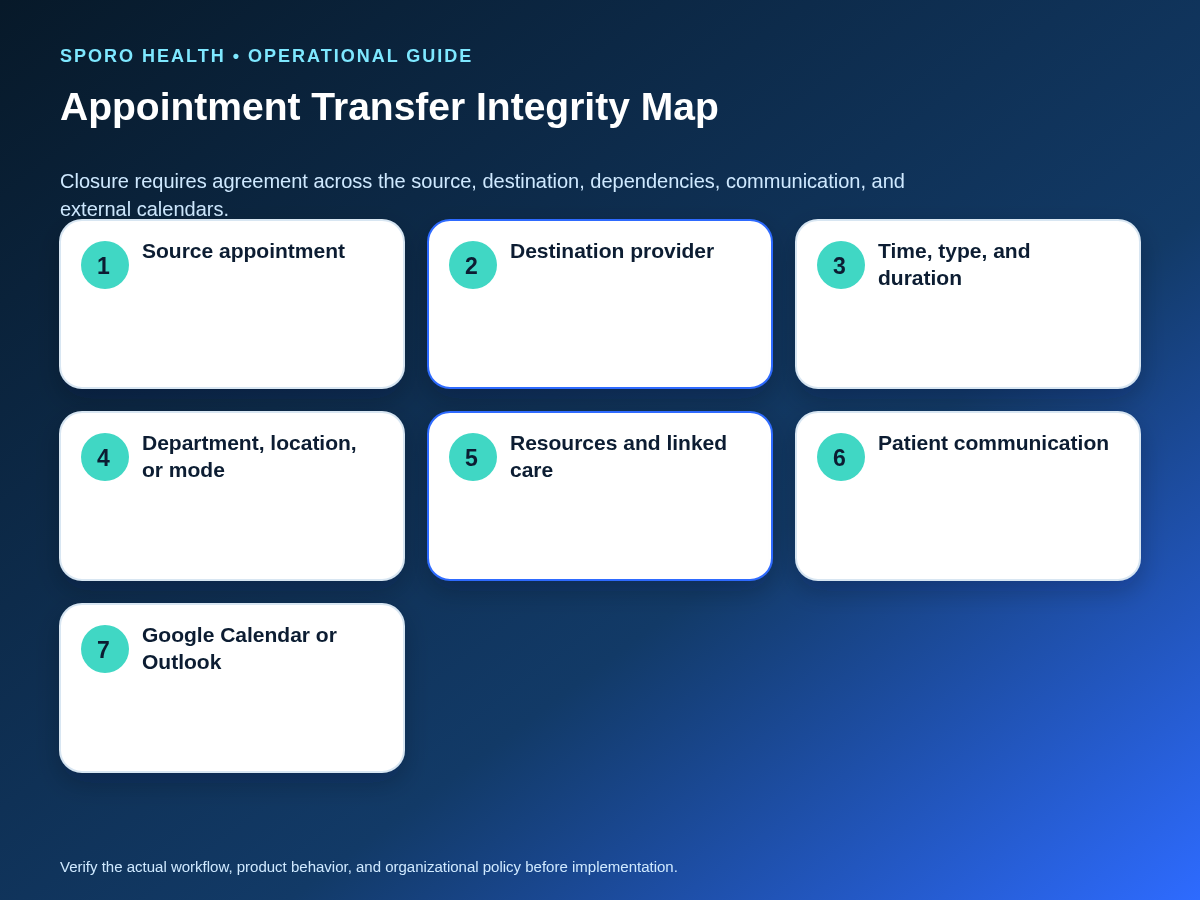
Verify one intended destination representation and no active source residue wherever external calendars are in scope. Calendar visibility supports reconciliation, but it does not prove that the patient appointment or destination-provider decision is valid.
Google documents updating and deleting events by calendar and event identifier in its event update and event delete references. Microsoft Graph likewise documents updating an event and deleting an event by ID. These platform capabilities support identity-aware checks; they do not establish the practice’s booking authority or prove a particular integration’s behavior.
- Confirm one active destination appointment with the correct provider and final details.
- Confirm the source appointment is closed, moved, or otherwise in its approved final state.
- Check that required rooms, equipment, holds, reminders, and linked transactions agree.
- Verify patient-facing messages contain the final provider, time, location or mode, and instructions.
- Match in-scope Google Calendar or Outlook records and investigate any extra, missing, or stale event.
What if the transfer is duplicated, missing, or assigned to the wrong provider?
Contain further edits, preserve identifiers, choose the authoritative appointment, repair the smallest failed dependency, and retest before closure. Avoid deleting records simply because they look wrong; first determine which appointment and event should survive.
| Exception | Controlled response |
|---|---|
| Same-day transfer | Shorten the decision clock, not the verification gate; assign an immediate verifier and communication owner. |
| Cross-location or mode change | Recheck department, access, instructions, resources, and patient acceptance. |
| Recurring or sequential care | Freeze the defined occurrence or chain scope and preserve unaffected appointments. |
| Linked resource missing | Keep the transfer pending until the resource is restored, substituted by an authorized role, or the appointment is changed. |
| Suitability unresolved | Hold and escalate; do not let apparent capacity become provider approval. |
| Destination slot lost | Return to the last safe state or controlled hold and reopen destination verification. |
| Duplicate, missing, or wrong provider | Select the authoritative appointment, repair identity and dependencies, then repeat the full closure scan. |
If the problem expands from one appointment to a whole clinic session, switch to the full-session recovery playbook rather than processing disconnected one-off edits.
How should practice managers measure provider transfers?
Measure whether transfers reach a verified final state, not merely whether staff completed an edit. Review results by transfer class and cause so recurring friction can change rules, training, permissions, or escalation paths.
| Measure | Definition |
|---|---|
| First-pass completion | Transfers closed without correction or repeat contact. |
| Residual-source rate | Transfers with an active or actionable source record after the first check. |
| Duplicate or missing destination findings | Transfers with more or fewer active destination records than intended. |
| Communication exceptions | Transfers closed late or held because patient communication was incomplete. |
| Rework | Additional edits, calls, or dependency repairs after the initial transaction. |
| Unresolved by cause | Open transfers grouped by approval, capacity, resource, system, or communication cause. |
Where do connected-calendar products fit?
Connected calendars may improve schedule visibility, but they do not decide whether another provider is an appropriate destination. Keep provider approval and patient-booking authority inside the practice-owned workflow.
Teams evaluating current options can review the Sporo Health overview, its athenahealth and Google Calendar connection, its athenahealth and Microsoft 365/Outlook connection, and the Sporo Health listing in athenaConnect Marketplace. Treat capability descriptions as vendor claims and request a witnessed provider-transfer test covering identity, updates, cancellations, recurrence, communication, source cleanup, and rollback.
The practical answer to how to move a patient appointment to another provider in athenahealth is a controlled, practice-owned transfer: verify the destination, choose the correct path, preserve evidence, communicate the final state, and close only when every applicable record agrees.
Frequently asked questions
What should staff verify before moving an athenahealth appointment to another provider?
Verify the destination provider’s approval or authority, appointment type, duration, department, location or visit mode, prerequisites, resources, and the patient communication plan before editing the source appointment.
Should staff update the existing appointment or cancel and rebook it?
Update the existing appointment only when the practice-approved athenahealth workflow preserves the intended appointment identity and dependencies; otherwise cancel and rebook under local policy, or hold and escalate if the path is uncertain.
Can front desk choose a replacement provider without approval?
No. Front desk may identify candidate capacity, but clinical suitability, continuity, coverage, or other provider-selection questions must go to the authorized role defined by the practice.
What if the new provider uses a different appointment type, duration, location, or visit mode?
Revalidate every changed element rather than copying the source assumptions; if any required approval, prerequisite, or resource is unresolved, hold the transfer.
How should Google Calendar or Outlook be checked after the provider changes?
Match the surviving external event to the final appointment by the available identifiers and fields, confirm the new provider, time, duration, and location or mode representation, and verify that no active source event remains.
What proves that the source appointment is fully closed?
Closure requires one active destination appointment, no active source appointment or orphaned reservation, accurate patient-facing details, completed communication, and matching in-scope calendar records.
Sources
- athenahealth: Appointments
- Google Calendar API: Events update
- Google Calendar API: Events delete
- Microsoft Graph: Update event
- Microsoft Graph: Delete event
- Sporo Health
- Sporo Health: athenahealth Google Calendar sync
- Sporo Health: Connect athenahealth to Microsoft Outlook
- athenaConnect Marketplace: Sporo Health Google Calendar Sync