Scheduling One Provider at Two athenahealth Locations on the Same Day: A Split-Session Playbook
For multi-location practice managers asking how to schedule a provider at two athenahealth locations on the same day, the controlling rule is simple: Location A’s latest bookable finish and Location B’s earliest safe start must be separated by protected time for closeout, handoff, travel variability, arrival, and setup. Build one control record, test boundary cases before release, and assign a selective recovery path for overruns.
Can one provider work at two athenahealth locations on the same day?
Yes, but only when the two booking windows cannot overlap and the transition interval is operationally protected. The schedule must account for the work that ends Location A, movement between sites, and the work required to begin Location B. If normal appointment variation can consume that interval, the design is not feasible.
The public athenahealth Patient Appointment API reference represents booked appointments with fields including department, provider, date, start time, and duration. Use those fields as verification points, but define the split-day operating rule at the practice level: one provider, one date pattern, two approved departments, and no patient-booking exposure between them.
- The last Location A appointment must finish before protected transition work begins.
- The first Location B appointment must start only after safe arrival and setup.
- Neither department may borrow the protected interval through an override or same-day add-on.
What belongs in the split-session control record?
Use one control record for each provider, recurring date pattern, and ordered location pair. It should convert a broad capacity decision into exact session boundaries, eligible bookings, operational dependencies, calendar representation, owners, and exception authority. Leaders should settle allocating provider capacity by clinic location before approving the detailed split-day pattern.
| Control | Required entry | Release evidence |
|---|---|---|
| Scope | Provider, weekdays, effective dates, Location A department, Location B department | Approved identifiers match both schedule views |
| Booking windows | First and last bookable times at each location | Boundary slots return the intended department |
| Eligibility | Appointment types, durations, booking channels, and exclusions | Valid types book; invalid types fail safely |
| Dependencies | Rooms, equipment, support roles, parking or access, and setup needs | Dependencies are available before the first B slot |
| Transition | Closeout, handoff, overrun allowance, travel band, arrival, and setup | No slot or resource claim enters the interval |
| Ownership | Approver, configurator, same-day owner, verifier, and exception authority | Each decision has one named role |
| Calendars | Expected event times, location display, and busy status | External views match the approved schedule intent |
How should you set split-day provider schedule boundaries between clinic locations?
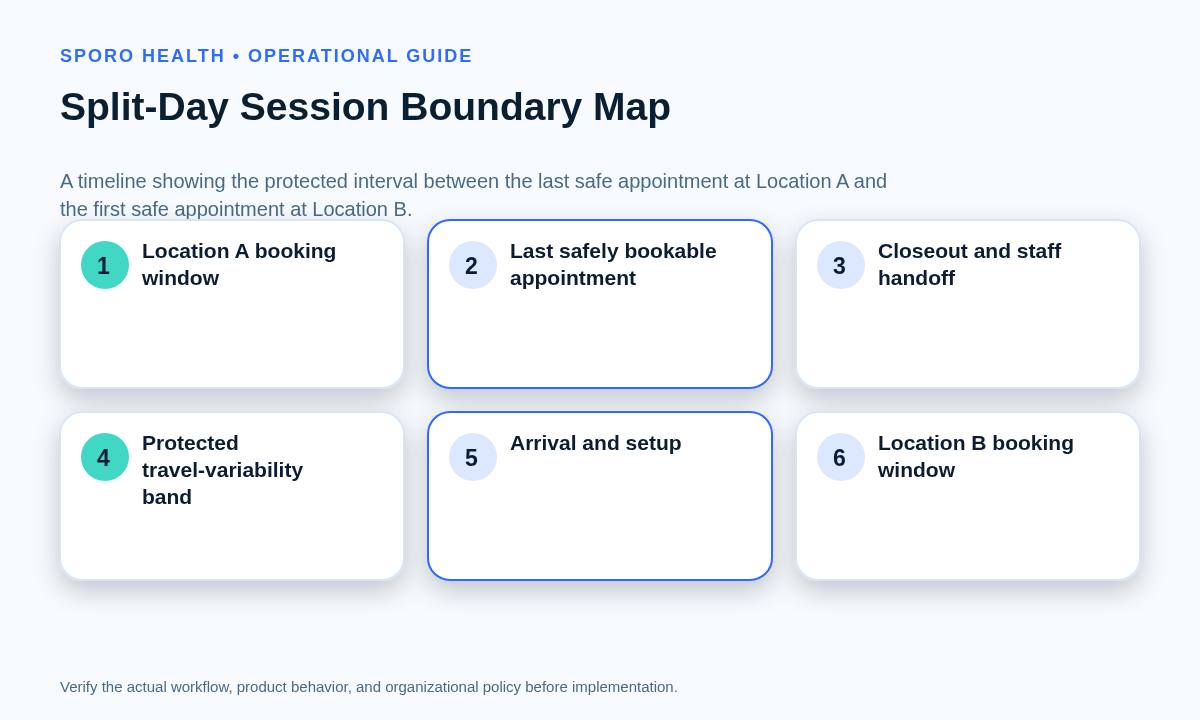
Work forward from the latest realistic finish at Location A to find the earliest safe start at Location B. Do not subtract estimated drive time from a desired opening and assume the remainder is usable capacity. The practice’s provider travel-time buffer playbook can supply location-pair evidence for the travel component.
Earliest safe B start = latest realistic A finish + closeout + handoff + travel variability + arrival + setup
For example, if the last Location A appointment starts at 11:20 a.m., lasts 30 minutes, and carries 15 minutes of realistic overrun exposure, the operational finish is 12:05 p.m. Add 10 minutes for closeout, 5 for handoff, a 35-minute travel band, and 15 for arrival and setup; the earliest safe Location B slot is 1:10 p.m. This is an illustration, not a universal buffer.
Which release outcome fits the proposed split day?
The release gate should produce one of four outcomes: release, release with conditions, redesign, or prohibit. A high pass percentage should not override one unresolved risk that could place a patient at the wrong site or inside the transition interval.
| Outcome | Use when | Required action |
|---|---|---|
| Release | Boundaries, booking rules, dependencies, ownership, and tests all pass | Publish the governed recurring pattern |
| Release with conditions | A bounded limitation exists but cannot create overlap or wrong-location booking | Document the condition, owner, expiry, and review trigger |
| Redesign | The pattern could work after changing session times, appointment mix, or dependencies | Keep booking closed and retest the revised design |
| Prohibit | Normal variation can erase the boundary or no reliable recovery owner exists | Use one location that day or choose another capacity model |
How should predictable split-day exceptions be handled?
Preassign a containment action for each exception instead of improvising after patients are affected. The transition interval is not spare capacity; it should remain protected when demand rises.
| Exception | First containment action | Decision owner |
|---|---|---|
| Long Location A visit | Flag threatened B slots and preserve unaffected appointments | Same-day operations owner |
| Same-day add-on | Use verified capacity outside the transition interval or decline the slot | Approved add-on authority |
| Location A resource delay | Estimate the realistic finish before extending the session | Location A lead |
| Travel disruption | Hold the opening of Location B and reassess affected slots | Regional scheduling lead |
| Location B not ready | Do not send the provider into an unready session | Location B operations lead |
| Recurring exception | Change only the intended occurrence and verify both locations | Scheduling administrator |
What should staff do when the first clinic session runs late?
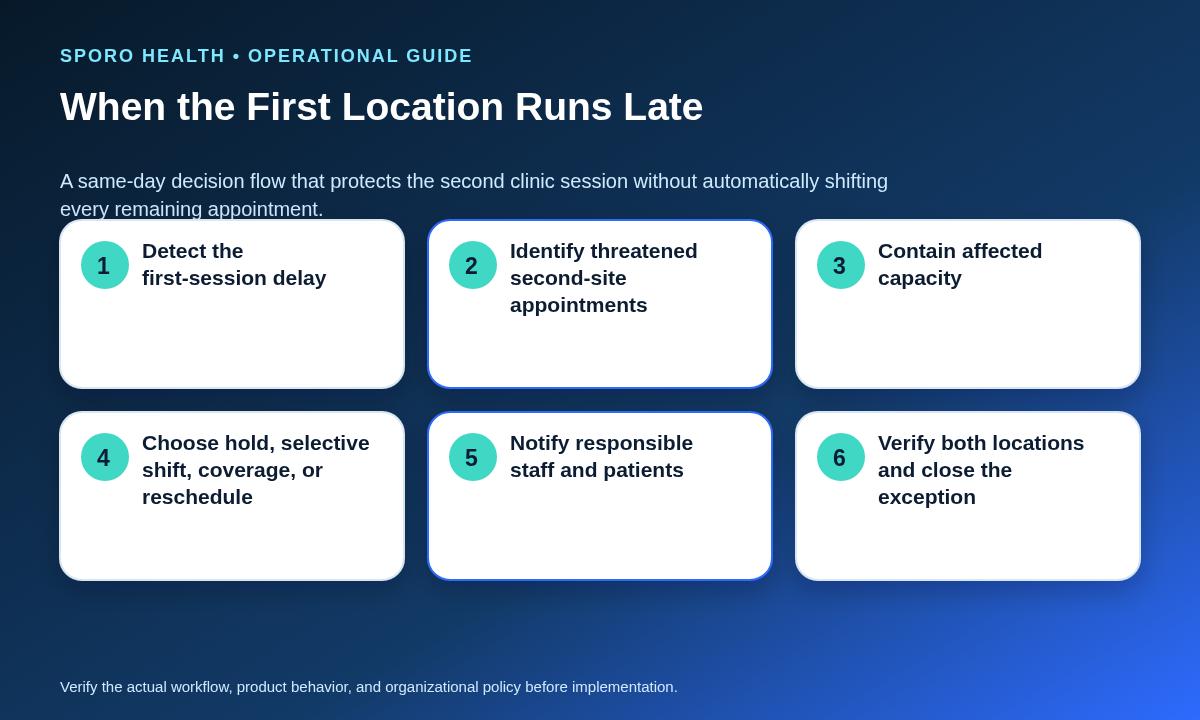
Contain the threatened Location B appointments first, then choose the narrowest authorized recovery action. Staff should not automatically shift every appointment in the second session because the current delay may change and later slots may remain feasible.
- Record the estimated Location A finish and the next reassessment time.
- Identify Location B appointments that would start before safe arrival and setup.
- Hold only the threatened opening capacity while preserving unaffected slots.
- Choose among holding, selectively shifting, approved coverage, or rescheduling.
- Notify responsible staff and affected patients using the practice’s approved process.
- Verify both locations, resources, and connected calendars before closing the exception.
If an appointment must move between sites, use the cross-location patient reschedule workflow to verify destination fit and remove source-location residue rather than treating the change as a simple time edit.
How should Google Calendar or Outlook show split-day clinic locations?
Use connected calendars to display the provider’s intended location and protected transition, but keep athenahealth department and booking rules authoritative for patient scheduling. Google Calendar events support timed boundaries, recurrence, a free-form location, and transparency that determines whether an event blocks calendar time (Google Events reference). Google also documents working-location events as transparent and permits overlapping working-location records, so a working-location label alone is not a safe capacity control (Google Calendar status-event guide).
Microsoft Graph represents Outlook events with start, end, recurrence, location or locations, and a showAs value such as free or busy (Microsoft event resource). Its location resource can contain a display name, address, coordinates, and location type (Microsoft location resource). These are useful representation fields, not a substitute for provider-location booking authority.
Teams evaluating connected-calendar visibility can review Sporo Health schedule-integrity resources, the current athenahealth and Google Calendar product page, the athenahealth and Microsoft 365/Outlook product page, and the Sporo Health athenaConnect Marketplace listing. Treat product behavior as a vendor claim until verified through current documentation and practice-specific tests.
How do you test a recurring split-day provider schedule?
Test valid bookings, prohibited bookings, recurrence changes, same-day disruption, and end-of-day closure before releasing the pattern. Evidence should show what occurred in each athenahealth department and any connected provider calendar.
| Test | Expected result | Release blocker |
|---|---|---|
| First and last A slots | Correct department, types, durations, and resources | Slot crosses the approved finish |
| First and last B slots | Correct department and no premature opening | Slot begins before safe setup |
| Transition booking attempt | Patient booking is rejected or unavailable | Any channel exposes the interval |
| Wrong-department attempt | Invalid appointment type or department cannot be selected | Appointment can be placed at the wrong site |
| Long-visit spillover | Threatened B slots are identified and contained | No owner or recovery decision appears |
| Recurring exception | Only the intended date or series scope changes | Unintended occurrences move |
| Reschedule and cancellation | Both locations and calendars reach one final state | Stale or duplicate location remains |
| Calendar display | Location, time, recurrence, and transition are understandable | Calendar suggests conflicting locations |
| End-of-day reconciliation | No unresolved location or boundary mismatch remains | Evidence cannot account for the final schedule |
How should the provider-location pair be measured?
Measure each ordered provider-location pair rather than relying only on practice-wide totals. A route from Location A to Location B may behave differently from the reverse route because session closeout, traffic, access, staffing, and setup are not symmetrical.
| Measure | Operational definition |
|---|---|
| Boundary breaches | Split days when safe arrival or setup crossed the first B slot |
| Transition bookings | Appointments placed partly or fully inside the protected interval |
| Wrong-location bookings | Appointments assigned to the incorrect department or site |
| Late B starts | Second sessions beginning after the approved opening |
| Emergency edits | Same-day schedule changes caused by a failed boundary |
| Unresolved mismatches | End-of-day differences among approved schedule views |
Review counts alongside the number of completed split days. Repeated failures should trigger boundary recalculation, appointment-mix changes, resource redesign, or withdrawal of the split-day pattern.
How should the playbook be put into operation?
Start with one provider-location pair, prove the operating standard over representative cycles, and expand only after exceptions close reliably.
- Complete and approve the split-session control record.
- Calculate the boundary using observed operating ranges, not optimistic averages.
- Configure both sessions and preserve the transition as nonbookable time.
- Run the complete acceptance-test pack and record evidence.
- Choose release, conditional release, redesign, or prohibit.
- Brief Location A, Location B, central scheduling, and the same-day owner.
- Review the pair-level scorecard and recalibrate when conditions change.
Once the pattern is stable, apply the governance used for standardizing provider schedule templates across locations without erasing justified local differences. The practical answer to how to schedule a provider at two athenahealth locations on the same day is to protect the boundary as deliberately as either clinic session.
Frequently asked questions
Can one provider work at two athenahealth locations on the same day?
A provider can work at two locations on the same day only when the booking windows do not overlap and the protected transition covers closeout, handoff, travel uncertainty, arrival, and setup. If that interval cannot be protected, redesign or prohibit the pattern.
How much transition time should separate the two clinic sessions?
Use the interval required by the specific provider-location pair, not a universal number of minutes. Calculate it from the latest realistic finish at Location A through the earliest safe start at Location B, including overrun exposure and operational tasks.
Should the transition interval equal the estimated drive time?
No; estimated drive time is only one component of the boundary. The interval should also cover session closeout, staff handoff, travel variability, parking or access, arrival, and setup.
What should staff do when the first clinic session runs late?
Staff should identify the threatened Location B appointments and contain only the affected capacity first. A named owner should then choose whether to hold the opening, selectively shift appointments, use approved coverage, or reschedule.
Can a Google Calendar or Outlook location label control athenahealth booking?
No; a descriptive calendar location should not create, move, or release patient-booking capacity by itself. The approved athenahealth department, provider schedule, appointment eligibility, and booking rules should remain authoritative.
How do you prevent wrong-location bookings on a split-day schedule?
Give each session explicit department, appointment-type, resource, channel, and time boundaries, then test both valid and invalid booking attempts. Any channel that can place an appointment in the wrong department or transition interval should block release.
How should a recurring split-day provider schedule be tested?
Test the first and last slots at both locations, long-visit spillover, recurrence exceptions, reschedules, cancellations, same-day add-ons, calendar location display, a late first session, and end-of-day reconciliation. Record evidence for both locations before releasing the recurring pattern.
Sources