Outlook Calendar Editor vs. Delegate for athenahealth Practices: A Role-Permission Guide
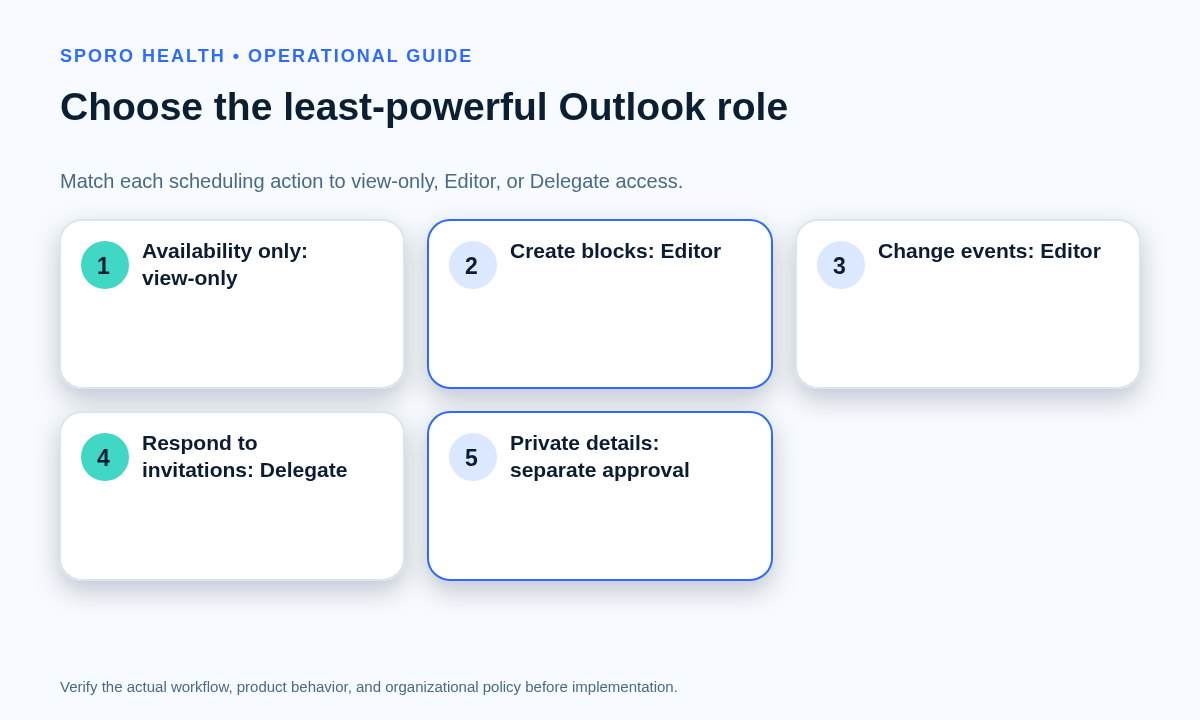
When comparing Outlook calendar editor vs delegate for athenahealth scheduling teams, choose by task: use view-only access for availability, Editor for creating or changing calendar items, and Delegate only when staff must also receive and act on meeting requests for a physician. Microsoft 365 healthcare IT administrators should approve private-item visibility, meeting routing, and integration application permissions separately, then test required and prohibited actions in the Outlook clients the team actually uses.
How should you compare Outlook calendar editor vs delegate for athenahealth scheduling teams?
Use view-only access for availability, Editor for item changes, and Delegate only for meeting-response authority. Microsoft defines an Editor as someone who can change calendar items, while a Delegate can also schedule and respond to meetings on the calendar owner’s behalf. Microsoft also limits Delegate assignment to the owner’s primary calendar; Editor access can apply to primary or additional calendars. See Microsoft’s edit and delegate guidance for Outlook.
Start with actions, not job titles. Two front-desk employees may need different rights if one only checks availability while the other maintains physician blocks. Likewise, a practice manager does not need Delegate merely because the role is senior. Grant the least-powerful role that completes the documented work.
Which Outlook role fits each scheduling task?
Map every required action separately before selecting a role. The practice’s front-desk reschedule and cancellation workflow should identify who may initiate, verify, and escalate changes before Outlook permissions are granted.
| Scheduling task | Least suitable role | Decision note |
|---|---|---|
| See whether the physician is available | Can view when busy | Use when time boundaries are sufficient and event details are unnecessary. |
| See non-private titles and locations | Can view titles and locations | Justify why those fields are operationally necessary. |
| Create calendar blocks | Editor | Use when staff must place approved work or absence blocks. |
| Change existing items | Editor | Supports routine corrections without granting meeting-message routing. |
| Delete calendar items | Editor | Standard Editor includes broad edit and deletion capabilities, so deletion requires explicit justification. |
| Respond to invitations for the physician | Delegate | Reserve for staff who own meeting responses and related exceptions. |
| See private-event details | Delegate with private access | Treat private visibility as an additional, separately approved decision. |
| Edit an additional work calendar | Editor | Delegation is not required merely because a non-primary calendar must be edited. |
Outlook’s standard Editor role includes create, read, edit, and delete rights. Exchange administrators can configure more granular folder roles, but updated clients may display them as Custom, so the service behavior must be tested rather than inferred from the label. Microsoft documents these rights in Set-MailboxFolderPermission.
What does Private mean for scheduling staff?
A Private label normally hides event details, but it does not replace permission design or testing. Use the minimum necessary calendar data worksheet to state whether each recipient needs only busy time, non-private details, or private-event details.
Microsoft’s calendar role model distinguishes write access to non-private events from Delegate access that explicitly includes private-event details. The Microsoft Graph calendar sharing documentation represents these as separate roles. Test the chosen boundary with realistic private events instead of assuming every Outlook client presents them identically.
- Use busy-only visibility when staff need capacity, not context.
- Do not place unnecessary sensitive information in calendar titles, locations, or descriptions.
- Require a documented purpose and calendar-owner approval before enabling private-detail access.
How should human sharing and integration access stay separate?
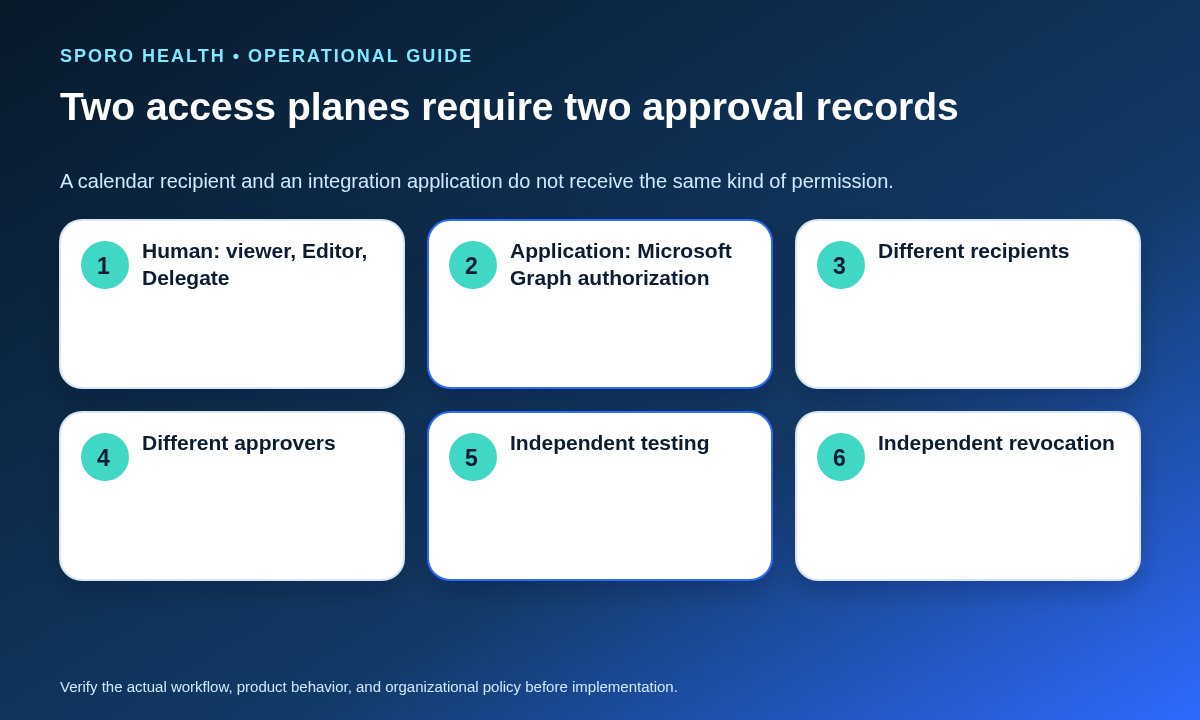
Treat Outlook sharing and Microsoft Graph authorization as two independent access planes. Complete a Microsoft 365 integration preflight before approving an application, but do not make human Editor or Delegate access a substitute for app review.
| Control plane | What receives access | Approval evidence |
|---|---|---|
| Human Outlook access | A named viewer, Editor, or Delegate | Business task, calendar owner, role, private choice, routing rule, and user tests |
| Integration application access | An application acting through Microsoft Graph | Authorization model, requested scopes, target mailboxes, approver, data purpose, and app tests |
Microsoft separately defines Graph delegated and application permissions, including calendar read and read-write scopes, in its permissions reference. “Delegated permission” in OAuth terminology is not the same control as making a scheduler an Outlook Delegate. A human can be an Editor without authorizing an app, while an authorized app can have access without that person becoming an Editor.
How should a physician choose meeting-request routing?
Choose one routing rule per physician mailbox and name the person responsible for responses and conflicts. Microsoft exposes three delivery patterns for meeting requests and responses through the mailbox’s delegate meeting-message setting.
- If staff only maintain blocks, stop at Editor and leave meeting requests with the physician.
- If a scheduler must respond on the physician’s behalf, use Delegate on the primary calendar.
- Select whether requests go to the Delegate only, to the Delegate with an informational owner copy, or to both parties with response authority.
- Document who resolves conflicting responses, urgent invitations, and coverage when the Delegate is absent.
| Routing model | Best operational fit | Main control |
|---|---|---|
| Delegate only | The Delegate consistently owns meeting responses | Provide named absence coverage and escalation |
| Delegate plus owner copy | The Delegate responds while the physician retains visibility | Teach the owner which message is informational |
| Delegate and owner may respond | Both genuinely need response authority | Define precedence to prevent conflicting actions |
Microsoft notes that the delivery choice is mailbox-wide and applies to the mailbox owner’s delegates. One scheduler may support several physicians, but routing, workload, absence coverage, and response-risk tests should be completed separately for every physician mailbox.
How do you test and revoke Outlook calendar permissions?
A permission grant is ready only when positive tests prove required work and negative tests prove prohibited actions remain blocked. Use the same evidence discipline for routine removal that appears in the provider calendar offboarding checklist.
| Test area | Positive test | Negative test |
|---|---|---|
| Primary calendar | Create or change an approved test item | Verify a viewer cannot edit it |
| Additional calendar | Confirm the Editor can perform the assigned task | Verify the user does not receive primary-calendar delegate authority |
| Private event | Confirm the approved visibility level | Verify unauthorized title, location, and details remain hidden |
| Recurring event | Change one occurrence and, separately, an approved series | Verify the wrong recurrence scope is not altered |
| Meeting request | Confirm the intended recipient can respond | Verify an Editor without delegation does not receive delegated routing |
| Mobile and web clients | Complete required work in clients actually used | Attempt prohibited actions and confirm the service rejects them |
| Integration application | Test only approved calendar operations | Test an out-of-scope mailbox or operation separately |
Client buttons are not proof of authority. Microsoft documents cases where a client can display an action that the service later rejects, reinforcing the need to check the owner’s final calendar state. Review the current Microsoft 365 calendar-sharing behavior when selecting test clients.
What proves revocation is complete?
Revocation is complete only after access, visibility, routing, and app authorization have each been rechecked. Record the time and tester for every step.
- Remove or downgrade the human calendar role.
- Confirm the recipient can no longer open unauthorized details or change events.
- Send a controlled meeting request and verify the former Delegate no longer receives it.
- Review Microsoft Graph consent and mailbox scope independently of human sharing.
- Capture the final permission state and any remaining exception.
What belongs in a permission-change evidence packet?
The packet should connect the business task to the approved role, routing choice, tests, review trigger, and verified removal. Keep one record per recipient and physician calendar.
- Business purpose and requested scheduling actions
- Calendar owner, recipient, and accountable manager
- Primary or additional calendar designation
- Approved view, Editor, or Delegate role
- Private-item visibility decision
- Meeting-request delivery and conflict rule
- Positive and negative test results by client
- Effective date, review trigger, and expiration if applicable
- Downgrade or revocation date with verification evidence
How should permissions be approved and reviewed?
Assign separate accountable approvers for human roles and application authorization. After the initial grant, use a provider calendar access recertification workflow to find stale, excessive, inherited, or unexplained access.
- The physician calendar owner confirms the operational purpose and private-detail boundary.
- The practice manager confirms the scheduling responsibility and coverage model.
- Microsoft 365 administrators implement and test the human permission.
- The application owner and appropriate tenant approver review Graph authorization separately.
Trigger a review after a role change, staffing transfer, Delegate absence, client migration, calendar redesign, integration-scope change, permission incident, or physician request.
How do you put the role-permission guide into practice?
Start with one physician, one recipient, and a written list of required and prohibited actions. The Outlook calendar editor vs delegate for athenahealth scheduling teams decision should then follow a controlled sequence.
- Classify the calendar as primary or additional.
- Map each task to view-only, Editor, or Delegate.
- Approve private visibility and meeting routing separately.
- Document human and application permissions on different records.
- Run the positive and negative worksheet in web, desktop, and mobile clients used by the team.
- Record an owner, review trigger, absence plan, and revocation method.
- Expand only after each physician mailbox passes independently.
To evaluate connected-calendar options without treating product pages as independent evidence, visit the Sporo Health homepage, review the current athenahealth and Microsoft Outlook connection, compare the athenahealth and Google Calendar option, and inspect Sporo’s athenaConnect Marketplace listing. Confirm actual authorization, calendar scope, and workflow behavior in a limited test before broader use.
Frequently asked questions
What is the practical rule for Outlook calendar editor vs delegate for athenahealth scheduling teams?
Use view-only access when staff need availability, Editor when they must create or change items, and Delegate only when they must receive and act on meeting requests for the physician. Private-event visibility and integration authorization remain separate decisions.
Can Outlook Editor access manage a physician calendar without meeting requests?
Yes. Editor access can support creating, changing, and deleting calendar items without configuring the person to receive delegated meeting requests and responses.
When should a medical practice use Outlook Delegate access?
Use Delegate when the recipient must manage meeting invitations and responses on the physician’s behalf. Do not use it merely because someone needs to place or change calendar blocks.
Can an additional Outlook calendar use Delegate access?
No, Microsoft limits Delegate assignment to the calendar owner’s primary calendar. An additional work calendar can instead be shared with Editor access when staff need to create or change its items.
Can an Outlook Editor see private-event details?
Standard Editor access does not by itself justify or grant private-detail visibility. Private-event access is a separate Delegate setting that should be explicitly approved and tested.
Does Outlook calendar sharing authorize a Microsoft Graph integration?
No. Human sharing roles and an application’s Microsoft Graph permissions are separate controls with different recipients, approvers, test cases, and revocation records.
Sources
- Share and access a calendar with edit or delegate permissions in Outlook
- Share or delegate a calendar in Outlook with Microsoft Graph
- Microsoft Graph permissions reference
- Microsoft Graph mailboxSettings resource
- Calendar sharing in Microsoft 365
- Set-MailboxFolderPermission
- Sporo’s current athenahealth and Outlook product page