Physician Administrative Time in athenahealth Scheduling: A Protection-and-Release Framework
For specialty-practice managers asking how to protect physician administrative time in athenahealth scheduling, the practical answer is to treat that time as governed capacity: define its purpose, assign a protection tier and release authority, make the smallest approved calendar change, verify every connected schedule, recover collisions without erasing records, and measure repeated erosion.
How do you protect physician administrative time in athenahealth scheduling?
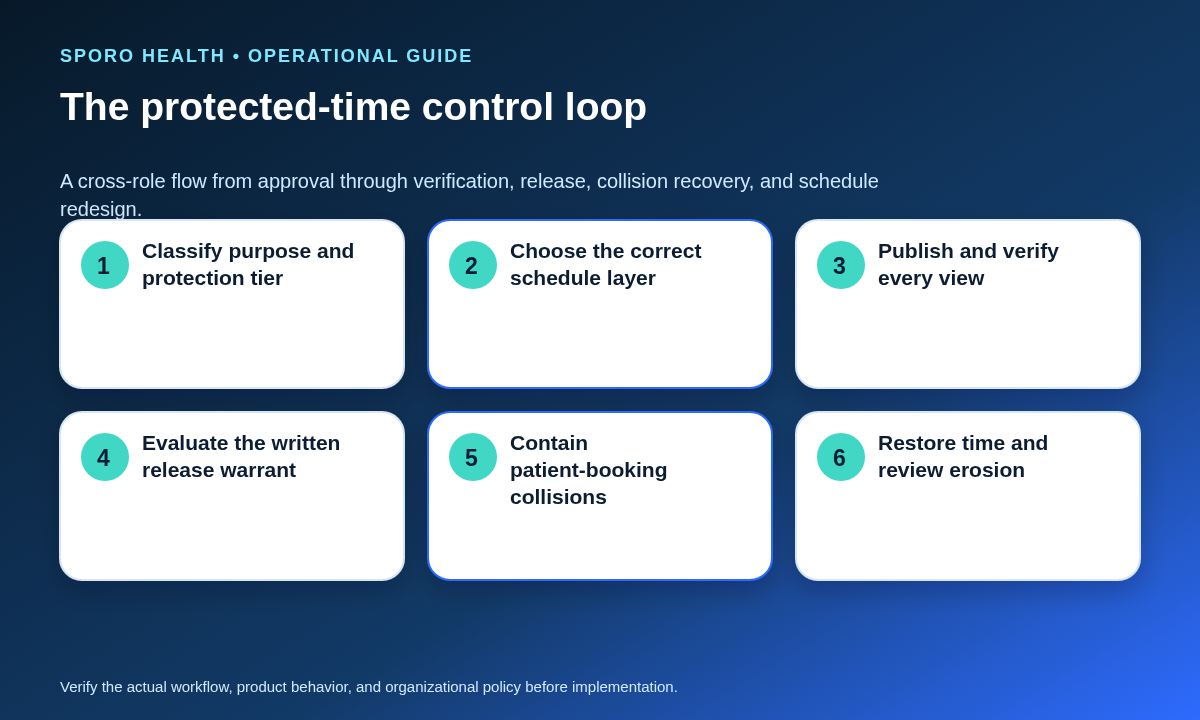
Protect it by making the practice policy—not the calendar label—the authority for recurring non-patient capacity. The operating standard should define six controls:
- Approve the work category and expected duration.
- Classify the block as fixed, conditionally releasable, or opportunistic.
- Assign release authority and an expiration for every exception.
- Choose a recurring baseline, date-bounded block, or one-occurrence change.
- Verify the result in athenahealth and each approved connected calendar.
- Record collisions, restoration, and repeated erosion.
The official athenahealth appointment API reference documents a technical appointment interface, but technology does not determine which administrative work your practice protects or who may release it. Those are operating-policy decisions.
What work should count as protected physician administrative time?
Protected physician administrative time should be scheduled non-patient capacity reserved for a defined and approved duty. Typical categories include documentation, inbox management, care coordination, quality work, and required meetings. Name the category, expected output, owner, and review trigger instead of allowing any event titled “admin” to block booking indefinitely.
Keep personal commitments, full absences, procedure sessions, and travel buffers in their separate workflows. A 2026 study of EHR use outside patient-scheduled hours also supports measuring after-hours spillover separately rather than assuming that a scheduled administrative block was preserved or used as planned.
What should the protected-capacity ledger contain?
Keep one protected-capacity ledger that states what was approved, where it is represented, and who controls changes. It can be a governed worksheet or system record, but each field needs a named owner.
| Field | Required record |
|---|---|
| Provider | Provider and affected location or department |
| Purpose | Approved administrative-work category |
| Pattern | Day, time, recurrence, and duration |
| Effective dates | Start, review, and end date when bounded |
| Source schedule | Authoritative schedule and connected views |
| Protection tier | Fixed, conditional, or opportunistic |
| Release authority | Role permitted to approve each outcome |
| Verification owner | Person responsible for cross-system proof |
| Review trigger | Role, FTE, location, duty, or erosion change |
Which protection tier should apply?
Use the tier that matches how essential the work is and how much release discretion the practice has approved. Do not attach universal notice periods; define windows appropriate to the practice and record them in the ledger.
| Tier | Release rule | Replacement and escalation |
|---|---|---|
| Fixed | Preserve unless the escalation policy applies. | Require named escalation and a documented replacement or waiver. |
| Conditionally releasable | Require named approval within a bounded release window. | Restore the time when required; escalate repeated releases. |
| Opportunistic | Release only under a preapproved demand rule. | Document the reason and review patterns that exceed the rule. |
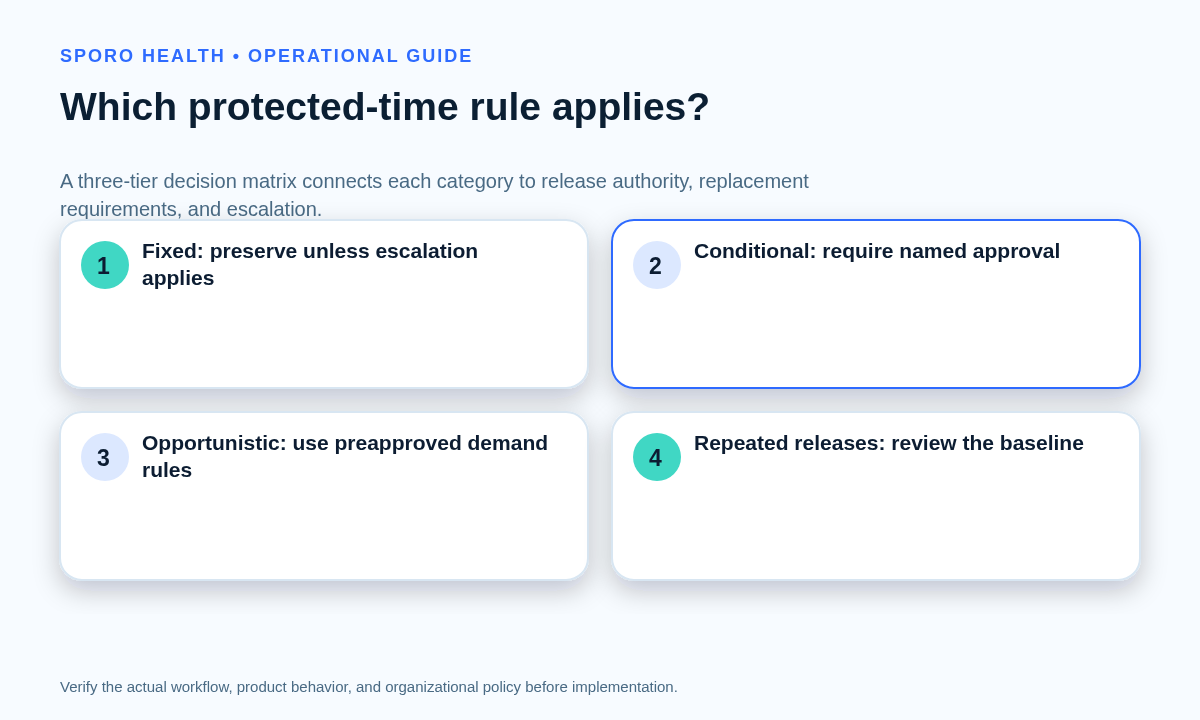
A tier controls authority; it does not decide the outcome automatically. A fixed block can still enter escalation, while an opportunistic block should not be released through an undocumented verbal request.
Should administrative time use a baseline, bounded block, or one occurrence?
Use a recurring baseline for a normal operating pattern, a date-bounded block for a temporary need, and a one-occurrence exception for one date. The smallest schedule object that matches the approved duration reduces unintended future effects.
| Approved need | Placement | Boundary check |
|---|---|---|
| Ongoing weekly duty | Recurring baseline | Review future appointments and all effective locations. |
| Temporary project or coverage period | Date-bounded block | Confirm start, end, and automatic restoration. |
| Single meeting or deadline | One occurrence | Confirm the recurring series remains unchanged. |
Use the separate guide to choosing a baseline template or temporary schedule change when the request also changes general provider hours.
When may protected physician administrative time be released?
Release time only when a written warrant identifies the exact occurrence, reason, approving role, affected work or appointments, replacement plan when required, and verification owner. Verbal approval without defined scope or expiration must not convert an entire recurring series.
| Outcome | Use it when |
|---|---|
| Preserve the block | The tier prohibits routine release or the warrant is incomplete. |
| Release one occurrence | One date qualifies and the recurring policy is unchanged. |
| Substitute protected time | The work remains required and an approved replacement is available. |
| Redesign the schedule | Repeated releases show that the baseline no longer fits actual work. |
Requests outside delegated authority should follow the practice’s front-desk rules for provider-availability overrides.
How should one occurrence or a recurring series be changed?
Change one occurrence when only one date is affected; change the series only when the recurring policy itself has changed. Before either edit, record the approved scope and a rollback path.
- Capture the selected date, original state, and approving role.
- Edit the smallest applicable occurrence or series object.
- Inspect future instances and existing patient bookings.
- Verify athenahealth and every connected calendar.
- Restore or escalate if the result exceeds the approval.
Google documents recurring rules and instances in its recurring-events guide, while Outlook exposes occurrence and series choices in Microsoft’s recurring-event change instructions. Practices managing other protected capacity can compare these steps with release and recovery controls for recurring specialty blocks.
How should Google Calendar and Outlook be tested?
Test the event types and account configurations the practice actually uses instead of treating visible busy time as proof that athenahealth capacity changed. Google documents focus time as a distinct event type that uses opaque transparency, while regular events have separate transparency and visibility fields in the Calendar status-event guide and Events API reference. Microsoft Graph separately models recurrence, showAs, sensitivity, event type, series masters, and exceptions in its event resource.
| Dimension | Google Calendar | Outlook | Acceptance test |
|---|---|---|---|
| Status | Focus time or regular event; opaque or transparent | Free, tentative, busy, out of office, or another supported showAs value | Confirm which states constrain booking. |
| Recurrence | Series rule, instance, and exception | Series master, occurrence, and exception | Edit one date and verify future dates. |
| Privacy | Visibility is separate from time blocking. | Sensitivity is separate from showAs. | Verify minimum visible detail and correct capacity. |
| Invitations | Focus time may have conflict-response behavior. | Appointments and meetings have different organizer behavior. | Confirm no unintended invitation or update. |
Run positive and negative tests for creation, one-occurrence edits, series edits, cancellation, privacy changes, and stale-event removal. Keep practice-approved administrative events separate from handling physician-owned calendar conflicts.
How should failures and patient-booking collisions be recovered?
First confirm the authoritative schedule and protect patient communication; then choose the approved recovery path without silently deleting either record. The verification owner should retain evidence from every affected schedule view.
| Failure | Containment and recovery |
|---|---|
| Patient booked inside protected time | Preserve the visit, move the work, use approved rescheduling, or escalate; then verify both records. |
| Stale external-calendar block | Confirm its source and end date, remove the correct stale copy, and recheck capacity. |
| Missing occurrence | Inspect the series and exceptions; restore only the approved occurrence. |
| Unintended series edit | Stop further edits, compare future instances, restore the baseline, and reconcile bookings. |
| Conflicting updates | Contain uncertain capacity, identify the authoritative change, resolve, and document closure. |
Unresolved collisions should enter the daily schedule exception and handoff process with a named owner and closure evidence.
How should protected-time erosion be measured?
Compare approved scheduled minutes with preserved minutes while keeping authorized releases and control failures separate. Count approved substitute time as preserved only when it meets the practice’s timing and purpose rule.
- Scheduled minutes: all approved protected capacity in the ledger.
- Preserved minutes: original or qualifying substitute capacity retained.
- Approved releases: warranted releases by tier and reason.
- Unauthorized overrides: booking changes without required authority.
- Late or unreplaced changes: approved changes that missed notice or replacement rules.
- Series defects: missing, stale, duplicated, or unintentionally changed instances.
Erosion minutes equal scheduled minutes minus preserved minutes. When scheduled minutes are greater than zero, divide erosion minutes by scheduled minutes for a trend rate. Track after-hours spillover only if it is already collected appropriately, and use results to diagnose policy design—not to grade individual productivity.
How do you put the standard into operation?
Start with one provider pattern, prove the controls, and expand only after staff can execute releases and recovery consistently.
- Approve purpose categories and protection tiers.
- Build the protected-capacity ledger.
- Assign release, verification, and escalation roles.
- Publish baseline, bounded, and one-occurrence rules.
- Run Google Calendar or Outlook acceptance tests.
- Review collisions and erosion on a defined cadence.
Review the standard whenever a provider’s role, FTE, location, specialty workflow, or administrative duties change. Repeated exceptions should trigger formal redesign rather than permanent shadow rules.
If connected calendar visibility is part of the operating model, review the Sporo Health overview, the current athenahealth and Google Calendar product page, the athenahealth and Microsoft Outlook product page, and the athenaConnect Marketplace listing. Treat them as vendor descriptions and confirm event mappings, recurrence behavior, authority, and acceptance evidence for your configuration.
That is how to protect physician administrative time in athenahealth scheduling without asking calendar synchronization to replace operational ownership.
Frequently asked questions
How do you protect physician administrative time in athenahealth scheduling?
Treat it as governed, non-patient capacity: define the purpose, protection tier, release authority, schedule layer, verification owner, recovery path, and erosion measures.
What work should count as protected physician administrative time?
Count only approved, named non-patient duties such as documentation, inbox management, care coordination, quality work, or required meetings; keep personal events, absences, and procedures in their own workflows.
When can front desk release protected physician administrative time?
Front desk may release it only when the protection tier delegates that authority or a named approver authorizes the exact occurrence, scope, and expiration.
How should one occurrence of recurring administrative time be changed?
Edit only the selected occurrence, then verify that future instances and existing bookings remain unchanged in every approved schedule view.
Do Google focus time and Outlook busy status automatically protect athenahealth capacity?
No. Google focus time and Outlook busy status have platform-specific properties, and the practice must test whether each supported event state changes athenahealth capacity as intended.
What should happen if a patient is booked during protected administrative time?
Confirm the authoritative schedule, protect patient communication, then preserve the visit, move the administrative work, use the approved rescheduling process, or escalate; do not silently delete either record.
How should protected-time erosion be measured?
Measure scheduled and preserved minutes, approved releases, unauthorized overrides, late changes, unreplaced blocks, and recurring-series defects, using trends to find policy erosion rather than grade individuals.
Can calendar synchronization enforce protected administrative time policy?
No. Synchronization may carry approved availability signals, but release authority, exceptions, patient communication, and final verification remain operational responsibilities.
Sources
- athenahealth appointment API reference
- Google Calendar status-event guide
- Google Calendar Events API reference
- Google Calendar recurring-events guide
- Microsoft Graph event resource
- Microsoft Outlook recurring-event change instructions
- Variation in Measures of Electronic Health Record Use Outside Scheduled Hours