Front-Desk Training for athenahealth Calendar Sync: A Scenario-Based Readiness Checklist
A front desk training checklist for athenahealth calendar sync should prove observed competence before practice managers grant independent live access. Each learner should know their authority, execute approved transactions, verify athenahealth and the connected calendar, document closure, and escalate uncertainty. Attendance is not readiness; the access decision needs scenario evidence, critical-failure rules, and a named reviewer.
How do you use a front desk training checklist for athenahealth calendar sync?
Use the checklist as a live-work readiness gate, not a course-completion record. Product acceptance should happen first; adapt approved cases from the calendar sync pilot acceptance matrix, then assess each learner’s decisions, execution, verification, escalation, and handoff.
The implementation owner should confirm exact appointment fields, states, permissions, and test data against the current athenahealth appointment API reference. Learners should follow the practice’s approved workflow rather than infer behavior from a button, notification, or vendor statement.
What must be ready before front-desk training starts?
Training should start only after the practice has approved the workflow, authority boundaries, expected evidence, and fallback path. Otherwise, the learner is being tested against an unsettled process rather than a teachable operating standard.
- A source-of-truth rule for each create, update, reschedule, cancellation, block, and exception.
- A role list showing independent, approval-required, verification, and escalation-only actions.
- Representative test data and a controlled environment or approved supervised method.
- Expected end states in athenahealth and every connected calendar in scope.
- A written containment and handoff path when the result cannot be verified.
- A named evaluator who can distinguish learner error from a workflow, permission, or configuration defect.
AHRQ’s implementation-planning guidance treats training, testing, monitoring, reinforcement, and refresher work as parts of an ongoing implementation. Apply that principle to scheduling operations without presenting this checklist as clinical training.
How should you map roles to permitted actions?
Give every learner an explicit authority card for the role they will actually perform. System access alone does not prove that an action is authorized, and a senior scheduler’s curriculum should not silently become the standard for every front-desk employee.
Role-to-action competency map
| Role category | May perform independently | Requires approval | Verification and escalation duty |
|---|---|---|---|
| Routine scheduler | Approved standard transactions within assigned providers, locations, and dates | Overrides, unusual recurrence changes, or work outside assigned scope | Check required views and route unresolved differences |
| Scheduling lead | Defined exceptions permitted by policy | Provider, manager, privacy, IT, or incident-owner decisions reserved by policy | Review evidence, contain uncertainty, and accept handoffs |
| Independent verifier | Observe and compare the required end state | Corrections if the verifier is not also an authorized editor | Reject incomplete closure and record the failed check |
| Escalation owner | Classify and route the exception within assigned authority | Changes requiring another accountable owner | Name containment, deadline, next action, and closure evidence |
Replace these categories with local role names, but preserve the separation between editing, approving, verifying, and accepting unresolved work.
Which scenarios should staff practice before independent work?
Every learner should complete routine and exception drills that match the role’s real scheduling responsibilities. Use the approved front-desk reschedule and cancellation workflow for transaction drills, the provider-availability override decision guide for authority-boundary cases, and the calendar integration outage runbook when synchronization is unavailable.
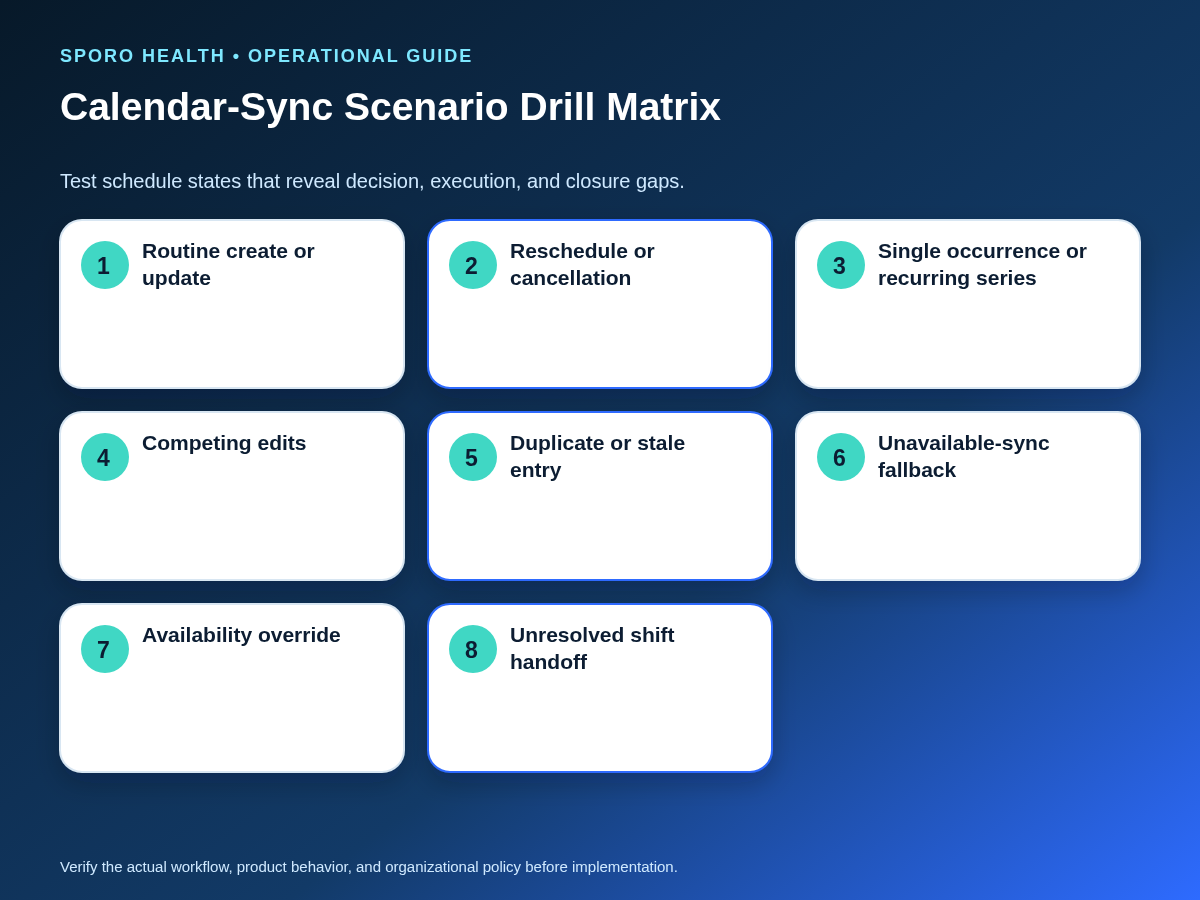
Scenario drill library
| Drill | Evaluator prompt | Required proof |
|---|---|---|
| Routine create or update | Choose the authorized starting system and complete the standard action. | Correct final time, scope, destination, and verifier record |
| Reschedule or cancellation | Preserve the transaction identity and check that the old state is not left active. | Before-and-after comparison and closure status |
| Recurring change | State whether the change applies to one occurrence, future occurrences, or the series before editing. | Intended recurrence boundary preserved |
| Competing edits | Recognize conflicting activity and apply the approved authority rule. | Conflict contained, owner named, and result verified |
| Unavailable synchronization | Stop synchronization-dependent assumptions and enter the approved fallback. | Trusted schedule, outage-window log, and accepted handoff |
| Duplicate or stale entry | Preserve evidence before correcting or escalating the suspected mismatch. | Classification, containment, final comparison, and owner |
| Availability override | Confirm authorization, exact scope, expiration, and post-change check. | Approval record and verified retirement condition |
| Shift handoff | Transfer an unresolved exception without calling a sent message a completed handoff. | Receiver acknowledgment, deadline, containment, and next action |
Recurring-event scope deserves a separate observed attempt. Google documents parent recurring events and individual instances in its recurring-events guide, while its recurring-event deletion guidance distinguishes one event, following events, and the series. Microsoft likewise documents separate choices for a single event, following events, and a complete series in Outlook event-change guidance.
How should Google Calendar and Outlook training differ?
Keep authority, verification, escalation, and closure standards consistent, but teach and assess each platform’s interface separately. A learner who passes a Google Calendar drill has not automatically demonstrated Outlook recurrence, ownership, status, or evidence-capture steps.
Cross-platform delta card
| Control | Keep consistent | Teach separately |
|---|---|---|
| Authority | Who may initiate, approve, verify, and escalate | Calendar ownership, delegation, and available actions |
| Recurrence | Decide the intended temporal scope before editing | Labels, prompts, exception behavior, and preserved history |
| Schedule state | Required time, duration, availability, and closure outcome | Platform fields, event type, organizer context, and status display |
| Evidence | Capture precondition, action, final state, verifier, and time | The screenshots, identifiers, or views needed to reconstruct the result |
| Uncertainty | Contain capacity and escalate instead of guessing | Platform-specific support and recovery path |
The Google Calendar Events reference and Microsoft Graph event resource expose different event and recurrence concepts. Use current documentation and the configured interfaces when writing the demonstration steps.
How should you score calendar-sync competence?
Score decision quality, execution accuracy, and closure evidence separately, then apply critical-failure rules before considering the total. This prevents correct clicking on easy steps from offsetting an unsafe authority decision or skipped verification.
Scoring rubric and critical-failure rules
| Dimension | Score 0 | Score 1 | Score 2 |
|---|---|---|---|
| Decision quality | Chooses an unauthorized or unsafe path | Reaches the correct path only after material prompting | Chooses and explains the correct authority, scope, and escalation path |
| Execution accuracy | Produces or leaves an incorrect schedule state | Completes the action with a correctable process error | Executes the approved workflow accurately within assigned scope |
| Closure evidence | Closes without required checks or handoff | Verifies incompletely or documents ambiguously | Checks every required view and records closure or accepted handoff |
For independent authorization, require a score of 2 in every dimension on the required scenarios and zero critical failures. Critical failures include acting outside assigned authority, changing the wrong recurrence scope, treating uncertain capacity as bookable, deleting evidence before investigation, skipping required verification, or closing an unresolved exception. A workflow or permission defect should block the test and be corrected; it should not be mislabeled as a learner failure.
When should front-desk staff receive live calendar-sync access?
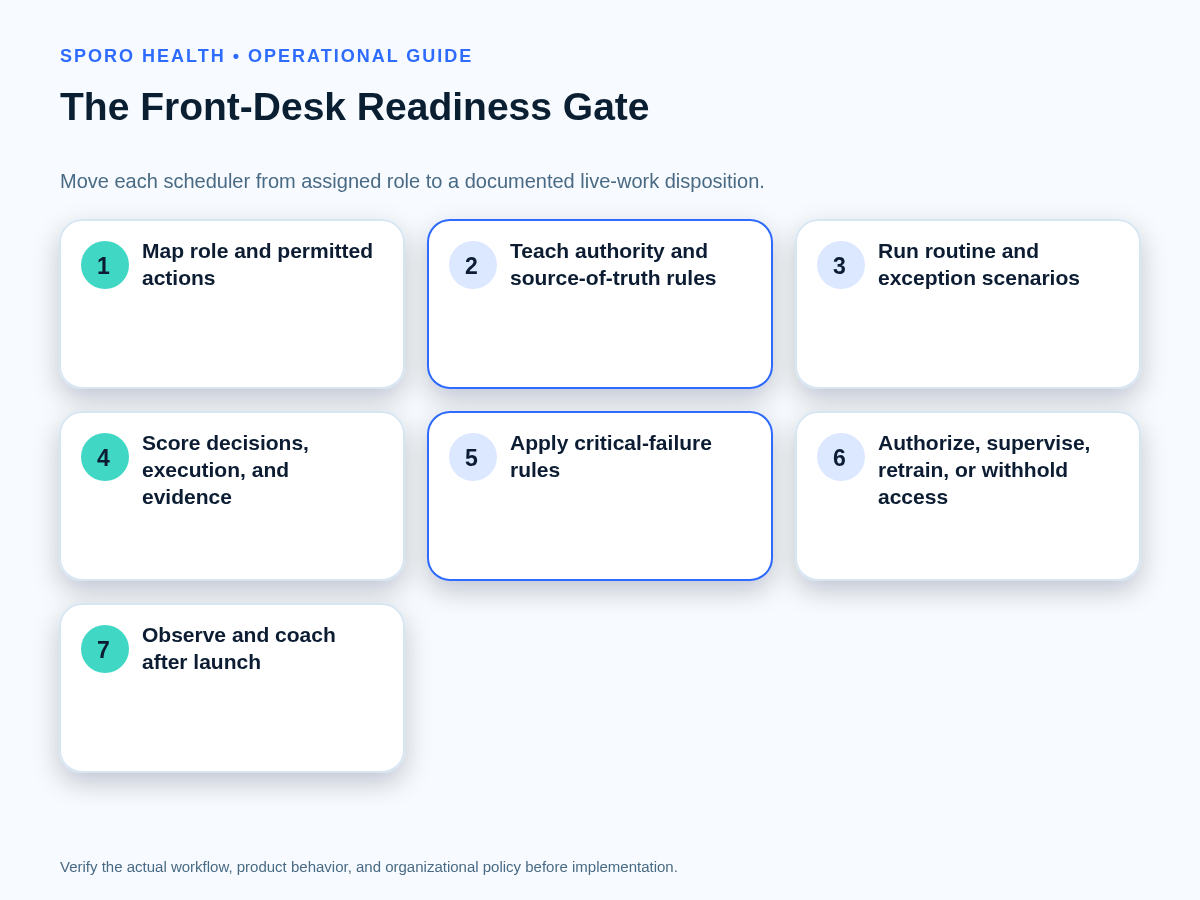
Grant access only after a named reviewer records one of four readiness dispositions from observed evidence. Connect individual decisions to the practice’s provider wave-gate rollout plan so an unready scheduler does not enter a live cohort merely because the broader wave was approved.
Four-disposition readiness gate
| Disposition | Use when | Required next step |
|---|---|---|
| Authorize independent work | All required competencies pass with no critical failure | Grant only the approved role and scope |
| Authorize supervised work | Core decisions are sound, but defined skills need observation | Name supervisor, permitted tasks, review date, and exit criteria |
| Retrain and retest | A teachable knowledge or execution gap caused the miss | Coach the affected behavior and repeat an equivalent scenario |
| Withhold live access | Authority, permission, workflow, or configuration remains unsafe or unresolved | Resolve the underlying issue before another access decision |
How should you coach and refresh training after launch?
Use brief, behavior-specific observations tied to real tasks and predefined refresher triggers. The daily schedule reconciliation playbook supplies useful handoff and closure behaviors to observe. AHRQ’s implementation-coaching guidance also emphasizes modeling, observation, specific feedback, practice, and ongoing performance assessment.
Coaching and refresher-trigger worksheet
| Trigger | Response | Closure |
|---|---|---|
| Observed error or critical failure | Record behavior, standard, correction, and immediate containment | Equivalent observed attempt passes |
| Workflow or policy change | Teach the changed decision and affected scenarios | Impacted roles acknowledge and demonstrate the change |
| Platform or interface change | Reverify steps separately for Google Calendar or Outlook | Updated evidence card approved |
| Extended absence | Review authority, fallback, and high-risk scenarios | Targeted refresher completed before independent work |
| New responsibility | Add only the competencies needed for the expanded role | New scope receives a separate disposition |
| Repeated escalation or handoff failure | Observe problem recognition, containment, and transfer | Two accepted closures without the repeated behavior |
Readiness measurement framework
| Measure | What it reveals |
|---|---|
| Course completion | Exposure to required material, not operational readiness |
| Scenario pass rate | Observed competence by role and scenario class |
| Critical failures | Unsafe authority, recurrence, verification, or closure behavior |
| Supervised-work findings | Gaps that appear only during live operating conditions |
| Time to verified closure | Whether work reaches a checked end state rather than merely an edit |
| Repeat errors and refresher triggers | Where training, policy, permissions, or configuration need review |
Review measures by role and scenario context. Do not turn one aggregate score into a ranking of employees or an unsupported claim about savings, clinical outcomes, or technical performance.
Put the checklist into practice
- Approve source-of-truth, authority, verification, fallback, and handoff rules.
- Build one authority card for each frontline role.
- Select required scenarios and write their expected evidence before training.
- Demonstrate Google Calendar and Outlook steps separately where both are used.
- Observe each learner without coaching during the scored attempt.
- Apply critical-failure rules before calculating the readiness disposition.
- Limit live access to the authorized role, providers, locations, and workflows.
- Start post-launch observations and refresher triggers with the first live shift.
If connected calendars are under evaluation, review Sporo Health’s healthcare-automation overview, the current athenahealth and Google Calendar product page, the athenahealth and Microsoft Outlook product page, and the Sporo Health athenaConnect Marketplace listing. Treat them as vendor descriptions and ask the implementation owner to map relevant statements to approved scenarios, permissions, data choices, evidence, and fallback procedures.
A front desk training checklist for athenahealth calendar sync works when each learner leaves with a documented scope and disposition—not simply a completed presentation. Require correct decisions, accurate execution, verified closure, and targeted coaching before expanding independent responsibility.
Frequently asked questions
Is completing a training presentation enough for live access?
No. Completion only shows exposure to the material. Staff should demonstrate required decisions and actions in realistic scenarios and pass the practice’s critical-failure rules before independent live access.
Can a successful product pilot replace front-desk training?
No. A pilot shows whether the configured integration meets acceptance criteria; front-desk training shows whether people can operate the approved workflow, verify results, escalate uncertainty, and close or hand off exceptions.
Which calendar-sync scenarios should every scheduler pass?
Every scheduler should pass routine creates or updates, reschedules, cancellations, recurrence-scope choices, competing edits, unavailable-sync fallback, duplicate or stale-entry containment, overrides, and unresolved shift handoffs that apply to the role.
How should recurring-event competency be tested?
Require the learner to identify whether the approved change affects one occurrence, future occurrences, or the entire series before editing, then verify that the intended scope was preserved in every required schedule view.
Can Google Calendar and Outlook use the same staff checklist?
Yes, for authority, verification, escalation, scoring, and closure standards. No, for interface steps: recurrence options, ownership behavior, status fields, and evidence capture should be demonstrated and assessed separately.
When should refresher training be required?
Require refresher training after observed critical errors, material workflow or platform changes, extended absence, new responsibilities, repeated escalation failures, or a pattern of reopened exceptions. Retest only the affected competencies unless the change is broad.
Sources
- athenahealth Appointment API reference
- Google Calendar recurring-events guide
- Google Calendar recurring-event deletion guidance
- Google Calendar Events reference
- Microsoft Support event-change guidance
- Microsoft Graph event resource
- AHRQ implementation-planning guidance
- AHRQ implementation-coaching guidance
- Sporo Health Google Calendar product page
- Sporo Health Outlook product page
- Sporo Health athenaConnect Marketplace listing