
Who Should Own the Outlook Calendar for athenahealth Scheduling? A Mailbox Decision Guide
For Outlook shared mailbox vs provider calendar for athenahealth scheduling, use the provider’s work calendar when the schedule belongs to that physician and should follow the physician’s work identity. Use a practice-owned shared mailbox calendar only when team continuity is the real requirement and the vendor proves support for that exact mailbox and calendar type. Microsoft 365 healthcare IT administrators should block approval while any critical ownership or recovery question remains unresolved.
The choice determines who owns the schedule, how staff reach it, how an application is authorized, what happens to meetings and private items, and whether the practice can recover when identities or responsibilities change.
How should you compare an Outlook shared mailbox vs provider calendar for athenahealth scheduling?
A provider calendar and a shared mailbox calendar are not interchangeable. Score each option from zero to two across seven factors: zero means unresolved, one means conditional, and two means proved with tenant and vendor evidence. A zero on any critical factor should stop connection rather than be averaged away.
This ownership decision comes before tenant configuration. After choosing the model, use the Microsoft 365 preflight for an athenahealth Outlook integration to translate it into mailbox scope, permissions, tests, and rollback. Microsoft Graph exposes calendar ownership and default-calendar properties, but those properties do not prove that a vendor supports the selected topology; review the Microsoft Graph calendar resource beside vendor evidence.
| Factor | Provider calendar earns 2 when | Shared mailbox earns 2 when | Zero-point stop |
|---|---|---|---|
| Schedule identity | It clearly represents one physician. | It clearly represents a continuing practice function. | The schedule identity is ambiguous. |
| Durable ownership | The provider remains the intended owner. | The practice must retain ownership beyond one person. | No durable or exit owner exists. |
| Staff operating model | Named staff can receive explicit calendar rights. | Authorized members can provide team continuity. | Access depends on shared credentials or informal workarounds. |
| Private-item boundary | Provider and staff visibility rules pass. | Member and application visibility rules pass. | Required and prohibited fields are unknown. |
| Meeting handling | Owner and delegate routing are documented. | Invitations and responses behave as intended in tests. | No one owns meeting exceptions. |
| Integration support | The vendor demonstrates the exact user calendar and folder. | The vendor demonstrates the exact shared mailbox calendar. | Support is asserted only for “Outlook.” |
| Lifecycle recovery | Leave, departure, restoration, and reassignment pass. | Membership, conversion, restoration, and reorganization pass. | Revocation or rollback cannot be proved. |
Choose the highest-scoring model only after every critical row passes. Cost or licensing convenience cannot compensate for uncertain ownership, access scope, or recovery.
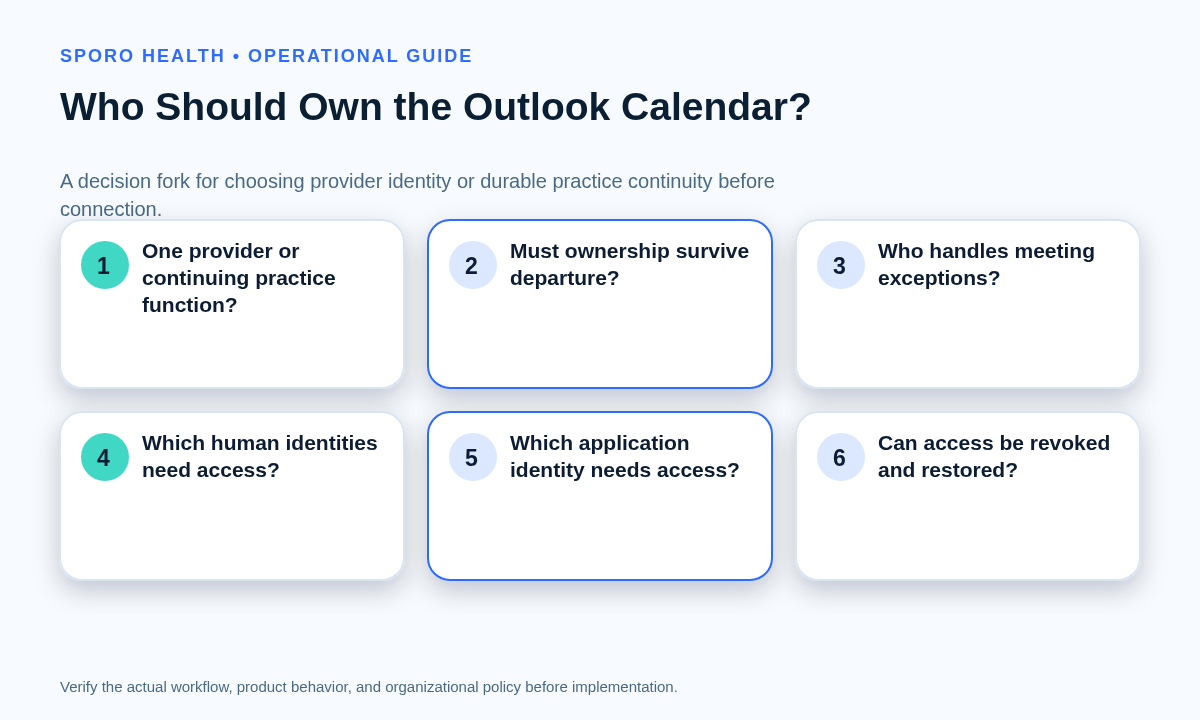
When should a medical practice use a shared mailbox calendar?
Choose a shared mailbox calendar when the practice needs operational ownership that continues beyond any individual provider. It should also require multiple authorized operators, a stable exit owner, and tested application and event behavior.
- The schedule represents a team, service, coverage pool, or enduring practice function.
- Staff continuity must remain intact during leave, departure, or organizational change.
- Membership changes can be approved, reviewed, revoked, and retested.
- The vendor demonstrates support for this mailbox, target calendar, and authorization model.
Microsoft describes a shared mailbox as a resource used by authorized organizational members rather than through direct account sign-in. Microsoft Support also documents its use as a team calendar whose members can manage appointments. These facts establish a platform option, not product compatibility; see Microsoft’s shared mailbox guidance and shared-calendar operating instructions.
When is a provider-owned Outlook calendar the better choice?
Use the provider’s work calendar when the calendar represents that physician’s own availability and the physician remains the durable owner. Staff access, leave coverage, departure handling, and restoration still need explicit controls.
- The provider’s work identity is the intended schedule identity.
- Staff can receive named, task-appropriate rights without shared credentials.
- Meeting requests should remain with the provider or an approved delegate.
- A documented process covers leave, email changes, offboarding, and reassignment.
Microsoft distinguishes ordinary write access from delegation on a user’s primary calendar, including meeting-request handling and separately granted private-item visibility. Confirm the intended behavior against the current Outlook sharing and delegation model.
What must the ownership-to-access topology record?
Record every identity and access path that connects an athenahealth schedule to the selected Outlook calendar. One complete topology card should exist for each provider rather than one generic tenant diagram.
| Topology field | Required record |
|---|---|
| Calendar owner | Provider identity or practice-controlled mailbox owner |
| Mailbox type | User, shared, or separately approved exception |
| Target folder | Exact calendar name, identifier, and default or secondary status |
| Human operators | Named viewers, editors, delegates, members, and administrators |
| Application identity | Service principal or signed-in-user context |
| Schedule scope | athenahealth provider, department, location, and approved event types |
| Exit owner | Person accountable during leave, departure, or reorganization |
| Revocation path | Steps for removing human rights, consent, assignments, and mailbox scope |
Attach evidence for each field: an administrative record, vendor statement, observed test, or accepted operating decision. “The provider’s Outlook calendar” is not precise enough when multiple folders, aliases, or delegated views exist.
How do human Outlook permissions differ from integration application access?
Human mailbox rights and integration authorization are separate access planes. Full Access, calendar sharing, Outlook Delegate, delegated Microsoft Graph permissions, and application permissions create different identities, boundaries, and revocation tasks.
| Access path | What it authorizes | Approval question |
|---|---|---|
| Full Access or membership | A person opens and operates a mailbox. | Does the person need mailbox-level reach? |
| Calendar sharing or Editor | A person views or changes a calendar folder. | Which calendar actions are necessary? |
| Outlook Delegate | A person manages primary-calendar meetings for the owner. | Who should receive and answer invitations? |
| Graph delegated permission | An app acts in a signed-in user’s context. | Which user and accessible calendars define the boundary? |
| Graph application permission | An app acts without a signed-in user. | Which mailbox resource scope constrains it? |
The Microsoft Graph permissions reference defines delegated and application calendar permissions separately. For app-only access, Exchange Online RBAC for Applications can pair an application role with a mailbox resource scope. Use the Outlook Editor-versus-Delegate permission guide to assign human rights after ownership is settled.
Which Microsoft 365 constraints must administrators verify?
Verify licensing, storage, retention, holds, membership, sign-in, client behavior, and tenant policy for the exact proposed mailbox. General rules are not a substitute for reviewing the configuration that will enter the pilot.
Does an Outlook shared mailbox need a Microsoft 365 license?
Not in every basic configuration, but the practice must verify rather than assume. Microsoft states that accessing users need licensed Exchange Online mailboxes and documents separate shared-mailbox licensing conditions involving size, archiving, holds, retention, and advanced features. Do not choose the ownership model merely to avoid a mailbox license.
Can an integration sign in directly as a shared mailbox?
Do not assume direct shared-mailbox sign-in is supported or appropriate. Microsoft says a shared mailbox is not intended for direct sign-in and that its associated account should remain blocked. Require the vendor to identify delegated or application-based access, the target resource, requested permissions, effective mailbox boundary, and revocation method.
How should lifecycle changes and mailbox conversion be controlled?
Treat every identity or ownership change as a controlled schedule cutover. Name the continuing owner, protect ambiguous changes, verify both systems, and retain rollback until the new mapping is accepted. The provider calendar offboarding checklist provides the detailed departure sequence.
What belongs in the lifecycle exception map?
Map the required ownership response before each predictable lifecycle event occurs.
| Event | Ownership response and evidence |
|---|---|
| Onboarding | Confirm the durable identity before connection. |
| Temporary leave | Assign coverage without silently changing ownership. |
| Cross-coverage | Time-bound staff access and record its expiration. |
| Provider departure | Reassign responsibility, revoke access, and reconcile future events. |
| Mailbox conversion | Preserve the before-and-after identity and folder map. |
| Delegate removal | Retest meetings, private items, and residual access. |
| Practice reorganization | Reapprove the owner, scope, exit owner, and recovery path. |
What belongs in the mailbox-conversion change envelope?
The envelope must make conversion bounded, observable, and reversible. Microsoft states that converting a user mailbox to a shared mailbox retains existing email and calendar information, but retained content does not prove retained vendor mappings or authorization.
- Freeze edits whose source or target would be ambiguous during cutover.
- Record old and new mailbox identities, addresses, owners, folders, and application mappings.
- Select representative single events, meetings, recurring series, exceptions, private items, and cancellations.
- Execute the approved conversion and access changes in a defined window.
- Verify ownership, human access, application scope, event identity, and both-system results.
- Roll back on lost mappings, unauthorized reach, unexplained duplicates, or failed restoration.
Use Microsoft’s mailbox conversion guidance for platform prerequisites and the provider email change cutover checklist when identifiers change without a complete ownership redesign.
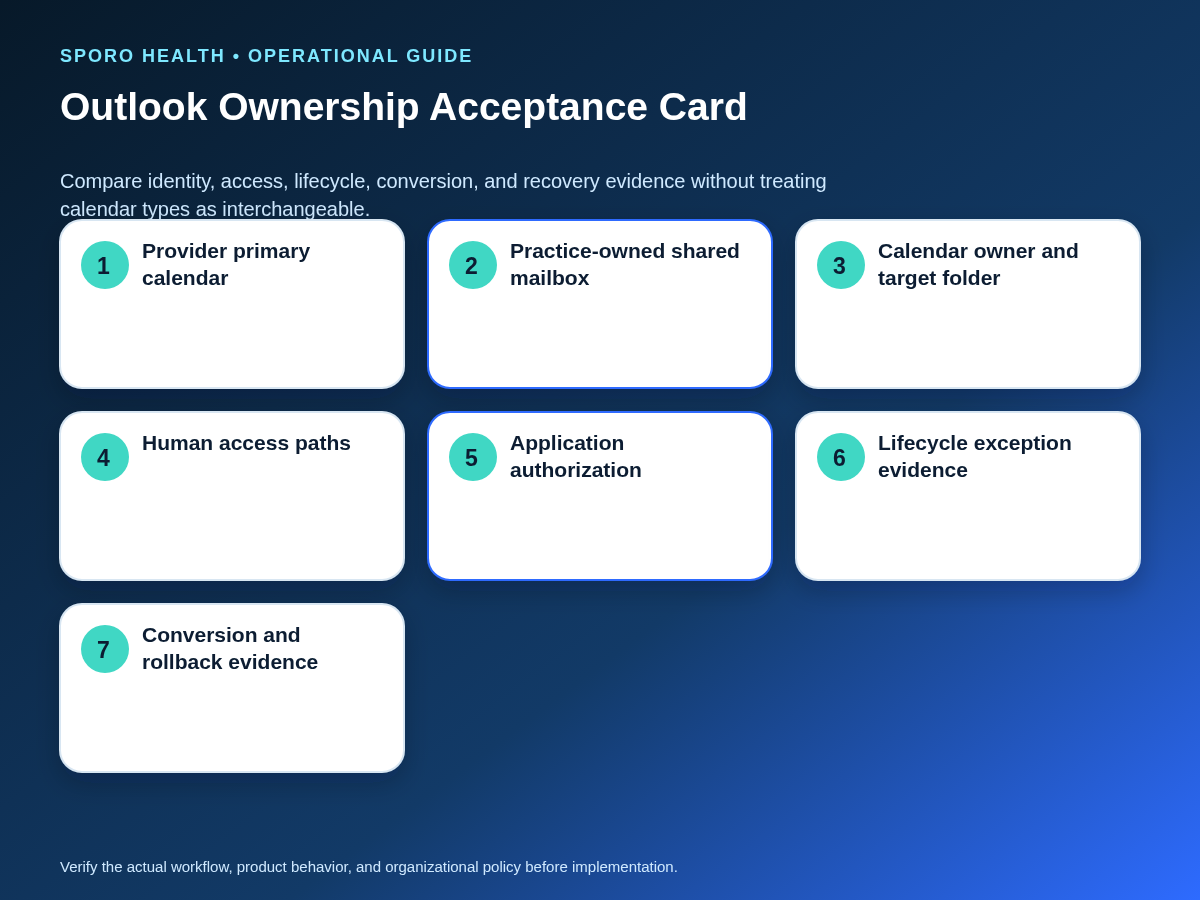
How should the practice test an Outlook calendar ownership decision?
Run the same cross-system acceptance matrix against each ownership option being considered. Verify every result in athenahealth and the selected Outlook calendar, including prohibited access and recovery—not just successful creation.
| Scenario | Pass evidence |
|---|---|
| Create | One correctly owned and mapped event appears. |
| Update and reschedule | Time, duration, and approved fields reconcile. |
| Cancel | The counterpart follows the written cancellation rule. |
| Recurrence exception | One changed occurrence remains attached to the intended series. |
| Private item | Each human and application identity sees only approved fields. |
| Delegate or member change | New rights work and removed rights fail. |
| Out-of-scope denial | A control mailbox or folder remains unreachable. |
| Provider leave | Coverage operates without losing durable ownership. |
| Disconnection | Application access stops and schedule responsibility is clear. |
| Restoration | The approved mapping returns without orphaned or duplicate events. |
Microsoft’s event resource documentation distinguishes series masters, occurrences, exceptions, cancellations, organizers, and private sensitivity. Use the athenahealth appointment API reference as a vocabulary checkpoint, then record product-specific expected results in the calendar sync pilot acceptance matrix.
Choose no-go if the owner, mailbox type, target folder, authorized staff, application model, private-item rule, exit owner, recovery path, or vendor support remains unknown. A small pilot does not make an undefined boundary acceptable.
How should the ownership model be measured after approval?
Measure defects by mailbox and calendar type instead of hiding them in tenant-wide totals. Record a denominator such as tested changes or active provider-calendar pairs so unlike topologies are not compared through raw counts alone.
| Measure | Topology-specific question |
|---|---|
| Unmapped events | Which mailbox and folder lost the relationship? |
| Unauthorized reach | Which human or application path crossed scope? |
| Stale access | Which former member, editor, or delegate still succeeds? |
| Recurrence failures | Which ownership type mishandled an exception? |
| Manual corrections | Which topology required staff repair? |
| Conversion defects | Which identity or mapping changed unexpectedly? |
| Restoration failures | Which calendar could not return to the accepted state? |
Review these measures with the provider calendar access recertification workflow. Trends should trigger investigation, scope reduction, retesting, or a new ownership decision—not unsupported savings or outcome claims.
Which ownership decision should the practice document?
Document one approved owner, mailbox, calendar folder, access model, lifecycle path, and rollback owner for every provider schedule. For Outlook shared mailbox vs provider calendar for athenahealth scheduling, unresolved critical evidence means no-go.
After the internal gate passes, compare the written assumptions with Sporo’s vendor-described athenahealth and Microsoft Outlook connection. Practices comparing platforms can review the athenahealth and Google Calendar product page. Visit Sporo Health for company context and the Sporo Health athenaConnect Marketplace destination for the listed Google Calendar offering. Product pages are vendor claims; require tenant-specific evidence before approval.
Frequently asked questions
Which is better: Outlook shared mailbox vs provider calendar for athenahealth scheduling?
Use the provider’s work calendar when the schedule belongs to one physician and should follow that identity. Use a shared mailbox only when the practice needs durable team ownership and the exact mailbox type passes vendor and tenant testing.
What is the operational difference between a provider calendar and a shared mailbox calendar?
A provider calendar is person-owned and follows that user’s identity lifecycle; a shared mailbox calendar is practice-owned and operated through authorized members. Their meeting behavior, access paths, conversion risks, and exit controls must be tested separately.
When should a medical practice use a shared mailbox calendar?
Use it when continuity must survive a provider’s departure, multiple authorized staff need an ongoing team calendar, and human access, application scope, event behavior, offboarding, restoration, and rollback all pass.
Does an Outlook shared mailbox need a Microsoft 365 license?
Not always, but do not make the decision on that assumption. Microsoft documents conditions involving mailbox size, archiving, holds, advanced features, member licensing, and tenant policy, so administrators must verify the planned configuration.
Can an integration sign in directly as a shared mailbox?
Do not assume so. Microsoft says shared mailboxes are not intended for direct sign-in; the vendor should identify a delegated or application-based model, the target resource, requested permissions, effective scope, and revocation path.
What makes an Outlook calendar ownership decision a no-go?
Choose no-go when the practice cannot name the owner, mailbox type, target folder, human operators, application model, private-item rule, exit owner, or recovery path, or when the vendor cannot demonstrate the selected calendar type.
Sources
- Microsoft: About shared mailboxes in Microsoft 365
- Microsoft Support: Open and use a shared mailbox in Outlook
- Microsoft: Convert a user mailbox to a shared mailbox
- Microsoft Graph: Share or delegate a calendar in Outlook
- Microsoft Graph permissions reference
- Exchange Online RBAC for Applications
- Microsoft Graph calendar resource
- Microsoft Graph event resource
- athenahealth appointment API reference
- Sporo Health Outlook product page

One comment
Comments are closed.

[…] practice ownership is not yet settled, first choose who should own the Outlook calendar. A redesign is preferable to forcing provider-specific availability into a container whose […]