athenahealth Provider Schedule Change Requests: An Intake-to-Closure Workflow
A provider schedule change request checklist for athenahealth practices should stop live edits until the request is complete, classified, impact assessed, approved, assigned, applied, independently verified, and closed. For practice managers, the goal is one authoritative record that captures exact scope, booked-appointment consequences, connected-calendar effects, ownership, rollback conditions, and evidence that the intended schedule—not merely an email—became the final operational state.
What fields should a provider schedule change request include?
A complete request identifies the provider, department or location, current and requested hours, effective interval, recurrence scope, reason category, affected bookings, approver, executor, verifier, connected-calendar impact, and rollback condition. Do not edit a live schedule while any of those elements remains ambiguous.
Public healthcare workflows illustrate why structured intake matters. One available Athena schedule and appointment-type request form asks for requester and approver details, the provider and department, start and end dates, future-appointment review, booking channels, appointment types, and template instructions. A current health-system scheduling template workflow separately requires complete instructions, provider approval, and validation after implementation. These are operational examples, not universal athenahealth requirements.
| Field group | Required content | Return condition |
|---|---|---|
| Identity | Provider scheduling name, requester, department, and location | Provider or destination cannot be identified |
| Requested state | Current hours, requested hours, effective dates, time zone, and recurrence scope | Instructions conflict or leave boundaries open |
| Operational impact | Booked appointments, appointment types, resources, channels, teams, and travel | Affected commitments have not been reviewed |
| Authority | Named approver, executor, verifier, and emergency escalation owner | Approval path or accountable owner is missing |
| Connected views | Affected Google Calendar or Outlook representation and expected availability state | Cross-system scope is unknown |
| Recovery | Before-state evidence, expiration rule, rollback trigger, and fallback owner | The change cannot be safely reversed or contained |
Use specific return codes instead of “need more information”: R01 missing identity, R02 missing dates, R03 ambiguous recurrence, R04 conflicting instructions, R05 appointment impact incomplete, R06 approval missing, R07 connected-calendar scope unknown, and R08 rollback condition missing. Routine requests remain returned until corrected.
How should the request be classified before approval?
Route each complete request as a recurring baseline change, date-bounded pattern, single-occurrence exception, or emergency containment action. The class determines the approval, execution, expiration, verification, and rollback path.
| Class | Use when | Control path |
|---|---|---|
| Recurring baseline | The normal schedule should change indefinitely | Higher approval; review future recurrence; verify representative dates and rollback |
| Date-bounded | A different pattern applies for a defined interval | Approve start and end; preserve the baseline; verify activation and expiration |
| Single occurrence | Only one date or session changes | Apply the narrowest exception; verify adjacent occurrences remain unchanged |
| Emergency containment | Capacity is uncertain and waiting would create booking risk | Temporarily contain the interval; escalate; document final approval and recovery |
After the completeness gate, use the separate guide for choosing a recurring template update or bounded schedule exception. A temporary absence may also enter the specialized physician out-of-office availability-control workflow, but it should still originate from the same controlled intake record.
What are the request ledger states from intake to closure?
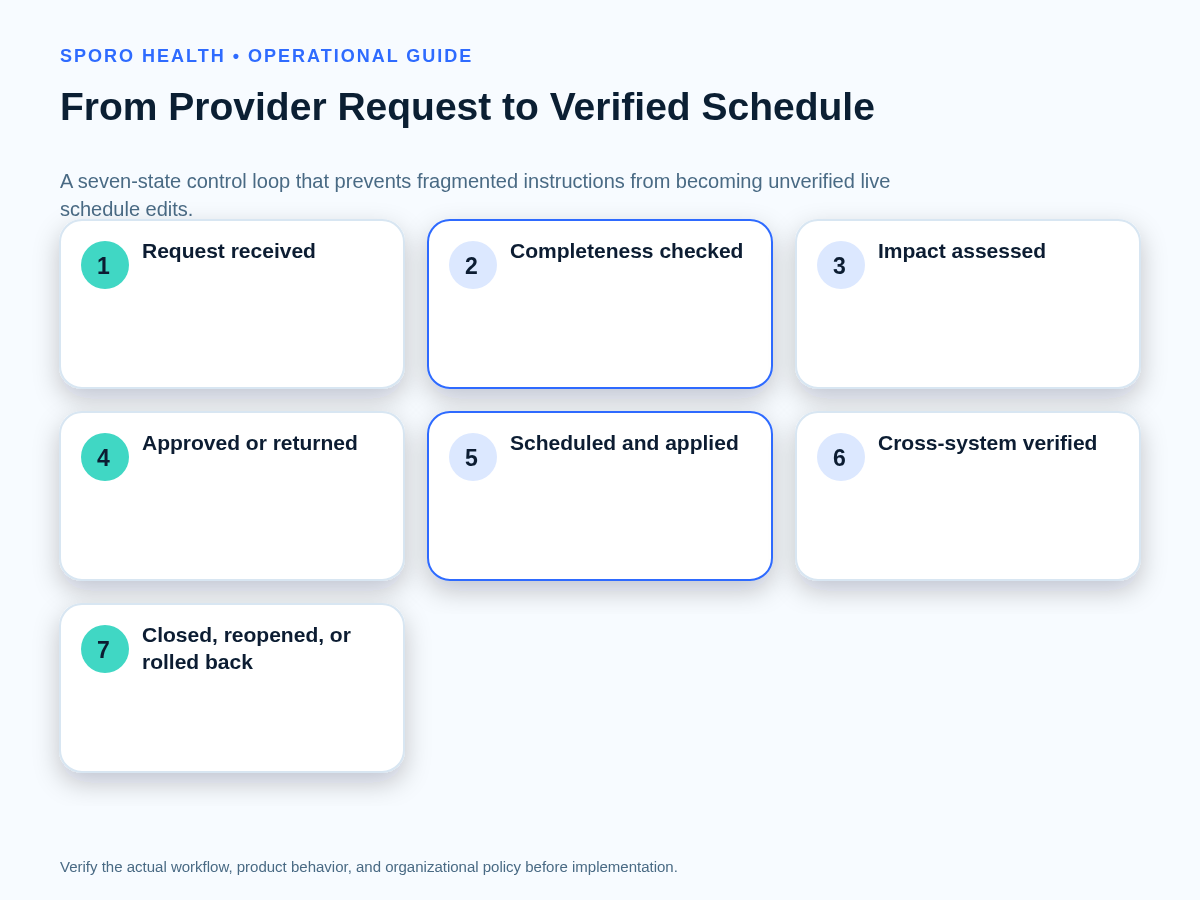
Move one authoritative request record through seven control states, while retaining separate timestamps for scheduling, application, verification, reopening, and rollback. Every transition requires evidence and a named owner.
| State | Evidence required to leave the state |
|---|---|
| Received | Request ID, source, requester, provider, received time, and requested effective interval |
| Completeness checked | All required fields pass or the request receives a specific return code |
| Impact assessed | Booked commitments, recurrence, locations, resources, channels, travel, and calendars are reviewed |
| Approved or returned | Approver, decision, conditions, scope, and decision time are recorded |
| Scheduled and applied | Executor, scheduled time, applied time, before-state evidence, and actual change scope are separate fields |
| Cross-system verified | An assigned verifier records test dates, results, defects, and appointment dispositions |
| Closed, reopened, or rolled back | Closure evidence is complete, or the record states why recovery remains active |
A dashboard may group scheduling and application for readability, but the ledger should not. Recording both events prevents a queued request from being mistaken for a completed edit and prevents an applied edit from being mistaken for a verified result.
How do you assess future appointments before changing provider hours?
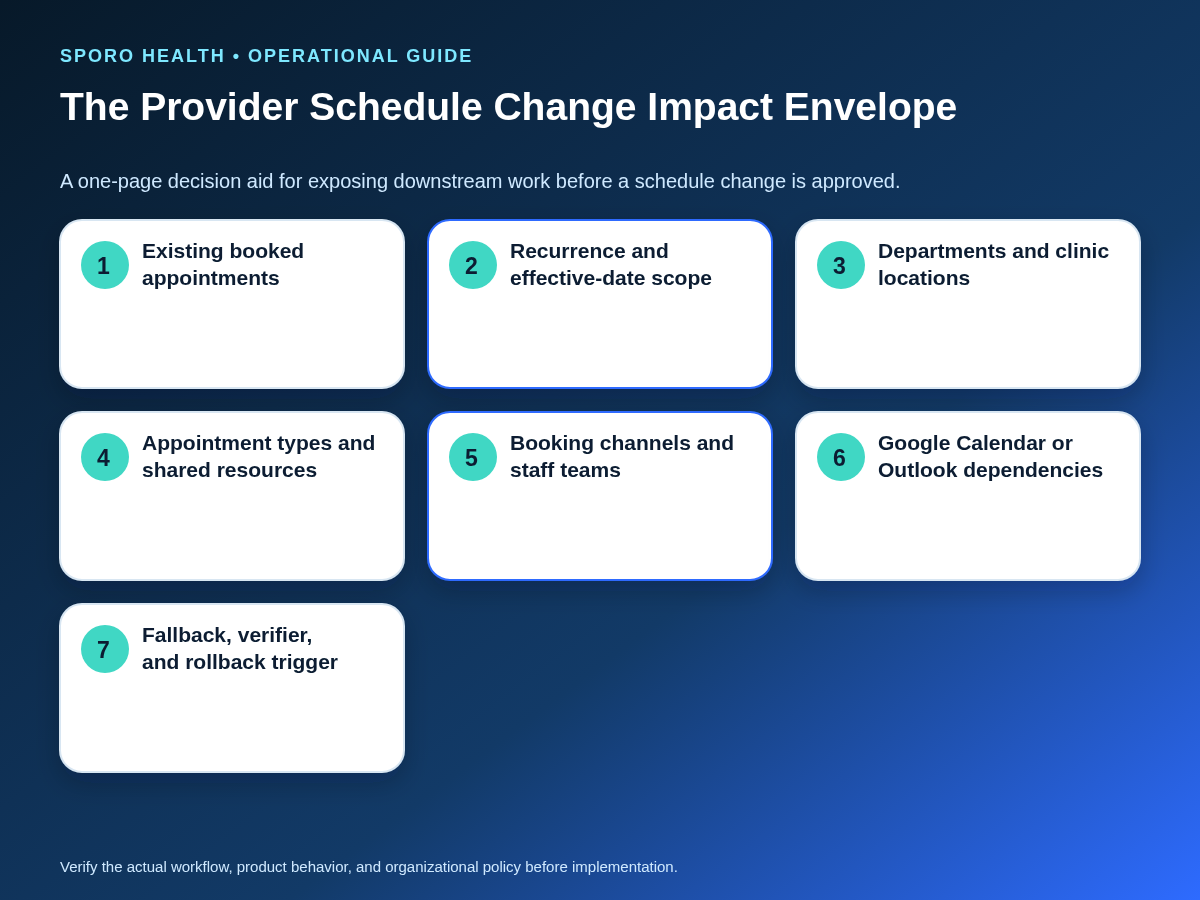
Assess the full impact envelope before approval: booked appointments, recurrence breadth, departments, locations, appointment types, shared resources, booking channels, provider travel, and connected calendars. Every affected appointment needs an owner and an intended disposition.
The following 0–14 score is a triage aid, not a validated risk model. Score each factor 0 for limited exposure, 1 for manageable complexity, or 2 for broad, uncertain, or tightly coupled impact.
| Factor | 0 | 1 | 2 |
|---|---|---|---|
| Booked appointments | None | Few; dispositions known | Multiple or uncertain |
| Recurrence breadth | One occurrence | Bounded pattern | Baseline or broad series |
| Locations | One | Two with clear handoff | Multiple or conflicting |
| Types and resources | Standard | Some dependencies | Shared or constrained resources |
| Channels and teams | One controlled channel | Several known channels | External or unclear channels |
| Provider travel | None | Buffered | Transition risk |
| Connected calendars | None | One known view | Multiple or uncertain views |
Use 0–3 for standard controls, 4–7 for elevated review, and 8–14 for material-change controls. Urgent uncertainty should be treated as material until resolved. Effective-date rules can follow the practice’s provider schedule change notice tiers and freeze-window policy. When bookings are affected, assign each transaction through the front-desk workflow for reschedules and cancellations.
Who should approve, apply, and verify provider schedule changes?
Separate requester, approver, executor, and verifier responsibilities wherever feasible, especially for material or recurring changes. Local policy should name who may request, approve, apply, contain, reopen, verify, and close each class.
| Action | Recurring baseline | Date-bounded | Single occurrence | Emergency |
|---|---|---|---|---|
| Request | Provider or authorized delegate | Provider or authorized delegate | Authorized requester | Provider, delegate, or on-duty lead |
| Approve | Designated operations authority | Designated operations authority | Policy-defined manager | On-duty escalation authority |
| Apply | Schedule administrator | Schedule administrator | Authorized scheduler | Named containment executor |
| Verify | Independent reviewer | Independent reviewer | Second-person reviewer | Reviewer after stabilization |
| Contain | Manager when required | Manager when required | Manager when required | On-duty lead |
| Reopen or close | Verifier or ledger owner | Verifier or ledger owner | Verifier or ledger owner | Incident or operations owner |
An email can initiate a request, but its sender and timestamp do not prove approval, execution, or verification. If staffing prevents full separation, record the exception and require a documented second-person check before closing a material change.
How should Google Calendar and Outlook be verified?
Verify the approved interval in the practice’s authoritative schedule and every connected calendar without assuming Google Calendar and Outlook represent recurrence or availability identically. Test the boundaries, not merely one convenient date.
The Google Calendar Events reference exposes fields such as start, end, recurrence, recurring event identity, original start time, location, status, transparency, and update time. The Microsoft Graph event resource exposes start, end, recurrence, series-master identity, event type, location, show-as status, and change information. These platform fields support different verification evidence.
| Check | Verification evidence |
|---|---|
| Boundaries | Correct start, end, date, and time zone at the first and last affected occurrence |
| Recurrence scope | Single occurrence, bounded future series, or entire baseline matches the approval |
| Availability | Blocking or free state matches practice policy in each platform |
| Location | Department or location representation is correct and not misleading |
| Exceptions | Moved or canceled occurrences remain attached to the intended series |
| Integrity | No duplicate, stale, orphaned, or unexpectedly unchanged events remain |
Google’s recurring-event guide distinguishes individual exceptions from changes to following instances and warns against creating many unnecessary exceptions. Microsoft’s Outlook guidance describes one-event, whole-series, and this-and-following choices in new Outlook, while classic Outlook presents different options. Include each applicable scope in the verification test.
What should happen when the request or verification fails?
Stop progression, preserve the last known good state, assign an owner, and route the request through the recovery branch that matches the failure. Do not hide a defect by closing the original request and opening an unrelated message thread.
- Incomplete routine request: Return it with exact missing-field or ambiguity codes; make no live edit.
- Incomplete urgent request: Contain the uncertain interval and escalate rather than asking staff to infer intended capacity.
- Competing instructions: Freeze execution until one authorized approver confirms a single version and supersedes the others.
- Wrong recurrence scope: Stop further edits, compare adjacent dates with the approved interval, restore the before-state where feasible, and reverify.
- Appointments lack dispositions: Keep the request open until every affected booking has an owner and documented next action.
- Cross-calendar disagreement or failed verification: Reopen the request, contain disputed capacity, preserve evidence, and apply the approved rollback condition if required.
Unresolved discrepancies can enter the daily athenahealth schedule reconciliation playbook, but the originating request must retain ownership until its change and appointment consequences are resolved.
When can a provider schedule change request close?
Close the request only after the approved state is applied, appointment consequences are assigned, authoritative and connected views are checked, exceptions have owners, and rollback is no longer required. Applied is not the same as closed.
- The actual interval and recurrence scope match the approval.
- Every affected appointment has a completed or assigned disposition.
- The authoritative schedule and applicable Google Calendar or Outlook views have passed verification.
- Any unresolved exception has an owner, due point, and containment action.
- Before-state evidence and the final decision remain attached to the authoritative record.
| Measure | Definition |
|---|---|
| First-pass completeness | Requests passing intake without return divided by requests received |
| Processing time | Elapsed time by recurring, bounded, single, and emergency class |
| Return reasons | Count and share of each standardized return code |
| Verification defect rate | Applied requests that fail one or more verification checks |
| Reopen rate | Closed requests later returned to active work |
| Appointment rework | Affected bookings requiring correction after the original disposition |
| Repeated causes | Recurring reasons by provider, location, request class, or workflow |
Use repeated causes to improve intake and governance rather than claiming unsupported savings. If individual requests reveal location-level template drift, review the separate framework for standardizing provider schedule templates across athenahealth locations.
How do you put the provider schedule change request checklist for athenahealth practices into use?
Implement the checklist as one practice-owned ledger with required fields, class-specific routes, explicit authority, test evidence, and recovery states. Start with a bounded group of providers or locations and audit whether requests can be reconstructed without relying on inbox history.
- Choose the authoritative request system and prohibit undocumented live edits.
- Configure the minimum fields and standardized return codes.
- Approve the routing, impact-score, authority, verification, and rollback rules.
- Test baseline, bounded, single-occurrence, incomplete, urgent, and failed-verification scenarios.
- Review closure evidence and measures by request class, then revise weak controls.
Used consistently, this provider schedule change request checklist for athenahealth practices turns fragmented messages into one reviewable transaction: complete request, smallest approved scope, assigned appointment work, independent verification, and evidence-based closure.
If connected-calendar visibility is part of the operating model, review Sporo Health, its vendor-described athenahealth and Google Calendar connection, its athenahealth and Microsoft 365 or Outlook connection, and the Sporo Health athenaConnect Marketplace listing. Treat capability statements as vendor claims and validate request classes, recurrence boundaries, data fields, appointment handling, failure behavior, and rollback in your own acceptance process.
Frequently asked questions
What should a provider schedule change request include?
It should identify the provider, department or location, current and requested hours, effective interval, recurrence scope, reason category, affected bookings, approver, executor, verifier, connected-calendar impact, and rollback condition.
Can email be the provider schedule change request?
Email can initiate the request, but it is not sufficient approval or execution evidence unless it contains every required field and follows the practice’s authorized approval path.
When should a request change the recurring schedule template?
Only an approved recurring baseline change should alter the recurring template; date-bounded and single-occurrence requests should use the smallest scope that produces the intended state.
How should an incomplete urgent request be handled?
Contain the uncertain interval, assign an escalation owner, and obtain authoritative instructions rather than asking scheduling staff to infer the provider’s intended availability.
Can the person who applies the change also verify it?
Use an independent verifier for material changes wherever feasible; if staffing prevents separation, document the exception and require a second-person review before closure.
What metrics show the workflow is controlled?
Track first-pass completeness, processing time by request class, return reasons, verification defects, reopen rate, appointment rework, and repeated causes without treating them as proof of ROI.
Sources
- Athena Schedule and Appointment Type Request Form
- Permanent Scheduling Template Change Requests
- athenahealth Appointment API reference
- Google Calendar Events API reference
- Google Calendar recurring-events guide
- Microsoft Graph event resource
- Microsoft Outlook event-change guidance
- Sporo athenahealth and Google Calendar product page
- Sporo athenahealth and Outlook product page