Reactivating a Returning Provider in athenahealth: A Rehire Scheduling Checklist
To decide how to reactivate a returning provider’s athenahealth schedule, practice managers should not simply reverse offboarding. Classify each former identity and calendar asset as reuse, restore, replace, or hold; compare the old and approved return scope; quarantine stale events, permissions, and mappings; run representative scheduling tests; and reopen booking only when a named approver accepts the provider-calendar pair.
How should you classify the provider’s return state?
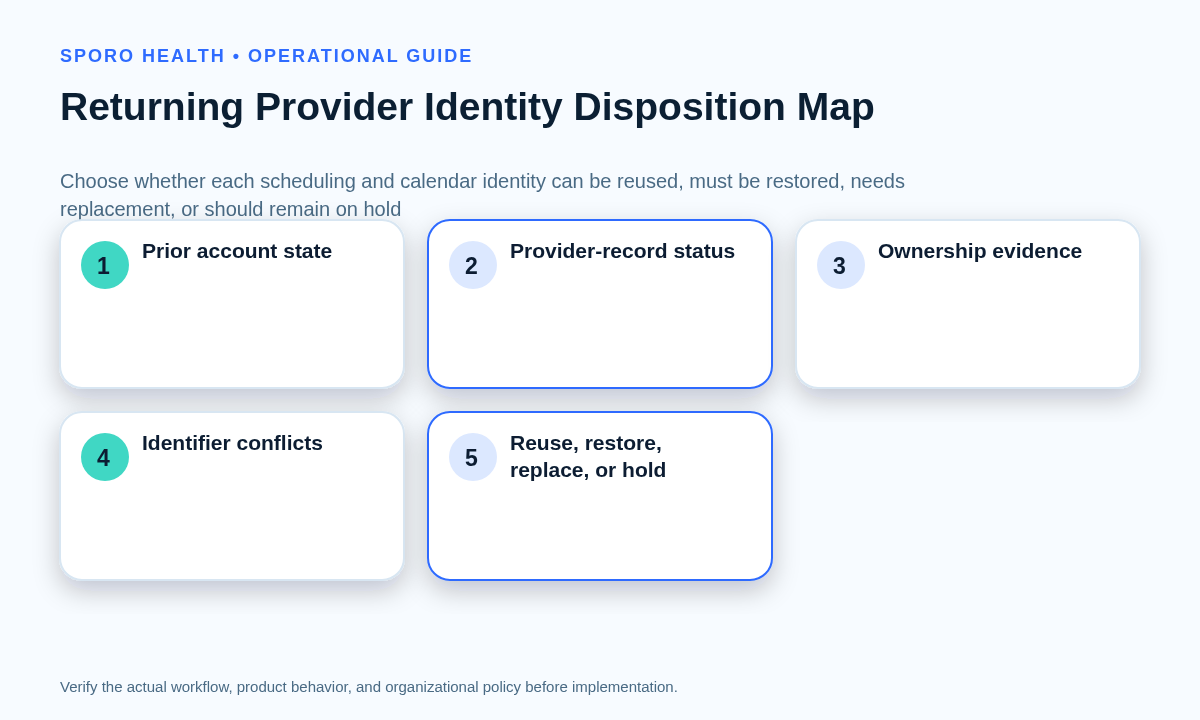
Classify every former identity and calendar asset as reuse, restore, replace, or hold before changing production. Apply the disposition separately to the athenahealth provider record, login, mailbox, primary or secondary calendar, integration profile, and each material access path. One provider can legitimately have different outcomes across those objects.
Begin with the exit record and the actual provider calendar offboarding checklist. Do not assume that the recorded offboarding action was completed, remained unchanged, or can now be reversed. athenahealth’s current athenaOne Service Description shows that appointment scheduling spans providers, departments, templates, permissions, recurring series, and booking actions, so identity recovery alone cannot prove schedule readiness.
| Path | Use it when | Required evidence |
|---|---|---|
| Reuse intact | The object remained active, correctly owned, uniquely identified, and approved for the returning role. | Current owner, identifier, permissions, mapping, and scope are documented and tested. |
| Restore | The prior object is recoverable through the platform’s supported process and still belongs to the same person and operating model. | Restore record, conflict review, licensing or account state, and post-restore tests. |
| Replace | The old object is unavailable, wrongly owned, conflicted, or unsuitable for the new department, role, or account model. | Approved target identity, controlled mapping cutover, old-artifact disposition, and rollback plan. |
| Hold | Ownership, provider identity, future appointments, calendar destination, or effective dates remain uncertain. | Named blocker, containment action, accountable owner, resolution evidence, and retest. |
What should the return-state worksheet compare?
Compare the provider’s former production state with the approved return state before configuration begins. The worksheet should expose changed dependencies instead of allowing administrators to copy the former setup and discover conflicts after booking opens.
| Layer | Former state | Approved return state | Owner and proof |
|---|---|---|---|
| athenahealth identity | Provider record, login, status, identifiers | Reuse, restore, replace, or hold | Scheduling administrator and identity evidence |
| Operational scope | Departments, locations, role | Authorized return scope and effective date | Practice and credentialing approval |
| Schedule design | Templates, appointment types, blocks | Approved capacity and exceptions | Template comparison and review |
| Booking exposure | Staff, patient, referral, or other channels | Closed, limited, or fully released | Channel inventory and release owner |
| Calendar topology | Mailbox, calendar, shares, delegates | Approved owner, target, and human access | Platform administration evidence |
| Integration topology | Application access and provider mapping | Approved scope and unique mapping | Vendor or integration test evidence |
| Future commitments | Appointments, meetings, blocks, recurrence | Keep, reassign, recreate, remove, or quarantine | Transaction-level reconciliation |
| Lifecycle dates | Separation and asset disposition dates | Return, booking, and review dates | One approved control record |
Draw the before-and-after topology in one chain: provider record, departments, login, mailbox or calendar, direct shares, groups, application grants, integration mapping, mobile copies, and accountable owners. Any unexplained break or duplicate in that chain is a hold condition.
How should stale calendar and scheduling state be contained?
Keep uncertain artifacts outside the released workflow until each has an approved disposition. Quarantine means preventing an object from controlling booking or receiving new synchronized writes while preserving enough evidence to decide whether it should be kept, reassigned, recreated, removed, or investigated.
- Compare old schedule templates, frozen slots, recurring blocks, and appointment-type eligibility with the new role.
- Verify future patient appointments in athenahealth against the provider’s approved return departments and locations.
- Inventory every booking surface so an old department or patient-facing channel does not reopen silently.
- Review transferred meetings, organizer responsibilities, secondary calendars, aliases, and recurring external events.
- Find former delegates, group-derived access, mailbox permissions, application grants, and mobile calendar copies.
- Search for duplicate provider mappings, inactive integration profiles, and events created by earlier integrations.
Google’s current event and secondary-calendar transfer guidance distinguishes transferred future events from secondary-calendar ownership. Google also announced that the non-personal Workspace lifecycle rollout began on October 5, 2026, meaning secondary calendars can now follow the lifecycle of their data owner; transfer must occur before deletion. Review the lifecycle announcement and the administrator-only secondary-calendar ownership transfer method when relevant.
Should a returning provider reuse old accounts or receive new ones?
Reuse or restore an old account only when its ownership, identifiers, calendar target, permissions, and approved purpose still match the returning role. Recreate the identity when continuity would preserve a conflict, stale ownership model, uncontrolled artifact set, or unsuitable account type.
Google currently documents a 20-day window for restoring a recently deleted Workspace user and notes that transferred or suspended states may follow a different restoration path. Microsoft documents a 30-day deleted-user restoration window, restored mailbox data, licensing needs, and possible username or proxy-address conflicts. Consult the current Google Workspace restoration guidance, Microsoft 365 user restoration guidance, and Exchange Online mailbox restoration guidance before selecting a path.
| Decision factor | Restore the former identity | Create a controlled replacement |
|---|---|---|
| Continuity | Stable provider and calendar identity remains useful. | New role needs a clean lifecycle boundary. |
| Ownership | Practice-approved owner remains correct. | Former account or calendar is no longer appropriately controlled. |
| Identifier conflicts | No conflicting username, address, alias, or provider mapping. | Conflict cannot be resolved without ambiguity. |
| Retained artifacts | Events and permissions can be classified reliably. | Old residue is too broad or uncertain to trust. |
| Testing burden | Restored object can be isolated and fully tested. | Replacement offers clearer positive and negative tests. |
| Rollback | Restore can be disabled without harming retained obligations. | New mapping can be removed while the old state remains contained. |
| Evidence | Restore logs, ownership, mapping, and transactions pass review. | Creation, cutover, artifact disposition, and closure are documented. |
If an address, username, mailbox, or calendar target changes, use the provider email and calendar identity cutover checklist. For ownership decisions, consult the personal versus managed Google Calendar decision guide or the Outlook calendar ownership decision guide.
What access and mappings must be approved again?
Reapprove every human and application access path for the returning role rather than inheriting the former state. A successful sign-in or restored mailbox does not establish that calendar sharing, delegate behavior, application consent, provider mapping, mobile access, or booking authority is correct.
- Confirm the calendar data owner, primary target, secondary calendars, aliases, and approved devices.
- Review direct shares, delegates, groups, default access, mailbox-level rights, and meeting-request routing.
- Identify the application identity, permission type, granted scope, integration profile, and provider-calendar mapping.
- Remove former staff, broad groups, obsolete applications, and duplicate mappings before positive testing.
- Run negative tests showing that excluded calendars, providers, departments, and former delegates remain inaccessible.
Google represents calendar access through explicit ACL roles and organization policies. Microsoft separately models calendar sharing, delegate roles, private-event access, and application permissions; review Microsoft’s Outlook calendar sharing and delegation guidance. Treat the effective-access result—not the account’s restored label—as the approval object.
What acceptance tests should pass before booking reopens?
Execute representative positive, negative, exception, and rollback tests against the provider’s actual return configuration. A visual calendar check is insufficient because time, department, recurrence, permissions, mappings, and excluded targets can fail independently.
| Scenario | Required proof | Stop condition |
|---|---|---|
| Create an appointment | Correct provider, department, location, type, time, duration, and approved calendar result | Wrong target, duplicate, missing update, or unauthorized exposure |
| Reschedule | Original state closes and the new interval appears once | Old slot or external artifact remains active |
| Cancel | Cancellation follows the approved workflow in every in-scope view | Orphan event, stale capacity, or unresolved follow-up |
| Recurring change | One-occurrence and series-level scope behave as intended | Unselected occurrences change or remain stale |
| Provider block | Approved block affects only the intended interval and scope | Patient appointment is overwritten or unrelated capacity closes |
| Location and department | Booking and visibility match the authorized return topology | Former location or department remains exposed |
| Staff access | Authorized staff can complete their tasks; excluded users cannot | Missing necessary access or residual former access |
| Calendar update | Approved destination updates with the expected identity and fields | Wrong calendar, unexpected details, or duplicate mapping |
| Excluded calendar | No event or availability effect occurs | Excluded asset receives or controls a transaction |
| Rollback | Booking can be contained and the prior safe state restored | Rollback depends on undocumented manual reconstruction |
athenahealth’s current event-notification topics distinguish appointment schedule, reschedule, cancel, update, freeze, and unfreeze activity and support department filtering. Use that lifecycle as a minimum test vocabulary, then adapt the booking-readiness gate for a new provider to the returning provider’s historical identities and artifacts.
How should booking release and early stabilization be measured?
Release booking only when every in-scope object has an approved disposition, acceptance tests pass, and named owners accept remaining exceptions. Use limited exposure when only a bounded staff or channel scope is approved; do not interpret partial readiness as permission to open every former booking surface.
- Confirm that department, location, role, employment status, return date, and calendar identity still match the approved worksheet.
- Verify that future appointments and booking channels reflect the return scope.
- Close or formally accept residual permissions, artifacts, mappings, and test defects.
- Name the release approver, rollback owner, monitoring owner, and exception owners.
- Pause release and repeat affected reviews whenever a core return dependency changes.
| Stabilization measure | Definition |
|---|---|
| Configuration coverage | Approved provider-calendar pairs verified divided by pairs in scope |
| Failed scenarios | Acceptance or live scenarios that did not reach the expected state |
| Residual findings | Unresolved access, event, template, booking, or mapping findings |
| Post-release corrections | Production changes needed after the readiness decision |
| Oldest mismatch age | Time since the earliest unresolved schedule discrepancy was detected |
| Verified closure | Provider-calendar pairs with evidence that all required work is complete |
A rehire after completed separation needs a stronger historical-state review than the provider leave reactivation checklist, but the same principle applies: a changed return date or scope reopens affected dependencies rather than becoming an informal production patch.
Where do connected-calendar options fit?
Evaluate a connected-calendar product only after the provider identity, target calendar, return scope, and acceptance criteria are explicit. Review Sporo Health scheduling resources, the current athenahealth and Google Calendar product page, the athenahealth and Microsoft Outlook product page, and the Sporo Health athenaConnect Marketplace listing as commercial destinations.
Treat every product statement as a vendor claim until the practice receives a provider-specific mapping, permission, field, exception, restoration, and rollback demonstration. A measured next step is to request that review only after the return-state worksheet and test cases are complete.
How to reactivate a returning provider’s athenahealth schedule
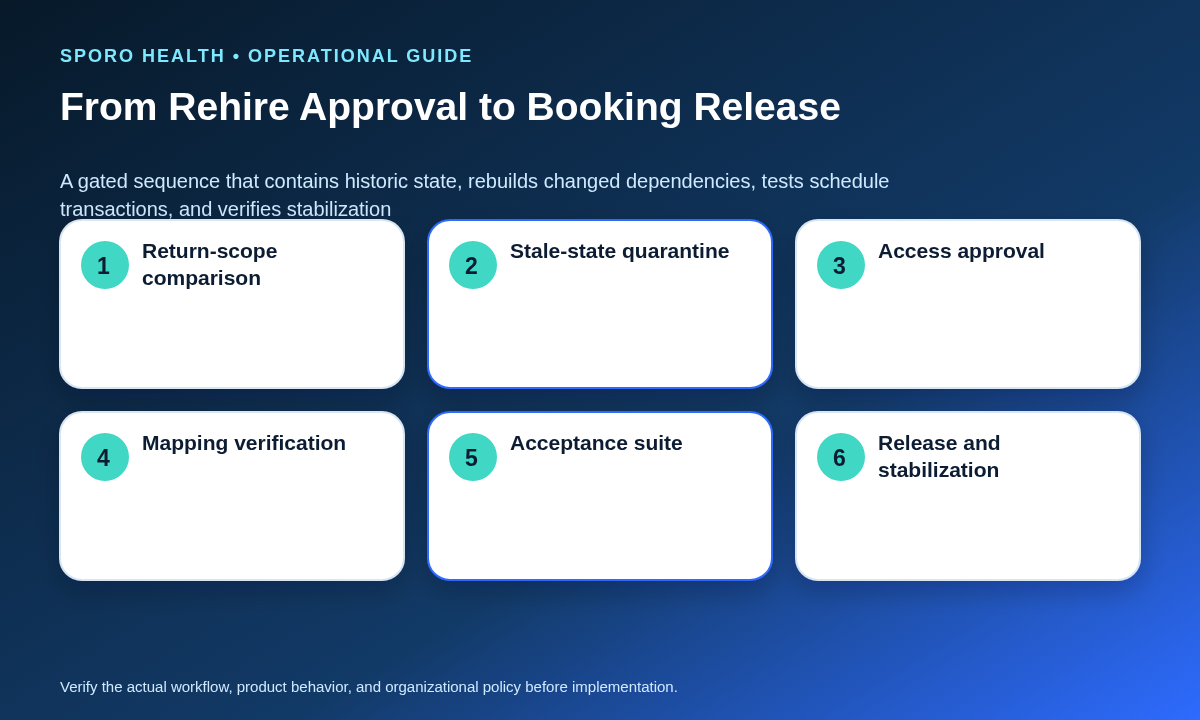
Use one gated sequence from rehire approval through verified stabilization. Do not reopen booking merely because an account, provider record, mailbox, or calendar has become visible again.
- Obtain the approved return date, role, department, location, employment status, and booking scope.
- Retrieve the offboarding record and inventory every former identity, calendar, event set, access path, and mapping.
- Assign reuse, restore, replace, or hold to each object.
- Build the before-and-after topology and future-appointment review.
- Quarantine stale templates, events, permissions, booking exposure, and duplicate mappings.
- Restore or create identities through each platform’s supported process.
- Reapprove human access, application access, calendar ownership, and provider mapping.
- Run the full transaction, exclusion, and rollback acceptance suite.
- Approve bounded booking exposure, monitor early operation, and close only with verified evidence.
That is how to reactivate a returning provider’s athenahealth schedule without silently reviving obsolete access, transferred calendar state, wrong-department capacity, or an untested integration mapping.
Frequently asked questions
Should a returning provider reuse the old athenahealth and calendar accounts or receive new ones?
Reuse prior accounts only when ownership, identifiers, permissions, provider mapping, calendar target, and lifecycle approval still match the returning role; otherwise restore, replace, or hold them.
What should be checked after restoring a provider’s Google Workspace or Microsoft 365 account?
Verify the license and sign-in state, mailbox or calendar ownership, human shares and delegates, application grants, integration mapping, mobile access, aliases, and representative calendar transactions; restoration alone does not prove readiness.
How should transferred calendar events and old availability blocks be handled when a provider returns?
Give each item an explicit keep, reassign, recreate, remove, or quarantine disposition, and verify future patient appointments in athenahealth before changing any external copy.
What should happen if the provider changes department, location, role, or email address?
Pause booking release, update the before-and-after topology and future-appointment review, rebuild affected mappings or permissions, and rerun the impacted acceptance tests.
What acceptance tests should pass before reopening the schedule?
Test appointment creation, rescheduling, cancellation, recurring changes, provider blocks, location handling, staff visibility, calendar updates, excluded-calendar behavior, and rollback in the actual target configuration.
How should a practice measure early schedule stability after provider reactivation?
Track configuration coverage, failed scenarios, residual findings, post-release corrections, oldest mismatch age, and verified closure for each provider-calendar pair until the practice-defined exit criteria are met.
Sources
Primary platform documentation reviewed October 23, 2026:
- athenaOne Service Description
- athenahealth Event Notifications Subscription Topics
- Google Workspace: Restore a recently deleted user
- Google Workspace: Cancel or transfer events or secondary calendars
- Google Workspace secondary-calendar lifecycle update
- Google Calendar API: Transfer secondary-calendar ownership
- Microsoft 365: Restore a user
- Exchange Online: Delete or restore user mailboxes
- Microsoft Graph: Share or delegate an Outlook calendar