Temporary Provider Coverage Across athenahealth Locations: A Home-to-Host Playbook
For multi-location practice managers asking how to schedule temporary provider coverage across athenahealth locations, treat each request as a bounded home-to-host assignment—not as a location label or casually opened calendar interval. Protect the provider’s home commitments first, prove the host clinic is ready, release booking in stages, and close or formally extend the assignment at its approved boundary.
How do you schedule temporary provider coverage across athenahealth locations?
Temporary coverage should be controlled as a time-bounded assignment that preserves a named home site while authorizing a specific host interval. Define the provider, home and host departments, effective start and end, eligible appointment scope, booking horizon, release owner, exception owner, and expiry before changing capacity.
athenahealth’s public event-notification reference lists schedule, reschedule, cancel, and update topics for appointments, with department filtering available. That supports transaction-level verification, but it does not replace practice approval or prove that a host session is operationally ready. See the athenahealth event-notification topics.
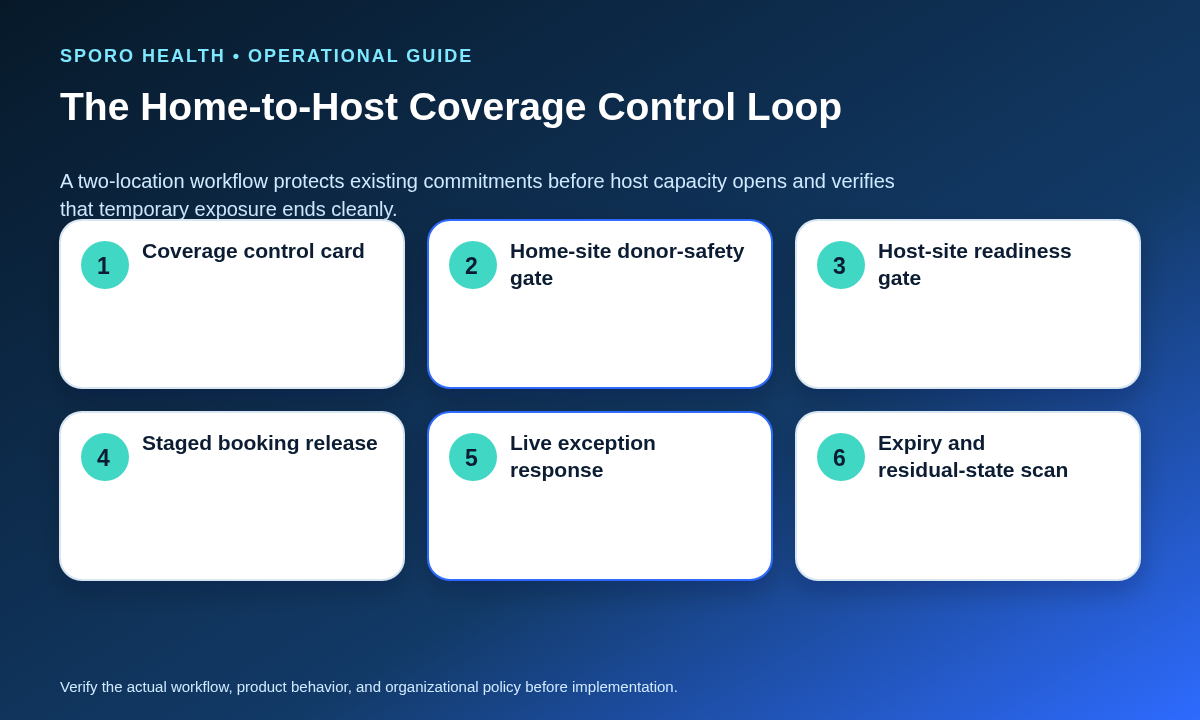
Keep one versioned coverage transaction card with:
- home site, host site, provider, and approved interval;
- appointment types, durations, resources, and booking channels in scope;
- home-site protections, travel boundary, and booking horizon;
- release state, exception owner, expiry, and closure checkpoint;
- each approval, revision, extension, early end, and final verification.
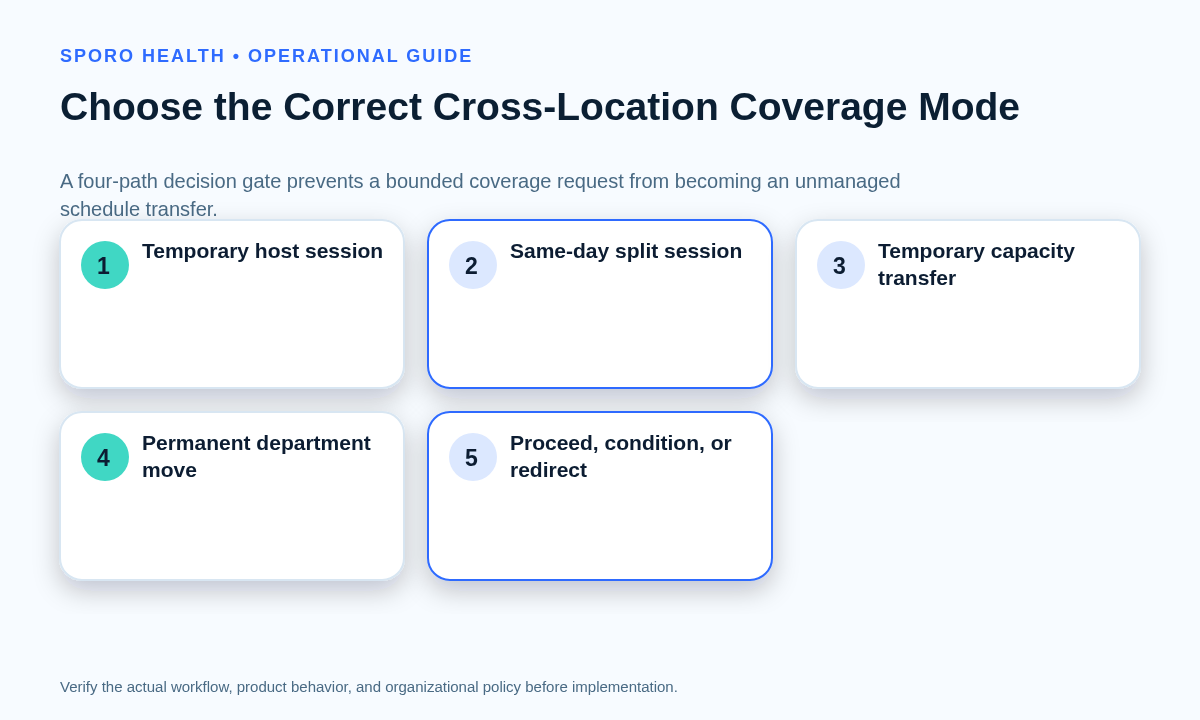
Which coverage mode fits the request?
Choose the operating model before configuration begins. Duration, recurrence, same-day movement, and ongoing ownership determine whether the request belongs in this temporary coverage workflow or should be redirected.
| Path | Use it when | Decision |
|---|---|---|
| Temporary host session | One or several bounded sessions support another clinic while the home assignment remains intact. | Proceed through both readiness gates. |
| Same-day split session | The provider works at both locations on one day. | Condition on nonoverlap, travel, and overrun controls. |
| Temporary capacity transfer | A recurring home allocation is lent to another site for a defined period. | Use capacity-transfer governance and an explicit return date. |
| Permanent department move | The host site becomes the provider’s ongoing operating boundary. | Redirect to a controlled department transfer. |
For adjacent models, review allocating recurring provider capacity by clinic location, same-day split-location schedule boundaries, and the permanent provider department transfer checklist.
How do you run the home-site donor-safety gate?
The host clinic cannot gain capacity by creating an unresolved conflict at the provider’s home site. Build a two-sided commitment census for the exact interval before releasing host booking.
- List home-site appointments, protected time, call duties, meetings, procedures, and other approved commitments.
- Check preceding and following sessions, travel, parking, setup, documentation, and recovery time.
- Identify future booking exposure that could refill capacity intended for the host.
- Assign each conflict a resolved, conditioned, contained, or redirect disposition.
When movement between sites is required, apply the provider travel-time buffer playbook. Do not treat an apparently open interval as usable until the home schedule and transition boundary agree.
What must the host-readiness gate verify?
Release host capacity only when the exact provider-location-interval bundle is ready. A general statement that the provider can work at the site is insufficient.
| Readiness area | Required evidence |
|---|---|
| Department | The approved host department and location match the assignment. |
| Appointment scope | Eligible appointment types, durations, modes, and exclusions are documented. |
| Resources | Required rooms, equipment, and support roles are available. |
| Staff authority | Named roles can view, book, change, and verify the session. |
| Booking channels | Internal, central, referral, and patient-facing channels follow the approved horizon. |
| Instructions | Location-specific patient and staff instructions are ready. |
| Calendar mapping | The intended time, location, and availability state can be verified. |
| Fallback | A named owner can freeze capacity and manage disruption. |
The gate should produce proceed, proceed with conditions, hold, or redirect. Record unmet conditions on the transaction card rather than relying on informal follow-up.
How should booking open in stages?
Open temporary coverage through an internal hold, staff-only release, and broader exposure only if the assignment requires it. Each stage needs a named approver, defined booking horizon, and evidence that the host schedule is correct.
- Internal hold: reserve the interval while home and host checks finish.
- Staff-only booking: permit trained schedulers to use the approved appointment scope.
- Broader exposure: open additional channels only after representative bookings and connected-calendar views pass verification.
At every stage, test the provider, department, appointment type, duration, resource, time, location, and cancellation or reschedule path. If evidence is incomplete, keep the narrower release state.
How should Google Calendar or Outlook show temporary coverage?
Use Google Calendar or Outlook as supporting visibility, not independent booking authority. Verify the event time, time zone, location, availability status, recurrence scope, and removal or extension at the coverage boundary.
The Google Calendar Events resource separates location, start and end, recurrence, and transparency. Google also documents working-location events as transparent and allows overlapping working-location entries, so a working-location signal alone cannot prove that patient-booking capacity is authorized; see Google Calendar status events.
The Microsoft Graph event resource likewise separates location, start and end with time zone, recurrence, and Show As values such as free, tentative, busy, out of office, and working elsewhere. Define which state the practice expects and test it.
Apply the practice’s documented provider-location booking authority whenever the EHR schedule and connected calendar disagree.
What should happen when temporary coverage is disrupted?
Freeze uncertain capacity, protect booked patients, choose an authorized disposition, and reconcile both locations before reopening. Do not keep accepting appointments while travel, resource, provider, or home-site status remains unresolved.
| Trigger | Immediate control | Recovery evidence |
|---|---|---|
| Home session overrun or travel delay | Freeze affected host capacity and reassess arrival feasibility. | Both sites show the approved remaining plan. |
| Host resource failure | Contain appointment types that require the failed dependency. | Resource and schedule states match. |
| Provider unavailability | Stop new booking and route existing appointments through approved review. | Every appointment has an owner and disposition. |
| Wrong-location booking or stale event | Preserve identifiers, correct the authoritative schedule, and remove residue. | One valid representation remains. |
If an entire booked session cannot proceed, use full-session recovery when a provider clinic is canceled rather than improvising patient-level changes inside the coverage ticket.
How do you close or extend temporary coverage?
Close the assignment only when a residual-exposure scan confirms that every affected surface matches the approved end state. Check the home schedule, host schedule, booking channels, future appointments, connected-calendar events, temporary access, resource holds, and unresolved exceptions.
- Stop future host booking at the approved boundary.
- Confirm that no appointment remains beyond valid provider or resource scope.
- Remove bounded calendar events, holds, mappings, or permissions that should end.
- Restore home capacity only where the approved plan requires it.
- Record closure evidence and the final transaction-card version.
An extension should create a new approved interval, booking horizon, readiness decision, and closure checkpoint. Never allow the original assignment to drift silently into an ongoing department move.
How should coverage integrity be measured?
Measure whether temporary assignments opened correctly, remained conflict-free, recovered safely, and ended on time. Use stable denominators and review the underlying cases rather than setting unsupported universal targets.
| Measure | Suggested calculation |
|---|---|
| Wrong-location booking rate | Wrong-location bookings divided by host bookings. |
| Premature opening rate | Host sessions opened before readiness divided by host sessions. |
| Donor-site conflict rate | Assignments with home conflicts divided by assignments. |
| Unclosed capacity rate | Ended assignments with residual exposure divided by ended assignments. |
| Same-day recovery rate | Disrupted sessions reconciled that day divided by disrupted sessions. |
| Overrun rate | Assignments active beyond their approved end divided by ended assignments. |
Where do connected-calendar options fit?
Connected-calendar products may support schedule visibility, but they do not replace coverage approval, readiness, booking authority, exception ownership, or closure. Start with Sporo Health’s current site, then review the athenahealth and Google Calendar product page, the athenahealth and Microsoft Outlook product page, and the athenaConnect Marketplace listing.
Those destinations are vendor materials. Require a witnessed test of the exact departments, event states, date boundaries, failure paths, data choices, permissions, and cleanup behavior proposed for the practice.
How do you put the playbook into use?
Use one accountable coverage owner and one transaction card from request through closure. A practical sequence is:
- Classify the coverage mode.
- Create the bounded control record.
- Run the home-site donor-safety gate.
- Run the host-readiness gate.
- Release booking in controlled stages.
- Monitor the live coverage interval.
- Recover disruptions across both sites.
- Close or approve a new interval.
This is how to schedule temporary provider coverage across athenahealth locations without turning a short assignment into an unmanaged capacity transfer or permanent operating change.
Frequently asked questions
How do you schedule temporary provider coverage across athenahealth locations?
Treat it as a bounded home-to-host assignment with a named provider, home site, host site, effective interval, appointment scope, release owner, and expiry. Protect home commitments, prove host readiness, release booking in stages, and reconcile both locations when coverage ends.
Is temporary coverage the same as moving a provider between departments?
Temporary coverage is not the same as moving a provider between departments; coverage has a defined end and preserves the home assignment, while a transfer changes the provider’s ongoing operating boundary.
Can a provider cover two locations on one day?
A provider can cover two locations on one day only when nonoverlapping sessions, travel and recovery buffers, location-specific booking rules, and a late-running-session response are documented and tested.
Should existing appointments move to the covering provider?
Existing appointments should move to the covering provider only when the practice has approved provider, appointment-type, location, resource, and patient-specific eligibility; otherwise route them to another disposition for authorized review or rebooking management oversight when appropriate under clinic procedures and role boundaries as defined.
What should a coverage transaction card contain?
The coverage transaction card should record the home and host sites, provider, approved interval, appointment scope, booking horizon, release state, travel boundary, exception owner, extension decision, version, and closure checkpoint.
How should Google Calendar or Outlook show temporary clinic coverage?
Google Calendar or Outlook should show the approved time and location as supporting visibility, with the intended availability status and recurrence scope. The calendar entry should not independently authorize booking, and it must be removed or extended at the approved boundary.
How do you close or extend temporary provider coverage?
Close coverage only after the host schedule, home schedule, booking channels, future appointments, calendar events, temporary access, and open exceptions match the approved end state. An extension should create a new approved interval rather than silently continuing the old assignment.
Sources
Primary technical references and current commercial destinations consulted: