Private Outlook Appointments in athenahealth Scheduling: An Availability-Without-Details Test
How should private Outlook appointments affect physician availability in athenahealth? They should constrain booking only when the event’s availability status, calendar scope, and tested integration outcome support that disposition; the Private label alone is not enough. Microsoft 365 healthcare IT administrators should target availability without details: protect the approved interval while withholding unnecessary event context from roles that do not need it.
How should private Outlook appointments affect physician availability in athenahealth?
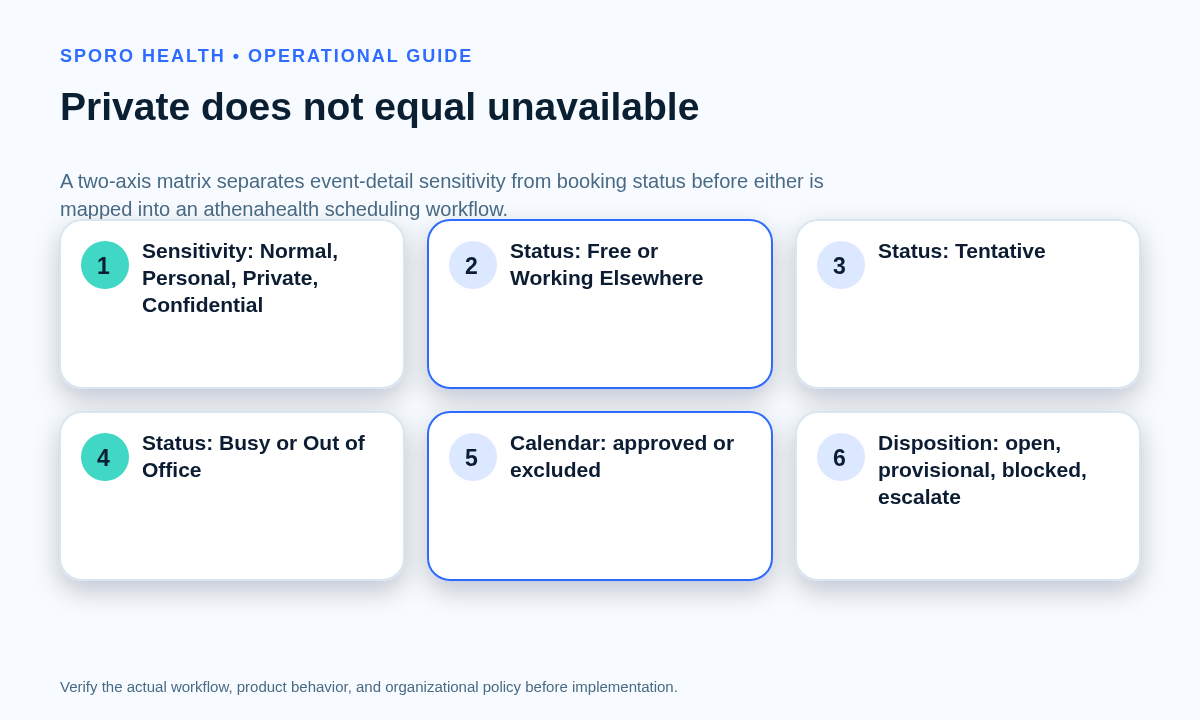
A Private label should never be the sole booking rule. Outlook represents sensitivity and availability separately. The Microsoft Graph event resource defines sensitivity values such as Private independently from showAs values such as Free, Tentative, Busy, Out of Office, and Working Elsewhere. Microsoft’s private-event instructions also present the availability choice and Private setting as separate controls.
The operating objective is availability without details: an approved unavailable interval may constrain booking while its subject, location, body, attachments, attendees, and personal context remain hidden from people and systems that do not need them. Private is not a complete access policy, however. Use the Outlook Editor vs. Delegate role-permission guide for human roles and the multiple Outlook calendar coverage and precedence guide to identify the exact calendar in scope.
What availability-without-details rule should the practice approve?
Approve a disposition for every sensitivity, availability, and calendar-scope combination before testing begins. Microsoft’s free/busy documentation maps Free and Working Elsewhere to one merged availability value, Tentative to another, Busy to another, and Out of Office to another. An integration may use a different event-level path, so observed behavior still controls acceptance.
| Sensitivity | Outlook availability | Calendar scope | Required booking disposition | Detail objective |
|---|---|---|---|---|
| Private | Free | Approved | Open | Details hidden unless separately authorized |
| Private | Working Elsewhere | Approved | Open or escalate under a separately approved rule | Details hidden |
| Private | Tentative | Approved | Provisional hold or escalation | Details hidden |
| Private | Busy | Approved | Blocked | Details hidden |
| Private | Out of Office | Approved | Blocked | Details hidden |
| Private | Any status | Not approved | No booking effect; investigate unexpected influence | No unauthorized access |
| Normal control event | Busy | Approved | Blocked control result | Only policy-approved fields visible |
“Open,” “provisional,” “blocked,” and “escalated” are practice-owned dispositions. Do not let a software default silently create the policy.
Why must five control boundaries stay separate?
Evidence that one boundary works does not prove the other four are correct. Record each boundary independently in the test evidence:
- Event sensitivity: whether the item is Normal, Personal, Private, or Confidential.
- Availability status: whether the interval is Free, Working Elsewhere, Tentative, Busy, or Out of Office.
- Calendar coverage: whether that exact primary, additional, shared, or delegated calendar is approved as an availability input.
- Human permissions: which owner, viewer, Editor, or delegate can see or change the item.
- Application authorization: which mailbox, calendar, endpoint, and fields the integration can access.
Place this test inside the Microsoft 365 preflight checklist for an athenahealth Outlook integration. Use the minimum necessary calendar data worksheet to document why each exposed field is required. Microsoft’s Graph permissions reference distinguishes basic calendar access from broader read or write access, but the permission name alone does not prove what the integration stores, transforms, displays, or forwards.
Who must observe the acceptance test?
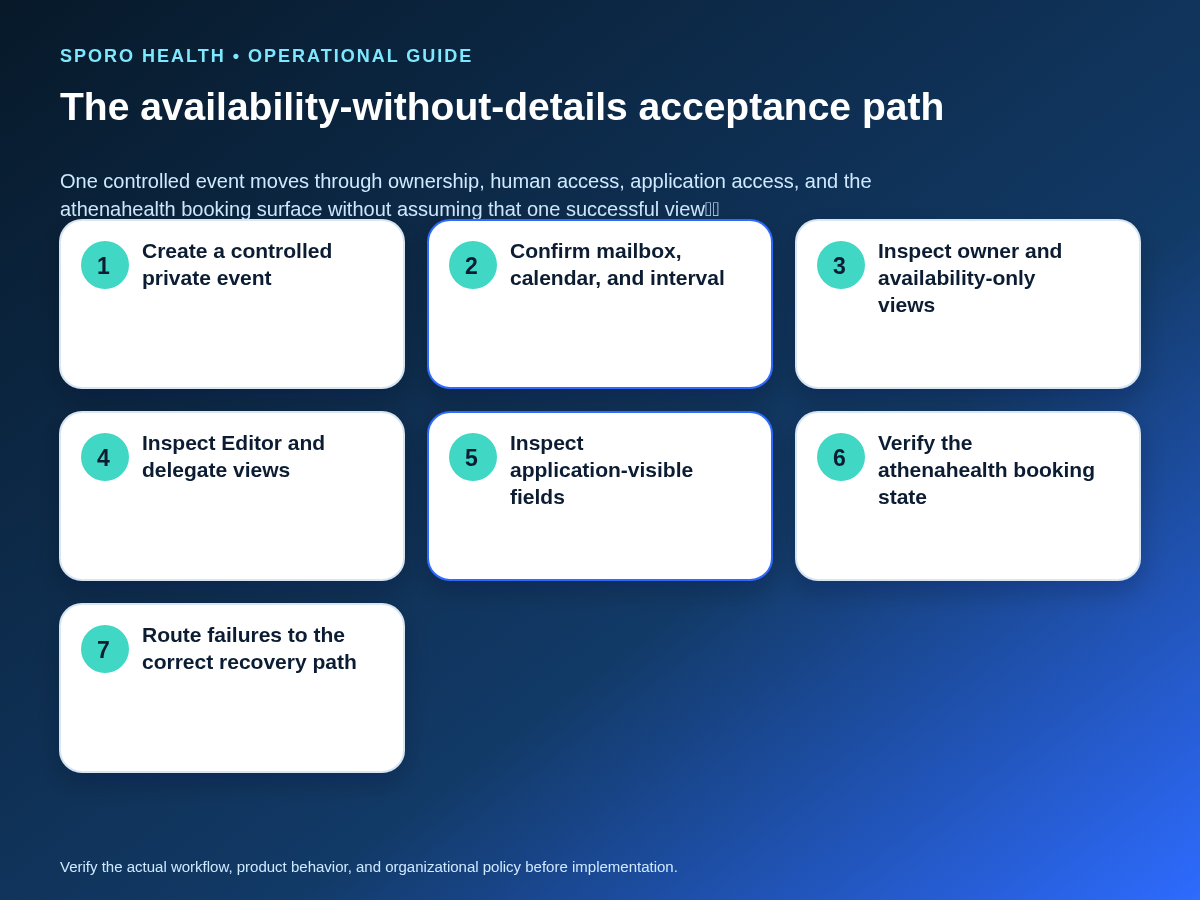
Use six observers because owner visibility, staff visibility, delegate rights, and application access are different paths. Current Exchange Online guidance treats the Editor role, delegate behavior, private-item permission, and mailbox-level access as separate controls.
| Observer | Acceptance evidence |
|---|---|
| Provider owner | Can see the complete event and confirms the intended Show As value, calendar, interval, and recurrence scope. |
| Availability-only viewer | Sees the correct free/busy result without subject, location, notes, attendees, attachments, or personal context. |
| Editor | Performs only the approved calendar task; private-detail visibility is tested rather than inferred from the role name. |
| Delegate without private-item access | Completes approved delegate tasks while private details remain unavailable. |
| Delegate with private-item access | Sees private details only when that access is explicitly approved for a named task. |
| Integration application | Reaches only approved mailboxes and calendars, returns only required fields, and produces the intended athenahealth booking state. |
Validate both folder and mailbox access. Microsoft’s calendar-permission validation guidance specifically calls for reviewing calendar roles, sharing flags such as CanViewPrivateItems, and direct Full Access entries.
How do you run a one-variable-at-a-time test?
Hold the provider, date, interval, mailbox, and expected booking result constant while changing only one property. This makes a failed outcome attributable instead of merely correlated.
- Create one controlled test event with a synthetic title and no patient information.
- Record mailbox, calendar ID or name, start and end, time zone, sensitivity, Show As, recurrence state, and expected disposition.
- Capture the six observer views and the application-visible response before checking athenahealth.
- Verify the resulting slot or booking surface in the actual workflow; athenahealth’s appointment documentation describes appointment and open-slot workflows, but the practice must test its configured integration path.
- Reset to the baseline, then vary sensitivity, Show As, calendar container, recurrence scope, viewer role, and application access one at a time.
- Retain timestamps, screenshots or field extracts, expected results, actual results, defect owner, correction, and retest evidence.
How should recurring private events be tested?
Test the series and its exceptions as separate event states. Microsoft Graph distinguishes series masters, occurrences, exceptions, and canceled occurrences, so a successful series-master test does not prove every instance is correct.
| Test case | What must be proved |
|---|---|
| Series master | The intended rule covers the complete approved range and ends on the recorded boundary. |
| Normal occurrence | Booking disposition and detail visibility match the baseline. |
| Moved occurrence | The old interval releases correctly and the new interval receives the intended disposition. |
| Edited occurrence | The single-instance change does not alter unaffected occurrences or expose new details. |
| Canceled occurrence | The canceled interval no longer constrains booking unless another valid control remains. |
| Series termination | No stale blocks or future detail exposure survive beyond the final occurrence. |
What should happen when availability and privacy fail in opposite directions?
Preserve the control that is working, contain the failed outcome, and avoid broad permission changes. The two defect directions require different recovery paths.
| Observed defect | Contain and trace | Recovery standard |
|---|---|---|
| Details remain hidden, but physician time stays open | Protect the interval through the approved containment process. Trace Show As, cancellation state, calendar coverage, recurrence state, and integration mapping. | Correct the smallest availability fault and repeat the booking test. Do not grant detail access to make blocking work. |
| Time blocks correctly, but private details appear | Keep schedule protection in place. Identify the human role, mailbox permission, application field, derived copy, or downstream view exposing details. | Reduce the field or access path and rerun all six observer tests. Do not mark the event Free merely to hide it. |
If the first defect appears in production, use the false-open diagnostic for physician calendar events to structure containment and evidence collection.
What if a private event overlaps a booked patient appointment?
Do not move an existing patient appointment solely because a new private event appears. Preserve both records, confirm authorization and timing, and route the overlap through the practice’s approved conflict-resolution workflow. The physician personal-calendar conflict playbook provides the broader availability-precedence path for resolving late personal commitments without asking scheduling staff to make an unauthorized decision.
How should approval be measured?
Use scenario exposures as denominators and set acceptable thresholds before testing starts. Report results by provider-calendar pair so a passing configuration cannot hide a failing one.
| Measure | Numerator | Denominator |
|---|---|---|
| False-open private intervals | Approved private scenarios expected to block but left bookable | Private scenario exposures expected to block |
| False-blocked private intervals | Approved private scenarios expected to remain open but blocked | Private scenario exposures expected to remain open |
| Unauthorized private-detail exposure | Observer tests revealing an unnecessary field | Observer-scenario exposures where that field should be hidden |
| Unresolved recurring exceptions | Recurring test cases without a verified final disposition | Recurring-series and occurrence test exposures |
The approval gate requires positive evidence that every approved private commitment produces its intended open, provisional, blocked, or escalated result. It also requires negative evidence that out-of-scope calendars do not influence booking and unauthorized people or applications cannot view unnecessary details. Thresholds are practice-owned; they should be declared before the evidence is reviewed, not invented after a result is known.
Where do connected-calendar products fit?
A product should be evaluated against this acceptance model, not treated as the source of the governance rule. Review Sporo Health, the athenahealth and Microsoft 365/Outlook product page, the separate athenahealth and Google Calendar product page, and the Sporo Health athenaConnect Marketplace listing as vendor destinations rather than independent proof.
If Sporo is under evaluation, ask for a witnessed test using the practice’s approved provider-calendar pair, all five Outlook availability states, the six observers, recurrence exceptions, and both failure directions. Confirm product-specific mappings and authorization in the demonstration, pilot evidence, and applicable agreement.
Frequently asked questions
Do private Outlook appointments always show as busy?
No. Private controls detail visibility, while Show As controls availability. A private event can be Free, Working Elsewhere, Tentative, Busy, or Out of Office, so the practice must test each approved state.
Can Outlook delegates see private calendar events?
Only when the effective permission path allows it. Test the delegate without private-item access and the delegate with private-item access separately, and also review mailbox-level access.
Can Microsoft Graph read private calendar event details?
Possibly, depending on delegated or application permissions, calendar permissions, endpoint, selected fields, and mailbox scope. Do not infer application visibility from a human Outlook view; inspect the actual API response used by the integration.
What if details are hidden but the athenahealth interval stays open?
Contain the interval, then trace Show As, event state, calendar scope, recurrence, and integration mapping. Do not grant broader detail access merely to make availability work.
What if the interval blocks but private details appear?
Keep schedule protection in place, reduce the exposed field or access path, and repeat all human and application visibility tests before approval.
How should recurring private Outlook appointments be tested?
Test the series master, a normal occurrence, a moved occurrence, an edited occurrence, a canceled occurrence, and the end of the series while checking both booking disposition and detail visibility.
What evidence should approve a private-event rule?
Approval needs positive evidence that approved private commitments produce the intended booking result and negative evidence that unauthorized people, calendars, and applications cannot see unnecessary details or influence booking.
What is the practical conclusion?
The practical answer to “how should private Outlook appointments affect physician availability in athenahealth” is to govern availability and detail access separately. Define every status and calendar outcome, test six observers, exercise recurrence exceptions, recover opposite failures through separate paths, and approve the rule only when both schedule protection and restricted visibility have evidence.
Sources
- Microsoft Graph event resource type
- Microsoft Graph free/busy schedule guidance
- Exchange Online calendar and delegate permissions
- Exchange Online calendar-permission validation
- Microsoft Graph permissions reference
- Microsoft Support: Create a private event in Outlook
- athenahealth appointment documentation