
athenahealth Calendar Sync Handoff: An Operations Acceptance Checklist
An athenahealth calendar sync operations handoff checklist gives practice managers a formal gate for transferring a live integration from implementation or hypercare to routine operations. The transfer is complete only when scope, ownership, known exceptions, monitoring, runbooks, fallback, training, and baseline measures are documented and the accepting owner records one of four decisions: accept, accept with conditions, extend hypercare, or reject transfer.
This is not another go-live test. It asks whether calendar integration implementation owners, clinical operations leaders, and healthcare IT integration owners can operate independently after the project team steps back. The evidence should be stored as an acceptance packet, not scattered across meeting notes and individual inboxes.
How do you use an athenahealth calendar sync operations handoff checklist?
Begin handoff only after the approved production scope has passed required checks and routine owners can perform the service without informal project knowledge. The gate should confirm that severe defects are closed or contained, production scope is known, named owners are available, and recovery procedures can be executed by the people accepting them.
This boundary matters because current federal health IT implementation guidance treats implementation as a combination of technology, workflow, people, communication, organizational culture, and contingency planning—not merely configuration completion. See the ASTP/ONC guidance for implementing health IT.
Use the completed wave record from the controlled provider rollout plan as the starting evidence. Do not reopen the rollout decision unless its assumptions, scope, or results have changed.
What belongs in the operations-acceptance packet?
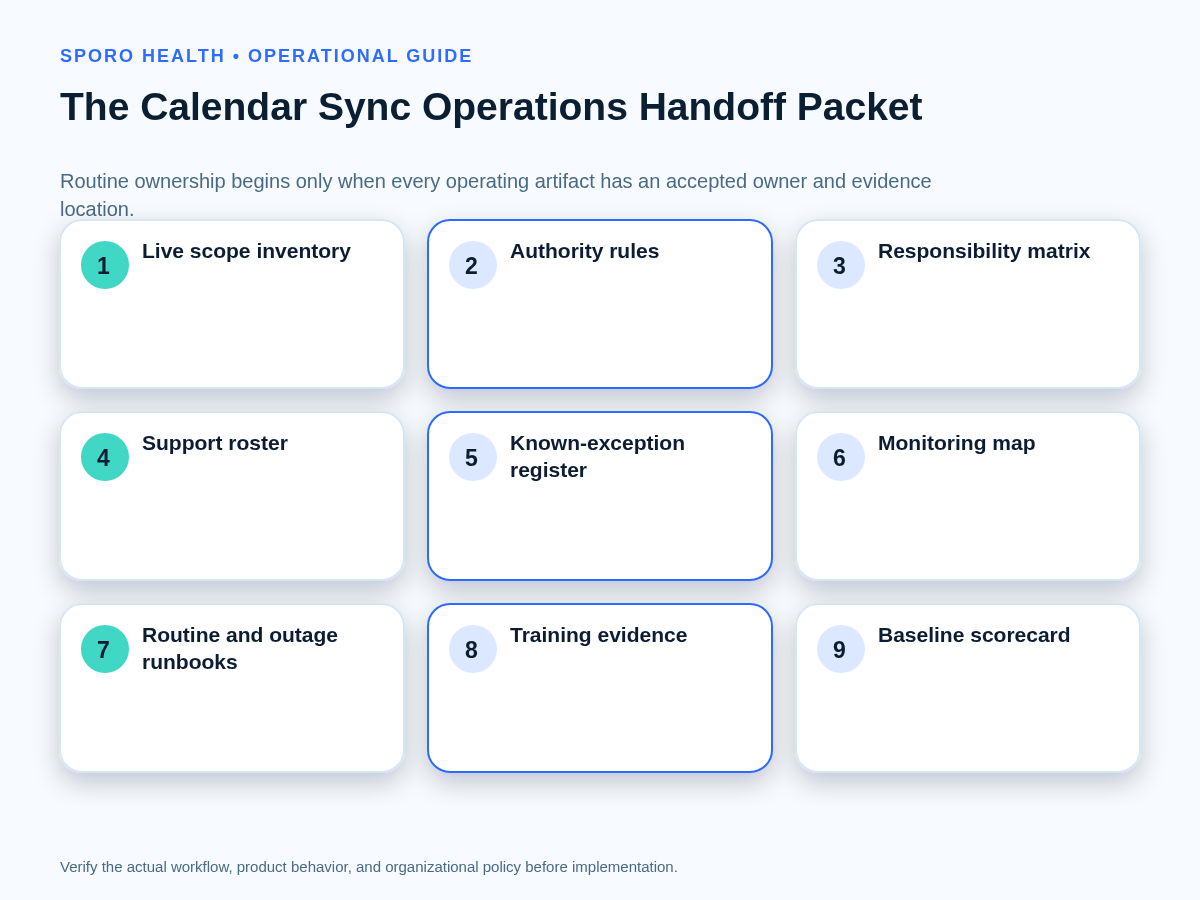
Build one packet with nine required artifacts, one evidence location for each artifact, and one named accepting owner. Missing documents should not be replaced by verbal assurances during the gate meeting.
| Required artifact | Minimum acceptance evidence |
|---|---|
| Live-scope inventory | Provider, calendar, account, department, location, platform, activation date, and current operating state. |
| Authority rules | Source-of-truth and edit-authority rules for appointments, blocks, cancellations, reschedules, and competing edits. |
| Support roster | Primary and backup owners, coverage hours, contact routes, vendor boundary, and decision authority. |
| Known-exception register | Every accepted defect or limitation, its consequence, containment, owner, deadline, and closure test. |
| Monitoring map | Signals, alert destinations, expected response, reconciliation control, and evidence location. |
| Routine runbooks | Normal change, reconciliation, access-loss, drift, restoration, and escalation procedures. |
| Contingency runbook | Outage declaration, fallback authority, change preservation, restoration, and reconciliation steps. |
| Training evidence | Role-based attendance, scenario rehearsal, competency gaps, and remediation records. |
| Baseline scorecard | Agreed measure definitions, observation window, segmentation, owner, and first review date. |
Attach approved requirements and test records from the calendar sync pilot acceptance matrix. Include the accepting team’s actual operating procedure, such as the daily schedule reconciliation playbook, instead of copying project summaries into a new document.
Who should accept routine ownership?
A named operations owner should accept the overall service, while each specialist accepts the controls assigned to that role. One person may hold several roles in a small practice, but the responsibilities must remain distinguishable.
| Role | Transfer responsibility | Completion evidence |
|---|---|---|
| Implementation owner | Explains live scope, decisions, dependencies, defects, and residual project work. | Packet walkthrough and signed transfer record. |
| Routine operations owner | Accepts staffing, daily controls, exceptions, communications, and service review. | Documented acceptance decision. |
| Technical owner | Accepts monitoring, identity, permissions, recovery, logs, and technical escalation. | Successful signal and recovery rehearsal. |
| Backup owner | Operates priority controls when the primary owner is unavailable. | Independent runbook demonstration. |
| Vendor contact | Receives evidence-rich escalations within the documented vendor boundary. | Verified contact path and escalation template. |
| Decision authority | Approves fallback, outage declaration, conditional acceptance, or rejection. | Named authority and reachable delegate. |
| Governance owner | Accepts policies involving access, data choices, retention, or organizational review. | Recorded approval or open governance condition. |
Every row needs an accepting name, effective date, backup, evidence link, and unresolved condition. “The IT team owns it” or “the vendor handles it” is not a completed transfer.
How should open defects be handled at handoff?
Record each open defect in a known-exception acceptance register and state explicitly whether it blocks, conditions, or does not affect the transfer. The register prevents a familiar limitation from becoming undocumented risk after the project team leaves.
For each exception, record:
- affected provider, calendar, location, platform, event type, and time horizon;
- observable operational consequence and how staff can recognize it;
- containment control and any approved workaround;
- owner, backup, target date, and vendor dependency;
- verification test and evidence required for closure; and
- blocking status: blocks acceptance, permits conditional acceptance, or remains informational.
Conditional acceptance is appropriate only when the scope is bounded, the consequence is understood, containment can be sustained, and a responsible owner accepts the work. If any of those statements is false, extend hypercare or reject the transfer.
How should monitoring and runbooks be rehearsed?
Ask routine owners to execute representative scenarios from the alert or request through containment, recovery, escalation, and documented closure. A read-through proves document awareness; a rehearsal tests independent operating capability.
The current SAFER System Management guide emphasizes continuous monitoring, maintenance, testing, and multidisciplinary review for EHR applications and system-to-system APIs. Translate that principle into a rehearsal record:
| Scenario | What the accepting team must demonstrate |
|---|---|
| Routine schedule change | Apply authority rules, verify the final state, and retain closure evidence. |
| Calendar access loss | Identify affected scope, protect schedules, restore or escalate access, and retest. |
| Missed change signal | Detect the gap, reconcile the interval, and verify signal recovery. |
| Reconciliation drift | Sample scope, classify mismatches, assign owners, and confirm closure. |
| Broad outage | Declare the incident, invoke fallback, preserve changes, and communicate status. |
| Service restoration | Reconcile the outage window and authorize normal operations only after checks pass. |
| Vendor escalation | Send timestamps, identifiers, scope, examples, attempted actions, and business impact. |
Use the calendar sync drift detection framework for reconciliation practice, the calendar sync failure triage matrix for alert handling, and the calendar integration outage recovery runbook for fallback and restoration rehearsal.
Can Google Calendar and Outlook use one handoff checklist?
They can share governance and acceptance categories, but platform identity, permissions, signals, subscription lifecycle, recovery, and test evidence must be verified separately. Do not treat one successful platform rehearsal as evidence for the other.
Use athenahealth’s FHIR Appointment profile as one input to the test inventory: appointment status, start and end, practitioner, location, and participation state are distinct dimensions. The practice and vendor must still document which fields and authority rules apply to the actual integration.
| Control | Google Calendar evidence | Outlook evidence |
|---|---|---|
| Identity and access | Calendar identity, owning account, effective permissions, and revocation test. | Mailbox identity, delegated or application access model, scope, and revocation test. |
| Change signals | Channel identity, routing, expiration monitoring, and downstream event retrieval. | Event subscription, notification endpoint, expiration, and lifecycle routing. |
| Missed-change recovery | Invalid sync-token response triggers a controlled full resynchronization. | Missed or removed subscription triggers recovery and interval reconciliation. |
| Schedule states | Create, change, cancel, delete, recurrence, timezone, access loss, and restoration. | Create, change, cancel, delete, recurrence, timezone, mailbox change, and restoration. |
Google documents that notification channels can expire and are replaced rather than automatically renewed, while an invalid incremental-sync token can require a new full synchronization. Review the official Google Calendar push-notification guide and incremental synchronization guide.
Microsoft documents event change notifications, delegated and application permission considerations, and lifecycle events such as missed, subscriptionRemoved, and reauthorizationRequired. Review the Outlook change-notification overview and Microsoft Graph lifecycle recovery guidance.
When can hypercare end?
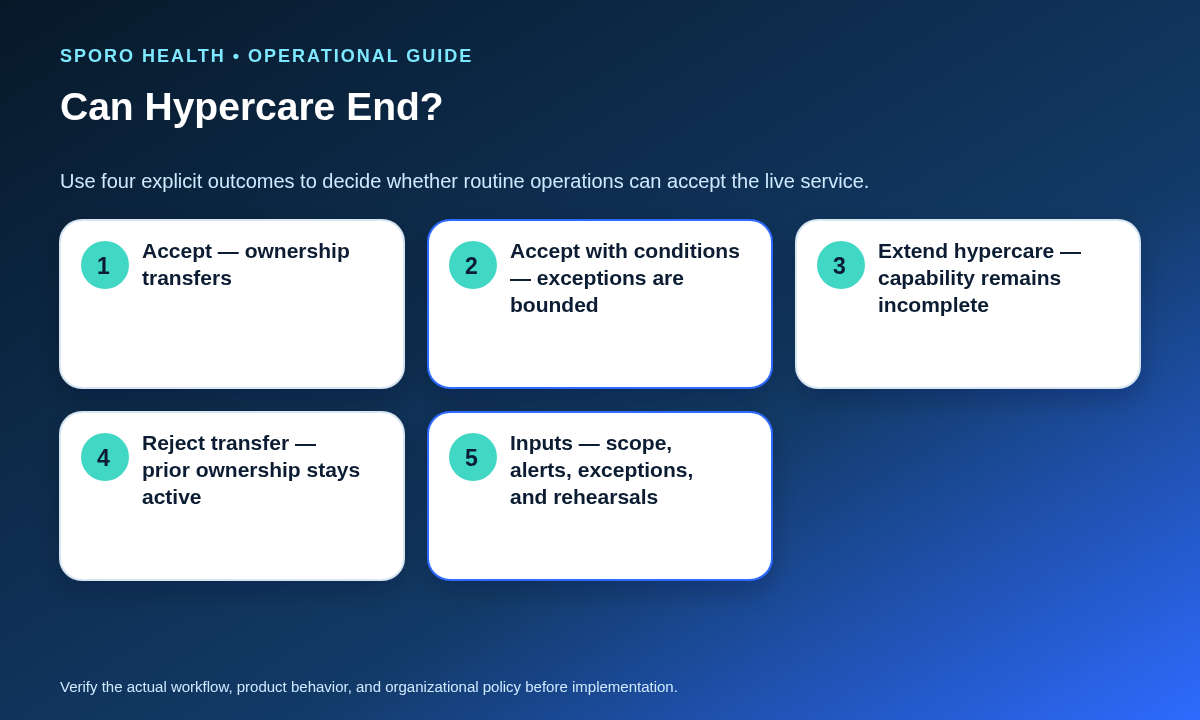
End hypercare only when representative operating cycles have been observed, blockers are closed or contained, alerts reach accepted owners, runbooks have been rehearsed, and routine operations can work independently. The gate should produce one of four explicit outcomes.
| Outcome | Decision standard | Ownership after the gate |
|---|---|---|
| Accept | Required evidence is complete, no blocking exception remains, and routine capability is demonstrated. | Routine operations assumes ownership on the recorded date. |
| Accept with conditions | Bounded exceptions have sustainable containment, owners, deadlines, and closure tests. | Operations accepts service; named owners retain conditional work. |
| Extend hypercare | Evidence, training, monitoring, rehearsal, or independent operation remains incomplete. | Temporary ownership continues through a new gate date. |
| Reject transfer | A blocker makes routine ownership unsafe or operationally uncontrolled. | The prior ownership model and fallback remain active. |
Record the decision authority, accepting owner, effective time, conditions, evidence links, dissenting concerns, and next review date. A meeting without a recorded disposition does not end hypercare.
Which measures matter during the first 30 days?
Use the first 30 days to establish a comparable operating baseline, not to manufacture a success percentage. Define each measure before acceptance and segment results by platform, provider wave, location, or other useful operating unit.
| Measure | Working definition |
|---|---|
| Alert-to-owner time | Elapsed time from the first actionable signal to acknowledgment by the responsible owner. |
| Exception age | Open time by severity, affected scope, owner, and blocking status. |
| Reconciliation completeness | Completed scheduled checks divided by expected checks, with skipped scope explained. |
| Repeat defects | Recurrence of the same defect class after an earlier closure or containment. |
| Training escapes | Rework caused by an unclear role, missed procedure, or misunderstood authority rule. |
| Fallback use | Each invocation, duration, affected scope, trigger, and reconciliation result. |
| Ownership gaps | Alerts, exceptions, controls, or decisions that reached no accepted owner. |
Review the baseline at a fixed cadence with operations and technical owners. The useful question is whether the control is becoming more predictable and better owned—not whether one aggregate number looks favorable.
How do you run the operations-acceptance meeting?
Run the meeting as an evidence review and decision gate, not as a project celebration. The accepting owner should chair the decision even if the implementation owner presents the packet.
- Confirm the production scope and excluded scope.
- Verify every required packet artifact and evidence location.
- Read back the responsibility-transfer matrix and backup coverage.
- Decide every known exception’s blocking and acceptance status.
- Review runbook rehearsal results and unresolved competency gaps.
- Compare Google Calendar and Outlook evidence separately where both are live.
- Select accept, accept with conditions, extend hypercare, or reject transfer.
- Record signatures, effective time, conditions, next review, and retained project obligations.
Distribute the final record to every owner named in the packet. Preserve prior ownership and fallback until the recorded effective time rather than assuming the meeting itself changed responsibility.
Put the handoff checklist into practice
The athenahealth calendar sync operations handoff checklist should leave routine owners with a service they can identify, monitor, reconcile, support, recover, and escalate without relying on project memory. If the evidence is incomplete, choose a controlled delay or rejection instead of an informal transfer.
If the gate surfaces product-fit or vendor-boundary questions, review the Sporo Health overview, the athenahealth and Google Calendar product page, the athenahealth and Outlook product page, and the Sporo Health athenaConnect Marketplace listing. Ask the vendor to map relevant claims to your live scope, runbooks, responsibilities, exceptions, and acceptance evidence.
Frequently asked questions
What is an athenahealth calendar sync operations handoff?
It is the documented transfer of a live integration from project or hypercare ownership to routine owners who accept its scope, controls, exceptions, monitoring, support, fallback, and escalation responsibilities.
Who should accept routine ownership?
A named operations owner should accept the service, while technical, implementation, and authorized governance roles accept the controls they own. Vendor responsibilities and escalation boundaries should be documented separately.
How should open defects be handled at handoff?
Record the affected scope, consequence, containment, workaround, owner, deadline, closure test, and blocking status. The gate should then accept the exception, impose conditions, extend hypercare, or reject transfer.
When can hypercare end?
Hypercare can end after representative operating cycles are observed, blockers are closed or formally contained, alerts reach the correct owners, runbooks are rehearsed, and the accepting team demonstrates independent operation.
Can Google Calendar and Outlook use one handoff checklist?
Yes for governance, ownership, acceptance, and measurement categories; no for platform evidence. Identity, permissions, change signals, subscription lifecycle, recovery, and test results must be verified separately.
What measures matter during the first 30 days?
Track alert-to-owner time, exception age, reconciliation completeness, repeated defects, training escapes, fallback use, escalation quality, and unresolved ownership gaps using definitions agreed before acceptance.
What if operations rejects the transfer?
Keep the prior ownership model and fallback active, document the blocking evidence, assign corrective actions, and schedule a new gate. Rejection is a controlled decision, not a failed meeting.
Sources
- ASTP/ONC SAFER Guides overview
- ASTP/ONC Implementing Health IT guidance
- SAFER System Management self-assessment
- athenahealth FHIR Appointment profile
- Google Calendar incremental synchronization guide
- Google Calendar push-notification guide
- Microsoft Graph Outlook change-notification overview
- Microsoft Graph lifecycle-notification guidance

One comment
Comments are closed.

[…] an access-removal owner, a verification owner, and a recovery decision. Evidence accepted during a calendar sync operations handoff checklist can seed the inventory, but retirement requires proof that the post-integration state […]