Room and Equipment Double-Booking Between athenahealth and Outlook: A Resource-Control Playbook

For Microsoft 365 healthcare IT administrators asking how to prevent room and equipment double booking between athenahealth and Outlook, the answer is to name one booking authority, treat each Outlook resource mailbox as a separate reservation control, and require cross-system verification after every create, reschedule, cancellation, or substitution. A patient appointment is not complete until every required resource is confirmed.
How to prevent room and equipment double booking between athenahealth and Outlook
Use one named authority for patient appointments and one documented rule for every room or equipment reservation. Microsoft defines room and equipment mailboxes as reservable resources that can independently accept, reject, or route meeting requests for approval. Microsoft Graph likewise treats a configured resource as an attendee whose mailbox responds according to its availability and policy. See Microsoft’s resource-mailbox guidance and event-creation guidance.
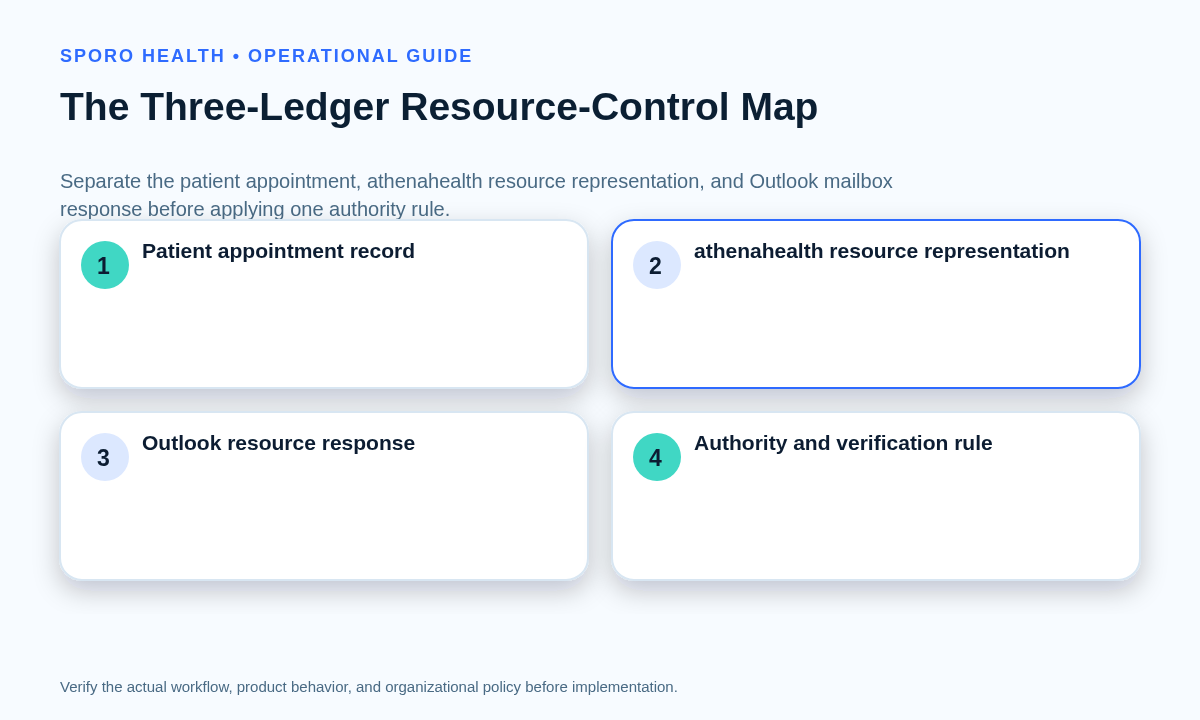
Separate three ledgers: the patient appointment, the practice’s validated athenahealth room or equipment representation, and the Outlook resource-mailbox response. The broader multi-resource appointment coordination in athenahealth workflow can govern clinical dependencies; this playbook governs the Microsoft mailbox transaction.
Which resource-authority model should the practice choose?
Choose one of three models before staff begin booking, and never let “whichever calendar accepted first” become the rule. The model should state where staff initiate the reservation, what counts as confirmation, and who resolves disagreement.
| Model | Authority and completion rule | Use when |
|---|---|---|
| athenahealth-only control | The practice’s validated athenahealth workflow controls the clinical resource. Outlook is not used to reserve that room or device. | No verified integration performs the Outlook resource transaction. |
| athenahealth-authoritative with Outlook confirmation | The patient appointment remains authoritative, but the transaction stays pending until Outlook accepts every required resource. | The vendor proves resource identity, request, response, change, and cancellation handling. |
| Outlook control for nonclinical use | Outlook governs meetings, training, or maintenance that do not complete a patient-resource booking. | The practice needs Microsoft 365 visibility without making Outlook authoritative for clinical allocation. |
If the practice cannot explain the model in one sentence, contain rollout until authority and closure rules are approved.
What belongs in the resource-control registry?
Record the identity, policy, owner, and verification method for every room and device in one resource-control registry. Microsoft exposes separate controls for booking windows, duration, working hours, conflicts, recurrence, eligible requesters, and delegates through resource-mailbox settings and Set-CalendarProcessing.
Start with a Microsoft 365 preflight for an athenahealth Outlook integration, and distinguish mailbox booking delegates from the human calendar roles explained in Outlook Editor versus Delegate permissions.
| Registry field | What to record |
|---|---|
| Resource identity | Name, room or equipment type, Outlook address, location, and time zone. |
| athenahealth mapping | The actual representation and stable identifier used by the practice or vendor; do not assume a native room object. |
| Booking policy | Hours, horizon, minimum or maximum duration, conflicts, recurrence, and eligible requesters. |
| Approval path | Auto-accept or named delegate, response deadline, backup, and escalation owner. |
| Control rule | Authority model, completion state, verification method, and evidence retained. |
When is a patient-and-resource transaction complete?
A transaction is complete only when the patient appointment and every required resource are in compatible, verified states. One owner should confirm the result rather than assuming that a successful patient booking also reserved the Outlook mailbox.
| State | Observed condition | Required response |
|---|---|---|
| Confirmed | Patient appointment is active and every resource is accepted. | Record verification and close. |
| Rejected | Patient is booked, but Outlook declines a required resource. | Contain the interval; substitute or change the schedule through an approved owner. |
| Stale | The appointment changed or ended, but an old reservation remains. | Match identities, release the stale item, and verify the newly available interval. |
| Orphaned appointment | A resource-dependent appointment has no verified reservation. | Protect the interval and create or recover the approved resource transaction. |
| Orphaned reservation | Outlook holds a resource without an active matching appointment. | Confirm identity and authority before releasing it. |
| Substituted | A replacement resource is accepted, but the original may still be held. | Verify the replacement, release the original, and close one transaction record. |
| Disputed | Approval is pending, visibility is unavailable, or systems disagree. | Treat the resource as unavailable until a named owner resolves and verifies it. |
What should happen when Outlook rejects or delays a reservation?
Keep the patient appointment visible, contain the disputed interval, and route an approved substitution or schedule change. Apply the same transaction discipline used in the front-desk reschedule and cancellation reconciliation workflow.
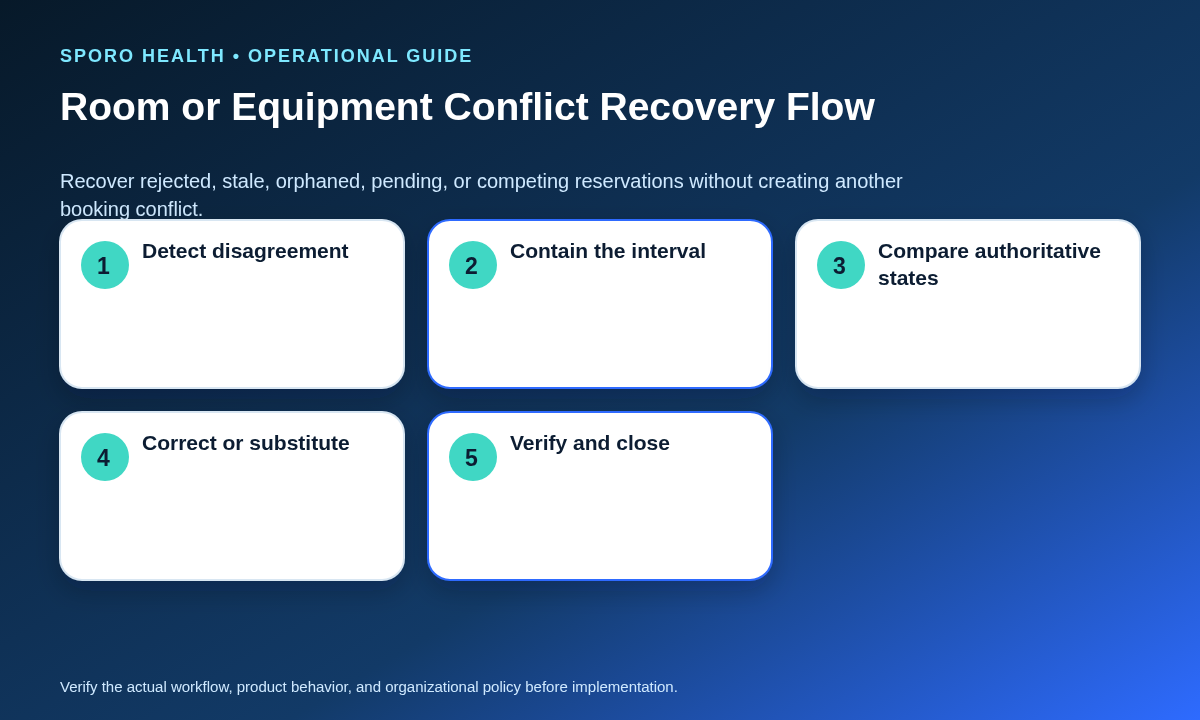
- Detect the rejection, pending approval, stale item, or visibility gap.
- Mark the resource interval disputed; do not advertise it as available.
- Preserve the patient appointment while the accountable owner compares identifiers, times, and policies.
- Approve one response: substitute the resource, correct the request, reschedule the appointment, or cancel through the authoritative workflow.
- For delayed delegate approval, set an escalation deadline rather than treating a tentative hold as confirmation.
- Verify the final patient state, replacement resource, released resource, and evidence before closure.
During temporary calendar-visibility loss, use the approved outage fallback. Staff should not recreate reservations from memory or assume that an unseen mailbox is free.
How should recurring reservations and exceptions be controlled?
Test recurrence at the series, occurrence, future-occurrence, exception, and cancellation levels. Microsoft resource settings can allow recurring meetings, enforce booking horizons, and reject a series or conflicting occurrences. Microsoft Graph also distinguishes series masters, occurrences, exceptions, and cancelled occurrences in the event resource.
- Test a new series within and beyond the booking horizon.
- Change one occurrence without moving the series.
- Change this and future occurrences.
- Cancel one occurrence and then the series.
- Verify both accepted and rejected conflicts after every change.
What must resource-booking acceptance testing prove?
Rollout is ready only after accepted, rejected, changed, recurring, delegated, and outage scenarios pass with evidence. Extend the pilot acceptance matrix for athenahealth calendar sync with resource-specific expected results.
- Accepted and conflicting requests; unauthorized and after-hours requests.
- Booking-horizon and duration-limit rejection.
- Delegate approval, delay, rejection, and backup escalation.
- Create, reschedule, cancellation, and approved substitution.
- Series creation, one-off exceptions, future changes, and cancellations.
- Duplicate retry, stale reservation, orphan detection, and temporary visibility loss.
- Evidence that the old interval is released and the final resource is confirmed.
How should resource-booking integrity be measured?
Measure resource integrity with exception rates, mismatch age, repeat conflicts, and verified closure—not an overall sync-success percentage. Define the denominator and review results by room, device, location, and workflow.
| Measure | Definition |
|---|---|
| Post-booking rejection rate | Resource requests rejected after the patient appointment was booked divided by applicable requests. |
| Orphaned appointment rate | Resource-dependent appointments without verified resources divided by appointments reviewed. |
| Orphaned reservation rate | Reservations without active matching appointments divided by reservations reviewed. |
| Mismatch age | Time from first detected disagreement to verified compatible states. |
| Repeat conflicts | Repeated exceptions grouped by resource, policy, requester, or transaction type. |
| Verified closure rate | Exceptions closed with evidence from both systems divided by exceptions closed. |
What must a calendar integration vendor demonstrate?
Require a witnessed resource-mailbox demonstration; provider-calendar sync claims do not prove room or equipment reservation behavior. The current Sporo Outlook product page describes patient appointments and blocks in Outlook Calendar, but that description should not be treated as proof of resource-mailbox transactions.
- Does the product read or write room and equipment mailboxes, and under which permissions?
- How is each Outlook address mapped to the practice’s actual athenahealth representation and appointment identity?
- How are acceptance, rejection, delegate delay, substitution, reschedule, cancellation, and recurrence exceptions represented?
- How are duplicate or stale reservations prevented? Microsoft Graph supports a transaction identifier for avoiding redundant event creation, but the vendor must prove its end-to-end identity and retry design.
- What evidence appears in monitoring, reconciliation, and escalation records?
Use the official athenahealth Appointment API reference to confirm the appointment operations and identifiers used by the actual implementation.
Put the resource-control playbook to work
Start with one resource class, one location, and a named owner. Approve the authority model, complete the registry, execute the acceptance suite, and review the scorecard before expanding. That is how to prevent room and equipment double booking between athenahealth and Outlook without asking staff to infer state from two independent calendars.
If an integration evaluation is in scope, review the Sporo Health overview, compare the athenahealth and Google Calendar product with the athenahealth and Microsoft Outlook product, and confirm the current athenaConnect Marketplace listing. Request a resource-mailbox-specific demonstration against your registry and test cases before relying on the workflow.
Frequently asked questions
Can an Outlook room mailbox be the source of truth for athenahealth appointment resources?
Only when the practice deliberately assigns that authority and the tested workflow makes the resource response part of appointment completion. Otherwise, keep athenahealth authoritative and treat Outlook as a separate confirmation control.
What should happen if Outlook rejects a room after a patient appointment is scheduled?
Keep the patient appointment visible and contain the disputed interval. A named owner should approve a substitute resource or schedule change, verify both systems, and then close the exception.
How should reschedules and cancellations update room and equipment reservations?
Process the appointment and resource changes as one controlled transaction. Preserve the identity mapping, verify the old reservation is released, and confirm any replacement reservation before closure.
How should recurring appointments and one-off resource exceptions be handled?
Test the series, one occurrence, future occurrences, modified exceptions, and cancellations separately. Do not assume that a successful series update proves every occurrence is aligned.
Which Microsoft 365 resource-mailbox settings should a medical practice document?
Document the booking window, duration limit, working hours, conflict and recurrence rules, approval model, delegates, eligible requesters, cancellation behavior, and verification method. Record the accountable owner for each setting.
Can an athenahealth calendar sync automatically reserve Outlook rooms or equipment?
Only if current vendor evidence proves it writes the correct resource attendee, observes the mailbox response, and reconciles rejection, change, cancellation, and retry states. Provider-calendar synchronization claims are not sufficient evidence.
How should a practice measure room and equipment booking integrity across systems?
Track post-booking rejection, orphaned appointments, orphaned reservations, mismatch age, repeat conflicts by resource, and verified closure rate. Review each measure by resource and workflow rather than relying on one overall sync percentage.
Sources