athenahealth Waitlist Scheduling for Canceled Appointments: An Offer-to-Booking Playbook
An athenahealth waitlist scheduling workflow for canceled appointments should begin only after the opening is verified, then match patients against approved administrative rules, send time-bounded offers under one claim model, recheck the slot before booking once, and confirm the final athenahealth and connected-calendar state. This gives front-desk leaders a controlled transaction instead of an informal callback list.
How does an athenahealth waitlist scheduling workflow for canceled appointments work?
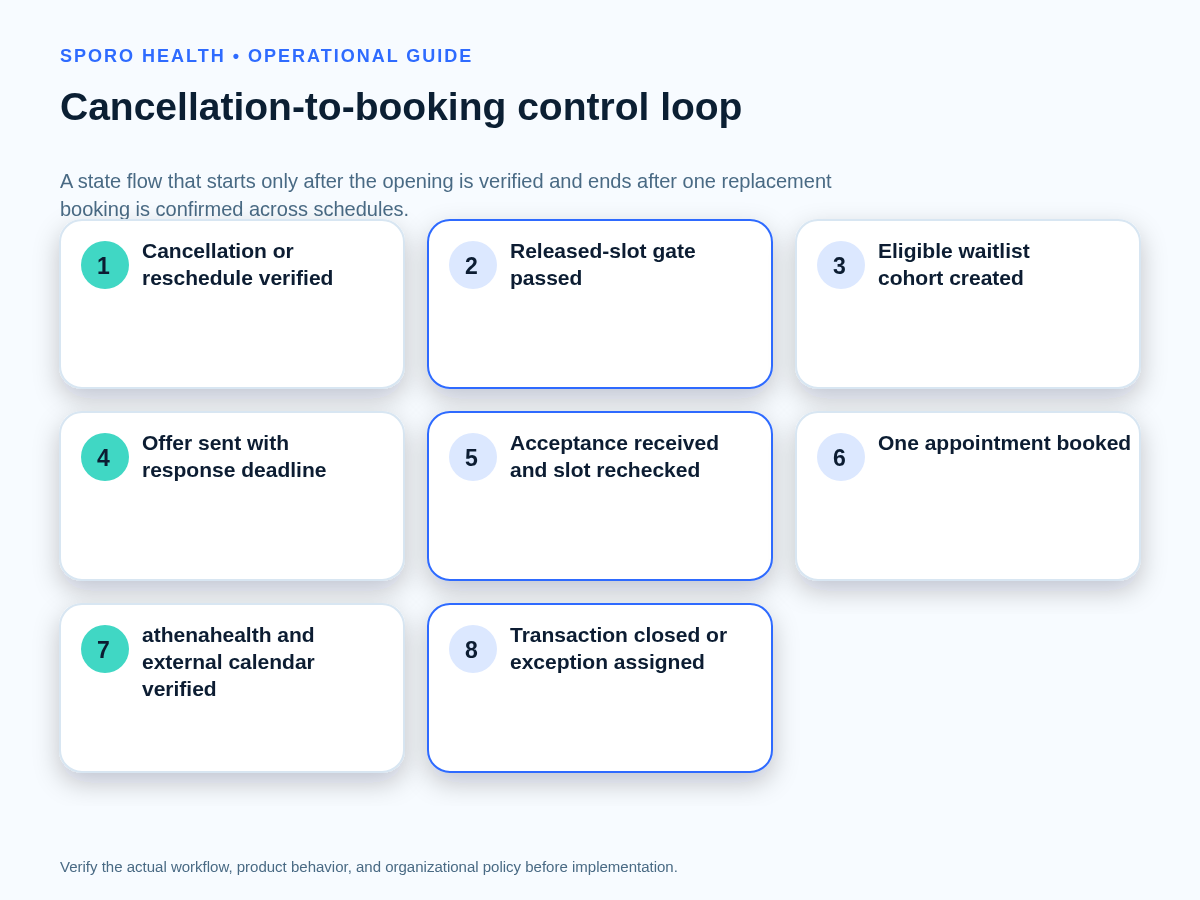
Start with a verified released slot and end with one verified replacement booking or an assigned exception. The workflow should control the opening, the eligible candidate set, each offer, the winning claim, the booking commit, and final reconciliation as one transaction.
As of September 21, 2026, athenahealth publicly describes Waitlist Scheduling as notifying eligible patients about newly available appointments. Its Summer 2026 release summary confirms the capability, its patient engagement page includes same-day openings, and its patient communication announcement describes cancellation-driven text outreach. Public materials do not define every practice-specific rule for holds, deadlines, or competing acceptances, so those controls must be documented locally.
- Verify that the canceled or rescheduled appointment has released usable capacity.
- Build an eligible cohort using approved administrative criteria.
- Select the practice-approved outreach model for that opening type.
- Send identified offers with deadlines and explicit hold rules.
- Recheck availability before committing one replacement booking.
- Verify athenahealth, patient communication, and external-calendar state before closure.
What must the released-slot gate verify?
Do not contact the waitlist until staff can prove the original slot is genuinely open and operationally usable. A cancellation message or changed status alone is not enough if resources, buffers, holds, or connected calendars still disagree.
Complete the reschedule and cancellation reconciliation workflow before opening the waitlist transaction. The released-slot record should confirm:
- the original appointment is canceled, rescheduled, or otherwise no longer occupying the time;
- the provider, appointment type, duration, department, and location are correct;
- required rooms, equipment, support roles, preparation rules, and buffers remain available;
- no active hold, restored appointment, or competing booking already controls the interval;
- the expected Google Calendar or Outlook release has occurred, if that calendar is part of the approved availability model; and
- a named owner has authority to begin outreach.
If any check fails, contain the slot and resolve the mismatch instead of creating patient-facing offers against uncertain capacity.
Who is eligible for a canceled appointment slot?
Eligibility should be determined by documented administrative matching rules, not improvised clinical judgment. The rules should be repeatable enough that two authorized schedulers reviewing the same record would create the same candidate set.
The eligibility envelope can include appointment type, provider, department, location, acceptable days or times, minimum notice, preparation requirements, referral or authorization status when administratively visible, and existing bookings. Exclude candidates whose known constraints do not fit the opening. Route symptoms, urgency, treatment suitability, or any other clinical question to an authorized clinical role.
Limit outreach content and workforce access to what the practice has approved for the task. Where the HIPAA minimum necessary standard applies, HHS guidance calls for reasonable policies that limit information and access to the intended purpose. The practice’s privacy, consent, messaging, and recordkeeping decisions still depend on its actual configuration and authorized review.
Which waitlist outreach model should the practice choose?
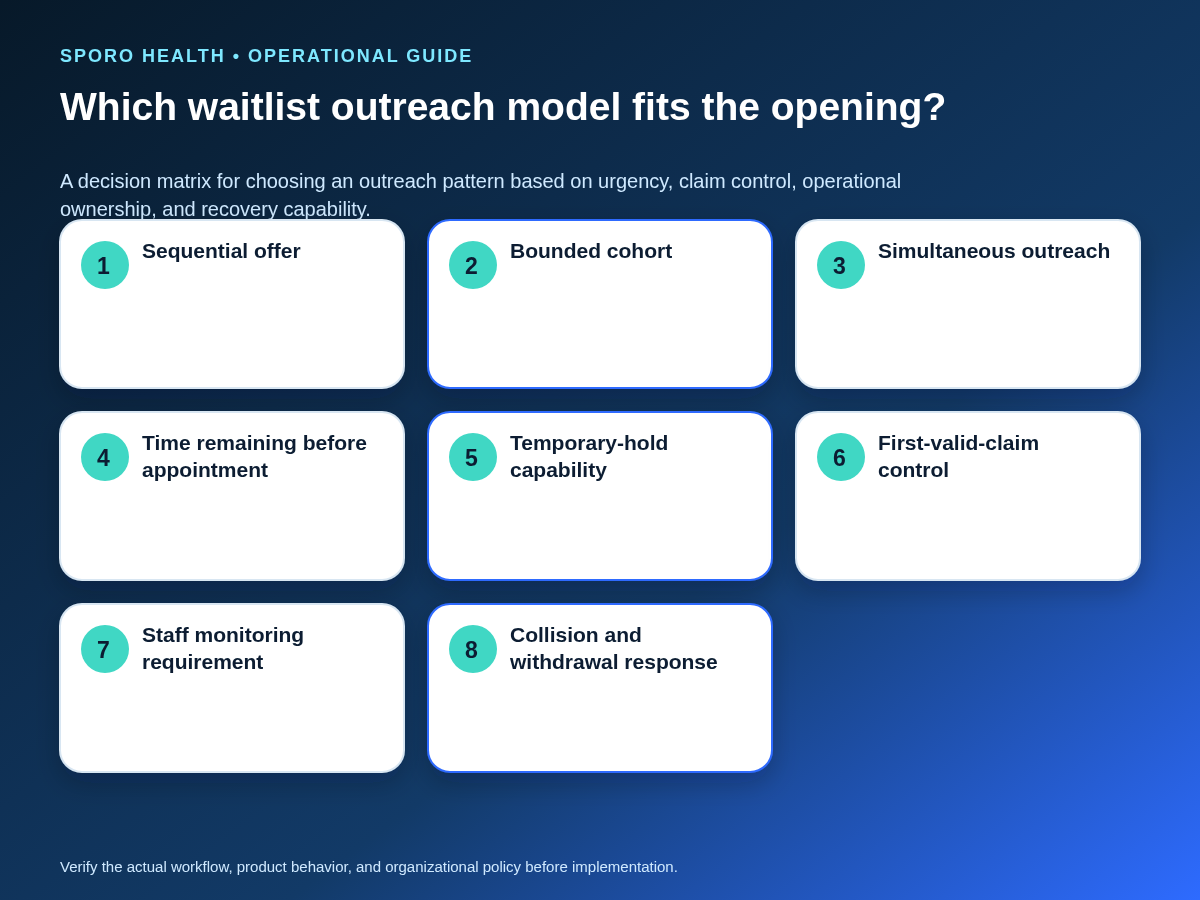
Sequential offers provide the strongest claim control, bounded cohorts can shorten the fill cycle, and simultaneous outreach requires the strongest arbitration. Choose one model for each opening category before contacting patients.
| Model | Best fit | Claim control | Main operational risk |
|---|---|---|---|
| Sequential offer | Enough time remains to contact candidates one at a time | Only one live offer; move to the next candidate after decline or expiration | A slower fill cycle if responses are delayed |
| Bounded cohort | Moderate urgency and active staff monitoring | A small group receives the offer under a documented first-valid-claim rule | Multiple near-simultaneous acceptances |
| Simultaneous outreach | Very short lead time and reliable real-time arbitration | All recipients receive the same deadline and claim rule | Highest collision, withdrawal, and communication burden |
Do not select a faster model unless the practice can identify the winning claim, stop later claims, and communicate accurately with patients who responded after the slot was taken.
How should each waitlist offer be controlled?
Every offer needs one identifier, one response deadline, an explicit hold rule, and a recorded state. A sent message does not by itself reserve or fill the appointment.
| State | Control meaning |
|---|---|
| Eligible | The candidate passed approved administrative matching rules. |
| Offered | An identified offer was sent with a deadline and instructions. |
| Held | The slot is temporarily protected under an approved hold rule. |
| Accepted | A response passed the claim rule but has not necessarily committed the booking. |
| Declined | The candidate refused the opening. |
| Expired | The response window ended without a valid acceptance. |
| Withdrawn | The practice removed the offer because the opening changed or disappeared. |
| Booked | One replacement appointment committed and passed verification. |
| Escalated | A collision, booking failure, clinical question, or schedule mismatch needs an authorized owner. |
Record timestamps for sent, accepted, expired, withdrawn, and booked events. The practice should also define whether an acceptance creates a temporary hold or merely authorizes staff to attempt the booking.
What changes for same-day versus future openings?
Same-day offers need shorter windows, a live owner, and an immediate availability recheck, while future openings can use longer windows without weakening eligibility rules. The practice should set response windows by operational conditions rather than use one universal duration.
For a same-day opening, confirm that the patient can meet arrival, preparation, transportation, or virtual-visit requirements before booking. Keep one staff member responsible for monitoring responses and withdrawing stale offers. This outbound process is distinct from an incoming same-day add-on appointment workflow, where the practice must first determine whether usable capacity exists for a new request.
For a future opening, the response window may be longer, but each offer still needs an expiration time, a claim rule, and a final recheck. Never let an old offer remain actionable after the slot has changed.
What if two patients accept or the opening disappears?
Freeze further action, preserve the valid schedule state, and resolve the exception under the approved claim and withdrawal rules. Do not create a second appointment merely because two messages appear to show acceptance.
| Trigger | Immediate action | Closure evidence |
|---|---|---|
| Two acceptances | Stop new action, compare timestamps and the claim rule, and check whether either booking committed | One valid booking preserved; the other patient notified accurately |
| Original appointment restored | Withdraw all active offers and contain the opening | Original booking and patient-facing offer states reconciled |
| Provider becomes unavailable | Stop booking and route the schedule change to the authorized owner | No active offer can create a replacement appointment |
| Stale or late acceptance | Reject it under the documented deadline and recheck the current schedule | Patient receives an accurate disposition |
| Booking fails after acceptance | Preserve the acceptance record, contain the slot, and assign recovery | Booking succeeds once or the patient receives a corrected outcome |
| Calendar mismatch | Keep the transaction open and reconcile the expected availability state | athenahealth and the approved calendar view agree |
Use a scenario-based front-desk readiness checklist to rehearse competing acceptances, late replies, withdrawn openings, and failed booking commits before staff handle them live.
How should an automation or messaging failure be handled?
Stop new offers, preserve active deadlines, identify every potentially contacted patient, and move to the approved manual sequence. Do not restart automation until all acceptances, expirations, withdrawals, and bookings from the affected interval are reconciled.
- Record the failure interval and affected opening identifiers.
- Determine which messages were sent, delivered, delayed, duplicated, or unknown.
- Protect openings that may have a valid acceptance in flight.
- Use the approved manual claim and contact process.
- Reconcile every offer state before resuming normal outreach.
If the issue crosses a shift boundary, move it through the practice’s daily schedule exception handoff with a named owner, next action, deadline, and closure evidence.
When is a waitlist-filled appointment complete?
The transaction is complete only when athenahealth shows one correct active booking, competing availability is removed, required confirmations are sent, and connected calendars show the expected provider state. An acceptance message or successful booking click is not sufficient closure evidence.
- Verify the patient, provider, appointment type, duration, department, location, and start time.
- Confirm that no second patient or open-slot view can still claim the interval.
- Confirm that active offers are booked, declined, expired, or withdrawn.
- Check the approved Google Calendar or Outlook availability view.
- Assign any mismatch instead of marking the fill complete.
The Google Calendar Events reference exposes event identifiers, status, and availability-related transparency, while the Microsoft Graph event resource exposes properties such as isCancelled, showAs, and transactionId. The exact evidence available to staff depends on the integration and configuration, so the operating procedure should name the supported verification view rather than assume a field is visible.
Which metrics measure athenahealth waitlist scheduling quality?
Measure transaction quality and exception burden rather than assume revenue, access, or staffing outcomes. Define each denominator before the pilot so the team can distinguish a rarely used workflow from a frequently failing one.
| Measure | Definition |
|---|---|
| Verified slot-release rate | Released openings passing the full gate divided by openings detected |
| Eligible-offer rate | Verified openings producing at least one eligible offer divided by verified openings |
| Median release-to-booking time | Median elapsed time from verified release to committed replacement booking |
| Acceptance-to-booking failures | Valid acceptances that did not become the intended booking |
| Duplicate claims and stale offers | Competing valid claims plus offers left actionable after expiration or withdrawal |
| Withdrawals and manual interventions | Openings changed after outreach plus transactions requiring manual recovery |
| Unverified calendar states | Completed-looking transactions lacking expected external-calendar confirmation |
For broader guidance on baselines, denominators, balancing measures, and expansion decisions, use the operational outcome scorecard.
How should the practice pilot the workflow?
Start with one bounded provider, appointment type, or department and test normal and failure paths before expansion. The pilot should prove that staff can contain uncertain capacity, arbitrate claims, withdraw offers, recover failures, and verify closure.
Convert requirements into witnessed scenarios with a pilot acceptance matrix. Include cancellation, reschedule, same-day opening, late acceptance, competing acceptance, restored original appointment, provider withdrawal, message failure, booking failure, external-calendar mismatch, and manual fallback.
Expand only after critical scenarios pass, owners accept the observed exception burden, and unresolved product or policy questions have documented dispositions.
Put the athenahealth waitlist scheduling workflow for canceled appointments into use
Begin with a one-page control card defining the released-slot gate, eligibility envelope, outreach model, response-window rule, claim rule, owners, recovery paths, and closure evidence. Then run the bounded pilot and review the scorecard before increasing scope.
If connected-calendar verification is part of the design, review Sporo Health scheduling resources, the athenahealth and Google Calendar product page, the athenahealth and Microsoft Outlook product page, and the Sporo Health athenaConnect Marketplace listing. Treat product-page descriptions as vendor claims and verify the required behavior in your own configuration and pilot.
Frequently asked questions
What is an athenahealth waitlist scheduling workflow for canceled appointments?
A controlled workflow begins only after a canceled or rescheduled slot is verified as open. It then applies approved eligibility rules, sends a time-bounded offer under one claim model, rechecks the slot, books once, and verifies the final schedule state.
Who is eligible for a canceled appointment slot?
Use documented administrative criteria such as appointment type, provider, department, acceptable times, minimum notice, preparation requirements, and existing bookings. Route anything requiring clinical judgment to an authorized clinical role.
How long should a medical appointment waitlist offer stay open?
There is no universal response window. Set it by time remaining, arrival or virtual-visit requirements, hold capability, staff monitoring, and the time needed to contact the next candidate; same-day windows should be shorter and actively owned.
How do you prevent two waitlist patients from claiming the same appointment?
Choose one approved claim rule before outreach, such as sequential offers, a bounded cohort with a reliable first-valid-claim rule, or simultaneous outreach with strong arbitration. Recheck availability immediately before committing the one valid booking.
What should happen if the original appointment is restored during outreach?
Withdraw every active offer, stop further acceptances from creating a booking, correct the authoritative schedule, and notify affected patients accurately. Close the exception only after the restored appointment and connected-calendar state are verified.
How do you verify a waitlist-filled appointment across athenahealth and external calendars?
Confirm that athenahealth contains one correct active appointment, the released slot is no longer available elsewhere, required confirmations were sent, and Google Calendar or Outlook shows the expected provider availability. Any mismatch remains an assigned exception, not a completed fill.
Sources
- athenaOne Summer 2026 release, athenahealth
- Patient Engagement, athenahealth
- athenahealth launches agentic patient communication tools, athenahealth
- Minimum Necessary Requirement, U.S. Department of Health and Human Services
- Google Calendar Events API reference, Google
- Microsoft Graph event resource, Microsoft