Declined Calendar Events Blocking athenahealth Availability: An RSVP-to-Status Guide
Why does a declined calendar event still block physician availability in athenahealth? Usually because the connected workflow is reading a busy state, a different event copy, a recurring exception, a duplicate, or a stale update—not because visibility itself consumes capacity. Practice managers and scheduling teams should protect booked care, inspect both systems, correct the smallest affected scope, and pass a negative booking test before closure.
Why does a declined calendar event still block physician availability in athenahealth?
Usually, the connected workflow is reading a time-blocking state or a different event copy, not the RSVP alone. Google Calendar’s current Events resource represents an attendee’s response separately from event transparency, which indicates whether the event blocks time. Microsoft Graph similarly separates the meeting’s response status from the event’s Show As value in its event resource.
A visible item may therefore be display-only, while a hidden or differently located copy may still be busy. The diagnostic unit is not the title on the screen. It is the provider-calendar pair, event identity, exact occurrence, RSVP state, availability state, and observed athenahealth result.
How should staff separate RSVP from availability?
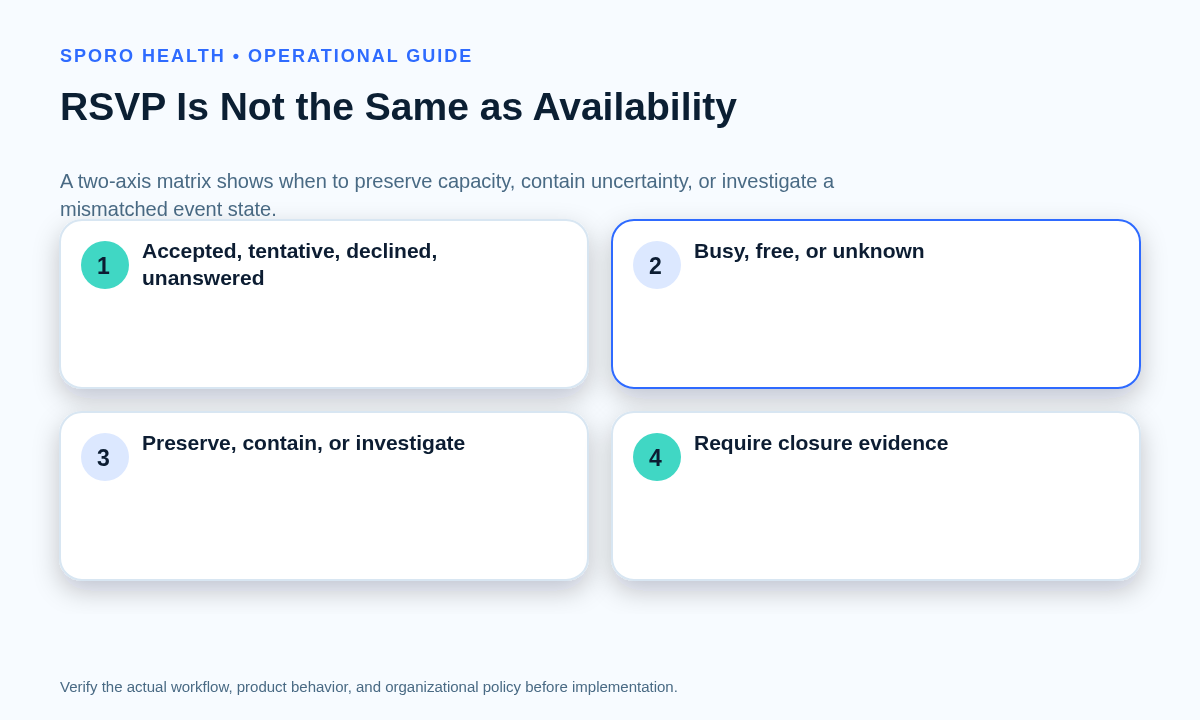
Use RSVP and availability as two independent axes, then assign a booking disposition to their combination. The following matrix is a practice-owned diagnostic rule, not a claim that every integration uses the same mapping.
| Provider RSVP | Busy | Free | Unknown |
|---|---|---|---|
| Accepted | Preserve the block if the calendar is approved and in scope. | Keep capacity open unless practice policy requires this commitment to block. | Contain the interval until the availability state is verified. |
| Tentative | Treat as a provisional hold with a defined decision deadline. | Keep open or monitor under the practice’s tentative-event rule. | Confirm the commitment before releasing or consuming capacity. |
| Declined | Investigate a status mismatch, wrong copy, duplicate, or stale update. | Preserve or reopen capacity after the negative test passes. | Contain the disputed interval and identify the responsible copy. |
| Unanswered | Apply the practice’s pending-invitation rule and seek a response. | Keep open unless policy explicitly reserves unanswered invitations. | Do not infer availability; obtain evidence first. |
This matrix prevents a resolved-negative response from being treated like an unresolved commitment. Practices that also need rules for Maybe or provisional responses can use the separate guide to handling tentative physician calendar holds.
What changes between Google Calendar and Outlook?
The same two-axis rule applies, but the fields, visibility controls, clients, and recurring-event evidence differ. Google exposes attendee response and transparency separately. Microsoft exposes responseStatus and Show As separately, and Microsoft documents that supported Outlook clients can retain a declined meeting while showing the time as free.
| Diagnostic control | Google Calendar | Outlook and Microsoft Graph |
|---|---|---|
| Participation | Inspect the provider’s attendee responseStatus, including declined, tentative, accepted, or needsAction. | Inspect responseStatus, including declined, accepted, tentativelyAccepted, or notResponded. |
| Availability | Inspect transparency: opaque blocks time; transparent does not. | Inspect Show As: free, tentative, busy, out of office, working elsewhere, or unknown. |
| Visible decline | Invitation settings can affect whether invitations are added or visible; verify the provider’s actual event copy. | The retained-decline option is limited to supported account and client paths; classic Outlook behavior differs. |
| Calendar and recurrence | Record calendar ID, event ID, recurringEventId, and originalStartTime for an occurrence. | Record the containing calendar, event ID, type, seriesMasterId, and exception evidence. |
| Proof before change | Capture the provider copy’s response, transparency, recurrence scope, and observed booking result. | Capture the client used to decline, response, Show As, target calendar, occurrence scope, and booking result. |
If obligations are spread across several containers, first establish which calendars are approved inputs by managing multiple Outlook calendars for athenahealth scheduling. A correct decline on an excluded calendar cannot explain a block caused by another included calendar.
Which branch explains the false block?
Classify the incident into one of six branches before editing anything. Preserve the current event and identifiers while the team distinguishes these causes:
- Display-only item: The provider’s copy is declined and free, yet it remains visible. Run the negative test; if capacity is open, treat visibility as a display preference rather than a booking defect.
- Wrong-calendar read: The inspected event is on one calendar, but the workflow reads another calendar containing a busy copy. Compare calendar IDs, ownership, coverage, and write destinations.
- Stale attendee copy: The organizer and provider copies disagree about response, time-blocking state, or update time. Capture both copies before requesting or applying reconciliation.
- Recurring-instance exception: One occurrence was declined while the series or nearby instances retained another state. Test the original occurrence time, series relationship, and intended decline scope.
- Duplicate event copy: Two event identities occupy the same interval, and only one is declined. Preserve both IDs and determine which copy actually supplies the busy state.
- Missed or delayed update: The source event is correct, but the connected result is stale. Compare timestamps, change evidence, and the last verified scheduling result before escalating.
A visible item’s shape can also mislead staff, so compare the case with the practice’s all-day event availability rules. If two identities exist, use the identity-first method for troubleshooting duplicate calendar events rather than deleting the copy that looks less familiar.
What should staff do when a declined event still blocks an athenahealth schedule?
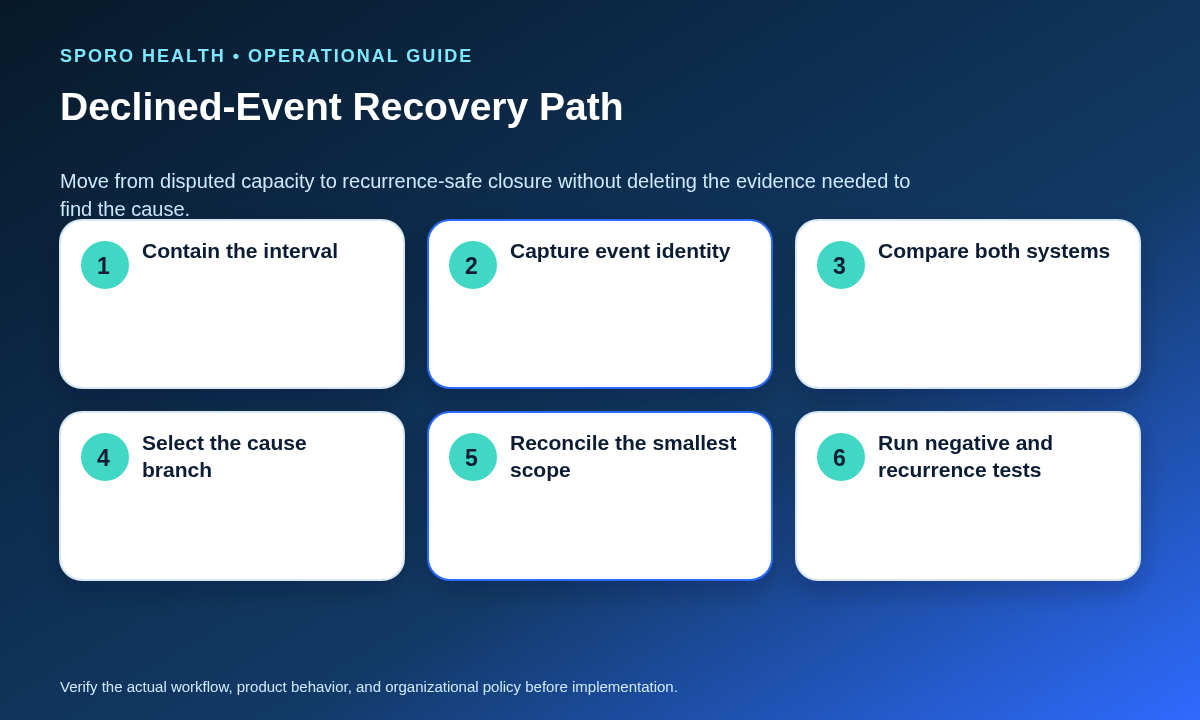
Contain the disputed interval, preserve booked care, identify the responsible state, reconcile the smallest scope, and prove release with a negative test. Do not begin by deleting or recreating the event.
- Contain: Pause new use of the disputed slot if the real availability state is uncertain. Do not cancel or move existing patient appointments solely because of the mismatch.
- Snapshot: Record provider, calendar, event and series identifiers, occurrence time, RSVP, busy/free value, client, timestamps, and screenshots or API evidence available to authorized staff.
- Compare: Check the provider’s source event, the calendar copy read by the workflow, and the resulting athenahealth capacity. The athenahealth appointment API reference may support an integration owner’s appointment-record comparison.
- Classify: Select one of the six branches. If evidence supports more than one, keep the interval contained until each candidate is tested.
- Reconcile: Correct only the affected occurrence, event copy, calendar rule, or missed update. Preserve unrelated series instances and appointment records.
- Verify: Confirm the declined item is nonblocking, a known busy control still blocks, nearby recurring instances are unchanged, and both systems show the intended result.
Closure should enter the practice’s daily schedule reconciliation workflow with an owner, cause branch, action, test evidence, and reopening condition. “The event disappeared” is not sufficient evidence because a different copy may still constrain capacity.
How should recurring declined invitations be tested?
Test recurring invitations at the occurrence level and prove that the intended scope—not merely the visible series label—changed. Google identifies recurring instances with fields such as recurringEventId and originalStartTime, while its Events list method can expand recurring events into instances. Microsoft Graph distinguishes series masters, occurrences, and exceptions.
- One declined occurrence: Verify only the selected date is declined and nonblocking.
- All future occurrences: Verify the boundary date and inspect the occurrence immediately before it.
- Full series: Verify past records remain understandable and every future instance has the intended state.
- Organizer update after decline: Confirm whether the update changes, restores, or duplicates the provider’s copy.
- Response reversal: Change the test occurrence from declined to accepted or tentative, then back, and verify both availability transitions.
- Nearby unaffected instances: Check at least one instance before and after the target occurrence for stale restrictions.
Record the client used for each action. A recurrence test is incomplete if it checks only the target date and not the scope boundaries.
How should false physician availability blocks be measured?
Choose one stable denominator, then measure incident frequency, operational impact, containment, recurrence, and closure separately. Do not switch between invitation counts and provider-calendar pairs when reporting a trend.
| Worksheet field | Definition |
|---|---|
| Denominator | Reviewed declined invitations or reviewed provider-calendar pairs during the stated period. |
| Confirmed incidents | Intervals proven to be incorrectly unavailable because of a declined-event mismatch. |
| Affected pair | The specific physician and calendar connection involved. |
| Protected appointments | Existing appointments preserved without unnecessary movement during containment. |
| Blocked minutes | Bookable minutes incorrectly withheld, reported separately from appointment count. |
| Containment time | Time from detection until booking risk was bounded. |
| Recurrence and unresolved items | Repeat incidents and open cases that have not passed closure tests. |
| Closure evidence | Cause branch, corrected scope, negative test, recurrence test, owner, and completion time. |
For example, calculate a declined-event false-block rate as confirmed false blocks divided by reviewed declined invitations. A provider-calendar-pair rate answers a different question and should be reported as a separate measure. Track booking impact factually; do not infer savings or clinical outcomes from blocked minutes alone.
Where do connected-calendar options fit?
Use product evaluation only after the practice defines its RSVP, availability, recurrence, and closure rules. Teams can review the Sporo Health overview, the vendor’s athenahealth and Google Calendar page, its athenahealth and Microsoft 365/Outlook page, and the Sporo Health athenaConnect Marketplace listing. Treat these as commercial descriptions, not independent evidence of declined-event behavior in a particular configuration.
Ask any vendor to demonstrate the matrix, six diagnostic branches, and recurring test pack with non-production data. The acceptance record should name the calendar copy read, the availability field used, the supported decline clients, the recurrence scope, and the evidence available when a false block is reported.
When can the issue close?
The issue closes only when the same declined item no longer constrains booking and nearby recurrence instances remain correct. If the ticket asks “why does a declined calendar event still block physician availability in athenahealth?”, the final answer should name the responsible event copy or rule, document the smallest correction, show a passing negative test, and record who verified the result.
Do not use disappearance from a calendar view as the closure standard. Use demonstrated schedule behavior, preserved booked care, recurrence-safe evidence, and a retained incident record.
Frequently asked questions
Should a declined Google Calendar event block physician availability?
Not merely because it remains visible. Staff should check the physician’s attendee response, the event’s busy/free state, the calendar copy being read, and the actual athenahealth booking result.
Why does a declined Outlook meeting still appear on the calendar?
Supported Outlook clients can retain declined meetings for reference. Visibility is therefore separate from whether the event shows the time as free, busy, or another availability state.
Does a declined Outlook meeting show as free or busy?
Microsoft documents that meetings retained with its Show declined events setting are shown as free, but staff should still inspect the event’s Show As value and test the connected scheduling result.
Should staff delete and recreate a declined event that appears to block booking?
No. Preserve the current event, identifiers, recurrence scope, and booked care until the team determines whether the cause is display-only behavior, a status mismatch, the wrong calendar, a duplicate, or a missed update.
How should staff test a declined recurring meeting?
Test the exact declined occurrence, nearby unaffected occurrences, all-future and full-series scope where relevant, organizer updates, and a response reversal before closing the issue.
How should a practice measure false physician availability blocks?
Choose one denominator such as reviewed declined invitations or reviewed provider-calendar pairs, then track confirmed false blocks, blocked minutes, containment time, recurrence, unresolved items, protected appointments, and booking impact separately.
Sources