Scoping Microsoft Graph Calendar Access for an athenahealth Outlook Integration: An App RBAC C
For Microsoft 365 healthcare IT administrators asking how to scope app-only Microsoft Graph calendar access for an athenahealth Outlook integration, the safe sequence is to confirm the vendor’s permission model, map every authorization path, create a resource-scoped Exchange App RBAC assignment when applicable, test allowed and denied mailboxes, reconcile legacy or parallel grants, and assign lifecycle and rollback ownership.
How do you scope app-only Microsoft Graph calendar access for an athenahealth Outlook integration?
First confirm that the integration uses Microsoft Graph application permissions without a signed-in user. Microsoft distinguishes app-only application permissions from delegated permissions that operate within a signed-in user’s access; Exchange App RBAC is designed for applications independently accessing Exchange Online resources. See Microsoft’s Graph permissions overview and Exchange App RBAC guidance.
Do not infer the model from a product description, admin-consent screen, or the presence of an enterprise application. Ask the vendor to identify the token flow, permission type, exact service principal, roles, endpoints, and target mailbox types. Complete the broader Microsoft 365 preflight for an athenahealth Outlook integration before changing production authorization.
What must be inventoried before configuration?
Create one authorization record before adding, removing, or replacing any grant. Record the application ID, enterprise service-principal object ID, Exchange service-principal pointer, delegated-or-application mode, requested calendar roles, existing Entra grants, App RBAC assignments, legacy policies, approved mailboxes, excluded mailboxes, supported mailbox types, scope owner, test owner, and rollback owner.
Also record why each mailbox is a target and whether it is provider-owned, shared, or resource-based. If that decision is unsettled, use the Outlook calendar ownership decision guide before designing the authorization boundary.
Which authorization path applies?
Classify every path separately because App RBAC does not govern delegated user access or human calendar sharing. A single integration may have multiple additive paths, so the review must identify the owner, boundary, and proof for each one.
Use the guide to Outlook Editor and Delegate permissions for scheduling teams when evaluating human rights; those rights are not evidence of application authorization.
| Path | When it applies | Control owner | Scope boundary | Required proof |
|---|---|---|---|---|
| Delegated Graph access | App acts for a signed-in user | Entra and mailbox owners | Granted scopes plus user access | Consent record and user-context tests |
| Unscoped Entra application grant | App runs without a user | Entra administrators | Potentially all mailboxes covered by the role | App-role inventory and live target tests |
| Legacy Application Access Policy | Policy limits supported Entra app permissions | Exchange administrators | Policy scope group | Policy inventory and allowed/denied tests |
| Exchange App RBAC | App independently accesses Exchange Online | Exchange authorization owner | Application role plus management scope or Administrative Unit | Assignment test, live workflow, and negative target |
How should the five-layer access map be built?
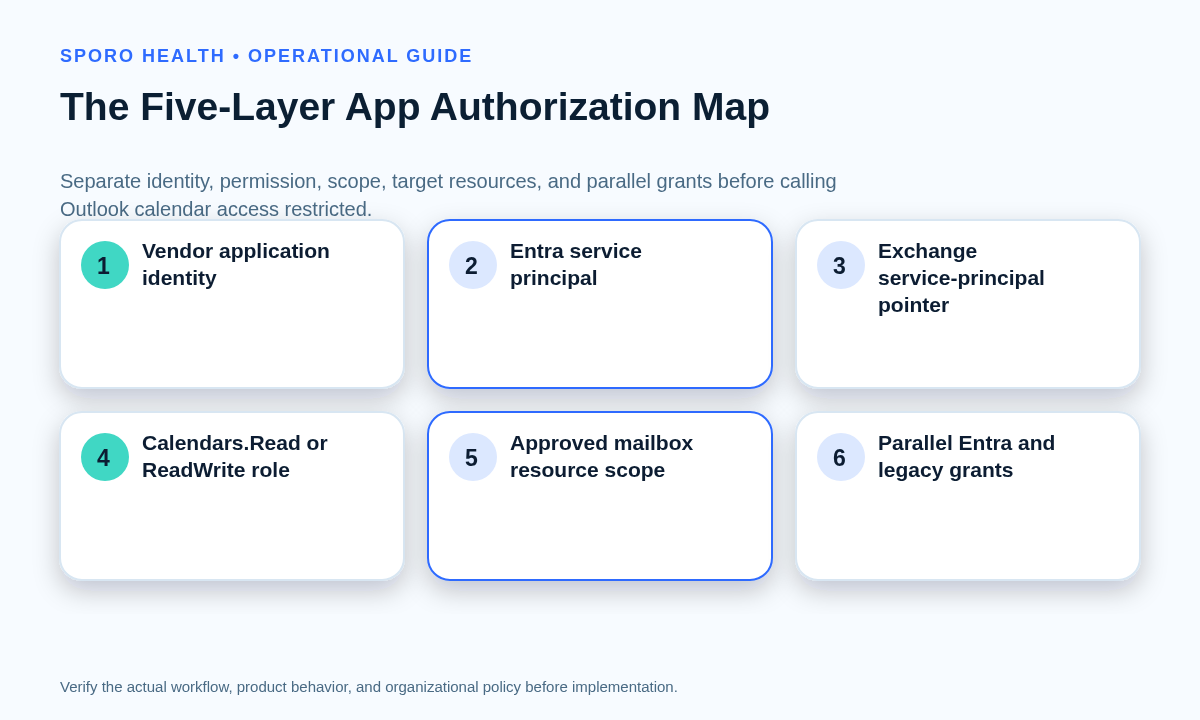
Separate identity, Exchange representation, permission, scope, and mailbox population instead of describing the setup as one consent. Map these five layers:
- Vendor application identity: the application or client ID named by the vendor.
- Microsoft Entra service principal: the tenant-specific enterprise application object and its object ID.
- Exchange service-principal pointer: the Exchange object that points to the Entra service principal.
- Application role: such as Application Calendars.Read or Application Calendars.ReadWrite.
- Resource scope: the management scope or Administrative Unit containing approved mailboxes.
Draw Microsoft Entra grants and legacy policies as separate parallel arrows. Microsoft states that Entra consent and App RBAC assignments are additive; an unscoped Entra grant can preserve broader access even when the App RBAC arrow appears narrow.
Which resource scope and calendar role should you choose?
Choose the scope model that owners can maintain accurately, then assign the narrowest role that supports the verified workflow. Use a management scope when stable Exchange recipient attributes or direct group membership express the provider population clearly. Consider an Administrative Unit when the organization already governs the same user population through maintained Entra membership.
| Decision | Prefer a management scope when | Prefer an Administrative Unit when |
|---|---|---|
| Membership basis | Exchange attributes or a direct scoping group are authoritative | Entra user membership is already lifecycle-controlled |
| Ownership | Exchange administrators own changes | Entra administrators own the population |
| Acceptance evidence | Recipient-filter results are easy to review | Direct AU membership is easy to verify |
Do not assume that placing a group in an Administrative Unit automatically places its users there; Microsoft documents that group membership is not transitive for general AU administration. Review Administrative Unit behavior against the tenant’s design.
For permission selection, Microsoft defines Calendars.ReadWrite application access as the ability to create, read, update, and delete calendar events without a signed-in user. Use read-only access if the workflow only inspects events. Permission scope also does not replace the separate minimum necessary calendar data worksheet.
What sequence should implementation follow?
Implement in an order that preserves an inventory, a negative test, and a reversible change boundary.
- Confirm app-only access, requested roles, endpoints, mailbox types, and vendor test support.
- Approve the target and excluded mailbox populations with named owners.
- Choose and populate the management scope or Administrative Unit.
- Create the Exchange pointer using the application ID and the enterprise service-principal object ID—not an unrelated app-registration object ID.
- Assign Application Calendars.Read or Application Calendars.ReadWrite to that pointer and resource scope.
- Run authorization tests for an approved mailbox and an excluded mailbox.
- After the documented propagation window, run representative live reads or writes through the actual application.
- Record rollback commands, owners, evidence locations, and operational acceptance.
New-ServicePrincipal -AppId <app-id> -ObjectId <enterprise-sp-object-id> -DisplayName <name>
New-ManagementRoleAssignment -App <exchange-sp> -Role "Application Calendars.ReadWrite" -CustomResourceScope <scope>
Test-ServicePrincipalAuthorization -Identity <exchange-sp> -Resource <mailbox>
These are structural examples, not tenant-ready commands. Validate identifiers, role choice, scope, administrator privileges, and rollback in the practice’s change process.
What must acceptance testing prove?
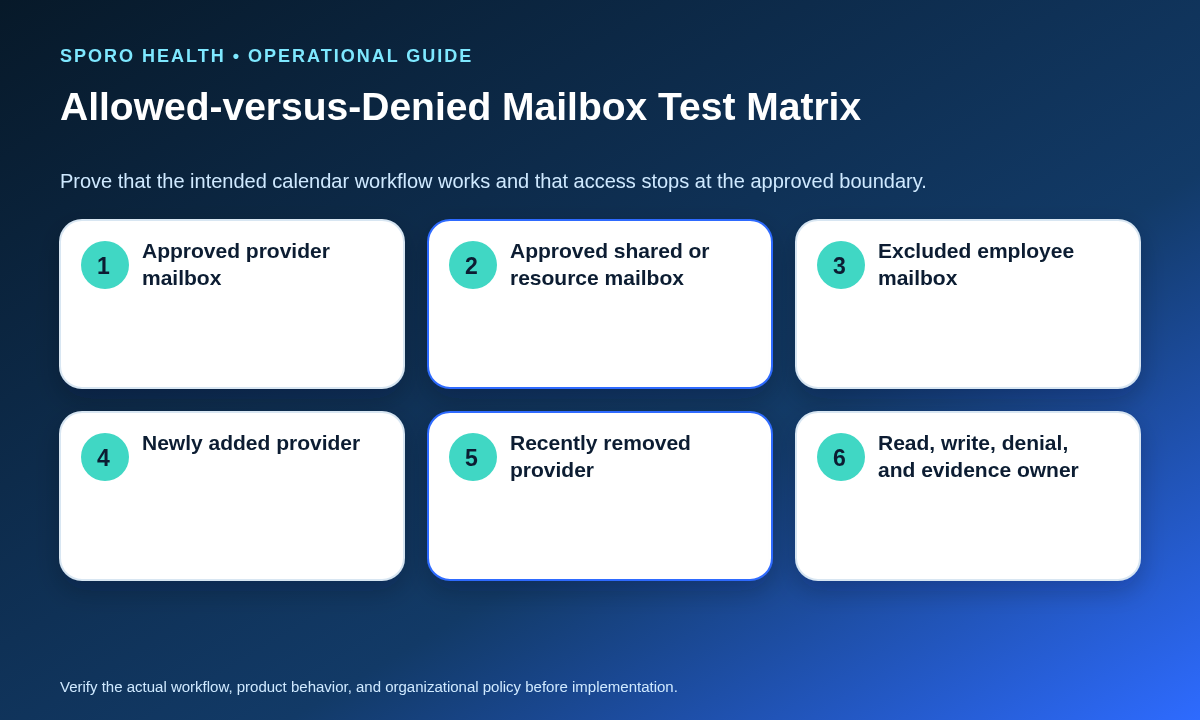
Acceptance must prove that intended mailboxes work and excluded mailboxes fail through the real application path. Microsoft’s Test-ServicePrincipalAuthorization documentation explains how to evaluate assignment scope, but Microsoft also notes that this test excludes separate Entra grants. Pair it with live positive and negative tests.
| Test target | Expected result | Evidence |
|---|---|---|
| Approved provider primary mailbox | Required read or write operations succeed | Cmdlet result plus application transaction |
| Approved shared or resource mailbox | Succeeds only when vendor-supported and explicitly scoped | Mailbox-type result and workflow record |
| Excluded employee mailbox | Application access is denied safely | Denial result, timestamp, and owner |
| Newly added provider | Access begins only after approved scope change | Membership change and positive retest |
| Recently removed provider | Authorization and workflow access stop | Negative retest and dated record |
| Create, update, delete, or read | Only documented operations succeed | Representative event evidence |
App RBAC changes can be affected by permission caching, so record the actual change time, documented waiting interval, cmdlet result, live result, and any discrepancy rather than declaring success from one console screen.
How should a legacy Application Access Policy be migrated?
Establish the replacement scope and App RBAC assignment before retirement, but do not assume overlapping authorization is harmless. Microsoft now labels Application Access Policies as legacy and recommends App RBAC for new access configurations. Its migration guidance creates the replacement scope, pointer, and role assignment before removing Entra consent and the old policy.
| Worksheet field | Required entry |
|---|---|
| Old policy | App ID, group, permissions, and owner |
| Replacement | Scope, pointer, role, and permission equivalence |
| Test population | Approved, excluded, added, and removed mailboxes |
| Change order | Assignment, tests, Entra-grant removal, policy removal |
| Rollback trigger | Unexpected denial, access expansion, or workflow failure |
| Closure | Residual-grant scan and final owner acceptance |
Use the App RBAC test cmdlet to examine the replacement assignment independently, then perform the live cutover in a controlled window. The legacy policy documentation and App RBAC guidance should both remain in the change record.
How should provider lifecycle changes affect the scope?
Every provider addition, leave, transfer, mailbox conversion, or offboarding event should trigger a scope decision and authorization retest. Connect the authorization boundary to the practice’s provider calendar access recertification workflow rather than relying on an annual application review alone.
| Lifecycle event | Scope action | Required proof |
|---|---|---|
| Onboarding | Add only after mailbox and workflow approval | Positive test and transaction |
| Leave | Retain, suspend, or remove under an approved plan | Expected-access test and return owner |
| Department transfer | Re-evaluate membership and target calendar | Old and new boundary tests |
| Mailbox conversion | Confirm identifier and mailbox-type support | Authorization and workflow retest |
| Offboarding | Remove from scope and reconcile parallel grants | Negative test and dated closure |
What proves implementation is complete?
Configuration is not complete until both operational access and enforced denial have been accepted. Close the implementation only when:
- The vendor’s authorization model and application identity are documented.
- Approved mailbox types and operations work through the live application.
- Excluded mailboxes fail safely.
- Parallel Entra grants and legacy policies are reconciled.
- Provider addition and removal have been tested.
- Rollback, evidence retention, and lifecycle owners are named.
That completion gate is the practical answer to how to scope app-only Microsoft Graph calendar access for an athenahealth Outlook integration: prove the intended workflow, prove the denied boundary, and keep both correct as the provider population changes.
What should the vendor prove?
Require exact authorization evidence before the practice designs or changes the tenant boundary. Request the application ID, enterprise service-principal object ID, delegated-or-application model, calendar roles, endpoints, mailbox types, denial behavior, test method, propagation expectations, lifecycle responsibilities, and rollback cooperation. The broader proof-based calendar integration vendor due diligence checklist can structure the request.
For commercial review, visit the Sporo Health overview, the current athenahealth and Google Calendar product page, the athenahealth and Microsoft Outlook product page, and the Sporo Health athenaConnect Marketplace listing. Treat product statements as vendor claims and ask for a witnessed authorization test rather than assuming the present Outlook implementation is app-only or App RBAC-compatible.
Frequently asked questions
Is App RBAC the same as Outlook calendar sharing?
No. App RBAC controls an application’s Exchange authorization, while Outlook calendar sharing and delegation control human access. Review both independently when both exist.
Does App RBAC apply to every Outlook integration?
No. App RBAC applies to applications accessing Exchange Online independently. Delegated Graph access and human calendar sharing follow different authorization paths and need separate review.
Can an App RBAC assignment prove access is restricted?
No. A scoped App RBAC assignment does not cancel parallel Microsoft Entra application grants or legacy policies. Reconcile every path and prove out-of-scope denial with live tests.
Which calendar role should be assigned?
Use Application Calendars.Read when the verified workflow only reads events, or Application Calendars.ReadWrite when it must create, update, or delete events. Do not grant write access merely for convenience.
How should a legacy Application Access Policy be migrated?
Build and test the replacement App RBAC assignment first, design the cutover to avoid additive grants, verify approved and excluded mailboxes, then remove obsolete Entra consent and the legacy policy through controlled change management.
What evidence should the integration vendor provide?
Require the application ID, enterprise service-principal object ID, delegated-or-application model, requested roles, supported mailbox types, required endpoints, expected denial behavior, test method, and ownership for authorization changes.
Sources
Primary Microsoft documentation reviewed October 18, 2026: