Migrating athenahealth Calendar Sync from Google Calendar to Outlook: A Controlled Cutover Plan
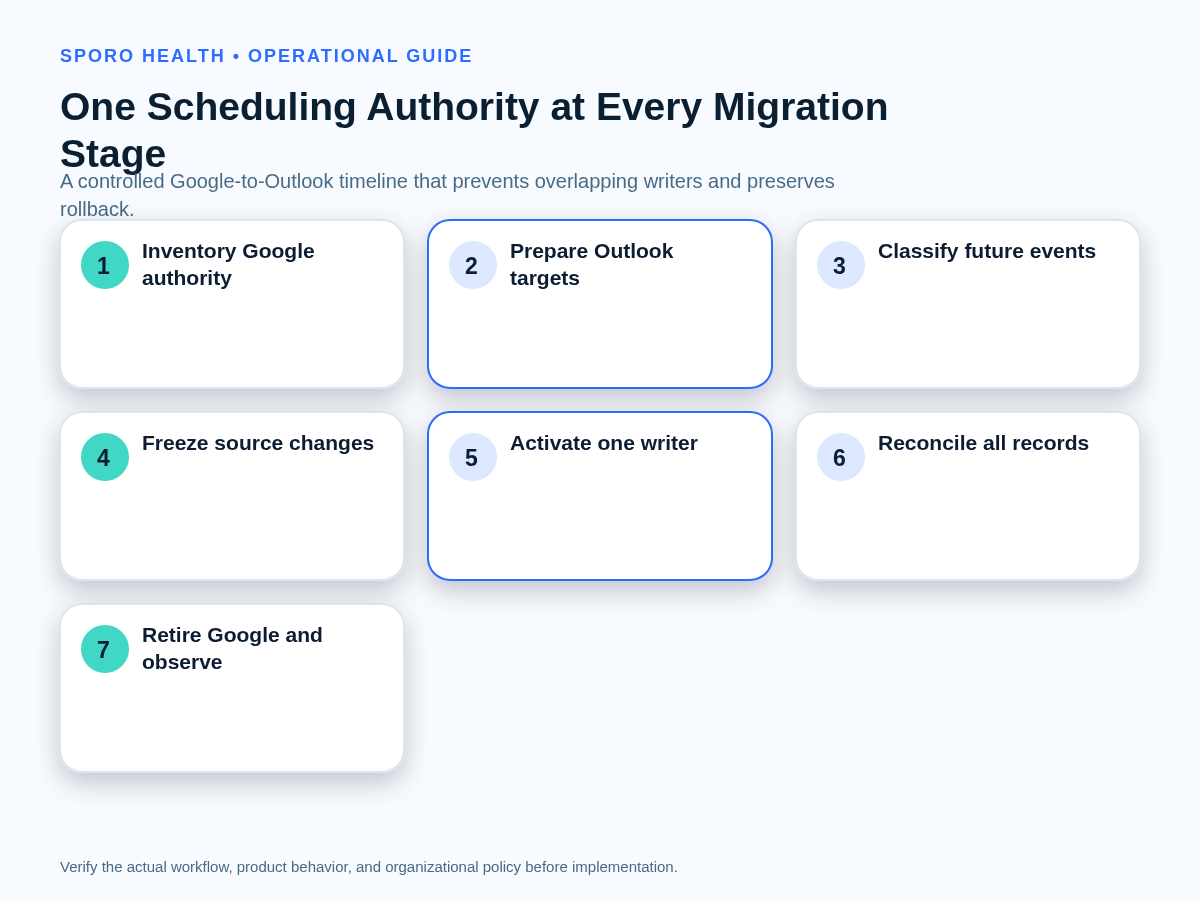
For practice managers deciding how to migrate athenahealth calendar sync from Google Calendar to Outlook, the safe unit is not an .ics file—it is each provider’s scheduling authority. Inventory the Google source, prepare the Outlook target, classify future events, freeze changes, activate one approved writer, reconcile representative schedule states, and retire Google only after Outlook passes acceptance and rollback remains possible.
How do you migrate athenahealth calendar sync from Google Calendar to Outlook?
Separate calendar content transfer from live scheduling authority, then move authority only after the Outlook target passes provider-level tests. Microsoft’s Exchange Online migration process can move Google Workspace calendar content into Microsoft 365, but content movement does not prove that an athenahealth-connected workflow has been remapped correctly.
An .ics import is also insufficient on its own. Microsoft Support describes an imported Google calendar as a static snapshot unless a separate subscription is used. A snapshot cannot establish integration authorization, synchronization history, organizer behavior, event ownership, or which system may update the schedule after cutover.
Which cutover model should you use?
Use provider-by-provider waves by default; use one cutover only for homogeneous calendars, and allow temporary coexistence only when Google is read-only. Select the model from calendar variation, delegate complexity, rollback needs, and schedule risk—not merely from the number of accounts.
| Model | Use it when | Required control | Stop condition |
|---|---|---|---|
| Provider-by-provider waves | Calendars, delegates, resources, or recurring exceptions differ. | Accept and close each provider before starting the next wave. | A critical test fails or exceptions exceed the approved wave capacity. |
| Single cutover window | Ownership, target design, access, and test results are genuinely uniform. | One freeze time, one release gate, and enough verifiers for every provider. | Any provider lacks a complete control record or accepted target. |
| Bounded read-only coexistence | Google visibility must remain temporarily available during validation. | Google integration and manual writes are disabled; coexistence has an end date. | Any Google write occurs or staff cannot distinguish source from target objects. |
Microsoft supports migration batches and smaller migration scopes, but its published migration limitations include shared calendars, event colors, and room bookings. Those limitations make provider-level verification especially important for complex schedules.
What belongs in the source-to-target control record?
Create one provider-level source-to-target control record before moving any events or credentials. The record must connect identities, calendar containers, content boundaries, cutover clocks, and named owners so that a verifier can reconstruct both the intended target and the rollback state.
First, choose between personal and managed Google calendars when identifying the source ownership model. Then complete a Microsoft 365 preflight for an athenahealth Outlook integration. If obligations span several Microsoft 365 containers, define coverage and precedence across multiple Outlook calendars before activation.
- Identity and authority: provider identity, Google account and calendar ID, Outlook mailbox and calendar ID, approved owner, and current integration connection.
- Access topology: delegates, shared calendars, resource calendars, human permissions, administrative owners, and application authorization.
- Content boundary: future-event horizon, recurring series, exceptions, event classes, and historical retention decision.
- Cutover clocks: source freeze, content-transfer completion, Outlook activation, observation start, rollback expiry, and closure time.
- Accountability: cutover owner, independent verifier, operations acceptor, exception owners, and rollback owner.
Microsoft’s guidance for permissions, delegates, rooms, and resources treats these as distinct migration concerns. Record and test them separately rather than assuming mailbox content migration proves access readiness.
How should existing events be classified before migration?
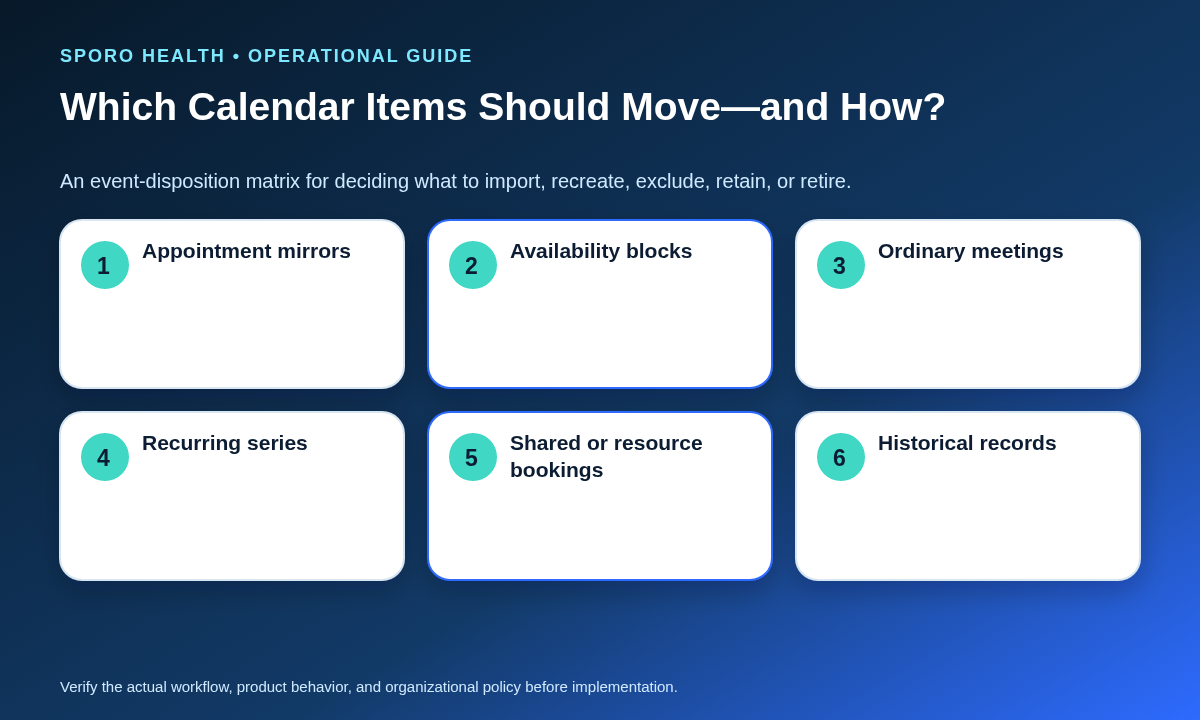
Classify future items before copying them; each class needs a keep, recreate, import, exclude, or retire decision. Google and Microsoft represent event identity and recurrence with platform-specific fields. The Google Calendar Events API distinguishes event IDs, iCalUIDs, recurring parents, instances, visibility, and transparency, while the Microsoft Graph event resource has its own identifiers, recurrence, sensitivity, availability, and change-tracking behavior.
| Event class | Default disposition | What must be verified |
|---|---|---|
| athenahealth-derived appointment mirrors | Exclude from generic import unless the vendor documents a supported mapping or recreation method. | One target object, correct appointment association, and no source replay. |
| Provider availability blocks | Keep or recreate approved future blocks. | Busy or free intent, privacy treatment, time zone, and effective dates. |
| Ordinary meetings | Import or migrate under organizer and attendee rules. | Organizer ownership, attendee state, notifications, and updates. |
| Recurring series | Treat the parent, future occurrences, and exceptions as one test unit. | Series horizon, moved instances, cancellations, and exception scope. |
| Shared or resource bookings | Remap to approved Outlook calendars or resource mailboxes. | Ownership, permissions, responses, and booking authority. |
| Historical items | Retain, archive, or exclude under policy; do not make them operational. | Retention destination and separation from the live target horizon. |
Treat every imported or recreated item as a new Outlook object until the integration vendor proves otherwise. Do not assume copied events retain synchronization history, authorization, organizer behavior, identifiers, or update ownership.
How do you prevent Google Calendar and Outlook from both writing schedule changes?
At no point should both Google and Outlook be approved write authorities for the same provider and time horizon. Visibility may overlap temporarily, but manual edits, integration writes, imports, and subscriptions must have explicit roles.
| Migration state | Hazard | Control |
|---|---|---|
| Google integration on; Outlook integration on | Duplicate or competing updates | Prohibit this state; disable and verify the source writer first. |
| Google manual edits continue; Outlook writes are active | Conflicting availability and stale source changes | Freeze Google edits and route changes through the target workflow. |
| Repeated .ics import; Outlook integration writes | Repeated objects without trusted mapping | Run one approved import with a manifest; require a comparison before reimporting. |
| Google subscription visible in Outlook; target calendar active | Staff mistake a read-only source view for a target object | Label and exclude the subscription from target acceptance evidence. |
| Google read-only; Outlook is the only writer | Residual source visibility | Allow only for a bounded observation period with an expiry owner. |
| Both integrations off during the freeze | Changes may be missed | Use a short freeze, one change ledger, and immediate reconciliation. |
The safest test is operational: ask where a new block, reschedule, or cancellation may be entered right now. If the answer names both platforms, the cutover boundary is incomplete.
What sequence should the cutover follow?
Freeze, switch, test, reconcile, and retire in that order, with one recorded authority at every step. Calendar content may be prepared earlier, but it must not become an ungoverned second schedule before the live authority changes.
- Approve the migration unit. Name the providers, future horizon, event classes, freeze interval, release gate, and rollback owner. Use the existing framework to apply production change control to the cutover.
- Baseline the source. Capture provider-calendar mappings, near-term schedule counts, recurring exceptions, delegates, resources, and unresolved mismatches.
- Prepare Outlook. Confirm the mailbox, target calendar, ownership, access, time zone, delegate behavior, and approved availability rules.
- Execute event dispositions. Import, recreate, exclude, retain, or retire each approved class without treating copied items as live integration objects.
- Start the freeze. Record the timestamp and direct all urgent changes to one migration ledger with an owner and disposition.
- Disable the Google write path. Stop integration writes and provider or staff edits, then perform a source-path shutdown test.
- Activate the Outlook connection. Verify the exact provider, mailbox, calendar, permissions, and integration mapping before normal changes resume.
- Run smoke tests. Execute a create, reschedule, cancellation, availability block, and recurring exception before releasing the provider.
- Reconcile and observe. Compare athenahealth, Outlook, and the migration ledger; keep rollback access bounded until operations accepts the result.
What must the Outlook acceptance suite prove?
The suite must prove booking authority, event-state behavior, access, change detection, duplicate prevention, and source shutdown—not merely that Outlook displays events. athenahealth’s event-notification topics distinguish appointment scheduling, rescheduling, and cancellation, so test those transactions separately. Use the existing method to build a two-system pilot acceptance matrix with evidence and retests.
| Scenario | Required pass evidence |
|---|---|
| Create | One correct target event and mapping |
| Reschedule | Old interval cleared; new interval correct |
| Cancel | Target state matches the approved cancellation rule |
| Busy, free, and private items | Availability and detail visibility match policy |
| Recurring exception | Only the intended occurrence or series changes |
| Time zone and daylight boundary | Correct local interval in every relevant view |
| Delegate edit | Authorized edit works; prohibited edit fails |
| Notification or change detection | Change is observed and reconciled |
| Duplicate prevention | Import, retry, or replay creates no extra object |
| Google shutdown | Source changes no longer enter the live workflow |
Record event identifiers, timestamps, expected results, actual results, evidence locations, defects, and the verifier. A high pass percentage is not sufficient when a critical authority, cancellation, recurrence, or shutdown test fails.
When should you roll back or close the migration?
Roll back when Outlook cannot preserve approved scheduling authority or reliable reconciliation; close only when every provider has one accepted target and no active Google writer. Rollback restores one known path rather than leaving both platforms writable.
Rollback triggers include:
- the target provider, mailbox, calendar, or integration mapping is uncertain;
- recurring-event scope or time-zone behavior changes the wrong occurrences;
- provider availability, required delegate access, or resource handling is not preserved;
- duplicates or unexplained mismatches cannot be bounded and reconciled; or
- the Google write path cannot be shown to be inactive.
Migration closure requires:
- one approved Outlook target for each provider;
- disabled Google integration and manual writes;
- documented dispositions for residual Google events, subscriptions, permissions, and resources;
- reconciliation of the near-term schedule and migration ledger;
- named owners and deadlines for accepted exceptions; and
- formal operations acceptance after the observation period.
Track source writes after cutoff, duplicate objects, near-term mismatches, unresolved exceptions, and accepted providers versus in-scope providers. Use preapproved thresholds rather than a universal number. After acceptance, retire the former calendar integration safely and preserve the evidence required by the practice’s retention and access policies.
Where do connected-calendar products fit?
The cutover plan should remain vendor-neutral until migration-specific behavior is confirmed in writing. Review the Sporo Health homepage, the current athenahealth and Google Calendar product page, the athenahealth and Microsoft Outlook product page, and the athenaConnect Marketplace listing as commercial destinations—not as proof of migration behavior.
If Sporo is under consideration, request written confirmation of provider remapping, treatment of imported events, recurring exceptions, duplicate prevention, source shutdown, future-event coverage, and rollback. That evidence-first approach is the practical answer to how to migrate athenahealth calendar sync from Google Calendar to Outlook without turning content transfer into competing schedule authority.
Frequently asked questions
Is an .ics import enough to migrate an athenahealth-connected calendar?
No. An .ics import moves calendar content, not live integration authority, event mapping, permissions, or update ownership. Treat it as one controlled content step.
Should existing Google Calendar events be imported before athenahealth Outlook sync?
Only after each event class has a disposition. Exclude or separately handle integration-derived mirrors unless the vendor documents how copied events will be matched, recreated, or ignored.
Can Google Calendar and Outlook both stay writable during the migration?
No. Both may remain visible for a bounded period, but only one platform may accept manual or integration writes for the same provider and horizon.
When is a provider-by-provider wave better than one cutover?
Use waves when providers differ in calendars, delegates, recurring exceptions, resources, or rollback needs. Use one cutover only when scope and test results are genuinely uniform.
What should the Outlook acceptance test cover?
Test create, reschedule, cancel, busy and free states, private items, recurring exceptions, time zones, delegate edits, notifications, duplicate prevention, and Google shutdown.
When should Google Calendar be disconnected after the Outlook cutover?
Disable Google writes at the cutover boundary, but remove remaining access only after Outlook passes acceptance, near-term schedules reconcile, residual items have dispositions, and rollback is no longer required.
What must rollback restore?
Rollback should restore one known source path, the last accepted provider-calendar mapping, required access, and a reconciliation window. It should never leave both integrations writable.
Sources
Primary sources reviewed October 16, 2026:
- Microsoft Learn: Automated Google Workspace migration to Microsoft 365
- Microsoft Learn: Google Workspace migration capabilities and limitations
- Microsoft Learn: Permissions, delegates, rooms, and resources migration
- Microsoft Support: View or import a Google Calendar in Outlook
- Google Calendar API: Events resource
- Microsoft Graph: Event resource
- athenahealth: Event notification subscription topics