Group Medical Visits in athenahealth: A Session-to-Patient Scheduling Playbook
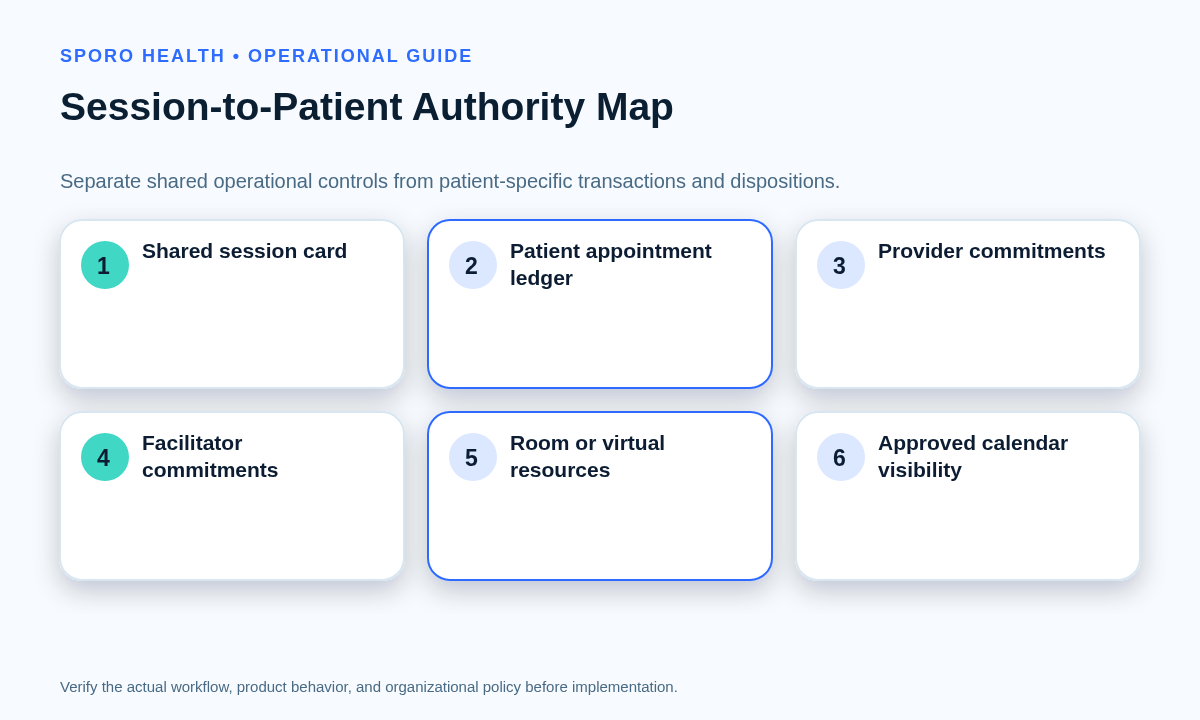
How to schedule group medical visits in athenahealth: specialty-practice managers should use two linked controls—a shared-session card for time, capacity, staff, location, and resources, plus a participant ledger tied to each patient-level appointment. The shared session coordinates operations; it does not replace the practice’s authoritative patient scheduling, documentation, attendance, or follow-up workflow.
How to schedule group medical visits in athenahealth
Schedule one operational session and retain one accountable appointment for every participant. The session card coordinates shared capacity and dependencies, while the participant ledger connects each person to the patient-level appointment, attendance result, disposition, and follow-up owner.
athenahealth’s public documentation describes managing patient appointments and reporting booked, rescheduled, or canceled appointments. Its notification topics also distinguish appointment schedule, reschedule, cancel, and update events. That supports using each appointment as an accountable patient transaction rather than treating the group as one patient record. See the athenahealth appointment documentation and appointment event topics.
| Layer | What it governs | Required control fields |
|---|---|---|
| Shared-session card | Common time, mode, capacity, staff, and resources | Occurrence ID, owner, threshold, location, provider, facilitator, room or virtual resource |
| Participant ledger | The roster and each participant’s current state | Appointment ID, enrollment state, attendance, disposition, follow-up owner |
| Patient appointment | The authoritative patient scheduling transaction | Patient, provider, department, appointment type, date, time, and status |
| External-calendar commitment | Approved operational visibility | Only the permitted staff, resource, time, mode, and location details |
Use the session card to bring together the same readiness disciplines used when coordinating providers, rooms, equipment, and support roles, but preserve every patient appointment as a separate transaction.
What must be approved before enrollment opens?
Enrollment should remain closed until the practice has approved the session owner, operating model, capacity, resources, appointment representation, authority boundaries, and fallback path. This gate prevents staff from building a roster around an incomplete or unapproved session.
AHRQ describes group visits as outpatient care conducted in a group setting and emphasizes advance planning, appropriate leadership, confidentiality discussions, space, personnel, and follow-up considerations. Those observations support an operational readiness gate, while the practice’s authorized clinical, privacy, billing, and legal owners determine its actual requirements. See AHRQ’s group-visit implementation overview.
- Named session owner and backup owner
- Provider and facilitator roster
- Approved capacity and minimum-session threshold
- Physical, virtual, or hybrid delivery mode
- Room, technology, equipment, and support dependencies
- Approved patient appointment representation
- Enrollment, replacement, and waitlist authority
- Privacy, consent, billing, and documentation review paths
- Cancellation, postponement, and fallback dispositions
- Patient and staff communication ownership
If delivery modes can vary, document the added checks for managing in-person and telehealth session dependencies before capacity becomes bookable.
Which session model should you choose?
Choose a fixed cohort, rolling-enrollment, or one-time model before creating recurrence and enrollment rules. The model should determine roster stability, deadlines, replacement handling, resource commitments, and closure evidence.
| Model | Best operational fit | Control rule |
|---|---|---|
| Fixed cohort series | The same participants are expected across a defined series | Close enrollment at the approved deadline; treat replacements as exceptions |
| Rolling enrollment | The roster may change between occurrences | Set occurrence-level enrollment and removal deadlines |
| One-time session | A single shared event with no future series | Close one roster, one resource set, and one session record |
For repeated sessions, apply the same scope discipline used when controlling one occurrence versus an entire recurring series, while recognizing that each group occurrence may have a different participant roster.
How should enrollment and capacity be controlled?
Front-desk staff should apply approved rules, not invent eligibility, capacity, billing, consent, or privacy decisions. Each enrollment action should create or confirm a valid patient appointment, update the participant ledger, and recalculate remaining capacity.
| Roster state | Permitted operational response | Authority |
|---|---|---|
| Above the approved minimum | Process a patient-only cancellation and verify the released seat | Approved scheduling role |
| At the minimum | Escalate before accepting further attrition or replacement exceptions | Program owner |
| Below the minimum | Stop routine changes and choose a preapproved go, reduce, convert, postpone, or cancel path | Designated decision owner |
| No threshold is documented | Do not improvise; hold the exception for an authorized decision | Program owner |
A replacement may be offered only through the approved enrollment path and without altering unaffected participant appointments.
How should group-visit changes be classified?
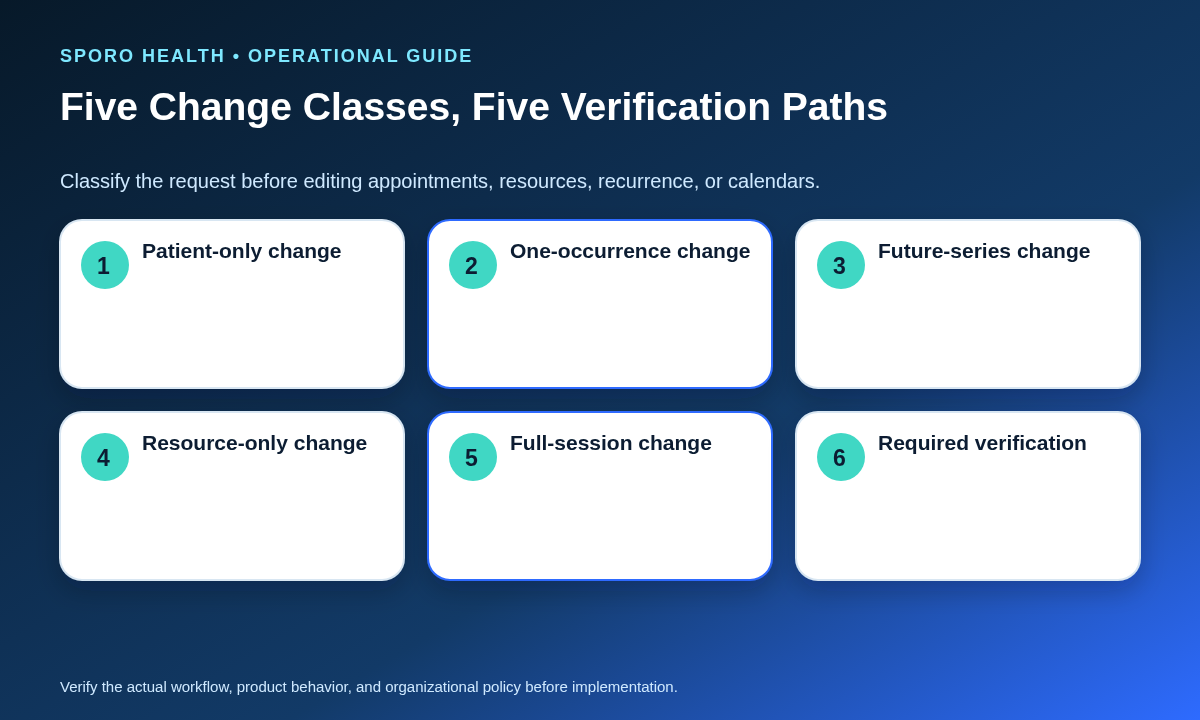
Classify every request before editing anything as patient-only, one-occurrence, future-series, resource-only, or full-session. The class defines the blast radius and the records that require revalidation.
| Change class | Typical example | Revalidate |
|---|---|---|
| Patient-only | One participant cancels or reschedules | That appointment, ledger row, seat count, communication, and follow-up |
| One-occurrence | One date changes provider, room, mode, or time | That session card, affected appointments, resources, communications, and calendar commitments |
| Future-series | All sessions after an effective date change | Future cards, recurrence rules, appointments in scope, resources, and calendar series |
| Resource-only | The facilitator or room changes without changing patient details | Resource readiness and approved visibility; patient appointments only if their details change |
| Full-session | The entire occurrence is postponed or canceled | Every active participant, staff commitment, resource, communication, follow-up, and calendar record |
Record the class, effective occurrence, decision owner, affected appointment IDs, expected final state, and verifier before execution.
How should cancellations be handled?
Separate one-patient attrition from a full-session cancellation and change only the records inside the approved scope. A single cancellation becomes a session-level decision only when it crosses the documented minimum threshold or creates another approved stop condition.
For one patient, update the patient appointment, ledger state, capacity count, communication status, and follow-up flag. If replacement is allowed, offer the released place through the approved enrollment process rather than editing another patient into the canceled transaction.
For a full-session cancellation:
- Stop new enrollment and competing edits.
- Census every active participant appointment.
- Assign each patient a cancel, reschedule, or other approved disposition.
- Assign an owner to unresolved communication and follow-up.
- Release provider, facilitator, room, and virtual resources in the approved sequence.
- Reconcile athenahealth, the participant ledger, and external-calendar commitments before closure.
How should recurring occurrences and external calendars be verified?
Verify each occurrence independently and keep one-occurrence changes separate from future-series changes. External calendars may represent approved shared commitments, but they should not become the patient roster, patient record, or independent booking authority.
Google Calendar distinguishes recurring events, individual instances, and exceptions, and warns against editing individual instances when the intended change is broader. See its recurring-event guidance. Microsoft Graph likewise distinguishes series masters, occurrences, exceptions, and canceled occurrences in its event resource and provides a method to list series instances.
For privacy, use only fields approved through authorized review. HHS explains that group-setting disclosures and incidental disclosures depend on context and reasonable safeguards, not on a blanket assumption that any calendar detail is appropriate. See its guidance on incidental uses and disclosures. Apply a field-level method for defining minimum-necessary external-calendar details.
How do you reconcile attendance, no-shows, and follow-up?
Close the session by reconciling the expected roster against every patient appointment and assigning one final scheduling disposition to each participant. Treat follow-up as a separate flag with an owner and due state so it does not obscure attendance.
- Expected roster: participants enrolled for the occurrence at the approved cutoff, adjusted for authorized late changes.
- Roster completeness: participant rows with a valid appointment ID and matching occurrence divided by the expected roster.
- Appointment disposition: attended, no-show, canceled, rescheduled, or another practice-approved closed state.
- Follow-up completeness: every required follow-up has a named owner and documented next action.
- Session closure: all rows are reconciled, shared resources are settled, and connected calendars match the authoritative schedule.
Do not close the session merely because the shared event has ended; patient-level exceptions may still require resolution.
How do you recover orphaned group-visit states?
Contain the affected object, identify the authoritative state, repair the smallest valid scope, and verify every linked record. Do not recreate records blindly when an appointment or calendar event appears unmatched.
| Orphan state | Recovery action |
|---|---|
| Patient appointment without a valid session occurrence | Confirm whether to relink, reschedule, cancel, or escalate; preserve the appointment ID where appropriate |
| Session roster entry without a valid patient appointment | Stop counting the seat as complete and route the missing transaction for correction |
| Released room or facilitator with active patients | Contain further changes and secure or disposition the shared dependency before proceeding |
| External-calendar block outlives the authoritative session | Verify the session state, then remove or correct only the stale commitment |
- Capture IDs, occurrence, timestamps, and current states.
- Name the authoritative patient and session records.
- Choose the narrowest approved correction.
- Verify patient, roster, resource, communication, and calendar state.
- Record cause, owner, and closure evidence.
What should practice managers measure?
Use session-level denominators so a few large sessions do not hide repeated failures in smaller ones. Define each measure before launch and review unresolved exceptions rather than relying only on total attendance.
| Measure | Definition |
|---|---|
| Roster completeness | Valid participant rows divided by expected participants |
| Capacity variance | Active participant count minus approved capacity |
| Orphaned appointments | Active patient appointments without a valid session occurrence |
| Late enrollment changes | Additions or removals after the approved cutoff |
| Unresolved cancellations or no-shows | Rows lacking a final disposition or required follow-up owner |
| Resource mismatch | Occurrences with an unverified provider, facilitator, room, or virtual dependency |
| Calendar mismatch | Reviewed occurrences whose external commitment disagrees with the authoritative schedule |
| Session-closure time | Elapsed time from session end or cancellation decision until all rows close |
Segment measures by session model, location, modality, provider, and occurrence when those distinctions are operationally relevant.
Where do connected calendars fit?
Connected calendars fit after the practice has approved authority, scope, data fields, and verification rules. Practices evaluating external-calendar visibility can review Sporo Health, the athenahealth and Google Calendar product page, the athenahealth and Microsoft Outlook product page, and the Sporo Health listing in the athenaConnect Marketplace.
Treat these as vendor materials to assess against the practice’s own requirements. They do not replace athenahealth configuration review, privacy analysis, staff training, or acceptance testing.
How do you put the playbook into use?
Start with one approved session model, one occurrence, and a named owner before expanding the workflow. A bounded launch makes appointment, roster, resource, recurrence, and calendar exceptions easier to identify and correct.
- Approve the shared-session card and participant-ledger fields.
- Name authoritative records and permitted editors.
- Select the fixed, rolling, or one-time model.
- Approve enrollment deadlines, capacity, and minimum thresholds.
- Test patient-only, occurrence, series, resource, and full-session changes.
- Rehearse cancellation, attendance, follow-up, and orphan recovery.
- Verify approved Google Calendar or Outlook visibility.
- Review the scorecard before adding sessions or locations.
Use scenario-based readiness training for scheduling staff to test enrollment, patient-only cancellations, recurrence exceptions, full-session cancellation, and escalation boundaries.
The practical answer to how to schedule group medical visits in athenahealth is to coordinate one shared session without collapsing patient-level appointments into it. Preserve both layers, classify every change, and require patient-to-session reconciliation before closure.
Frequently asked questions
Should a group medical visit be one undifferentiated athenahealth appointment?
No. Use one shared-session coordination record plus a patient-level appointment for each participant, subject to the practice’s approved athenahealth configuration and documentation workflow.
What should happen when one patient cancels?
Update that patient’s appointment and ledger row only, then check the approved minimum-session threshold. Do not change the remaining participants unless the threshold triggers a session-level decision.
Can front-desk staff decide clinical eligibility for a group visit?
No. Front-desk staff should apply approved enrollment and capacity rules, while clinical eligibility, billing, consent, privacy, and documentation questions route to designated owners.
Should Google Calendar or Outlook contain the patient roster?
Usually no. External calendars should show only approved provider, facilitator, room, or virtual-session commitments and should not become patient rosters or independent booking authorities.
How should one recurring group-visit occurrence be changed?
Classify it as a one-occurrence change, update only that occurrence and its affected participant records, then verify that future occurrences remain unchanged.
What proves that a group medical visit is closed?
Closure requires every expected participant to have a final appointment disposition, every required follow-up to have an owner, shared resources to be released or confirmed, and external-calendar commitments to match the authoritative schedule.
Sources
- athenahealth: Appointments — appointment management and reporting concepts.
- athenahealth: Event Notifications Subscription Topics — appointment lifecycle event types.
- AHRQ: Strategy 6M, Group Visits — group-visit planning considerations.
- HHS OCR: Incidental Uses and Disclosures — group settings and reasonable safeguards.
- Google Calendar API: Recurring Events — series instances and exceptions.
- Microsoft Graph: Event Resource — series, occurrence, and exception states.
- Microsoft Graph: List Instances — retrieving occurrences and exceptions.