Holiday Closures in athenahealth: A Close-and-Reopen Scheduling Checklist
This athenahealth holiday closure scheduling checklist gives practice managers one controlled way to close full-day or partial-day capacity, resolve every booked appointment, isolate approved coverage, reconcile Google Calendar or Outlook, and prove reopening. The closure is not complete until affected intervals are unavailable on every booking surface, exceptions are bounded, and both closed and reopened states pass verification.
What makes a holiday closure complete?
A holiday closure is complete only when every affected provider-location-time interval is nonbookable across relevant booking surfaces, every existing appointment has a documented disposition, approved exceptions remain isolated, and reopening passes verification. A calendar label or an absence of reported complaints is not closure evidence.
- The approved interval is unavailable to staff and patient-facing booking.
- Every appointment, waitlist item, recurring occurrence, and dependent resource is accounted for.
- Urgent, on-call, telehealth, or limited-service coverage cannot expose general capacity.
- A separate verifier records both closure and reopening test results.
How should the practice define the closure scope?
Define the closure unit before changing schedules: exact local date and time, location or department, providers, appointment types, booking channels, and services that remain open. Treat full-day, partial-day, and location-specific closures as separate units rather than one broad instruction.
| Scope field | Record in the closure envelope | Boundary test |
|---|---|---|
| Location | Department, clinic, or service site | Other locations remain unchanged |
| Provider cohort | Every affected provider and resource | No omitted or extra provider |
| Local interval | Date, start time, end time, and time zone | First open and closed minutes behave correctly |
| Appointment types | Closed, limited, or still available | Restricted types cannot leak through another channel |
| Booking channels | Staff, patient self-scheduling, waitlist, and other approved paths | All surfaces show the same boundary |
| Exceptions | Coverage owner, capacity, channel, and approval | Only the approved lane remains open |
Change a recurring provider template only when the holiday pattern is intentionally permanent or repeated by policy. A one-time holiday closure ordinarily belongs in a date-bounded exception that can be verified and removed. Use the guide to choose between a recurring template change and a date-bounded schedule exception. If the event affects only one clinician, use the narrower individual provider absence workflow.
Which six clocks should control closing and reopening?
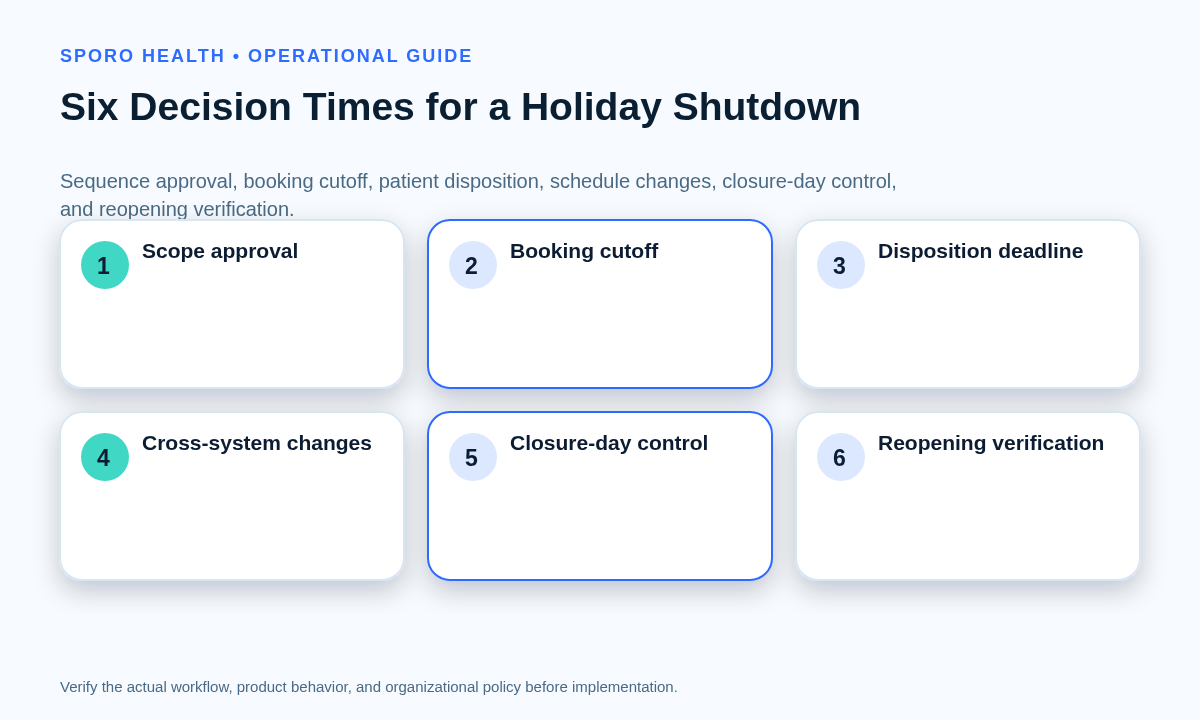
Use six explicit decision times so approval, patient handling, schedule changes, exception coverage, and reopening do not collapse into one last-minute task. Assign an owner and completion evidence to each clock.
- Scope approval: leadership approves the closure envelope and every service that will remain open.
- Booking cutoff: new bookings stop for affected intervals across every approved channel.
- Disposition deadline: each existing appointment and waitlist item receives a final path.
- Cross-system change window: athenahealth, booking surfaces, resources, Google Calendar, and Outlook are updated and tested.
- Closure-day control: the assigned owner watches for unauthorized openings, late changes, and unfenced exceptions.
- Reopening verification: normal capacity resumes only after positive, negative, recurrence, and stale-state tests pass.
What should happen to existing appointments?
Before removing capacity, list every appointment, waitlist item, recurring series, resource dependency, and patient-facing booking path in the closure window. Assign each item a keep, move, convert, route, cancel, or escalate disposition with an owner and deadline.
| Disposition | Use when | Required closure evidence |
|---|---|---|
| Keep | Approved coverage preserves the appointment | Provider, location, service, and resources verified |
| Move | A valid date, time, provider, or location is available | Destination booked and original state cleared |
| Convert | An approved alternate visit mode is operationally valid | Mode, access, dependencies, and patient contact confirmed |
| Route | Another approved service or coverage pathway owns the work | Receiving owner accepts the handoff |
| Cancel | The appointment cannot remain or be reassigned | Cancellation state and approved communication completed |
| Escalate | No authorized operational disposition is available | Named decision owner and deadline recorded |
Do not remove capacity first and reconstruct affected work afterward. athenahealth’s current appointment documentation separates appointment slots, booked or changed appointments, reports, and waitlist functions, reinforcing the need to inventory each state rather than treat the day as one object: athenahealth appointment documentation.
Do Google Calendar or Outlook holiday events block athenahealth appointment availability?
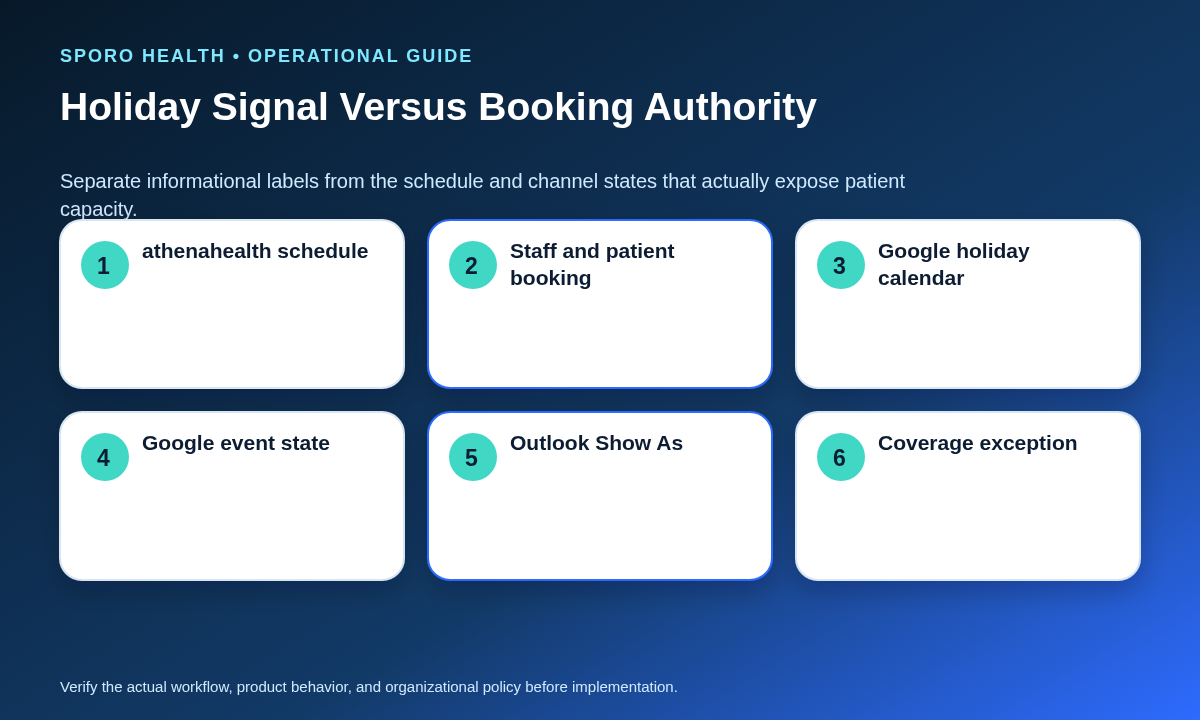
Do not rely on a public holiday calendar or one all-day event to close patient capacity. Holiday entries can be informational; the practice must change its authoritative athenahealth schedule and test any Google Calendar or Outlook representation separately.
Google documents holiday calendars as subscribed calendar content and notes that individual holiday details cannot be edited. Separately, the Google Calendar event model uses event type, date or date-time fields, recurrence, and transparency to determine how an event behaves; opaque events block time while transparent events do not. Google out-of-office events can also decline meetings, but that meeting behavior does not by itself prove that athenahealth booking is closed. See Google holiday-calendar guidance, the Google Calendar Events reference, and Google out-of-office guidance.
| Holiday signal | Operational authority | Required test |
|---|---|---|
| athenahealth schedule state | Practice-approved patient-capacity control | Closed and open intervals from staff views |
| Patient self-scheduling | Booking exposure surface | Search as a patient for closed and valid slots |
| Google holiday calendar | Informational until an approved workflow says otherwise | Confirm it does not independently change capacity |
| Google all-day or out-of-office event | Depends on type, transparency, recurrence, and integration rules | Test blocking state and removal |
| Outlook holiday entry | Informational until explicitly connected to a capacity rule | Confirm the athenahealth interval independently |
| Outlook all-day event | Depends on Show As and integration behavior | Test Free, Busy, and Out of Office states |
| Coverage exception | Approved narrow booking lane | Prove general capacity remains closed |
Microsoft documents both adding holiday calendars and separate Outlook availability states. An all-day item may be shown as Free, while Microsoft Graph represents Show As values such as free, tentative, busy, and out of office. Review Outlook holiday guidance, Outlook all-day and Show As guidance, and the Microsoft Graph event reference. Practices should also classify all-day calendar events before treating them as unavailable.
How should a partial-day closure be tested?
For a partial-day closure, preserve the open portion of the day and use exact local start and end times. Test boundaries rather than accepting a day-level visual label as proof.
- The last valid slot before closure and first valid slot after it.
- Appointments whose duration crosses the start or end boundary.
- Provider travel and resource release near the boundary.
- Patient self-scheduling and staff booking for the same interval.
- Any location, provider, or calendar operating in another time zone.
Can one location, provider, or urgent service remain open?
Keep holiday exceptions narrow. Identify the provider, location, appointment types, booking channel, capacity limit, and approval owner for urgent, on-call, telehealth, or limited-service coverage so reopening one service does not expose general scheduling.
The exception-fencing worksheet should record the exact interval, named coverage owner, eligible appointment types, authorized schedulers, patient-facing visibility, resource dependencies, maximum capacity, escalation path, and expiration. Test one valid exception booking and at least one prohibited general booking before approval.
How do you run the athenahealth holiday closure scheduling checklist?
Use one change owner and a separate verifier. The owner applies schedule, booking-channel, and calendar changes; the verifier confirms the expected closed and open intervals from both staff and patient-facing views.
- Approve the closure envelope and exception worksheet.
- Export or list affected appointments, waitlists, series, resources, and channels.
- Complete and verify every appointment disposition.
- Apply the smallest date-bounded schedule change.
- Update and test each relevant booking and calendar surface.
- Record closure-day exceptions in one controlled queue.
- Hold reopening until the independent verification gate passes.
What tests prove that the holiday closure reopened correctly?
Reopening requires positive and negative tests. Valid post-holiday slots must be bookable, closed intervals must remain unavailable, temporary blocks must expire, recurring templates must resume correctly, and stale external-calendar events must not suppress capacity.
| Reopening test | Pass condition |
|---|---|
| Positive booking | An approved post-holiday slot can be found and booked through each required channel |
| Negative interval | The closed holiday interval remains unavailable |
| Template resumption | The normal recurring schedule returns on the intended date |
| Exception expiration | Urgent or limited-service rules do not continue beyond approval |
| Calendar cleanup | Temporary Google Calendar or Outlook items no longer suppress valid capacity |
| Surface agreement | Staff booking, self-scheduling, waitlists, and resources show the same state |
Route unresolved mismatches through a named daily exception-queue and handoff process rather than declaring reopening complete based on one successful view.
How should closure control be measured?
Measure closure control with appointment-disposition completion, residual open-slot count, booking-channel mismatches, stale-block count after reopening, and exceptions without an owner. Zero reported complaints alone does not prove control.
| Measure | Gate question |
|---|---|
| Disposition completion | Does every affected item have a verified final state? |
| Residual open slots | Does any unauthorized holiday capacity remain exposed? |
| Channel mismatches | Do staff and patient-facing surfaces disagree? |
| Stale blocks | Does any temporary restriction remain after reopening? |
| Ownerless exceptions | Is any unresolved item missing an accountable owner? |
Where do connected-calendar tools fit?
Google Calendar and Outlook can follow the same practice rule, but they need platform-specific tests. Test all-day items, free/busy or Show As state, out-of-office behavior, recurrence, shared calendars, time zones, and event removal after reopening.
Teams evaluating connected-calendar options can review the Sporo Health scheduling resources, the current athenahealth and Google Calendar product page, the athenahealth and Microsoft 365/Outlook product page, and the Sporo Health athenaConnect Marketplace listing. Treat these as vendor descriptions: confirm event scope, permissions, recurrence, rollback, and closure tests for the practice’s actual configuration.
How should practice managers put the checklist into use?
Start with one approved closure envelope, one change owner, one verifier, and one reopening gate. Use this athenahealth holiday closure scheduling checklist for temporary full-day or partial-day shutdowns. If the location will not reopen, move to the separate permanent clinic-location closure checklist.
Frequently asked questions
How should a practice scope a full-day versus partial-day holiday closure in athenahealth?
Treat each closure as a separate provider-location-time unit. A full-day closure uses the complete local operating interval; a partial-day closure preserves the open portion and tests the first and last valid slots plus appointments that cross the boundary.
What should happen to appointments already booked during a holiday closure?
Assign every appointment a keep, move, convert, route, cancel, or escalate disposition. Record an owner, deadline, patient-contact state, destination or coverage details, and evidence that the final athenahealth appointment state was verified.
Do Google Calendar or Outlook holiday events block athenahealth appointment availability?
Not by themselves. Holiday calendars may be informational, Google events can be blocking or nonblocking, and Outlook events have Show As states. Close capacity in the approved athenahealth workflow, then test each connected-calendar representation separately.
Should a one-time holiday closure change the recurring provider schedule template?
Ordinarily, no. Use a date-bounded exception for a one-time closure so the baseline can resume cleanly. Change the recurring template only when the repeated pattern is intentional, approved, and meant to continue.
Can one location, provider, or urgent service remain open while the rest of the practice is closed?
Yes, if the exception is fenced by provider, location, appointment type, booking channel, capacity limit, time interval, and approval owner. Test that the narrow service is bookable without exposing general holiday capacity.
What tests prove that an athenahealth holiday closure has reopened correctly?
Confirm that valid post-holiday slots can be booked, closed intervals remain unavailable, temporary restrictions have expired, recurring templates resume correctly, booking channels agree, and stale Google Calendar or Outlook events no longer suppress capacity.
Sources
- athenahealth: Appointments and scheduling API documentation
- Google Calendar Help: Add or remove holidays
- Google Calendar API: Events reference
- Google Workspace Learning Center: Calendar out-of-office behavior
- Microsoft Support: Add holidays to Outlook
- Microsoft Support: All-day out-of-office events and Show As
- Microsoft Graph: Event resource and Show As values