Opening a New Provider’s athenahealth Schedule: A Booking-Readiness Gate
When should a new provider’s athenahealth schedule open for booking? It should open only after a named owner verifies the approved provider identity, departments, appointment types, schedule pattern, booking boundaries, staff workflow, connected-calendar state, exception path, and fallback evidence. For practice managers, the safest default is staged exposure—not a single switch from hidden to fully open.
When should a new provider’s athenahealth schedule open for booking?
Open the schedule only when the exact approved booking scope has passed an evidence-based release gate. The decision should apply to a defined provider, department, location, appointment type, date range, and booking channel—not to the provider’s entire future schedule by default.
athenahealth’s public appointment documentation treats open slots, appointments, appointment types, departments, online scheduling, and waitlists as distinct scheduling elements. That supports testing each dependency separately rather than assuming that creating a provider or template proves end-to-end booking readiness.
The gate should produce one of four outcomes: remain hidden, enter test-only exposure, permit a controlled release, or become fully open. Any unresolved condition that could expose invalid capacity, send a booking to the wrong provider or location, break the staff workflow, or remove the recovery path is a stop condition.
What belongs in the provider-level readiness packet?
The readiness packet should hold the scope, ownership, evidence, exceptions, and final decision in one provider-level record. Use the broader new-provider scheduling onboarding process for background, then narrow this packet to the booking-release decision.
| Packet field | Required record |
|---|---|
| Approved scope | Provider identity, departments, locations, appointment types, schedule pattern, first and last bookable dates |
| Booking surfaces | Staff scheduling, patient self-scheduling, waitlists, referrals, external pages, and their current states |
| Accountability | Final release owner plus one owner for every dependency or unresolved condition |
| Evidence | Evidence location, verifier, result, and last verification time |
| Exceptions | Condition, booking impact, bounded scope, approver, expiration, fallback, and retest |
| Decision | Exposure state, authorized scope, effective boundary, pause authority, and approval time |
Do not scatter this evidence across email, chat, and separate project lists. The release owner needs one record that shows what is approved, what remains uncertain, and what capacity is actually exposed.
Which booking-exposure state should the provider enter?
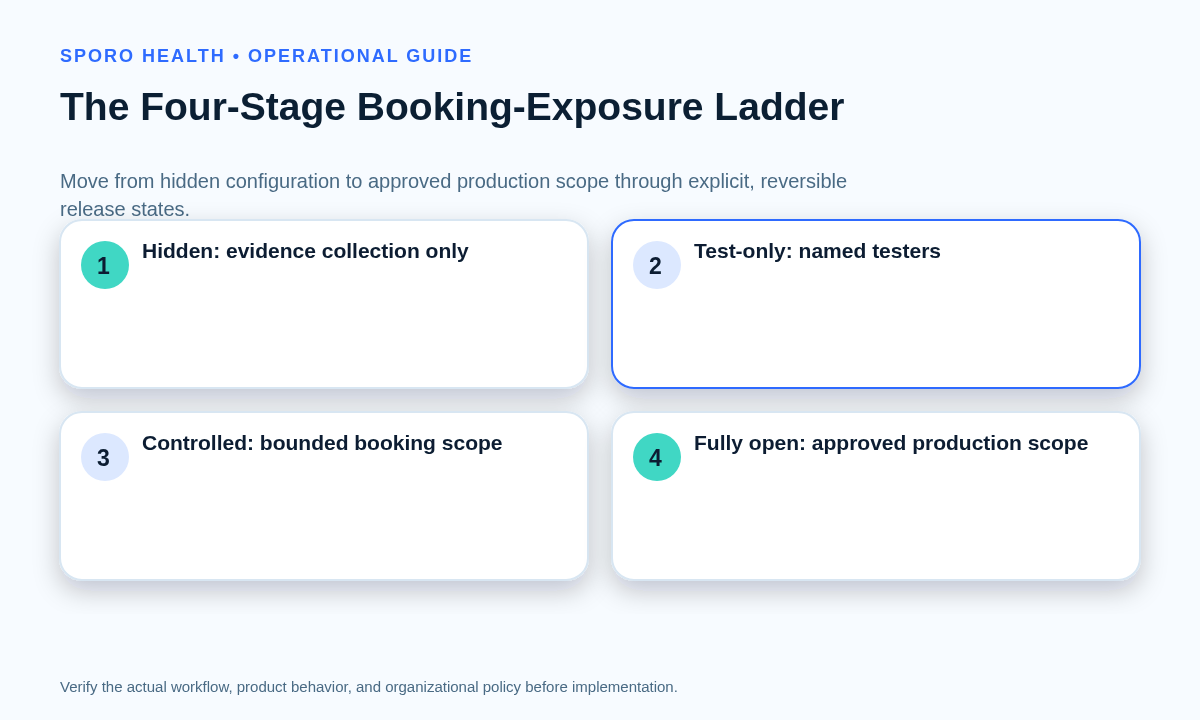
Use hidden, test-only, controlled release, and fully open as explicit states. Each state must define who may book, what capacity is visible, the evidence needed to advance, and who may pause the release.
Before exposing recurring capacity, confirm whether the intended pattern requires choosing a baseline template or bounded schedule change.
| State | Who may book | Exposed scope | Advance or pause rule |
|---|---|---|---|
| Hidden | Nobody | Configuration and evidence only | Advance after scope and owners are approved |
| Test-only | Named testers | Synthetic or specifically approved scenarios | Pause for any hard blocker; advance after required tests pass |
| Controlled release | Named staff or channels | Bounded dates, types, departments, locations, or channels | Expand only after exposed transactions match the packet |
| Fully open | Approved production users and channels | Complete authorized scope | Continue routine monitoring; contain new defects promptly |
Which booking surfaces must be inventoried?
Inventory every place that can expose, request, reserve, or fill the provider’s capacity. A provider is not ready if one uncontrolled surface can advertise or consume time outside the approved scope.
- Staff scheduling: departments, roles, queues, and views used by schedulers.
- Patient self-scheduling: appointment types, locations, eligibility boundaries, and dates presented to patients.
- Waitlists: rules that may offer newly released or canceled capacity.
- Referral workflows: requests or work queues that can become appointments.
- External booking pages: any page outside the approved athenahealth pathway that displays provider availability.
Record the owner, release state, effective boundary, and last verification for each surface. The public athenahealth appointment documentation includes online scheduling and waitlist workflows, reinforcing the need to test them as separate paths rather than relying on one staff-calendar view.
What proves Google Calendar or Outlook readiness?
Connected-calendar readiness requires an approved owner, documented human and application access, defined inputs and destination, representative event tests, and a containment path. Account creation alone is not acceptance evidence.
For Google Workspace, verify that the provider has the intended account and service access; Google’s user-management guidance distinguishes user accounts and licenses. Document calendar ownership and sharing separately because Google Calendar sharing permissions range from free/busy visibility to editing and sharing control.
For Microsoft 365, confirm the account, appropriate license, mailbox, and target calendar using Microsoft’s user and license guidance. Outlook sharing or delegation is a human-access decision described in Microsoft’s calendar delegation documentation; application access is a separate authorization layer governed by Microsoft Graph permissions.
For deeper account governance, use choosing a managed Google Calendar model or complete Microsoft 365 calendar-integration preflight checks. In either platform, record approved availability inputs, one intended write destination, human access, application access, and the action that contains booking risk if the calendar becomes unavailable.
What should acceptance testing prove before release?
Testing should prove both valid transactions and rejected out-of-scope attempts in every schedule view staff will use. Pair the matrix with scenario-based front-desk readiness testing so a technical pass is not mistaken for staff readiness.
Google’s Calendar Events reference exposes separate status, date, time-zone, recurrence, transparency, organizer, and event-identity fields. Representative tests should therefore cover lifecycle and boundary states, not merely whether one event appears.
| Scenario | Required evidence | Failure meaning |
|---|---|---|
| Normal booking | Correct provider, type, location, time, and views | Core release blocker |
| Reschedule | Old interval released; new interval correct | Stale or duplicated capacity risk |
| Cancellation | Appointment closed and dependent views reconciled | Orphaned record or false occupancy |
| Blocked interval | Booking rejected or contained as designed | Invalid capacity exposure |
| Recurring pattern | Series and one-occurrence boundaries preserved | Pattern-wide scope error |
| Wrong location or type | Attempt rejected without changing valid capacity | Scope-control failure |
| Boundary date | First and last authorized dates behave correctly | Premature or excess exposure |
| Calendar unavailable | Named fallback, alert, and containment path works | No authoritative recovery path |
What counts as a hard blocker?
A hard blocker is an unresolved condition that can make booking invalid, misroute it, prevent completion, or leave the practice unable to recover authoritatively. It cannot be converted into an accepted exception merely because the provider’s start date is near.
| Classification | Decision rule |
|---|---|
| Hard blocker | Keep affected capacity hidden or pause it until corrected and retested |
| Conditional gap | Release only unaffected scope when boundaries and ownership are demonstrably enforceable |
| Accepted exception | Require an approver, owner, expiration, fallback, booking impact, and closure evidence |
Examples of hard blockers include the wrong provider or department mapping, an uncontrolled patient-facing page, unverified staff authority, an unusable appointment workflow, missing boundary controls, or a connected-calendar failure with no tested containment method. Credentialing completion by itself is not scheduling acceptance; authorized practice owners must confirm applicable prerequisites outside this operational gate.
Who should approve, configure, book, and verify?
Separate approval, configuration, booking, and verification where practical, while naming one person accountable for the final release. Every unresolved condition also needs its own owner.
- Approver: authorizes the provider’s operational scope and any exception.
- Configurator: applies provider, department, appointment-type, schedule, and channel settings.
- Booker or tester: executes only authorized test or production transactions.
- Verifier: compares the result with the readiness packet across required views.
- Release owner: records hidden, test-only, controlled, or fully open as the final decision.
- Condition owner: resolves, retests, or closes each gap and exception.
A small practice may assign multiple duties to one person, but the record should make that overlap visible. Use an additional reviewer for changes whose failure could expose invalid capacity or disrupt existing bookings.
What if the provider’s start date changes?
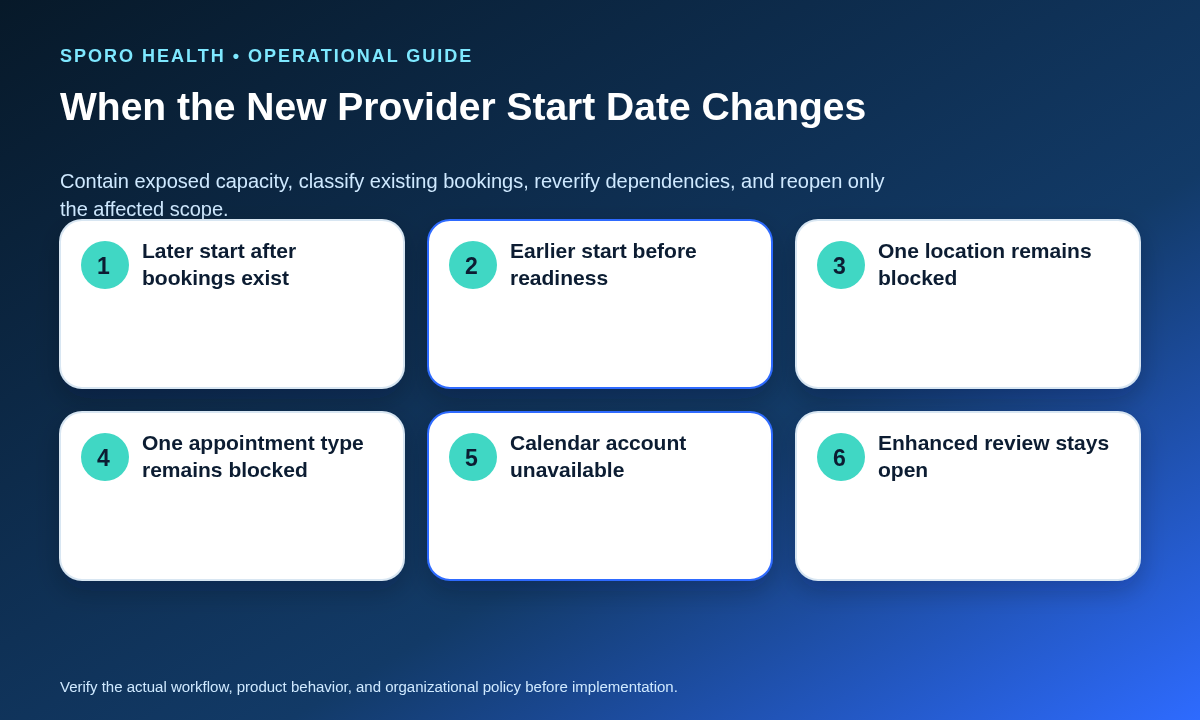
Pause additional exposure, classify existing bookings, revise the effective boundary, and reopen only the affected scope after dependent systems are reverified. Route the change through one controlled provider schedule-change request rather than relying on informal messages.
| Change | Containment and reopening action |
|---|---|
| Start moves later | Close new exposure beyond the revised boundary; classify existing bookings; assign communication and disposition owners |
| Start moves earlier | Do not accelerate booking ahead of unresolved dependencies; test only the newly proposed interval |
| One type or location is not ready | Keep that scope hidden while an approved, separable scope remains controlled |
| Calendar account is unavailable | Use the approved containment path; do not treat manual improvisation as acceptance evidence |
| Unapproved surface opens | Close it, identify exposed capacity and transactions, correct boundaries, and retest |
| Provider starts during enhanced review | Keep monitoring open until actual transactions satisfy the closure rules |
How should early stabilization be measured?
Compare actual early bookings with the approved readiness packet and close enhanced review only when the evidence supports routine operation. Use the first clinic sessions as an observation period, but set its length from practice risk and transaction volume rather than an arbitrary universal number.
| Measure | Review question |
|---|---|
| Booking-scope errors | Did any transaction exceed approved dates, channels, types, or departments? |
| Type or location mismatches | Did actual appointments match the authorized provider pathway? |
| Calendar mismatches | Did required Google Calendar or Outlook representations match the schedule? |
| Staff workarounds | Were undocumented manual steps needed to complete routine work? |
| Open exceptions | Does every defect have an owner, impact, next action, and retest? |
End enhanced review when representative bookings match the packet, no hard blocker remains, accepted exceptions are still bounded and owned, and staff can use the approved workflow and fallback. Extend review when evidence is incomplete; contain the affected scope when errors could create invalid bookings.
How should the booking-readiness gate be put into operation?
Start with one provider, one readiness packet, one release owner, and one explicit exposure state. Inventory surfaces, classify blockers, run the acceptance matrix, record the decision, and compare early transactions with the authorized scope.
- Name the release owner and dependency owners.
- Complete the provider-level evidence packet.
- Select the current exposure state and pause authority.
- Execute normal, boundary, negative, and fallback tests.
- Record the release decision and stabilization closure criteria.
If connected-calendar readiness is part of the gate, review the Sporo Health scheduling-integration overview, the athenahealth and Google Calendar product page, the athenahealth and Outlook product page, and the Sporo Health athenaConnect Marketplace listing. Treat product descriptions as vendor claims and ask for evidence against your approved scenarios, scope, permissions, containment, and fallback requirements.
The practical answer to when should a new provider’s athenahealth schedule open for booking is therefore simple: after the authorized scope works, the invalid scope stays closed, the owners can prove both outcomes, and the practice can pause and recover safely.
Frequently asked questions
Can staff book before patient self-scheduling opens?
Yes. Staff may book in controlled release only when authorized users, appointment types, locations, dates, and patient-facing closures are explicit and verified.
Does credentialing completion alone make the schedule ready?
No. Authorized practice owners must confirm applicable employment, credentialing, payer, clinical, and operational prerequisites; the scheduling gate only verifies booking readiness within the approved scope and does not interpret legal requirements.
What is a hard blocker for a new provider schedule?
A hard blocker is any unresolved condition that could expose invalid capacity, route a booking to the wrong provider or location, prevent staff from completing the workflow, or leave no authoritative recovery path.
Should full booking open on the provider’s first day?
Not automatically. Controlled release may continue through the first clinic sessions until actual bookings, staff workflows, calendar representations, and unresolved exceptions match the approved readiness record.
What if the provider’s start date changes after appointments are booked?
Pause additional exposure, classify existing bookings, revise the effective booking boundary, reverify dependent systems, communicate ownership, and reopen only the affected scope after approval.
Does creating a Google Calendar or Outlook account prove readiness?
No. The practice must also verify calendar ownership, human and application access, availability inputs, the write destination, representative event states, and a tested containment or disconnection path.
Who makes the final booking-release decision?
One named release owner should make and record the final decision, while a separate accountable owner is assigned to every unresolved condition or approved exception.
Sources
Primary documentation reviewed October 6, 2026: