
How to Roll Out athenahealth Calendar Sync Across Providers: A Wave-Gate Plan
How to roll out athenahealth calendar sync across providers: practice managers should expand a completed pilot in controlled waves, not activate everyone at once. Define each provider-calendar-location unit, sequence cohorts by workflow complexity, test representative schedule states, observe exceptions, and end every wave with a recorded go, pause, contain, or rollback decision.
This plan gives calendar integration implementation owners and clinical operations leaders a post-pilot operating framework. Its checkpoints are evidence labels, not promises about how many days an implementation should take.
How to roll out athenahealth calendar sync across providers
Use controlled waves whose scope, evidence, and decision owner are known before activation. A wave is a bounded operational change: named rollout units enter together, encounter predefined schedule scenarios, remain observable, and receive a formal decision before another cohort begins.
ONC describes health IT implementation as a multi-stage effort involving configuration, clinicians, workflows, people, processes, culture, and contingency planning. That supports treating expansion as change control rather than bulk account activation (ONC implementing health IT guidance). Before designing waves, evaluate schedule-integrity requirements before rollout.
What is the correct rollout unit?
The rollout unit is the complete provider-calendar-location operating bundle, not one provider name. A provider count conceals ownership, department, delegation, authority, support, and fallback dependencies that determine whether the connection can be operated safely.
| Worksheet field | Required entry | Gate question |
|---|---|---|
| Provider identity | Provider and scheduling role | Is the correct person in scope? |
| External calendar | Platform, tenant, calendar owner, delegate | Who owns and can edit it? |
| athenahealth scope | Department and location | Are all intended scheduling contexts mapped? |
| Edit authority | Source-of-truth rule by change type | Which action controls a conflict? |
| Support owner | Named operational and technical contacts | Who receives the first exception? |
| Fallback path | Manual authority, log, and reconciliation owner | Can scheduling continue if sync is unavailable? |
| Archetype | Single site, delegated, recurring, call, or multi-site | Has this complexity already been tested? |
The official athenahealth appointment profile represents appointment status and practitioner and location participation, reinforcing why provider, state, and location should remain explicit in the worksheet (athenahealth Appointment profile).
Which providers should enter each wave?
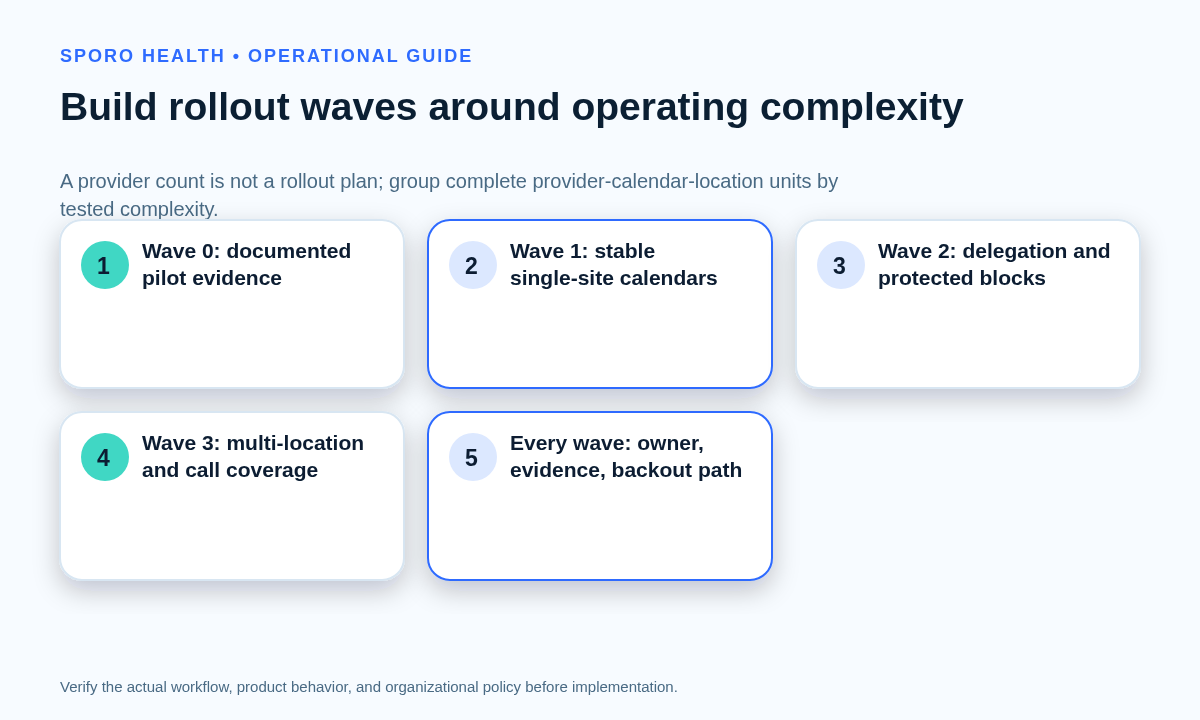
Begin with representative lower-complexity providers, then add one meaningful complexity class at a time. Do not choose only enthusiastic users if that would hide ordinary training, delegation, or front-desk handoff problems.
| Provider archetype | Suggested sequence | Admission evidence |
|---|---|---|
| Stable single calendar and site | First expansion wave | Clear ownership, stable template, known location |
| Delegated calendar | After ownership passes | Delegate rights and competing edits tested |
| Recurring protected time | After single-event handling | Series, occurrence, and exception behavior verified |
| Rotating call or coverage | Later wave | Handoff and override authority documented |
| Multi-location provider | Later wave | Department, site, travel, and time-zone rules tested |
| High-exception schedule | Last or contained wave | Support capacity and exception paths proven |
Wave labels describe relative complexity, not dates. Use the multi-location athenahealth scheduling guide to identify site, travel, and department dependencies before admitting a multi-site unit.
When is a calendar sync pilot ready to expand?
Expand only when the pilot has passed its agreed scenarios and the next wave introduces no untested complexity. Required evidence should cover create, reschedule, cancel, recurring-block, competing-edit, and recovery scenarios; named owners for open exceptions; a rehearsed fallback; and role-specific training.
ONC notes that training and end-user feedback are essential when health IT changes workflows (ONC guidance on using health IT). For Outlook cohorts, complete the Microsoft 365 preflight checklist before treating a Google Calendar pilot as evidence for a different tenant and permission model.
What should the wave-gate scorecard contain?
The scorecard should connect entry criteria, scenario tests, observation evidence, exit criteria, and one explicit decision. An adoption percentage alone cannot show whether the schedule states, ownership model, support process, and fallback are working.
| Dimension | Entry evidence | Exit evidence |
|---|---|---|
| Unit mapping | All worksheet fields assigned | No unknown owner or location |
| Role readiness | Provider, front desk, support trained | Observed handoffs follow authority rules |
| Schedule states | Representative cases prepared | Required states handled and reconciled |
| Exceptions | Severity and routing rules defined | Open items are understood, owned, and within budget |
| Fallback | Authority, log, and contacts ready | Fallback remains executable and recoverable |
What decisions can the gate produce?
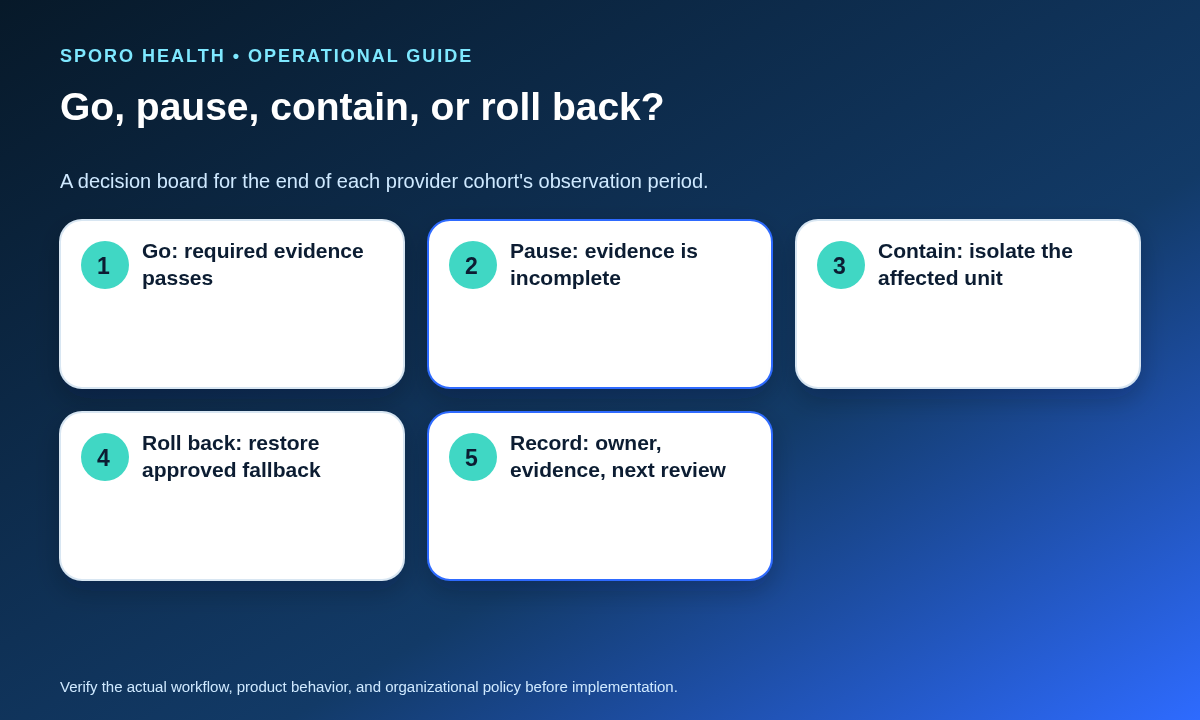
The decision must be go, pause, contain, or roll back. Go advances the planned pattern. Pause holds the wave while evidence is completed. Contain isolates one unit or archetype without disturbing proven cohorts. Roll back restores the approved fallback when schedule integrity or dependable operations cannot be maintained.
How should exceptions be budgeted?
Classify exceptions by scope and consequence before counting them. The budget is a decision rule, not permission to accept unexplained mismatches.
| Exception class | Default response | Expansion rule |
|---|---|---|
| Expected learning error | Coach and verify correction | Proceed only if the pattern declines |
| Isolated configuration defect | Contain the affected unit | Do not expand that configuration |
| Archetype-level failure | Pause similar units | Retest the archetype before reuse |
| Systemic failure | Stop expansion and investigate | No new wave until cause is controlled |
| Schedule-integrity risk | Use fallback or roll back | Require reconciliation and decision-owner approval |
Set practice-specific thresholds before go-live using severity, age, recurrence, affected units, and ability to reconcile—not a universal number. One severe integrity risk may outweigh several minor training questions.
What should Day 0, Day 1, Day 7, and Day 30 measure?
Measure coverage, schedule-state handling, exceptions, reconciliation, support demand, training, and fallback readiness at each checkpoint. These labels organize evidence; they do not promise that a wave must advance on a particular day.
| Checkpoint | Evidence to record |
|---|---|
| Day 0 | Enabled-unit coverage, authority rules, training evidence, contacts, and fallback readiness |
| Day 1 | Create, reschedule, and cancel samples; unresolved exceptions by severity and age; support demand |
| Day 7 | Recurring and protected-time handling, reconciliation samples, repeated defects, and handoff quality |
| Day 30 | Observed operating cycles, exception backlog, support ownership, reconciliation results, and next-wave recommendation |
Train routine changes with the reschedule and cancellation reconciliation workflow. Use the calendar sync drift detection framework to select and close post-wave comparison samples.
When should a wave pause or roll back?
Pause when evidence is incomplete or exceptions are unexplained; roll back when schedule integrity or the approved fallback cannot be maintained. Contain a provider-specific defect when unrelated units remain proven, but do not expand the affected configuration or archetype until its cause is understood.
There is no universal observation duration. Keep the wave under observation until it encounters the representative schedule states and operating cycles defined before activation. If signals indicate a broader service failure, follow the calendar integration outage recovery runbook.
Should the practice use parallel double entry?
Use only temporary parallel verification with a named authority rule and end condition. Indefinite double entry creates competing records, increases reconciliation work, and makes it harder to determine which change should control the schedule.
How does a failed wave recover?
Recover by preserving affected-window changes, containing the smallest proven scope, restoring authority, and reconciling before another attempt. Do not erase the evidence needed to reconstruct what changed.
- Stop expansion and record the decision time, affected units, and last trusted state.
- Preserve creates, reschedules, cancellations, recurring changes, and competing edits from the affected window.
- Classify the scope as provider-specific, archetype-specific, platform-specific, or systemic.
- Restore the approved manual authority and route new changes through the fallback log.
- Reconcile every affected change and assign corrective action to a named owner.
- Repeat the failed scenarios and admit another wave only when the original gate evidence is complete.
Can Google Calendar and Outlook share one rollout plan?
They can share the wave-gate framework, but each platform and tenant configuration needs separate acceptance evidence. Calendar ownership, permissions, event types, notifications, recovery behavior, and delegated access should not be assumed to transfer unchanged.
| Platform | Acceptance focus | Recovery evidence |
|---|---|---|
| Google Calendar | Target calendar, status-event handling, recurring events, and access rules | Reconciliation after invalidated sync state or full resynchronization |
| Microsoft Outlook | Mailbox ownership, delegated or application access, and event notifications | Response to missed, removed, or reauthorization lifecycle events |
Google documents distinct calendar status events and recovery from an invalid incremental-sync token through a new full sync (Google Calendar status-event guidance; Google synchronization guidance). Microsoft documents event change notifications and lifecycle signals for missed or removed subscriptions (Outlook change notifications; Microsoft Graph lifecycle recovery). These platform documents do not prove how a particular vendor implementation behaves.
Provider rollout checklist
- Define every provider-calendar-location rollout unit.
- Assign edit authority, support ownership, and fallback responsibility.
- Classify each provider archetype and add complexity deliberately.
- Confirm training and representative scenario tests before entry.
- Set exception classes and thresholds before activation.
- Record Day 0, Day 1, Day 7, and Day 30 evidence.
- End every wave with a go, pause, contain, or rollback decision.
- Preserve affected-window changes if recovery is required.
- Test Google Calendar and Outlook separately.
- Do not expand an unexplained failure pattern.
This is how to roll out athenahealth calendar sync across providers without treating adoption as a bulk activation. If Sporo is under consideration, review Sporo Health’s current healthcare automation overview, the current athenahealth and Google Calendar product page, the athenahealth and Microsoft Outlook product page, and the Sporo Health listing in the athenaConnect Marketplace. Treat product statements as vendor claims and confirm the approved scope, configuration, and responsibilities before rollout.
Frequently asked questions
How should a practice roll out athenahealth calendar sync across providers?
Use controlled waves. Each wave should name its provider-calendar-location units, confirm ownership and training, test representative schedule states, observe exceptions, and end with an explicit go, pause, contain, or rollback decision.
When is a calendar sync pilot ready to expand?
Expand only after create, reschedule, cancel, recurring-block, competing-edit, and recovery scenarios have passed; unresolved exceptions have owners; the fallback has been rehearsed; and the next cohort adds no untested complexity.
What is the correct rollout unit?
Treat the rollout unit as an operating bundle: provider identity, external calendar owner, athenahealth department and location, edit-authority rule, support owner, and fallback path. Provider count alone hides dependencies.
When should a rollout wave go, pause, contain, or roll back?
Go when required checks pass. Pause when evidence is incomplete. Contain an isolated provider or archetype issue. Roll back when schedule integrity or safe operations cannot be maintained with the approved fallback.
Should a practice use parallel double entry during rollout?
Use only temporary parallel verification with a named authority rule and end condition. Indefinite double entry creates competing records and makes it harder to determine which change should control the schedule.
Can Google Calendar and Outlook share the same rollout plan?
They can share the wave-gate framework, but permissions, calendar ownership, event types, notification behavior, and recovery procedures should be tested separately for each platform and tenant configuration.
How long should a rollout wave remain under observation?
There is no universal duration. Observe until the wave encounters the representative schedule states and operating cycles defined before go-live, rather than declaring success after an arbitrary number of days.
Sources
- ONC: Implementing Health IT
- ONC: Using Health IT
- athenahealth: Appointment profile
- Google Calendar: Synchronize resources efficiently
- Google Calendar: Status events
- Microsoft Graph: Outlook change notifications
- Microsoft Graph: Lifecycle notifications
- Sporo Health: Google Calendar product page — vendor material
- Sporo Health: Outlook product page — vendor material

One comment
Comments are closed.
[…] the completed wave record from the controlled provider rollout plan as the starting evidence. Do not reopen the rollout decision unless its assumptions, scope, or […]