Physician Time Still Bookable in athenahealth After a Calendar Event: A False-Open Diagnostic
When practice managers ask, “why is physician time still bookable in athenahealth after adding a calendar event,” the safest answer is that visibility is not proof of unavailability. Protect the exact interval first, then test booking authority, calendar coverage, blocking state, time and recurrence boundaries, and synchronization evidence. Correct only the failed layer and verify the final booking result before removing containment.
Why is physician time still bookable in athenahealth after adding a calendar event?
A visible calendar event does not prove that the physician interval is an approved blocking input. The event may be marked Available or Free, may sit on a calendar outside the approved integration scope, may have incorrect start or end boundaries, may represent the wrong recurring occurrence, or may not have reached the scheduling workflow.
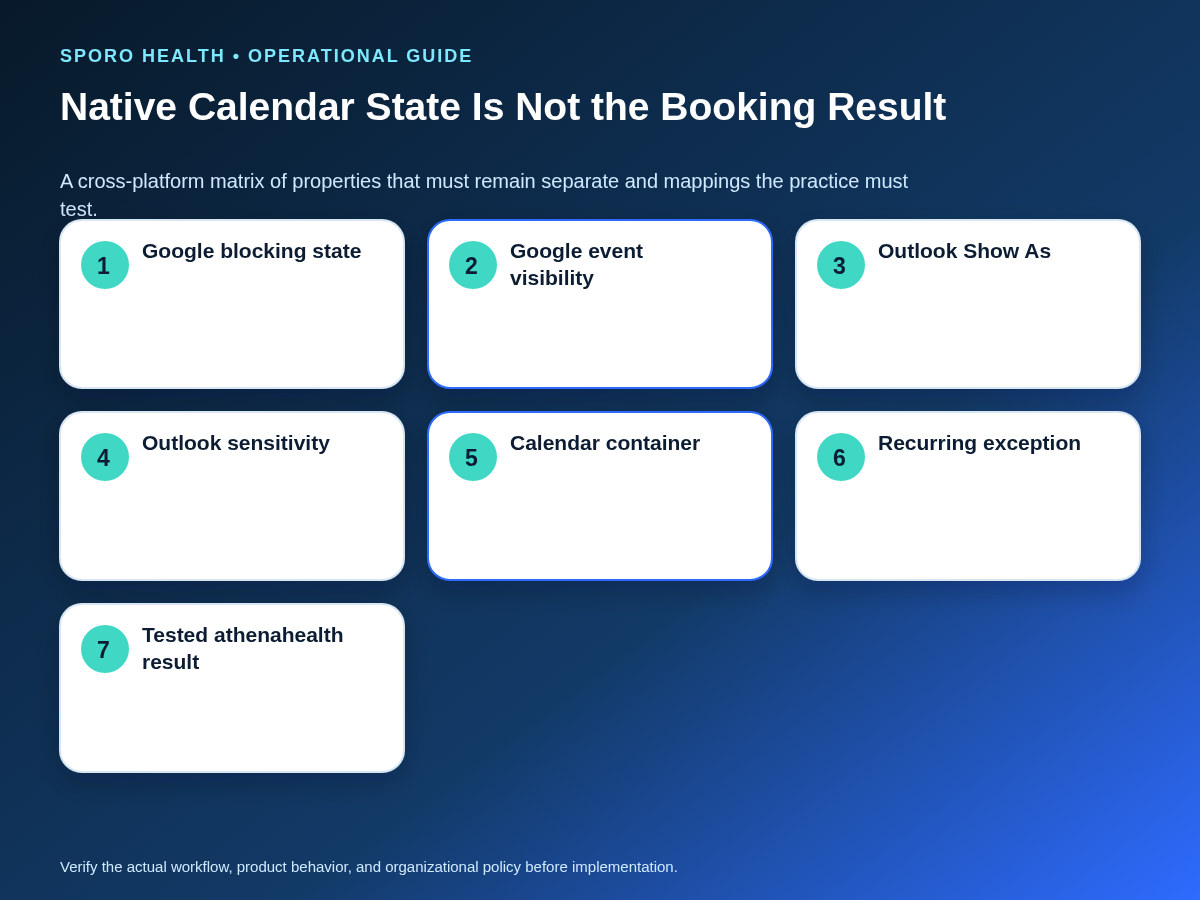
Google separates an event’s blocking behavior, represented by transparency, from its detail visibility. Microsoft similarly exposes an Outlook event’s Show As state separately from sensitivity. Those native properties are documented in the Google Calendar Events reference and Microsoft Graph event reference. The integration’s actual interpretation still requires a practice-owned test.
First confirm that the commitment should restrict booking under the practice’s physician personal-calendar conflict rules. If the item spans a full day or crosses date boundaries, use the separate all-day event blocking rules instead of treating it as a timed-event failure.
What should staff do first?
Protect the exact disputed interval from new booking through an authorized temporary control before editing the event. Do not cancel or move an existing patient appointment solely because an external event appears; confirm the event’s authority and intended disposition first.
Create one false-open containment card so the team preserves the original evidence and limits the response to the affected interval.
| Containment-card field | What to record |
|---|---|
| Provider and interval | Provider identity, date, exact start and end, and time zone. |
| Current exposure | Booking surfaces still open and any appointments already present. |
| Temporary protection | Authorized control, owner, start time, and expiry or review point. |
| Expected disposition | Why the event should block, remain open, or require approval. |
| Calendar evidence | Account, calendar container, event ID, series or occurrence ID, and last update. |
| Closure evidence | Source-calendar state, athenahealth test result, adjacent-time scan, and approver. |
How does the five-layer diagnostic work?
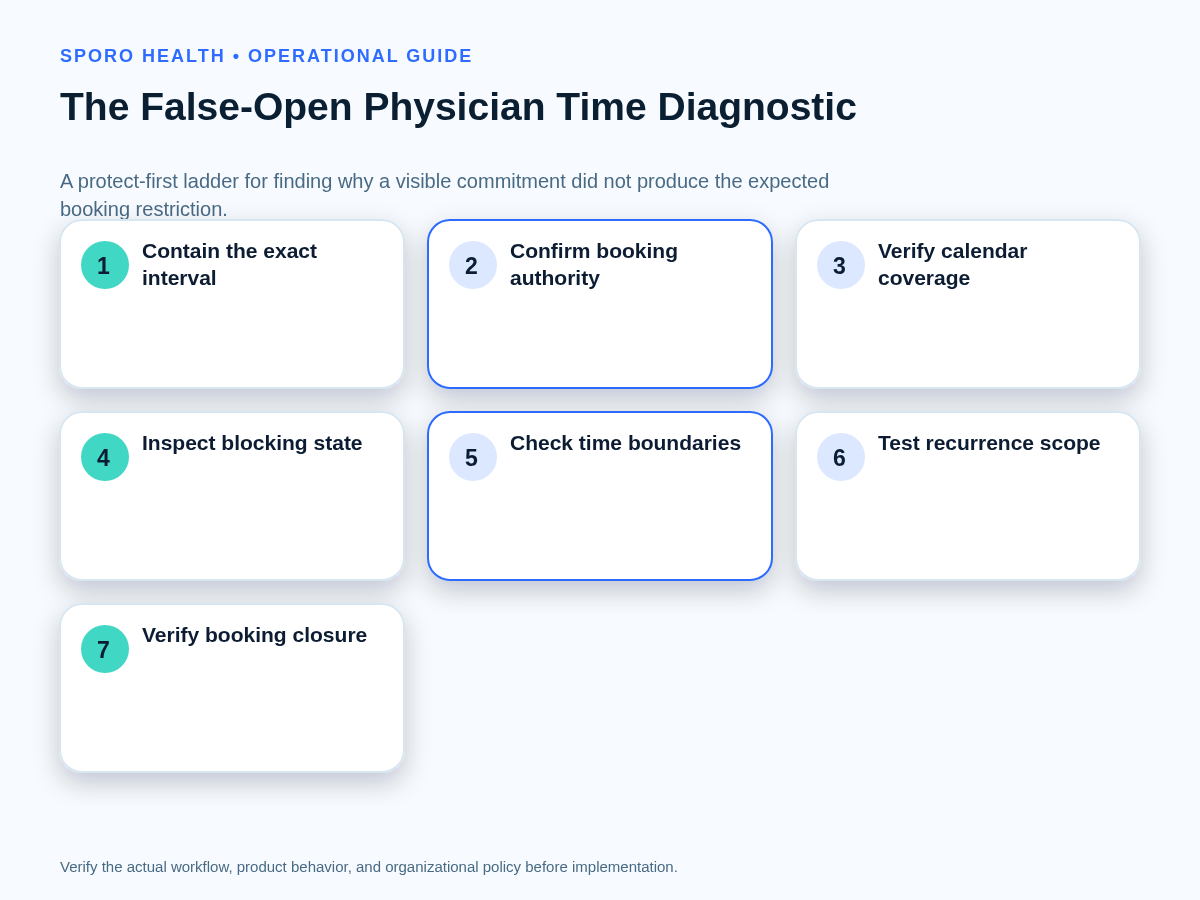
Test five layers in order and stop at the first failed layer. This avoids deleting and recreating an event when the actual problem is policy, calendar coverage, event state, or occurrence scope.
| Layer | Evidence to prove | Smallest corrective action | Closure test |
|---|---|---|---|
| 1. Booking authority | The commitment is approved to restrict this provider, location, booking channel, and interval. | Approve, reject, or route the commitment under the existing schedule-change rule. | The recorded disposition matches the final booking state. |
| 2. Calendar coverage | The provider account, calendar ID, owner, and integration scope include the event’s actual container. | Use the approved calendar or change scope only through authorized change control. | A test event in that container produces the expected result. |
| 3. Native event state | Google transparency or Outlook Show As carries the approved blocking value. | Change only the availability state; do not expose unnecessary event details. | The source event retains the intended state after refresh. |
| 4. Time and recurrence | Start, end, time zone, series master, occurrence, and exception match the disputed interval. | Correct the affected boundary or occurrence without changing unrelated instances. | The target closes while adjacent times and occurrences remain correct. |
| 5. Synchronization evidence | The expected change was observed, processed, and reflected on every relevant booking surface. | Follow the approved retry, reconnection, reconciliation, or escalation path. | The exact interval is no longer falsely open and no residual mismatch remains. |
A false-open case is not automatically a synchronization failure. If the event was declined or has a conflicting response state, use the inverse declined-event availability diagnostic. If staff are relying on recurring availability preferences rather than a timed event, review the separate Google Calendar working-hours guidance.
athenahealth documents appointment notification topics including schedule, update, reschedule, and cancel events. Their availability does not prove that one disputed transaction was delivered or processed; event-level evidence is still required from the actual workflow. See the athenahealth event-notification topics.
How should Google and Outlook event states be tested?
Test blocking state and detail visibility as separate properties on each platform. A private event can still be free or busy, and a visible event can still be non-blocking.
| Platform property | Native meaning | Do not assume | Required practice test |
|---|---|---|---|
| Google transparency | Opaque blocks calendar time; transparent corresponds to Available and does not block native calendar time. | Every visible Google event restricts athenahealth booking. | Create approved opaque and transparent examples and record the resulting booking state. |
| Google visibility | Default, public, private, or confidential controls who can see event details. | Private means unavailable. | Hold transparency constant while changing visibility; confirm booking behavior does not change unexpectedly. |
| Outlook Show As | Microsoft lists Free, Tentative, Busy, Out of Office, Working Elsewhere, and Unknown. | Every non-Free label has the same integration outcome. | Test each approved state against the exact interval and booking surface. |
| Outlook sensitivity | Normal, personal, private, or confidential controls event sensitivity. | Private automatically blocks time. | Hold Show As constant while changing sensitivity and verify the intended result. |
Microsoft’s free/busy schedule guidance groups Free and Working Elsewhere together in its merged availability view, while the event resource retains a distinct Show As value. That is another reason to document the exact input and mapping used by the approved integration.
What should staff check on a secondary or shared calendar?
Identify the exact provider account, calendar container, event identifier, and approved integration scope. Seeing an event in a combined calendar interface, copied calendar, mobile app, or colleague’s view does not prove that the scheduling workflow reads the source container.
- Record the provider email, account ID, or user principal name used by the connection.
- Record the calendar’s stable ID, owner, name, and whether it is primary, secondary, additional, or shared.
- Confirm that the disputed event exists in that container rather than only as a copy or overlay.
- Compare the event ID and interval with the evidence read by the integration.
- Run a bounded test in the approved container before changing production scope.
Google exposes calendar IDs, ownership, and primary-calendar status through its CalendarList resource. Microsoft Graph can likewise list a user’s calendar containers.
How should one recurring occurrence be tested?
Compare the series master, the affected occurrence, its original start time, its current boundaries, and neighboring occurrences before making a change. The test must prove that correcting one instance does not alter or reopen the rest of the series.
- Capture the master ID, target occurrence ID, original start time, actual start and end, time zone, and current blocking state.
- Inspect the previous and next occurrence for the same fields.
- Confirm whether the target is a normal occurrence, modified exception, moved instance, or canceled instance.
- Apply the smallest authorized change to the target instance.
- Test the exact athenahealth interval, then scan both adjacent boundaries.
- Retest the neighboring occurrences and the next future occurrence before closure.
Google documents recurring-event identity through recurring event IDs and original start times in its recurring-events guide. Microsoft Graph’s list-instances method returns occurrences and exceptions within a specified range.
How should the smallest correction be recovered and verified?
Correct only the failed layer, then verify the source event and the final booking state as separate steps. Avoid broad series edits, calendar moves, or event recreation unless the evidence specifically requires them.
- Keep temporary protection active.
- Make the authorized correction in the authoritative layer.
- Refresh and verify the source-calendar event state.
- Test the exact athenahealth interval through each relevant booking surface.
- Scan adjacent times, related locations, and related recurring occurrences.
- Record expected versus observed behavior with timestamps.
- Remove containment only after the expected booking restriction is confirmed.
When should one false-open interval be escalated?
Escalate as a likely synchronization failure only after authority, coverage, event state, boundaries, recurrence scope, provider mapping, and booking rules are verified. The escalation packet should include provider and calendar identifiers, event and occurrence IDs, time zone, source-update timestamp, containment time, expected behavior, observed booking result, tested surfaces, and screenshots or logs allowed by practice policy.
Move repeated cases into the calendar-sync drift detection framework when they recur by cause or provider-calendar pair. Use the calendar-sync failure triage matrix when multiple schedules, notification paths, or booking surfaces show related failures.
How should false-open physician time be measured?
Measure exposure and closure quality, not just the number of reported conflicts. Use consistent definitions so isolated event mistakes can be separated from recurring control drift.
| Measure | Definition |
|---|---|
| Cause | Authority, coverage, state, boundary, recurrence, mapping, or synchronization. |
| Exposed minutes | Minutes the disputed interval remained available for new booking before containment. |
| Booking surfaces affected | Staff, patient, location, department, or other approved booking views showing the false opening. |
| Existing bookings affected | Appointments requiring review, without assuming they must be moved. |
| Time to containment | Detection timestamp to confirmed temporary protection. |
| Repeat rate | Recurrence by cause and provider-calendar pair during the practice’s review period. |
| Evidence-complete closure | Cases closed with identifiers, timestamps, final tests, owner, and approved disposition. |
Where do connected-calendar options fit?
Review vendor information only after defining the blocking behavior, scope, evidence, and acceptance tests the practice requires. Readers can examine the Sporo Health scheduling overview, its athenahealth and Google Calendar product description, its athenahealth and Microsoft Outlook product description, and the Sporo Health athenaConnect Marketplace listing. Treat these as vendor information, then validate state mapping, calendar coverage, recurrence handling, and failure recovery through practice-owned tests.
How do you close the false-open investigation?
Close only when the exact interval produces the approved athenahealth booking result and temporary containment is safely removed. The durable answer to “why is physician time still bookable in athenahealth after adding a calendar event” is not “the event failed to sync” until every earlier control layer has been tested and eliminated with evidence.
Frequently asked questions
Does a Google Calendar event marked Available block physician time in athenahealth?
Not by itself. Google documents transparent events as non-blocking and opaque events as blocking, but the practice must test how its approved integration maps those states to athenahealth.
Does Outlook Show As Free or Working Elsewhere leave physician time bookable?
They may leave time open. Microsoft lists both as Show As values, and its merged availability view groups Free and Working Elsewhere together; verify the integration’s tested mapping.
Does marking a calendar event private change whether it blocks availability?
No. Privacy or sensitivity controls event-detail visibility; it does not by itself define whether time is free or busy. Test both properties separately.
What should staff check when the event is on a secondary or shared calendar?
Confirm the provider account, exact calendar container and ID, event ID, and integration scope. A copied or overlaid event is not proof that the scheduling workflow reads that calendar.
How should one occurrence of a recurring event be tested without changing the whole series?
Compare the series master, affected instance, original start time, actual start and end, neighboring occurrences, and athenahealth result. Correct only the intended instance and retest the series.
Should staff move a booked patient appointment when a physician calendar event appears later?
No, not solely because the external event appeared later. Protect further booking, confirm authority and disposition, and use the practice’s approved process for any existing appointment.
When should one false-open physician interval be escalated as a calendar-sync incident?
Escalate when the expected state is verified yet the booking result remains wrong, or when similar false-open intervals repeat across events, provider-calendar pairs, or booking surfaces.
Sources
- Google Calendar API: Events resource
- Google Calendar API: CalendarList resource
- Google Calendar API: Recurring events
- Microsoft Graph: Event resource
- Microsoft Graph: Get free/busy schedule
- Microsoft Graph: List calendars
- Microsoft Graph: List event instances
- athenahealth: Event-notification subscription topics