How to Choose Providers for an athenahealth Calendar Sync Pilot: A Cohort-Selection Scorecard

To decide how to choose providers for an athenahealth calendar sync pilot, practice managers should select provider-calendar-workflow configurations—not just names. Screen hard blockers first, score only eligible candidates, launch with a small seed cohort, then add a bounded challenge cohort. Approve the group only when every configuration is owned, fixed, observable, supportable, and reversible.
How to choose providers for an athenahealth calendar sync pilot?
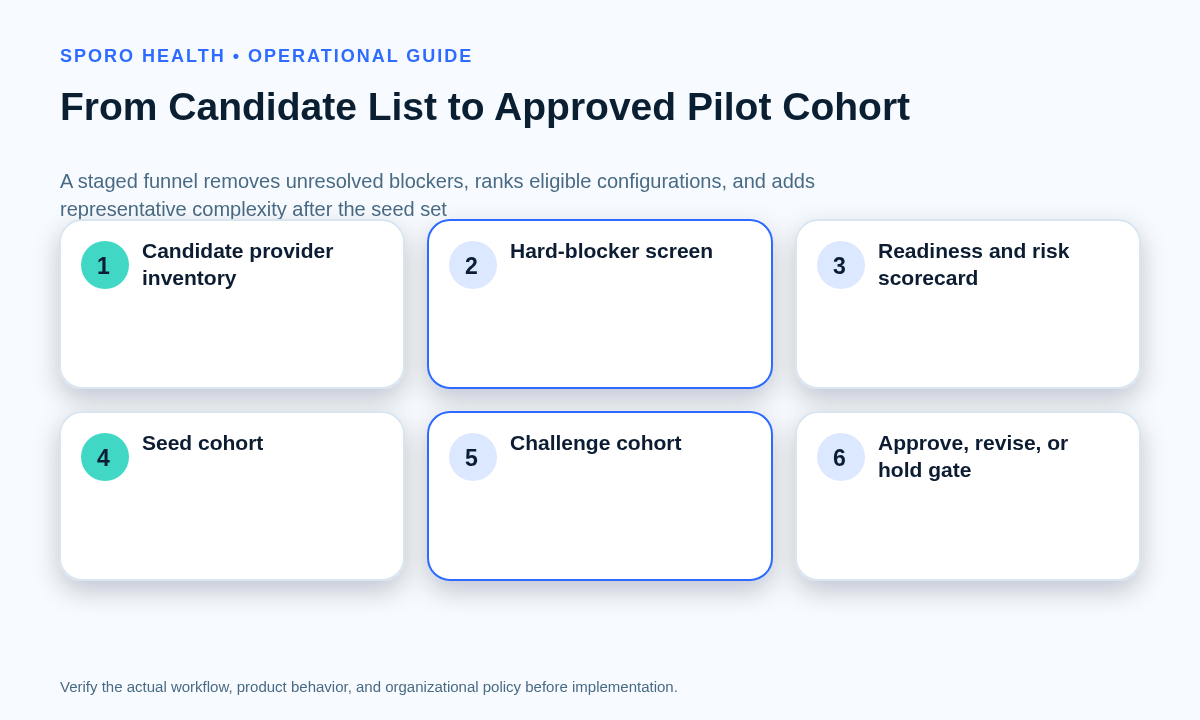
Use a six-step selection funnel. Define the decision, fix the pilot unit, inventory in-scope candidates, remove blocked configurations, score eligible units, and form seed and challenge cohorts. The output is a bounded evidence set—not a popularity ranking or a list of the easiest clinicians to recruit.
What decision must the pilot support?
State the single expansion decision before choosing participants. For example: “Can this workflow operate across the platforms, locations, schedule patterns, and ownership models planned for the next rollout stage?” IHI testing guidance supports starting small, learning with willing volunteers, and later testing under varied conditions. AHRQ pilot guidance also emphasizes mechanisms for frontline feedback.
Before participant selection, resolve missing vendor evidence through proof-based athenahealth calendar integration vendor due diligence. A live provider pilot should not become a substitute for unanswered product, responsibility, permission, or recovery questions.
What is the right unit for an athenahealth calendar sync pilot?
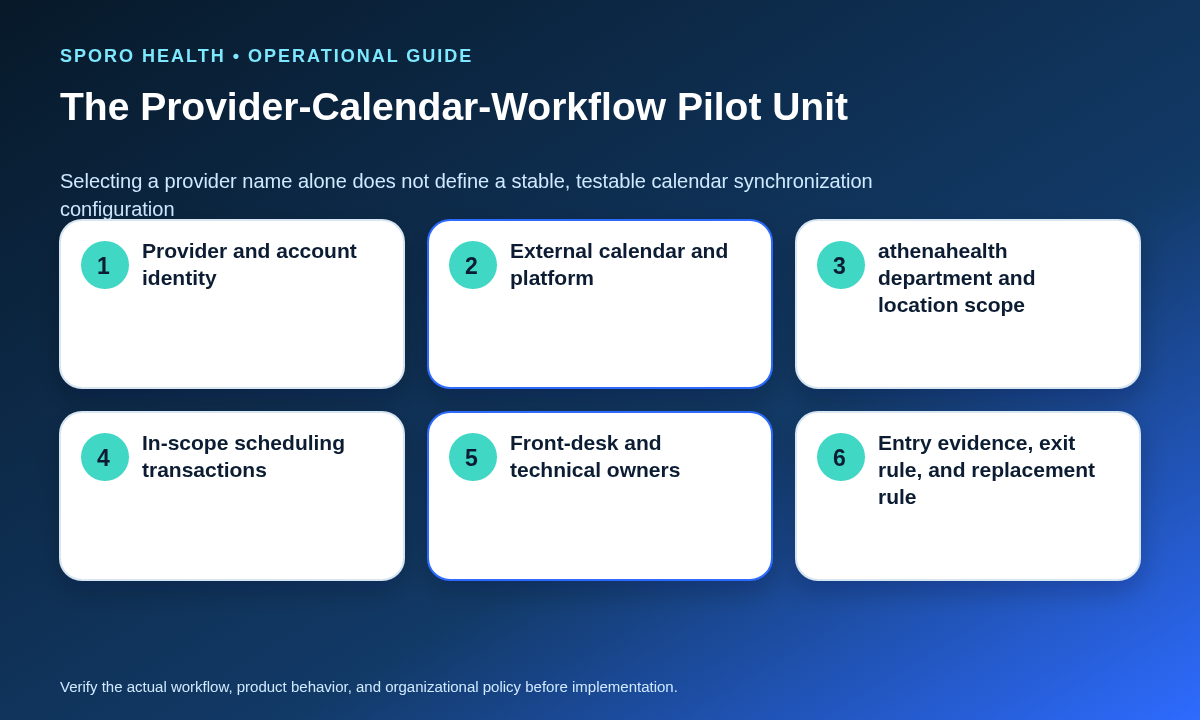
The unit is one fixed provider-calendar-workflow configuration. It combines the provider, external account and calendar, athenahealth departments or locations, scheduling owners, permitted transactions, and entry and exit conditions. This matters because athenahealth’s published appointment notification topics distinguish schedule, reschedule, cancellation, and update activity and allow department filtering. Provider name alone is therefore too coarse for an operational pilot.
What belongs on the pilot-unit card?
Record one versioned card before scoring the configuration. Do not change its account, calendar, department, location, or owner silently after testing begins.
| Card field | Required record |
|---|---|
| Identity | Provider and stable practice identifiers |
| External calendar | Platform, account owner, target calendar, and calendar identifier |
| athenahealth scope | Departments, locations, templates, and approved scheduling boundary |
| Transactions | Creates, reschedules, cancellations, updates, and availability blocks in scope |
| Owners | Provider, front-desk, implementation, technical, and support owners |
| Controls | Entry evidence, baseline window, exit rule, rollback, and replacement class |
Who should enter the candidate inventory?
Start with every provider-calendar-workflow configuration inside the intended future scope. Tag each candidate by platform, location pattern, recurring-event use, schedule complexity, editing roles, support team, and known exceptions. Volunteers, executives, and physician champions may be included, but convenience should be recorded as an attribute rather than used as the selection rule. Inventory first; determine eligibility second.
Which readiness blockers should delay participation?
Delay any configuration whose dependencies cannot yet support a controlled test. Hard blockers include:
- unresolved provider, account, mailbox, or calendar identity;
- uncertain calendar ownership or target-calendar selection;
- unapproved permissions or application-access boundaries;
- unstable athenahealth department, location, or schedule scope;
- unclear edit authority or source-of-truth rules;
- missing training, support, fallback, baseline, or rollback evidence.
Keep these blockers outside the numeric score so strength elsewhere cannot hide them. Use a scenario-based front-desk readiness checklist when scheduler competency or live-access approval is part of the entry evidence.
How should eligible provider workflows be scored?
Score only candidates that passed the blocker screen. Rate each dimension from 0 to 3, multiply it by the weight, divide by 3, and retain the evidence behind the rating. The weights below are a starting framework that the practice may adjust before scoring begins.
| Dimension | Weight | A high score means |
|---|---|---|
| Readiness | 25 | Entry evidence is complete and current |
| Workflow relevance | 20 | The unit directly informs the expansion decision |
| Supportability | 15 | Owners can observe, reconcile, and recover it |
| Representativeness | 15 | It resembles an important future rollout condition |
| Exception exposure | 15 | It exercises useful, bounded exceptions |
| Operational risk | 10 | Failures are contained, detectable, and reversible |
How should the score be interpreted?
Use the score to rank eligible configurations, not to automate approval. Seed candidates need strong readiness and supportability. Challenge candidates may rank lower because they exercise complexity, but they still need no hard blockers and enough containment capacity. Hold any unit whose score relies on assumptions rather than recorded evidence.
How do seed and challenge cohorts work?
Begin with a small seed group, then add a bounded challenge group. Seed units should be relevant, willing, supportable, and easy to observe. Challenge units should cover important conditions the seed group misses, such as another platform, recurring events, a multi-location pattern, or a different scheduling owner. Physician champions can accelerate early feedback, but a champion-only cohort does not test less enthusiastic users. Do not make the highest-risk configuration the first live participant; add it later only if it represents intended scope and failures can be contained.
What should a calendar sync pilot cohort coverage matrix include?
Use the matrix to expose missing operating conditions rather than justify a larger cohort. Mark each condition as covered by the seed group, planned for the challenge group, outside the intended rollout, or still missing.
| Coverage dimension | Conditions to distinguish | Required evidence |
|---|---|---|
| Calendar platform | Google Calendar and Outlook | Separate unit IDs and results |
| Location pattern | Single location, multiple departments, or multi-location | Fixed athenahealth scope |
| Event pattern | One-time, recurring, and occurrence exceptions | Representative test cases |
| Availability signal | Busy, free, tentative, out-of-office, or approved equivalents | Documented interpretation |
| Editing ownership | Provider, front desk, delegate, or application | Named authority and verifier |
| Exceptions | Reschedule, cancellation, competing edit, disconnect, or fallback | Support and exit path |
Google’s Calendar event resource and Microsoft’s Graph event resource expose different event-type, recurrence, status, and identity structures. The platforms may share governance principles, but their configurations and evidence should not be merged as if they were interchangeable.
How many providers should be in a calendar integration pilot?
There is no universal provider count. Choose the smallest cohort that satisfies the cohort-adequacy test:
- every required operating condition is covered or explicitly deferred;
- each unit has a named owner and fixed configuration;
- the practice can observe every included transaction path;
- support capacity can reconcile and reverse every unit;
- another participant would add no material learning condition.
Stop adding participants when those conditions are met. Add a candidate only to close a documented coverage gap—not to make the pilot appear more substantial.
What must be true before the cohort is approved?
Approve the cohort only when every unit has a complete control packet. Confirm a named owner, fixed configuration, entry evidence, baseline plan, test matrix, support path, exit rule, and documented replacement procedure. Record one of three outcomes for each candidate: approve for seed, approve for challenge, or hold.
After approval, define what each configuration must prove with the calendar sync pilot acceptance matrix. Connect each unit to denominators, baseline evidence, balancing measures, and a documented decision through the operational outcome scorecard for the pilot.
How should a provider be replaced during the pilot?
Treat replacement as a controlled scope change, not an administrative swap.
- Freeze the departing unit and record its last valid configuration.
- Reconcile open transactions and preserve its observations.
- Select a pre-screened reserve that restores the missing coverage contribution.
- Issue a new unit version and repeat blocker, baseline, training, and entry checks.
- Reapprove the cohort before the replacement receives live exposure.
Do not merge the replacement’s results silently with the original participant. A platform, account, department, location, or owner change alters the tested configuration and must remain visible in the evidence.
What should happen after cohort approval?
Move the approved units into acceptance testing and measurement without reopening cohort scope casually. Keep a reserve list, but use it only through the substitution protocol. If the evidence later supports expansion, use a wave-gate plan for expanding across providers rather than treating the pilot cohort as the first uncontrolled rollout wave.
Organizations comparing current commercial destinations can review Sporo Health, the athenahealth and Google Calendar product page, the athenahealth and Outlook product page, and the Sporo Health athenaConnect Marketplace listing. Treat product statements as vendor claims and confirm the proposed configuration during due diligence and pilot design.
Frequently asked questions
How do you choose providers for an athenahealth calendar sync pilot?
Choose complete provider-calendar-workflow configurations, not provider names alone. Screen blockers, score eligible units, begin with a supportable seed cohort, and add challenge cases only for important missing conditions.
What is the right unit for an athenahealth calendar sync pilot?
Use the provider, external calendar, athenahealth scope, scheduling owners, in-scope transactions, and entry and exit conditions as one pilot unit. Changing any element changes the tested configuration.
How many providers should be in a calendar integration pilot?
There is no universal number. Use the smallest cohort that covers required conditions while remaining observable, supportable, reconcilable, and reversible.
Should only physician champions participate in the pilot?
Physician champions are useful seed participants, but a champion-only cohort cannot show fit for less enthusiastic users or materially different schedules.
Should Google Calendar and Outlook users be in the same pilot?
They may share governance rules, but each Google Calendar and Outlook configuration should remain separately identifiable because their event, recurrence, status, ownership, and access models differ.
Which blockers should delay a provider’s participation?
Delay candidates with unresolved identity, calendar ownership, permissions, athenahealth scope, edit authority, training, support, baseline, or rollback dependencies. A score must never offset a hard blocker.
How should a provider be replaced during the pilot?
Freeze and reconcile the departing unit, choose a pre-screened reserve that restores the same coverage contribution, assign a new unit version, repeat entry checks, and report observations separately.
How should the cohort decision be closed?
Close it with an approved roster of versioned pilot units and a written rationale for every include, hold, and reserve decision. The practical answer to how to choose providers for an athenahealth calendar sync pilot is to cover the required operating conditions with the smallest cohort the practice can support, observe, reconcile, and reverse.
Sources
- Institute for Healthcare Improvement: Testing Changes
- AHRQ: Developing and Pilot Testing Change
- athenahealth: Event Notifications Subscription Topics
- Google Calendar API: Events
- Microsoft Graph: Event Resource
- Sporo Health Google Calendar product page
- Sporo Health Outlook product page
- Sporo Health athenaConnect Marketplace listing