New-Patient vs. Follow-Up Slots in athenahealth: A Specialty Template-Mix Guide
For specialty-practice managers, the practical answer to how to set new patient and follow-up slot mix in athenahealth is to use a provider-session capacity envelope—not a universal ratio. Define approved appointment classes, usable minutes, dependencies, protected quantities, release checkpoints, and owners; then compare planned, booked, and attended capacity to keep, rebalance, change release rules, or redesign the session.
How should you set new-patient and follow-up slot mix in athenahealth?
Set the mix at the provider-session level from approved appointment classes, usable capacity, observed demand, dependencies, and release behavior—not from a universal ratio. athenahealth’s public appointment documentation distinguishes appointment types, new- and existing-patient reasons, open slots, booked appointments, and waitlist records. That supports class-specific control, but it does not prescribe a percentage.
Published specialty-clinic experience also shows why one ratio is insufficient: visit-type allocations varied by provider, held complex slots could remain unfilled, and access outcomes differed even after session standardization. The same study concluded that services must understand their actual outpatient capacity and provider-specific design rather than assume one template will produce the same result everywhere. See the pediatric subspecialty template study.
What is the correct unit for the slot-mix decision?
Use one recurring provider session at one location and visit mode as the decision unit. A specialty-wide percentage can conceal different provider scopes, appointment durations, room or equipment constraints, and demand patterns.
| Field | What to record | Why it matters |
|---|---|---|
| Session boundary | Provider, location, date pattern, start and end | Prevents unrelated sessions from being averaged together |
| Usable capacity | Bookable minutes after approved non-patient time | Keeps percentages tied to real capacity |
| Appointment classes | New, follow-up, procedure, approved exception | Creates a small operational vocabulary |
| Class rules | Duration, quantity, channels, dependencies | Defines what can consume each allocation |
| Protection controls | Owner, release deadline, destination class | Prevents unused holds from becoming stranded |
Before calculating quantities, control variable appointment lengths by appointment type. Four 20-minute follow-ups and four 40-minute new visits are not equivalent uses of a session even though both represent four appointments.
How do you build an appointment-mix capacity envelope?
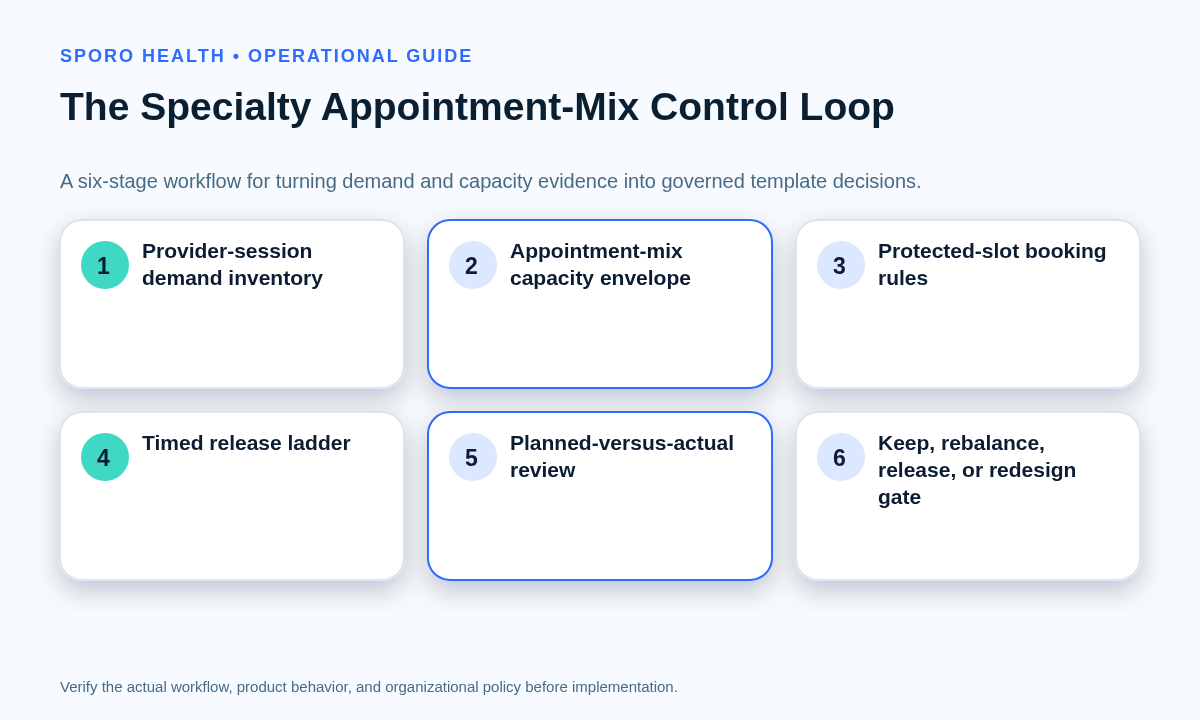
Start with usable minutes, assign only approved appointment classes, and give every protected allocation an owner and release path. Keep the first version simple enough for schedulers to follow consistently.
- Fix the provider-session boundary and subtract approved nonbookable time.
- List the appointment classes the session may accept.
- Record each class’s approved duration and operational dependencies.
- Reserve quantities in minutes and slots, without converting the result into a universal ratio.
- Define booking channels, protection owners, review checkpoints, and release destinations.
- Record the baseline version and the date on which evidence will be reviewed.
Research using EHR data found that complex templates were difficult to follow and that adherence mattered to observed performance, supporting a design that can be measured and executed reliably. A separate scheduling model incorporated demand uncertainty, provider availability, no-shows, and overtime rather than relying on one fixed mix. See the EHR template evaluation and scheduling-template model.
Multi-site groups can govern provider schedule templates across locations while preserving justified provider-session variation. Separately, set a rolling booking horizon for provider schedules; the horizon decides how far ahead capacity is visible, while the mix decides which classes may use it.
How do you estimate demand pressure and reserved-slot leakage?
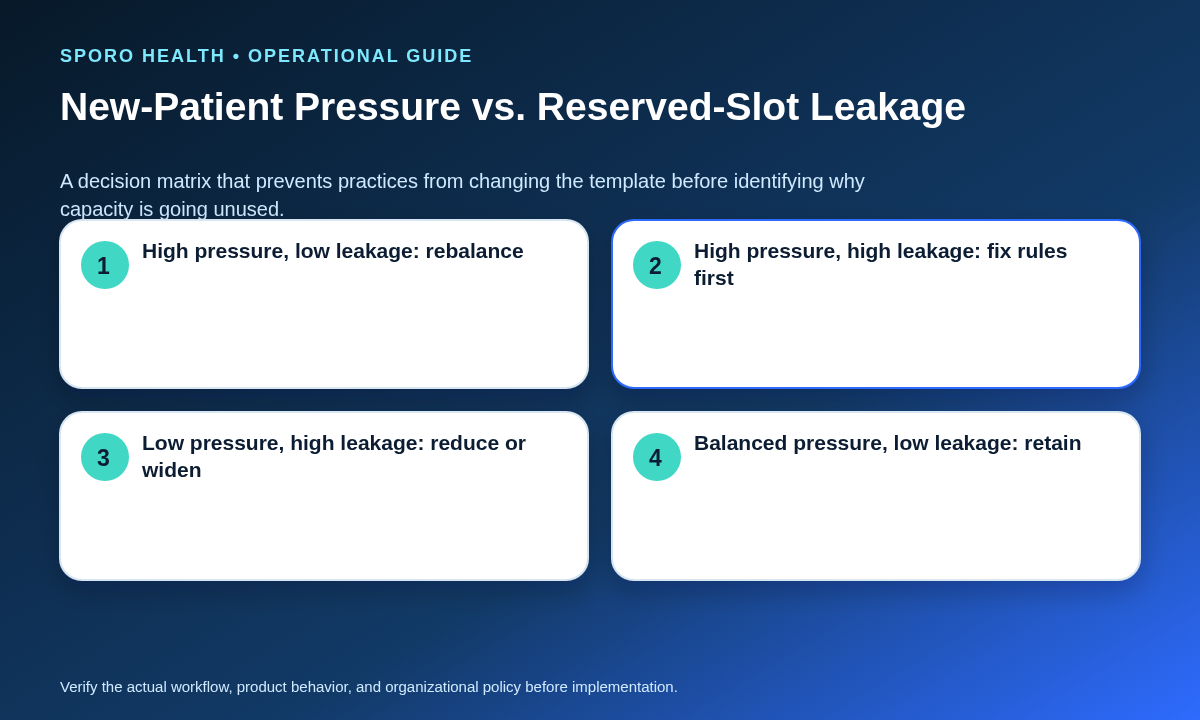
Measure pressure and leakage separately for every appointment class over a defined review period. High booking delay can indicate insufficient capacity, but unused protected slots may instead reflect restrictive channels, late releases, duration errors, or inconsistent booking behavior.
For each class, review requests received, unresolved backlog, booking delay, fill behavior by days before service, unused reserved minutes, release conversions, and approved out-of-template bookings. Lead time may also interact differently with new and follow-up attendance; one pediatric subspecialty analysis found distinct no-show patterns by patient type and lead-time band, so combine booking-delay data with local attendance evidence rather than treating either measure alone as decisive. See the new-versus-follow-up lead-time study.
| Observed state | Likely interpretation | First decision |
|---|---|---|
| High pressure, low leakage | Protected capacity fills and delay remains high | Consider rebalancing selected capacity toward the class |
| High pressure, high leakage | Demand exists, but protected slots still go unused | Fix channel, duration, eligibility-routing, or release rules first |
| Low pressure, high leakage | The reservation exceeds observed approved demand | Reduce protection or release it earlier |
| Balanced pressure, low leakage | The baseline is broadly matching demand | Keep the mix and continue monitoring |
When should reserved new-patient slots open to follow-up patients?
Open protected slots at named checkpoints using a preapproved release ladder, not an informal last-minute conversion. The rule must identify the owner, permitted destination, and treatment of appointments already booked around the slot.
| Checkpoint | Action | Required evidence |
|---|---|---|
| Retain | Keep the class restriction | Qualified requests remain likely to use the capacity |
| Widen access | Expose the same class to additional approved booking channels | Eligibility is unchanged; access was the limiting factor |
| Release | Convert to a named approved class | The release deadline has arrived and dependencies remain valid |
| Escalate | Hold for an authorized decision | Urgency, resources, or existing bookings make conversion uncertain |
One pediatric subspecialty program released unfilled complex slots to other appointment types 72 hours before the session, but its mixed access results make that a local example rather than a universal deadline. Each practice should calibrate checkpoints from its booking curve and operating dependencies. Once capacity is validly released, practices can fill released capacity through a controlled waitlist workflow.
How do urgent, complex, and procedure exceptions fit into the mix?
Reserve operational capacity for approved exceptions, but do not ask schedulers or the template to determine clinical eligibility or priority. Authorized clinical owners should define routing criteria; scheduling staff should apply the resulting appointment class, duration, dependency, and escalation rules.
Procedure capacity may require rooms, equipment, staff, preparation, or recovery time, so it should not be released merely because the provider appears free. Practices with recurring procedural sessions can manage recurring procedure blocks and release rules through a dependency-specific process. Urgent and complex classes need the same named ownership, but their clinical routing rules remain outside this operational guide.
How do you measure planned-versus-booked-versus-attended mix drift?
Compare minutes and slots at three states—planned, booked, and attended—for every appointment class. Raw visit volume cannot show whether protected capacity leaked, staff booked outside the template, or one class routinely caused session overruns.
| Class | Planned | Booked | Attended | Release and exception evidence |
|---|---|---|---|---|
| New patient | Slots and minutes | Slots and minutes | Completed minutes | Unused holds and release conversions |
| Follow-up | Slots and minutes | Slots and minutes | Completed minutes | Out-of-template bookings |
| Procedure | Slots and minutes | Slots and minutes | Completed minutes | Dependency failures and overruns |
| Approved exception | Reserved allowance | Used allowance | Completed minutes | Authorization and reason |
Track class-specific booking delay, unused protected minutes at the release deadline, released slots that converted to another approved class, out-of-template bookings, and session overruns. Review both counts and minutes: a small number of long appointments can materially change capacity without dominating the visit count.
Which recalibration outcome should the evidence produce?
The decision gate should produce one of four outcomes: keep, rebalance, change release rules, or redesign. Do not combine these into a vague instruction to “open more slots.”
| Outcome | Use when | Safeguard |
|---|---|---|
| Keep the mix | Pressure is acceptable and leakage is low | Continue the same measurement period |
| Rebalance selected classes | Repeated pressure persists with reliable fill | Change only the affected provider sessions |
| Change release rules | Protected capacity leaks despite genuine demand elsewhere | Preserve owners, deadlines, and approved destinations |
| Redesign the session | Durations, resources, channels, or overruns invalidate the baseline | Review existing appointments and all dependencies before release |
How should you pilot a new slot mix?
Pilot one defined provider-session pattern before changing a specialty-wide recurring template. Establish the baseline first, preserve existing appointments, and use predetermined evidence to close the pilot.
- Select a representative session and record its current envelope.
- Define the planned mix, release ladder, owners, and permitted exceptions.
- Verify staff-booking and patient-facing channels separately.
- Run the pilot for enough occurrences to observe each appointment class.
- Compare planned, booked, and attended capacity with pressure and leakage.
- Choose one recalibration outcome and document the effective date.
Use a bounded exception for short-lived demand changes. When repeated evidence supports a baseline update, route template adjustments through a schedule-change request workflow so approval, execution, verification, and rollback remain separate.
Where do Google Calendar and Outlook fit?
Use connected calendars for visibility into provider commitments, not as the authority for patient eligibility, appointment-class quotas, or the athenahealth slot mix. Google Calendar event resources include recurrence and transparency fields, while Microsoft Graph events include recurrence and showAs states. Those fields describe calendar events and availability behavior; they do not encode a specialty practice’s new-patient, follow-up, procedure, or exception allocation. See the official Google Calendar Events reference and Microsoft Graph event reference.
Practices evaluating commercial connected-calendar options can review the Sporo Health scheduling automation overview, the current athenahealth and Google Calendar connection, the athenahealth and Microsoft 365/Outlook connection, and Sporo Health’s athenaConnect Marketplace listing. Treat these as commercial destinations and verify any product-specific behavior during a bounded evaluation.
How do you put the slot-mix guide into operation?
Assign one operational owner to maintain the envelope, run release checkpoints, publish evidence, and convene the recalibration gate. Clinical owners retain appointment eligibility and prioritization decisions.
- Approve the small set of operational appointment classes.
- Inventory each provider session’s usable minutes and dependencies.
- Record class quantities, durations, booking channels, and owners.
- Define a release ladder for every protected class.
- Train schedulers on permitted actions and escalation paths.
- Measure pressure, leakage, drift, and overruns by class.
- Pilot changes before updating recurring templates.
- Close each review with keep, rebalance, release-rule change, or redesign.
If connected-calendar visibility is part of the workflow, ask the vendor to demonstrate the practice’s actual provider-session rules and exception cases. The calendar connection should support the approved operating model, not silently become the model.
Frequently asked questions
Is there a universal new-patient-to-follow-up ratio?
No. Set the mix from each provider session’s approved appointment classes, usable capacity, demand pressure, operational dependencies, and release behavior.
Should every provider use the same slot ratio?
No. A specialty-wide standard can define the method, but each provider session may need a different mix because scope, duration, resources, location, and demand differ.
When should reserved new-patient slots open to follow-up patients?
Open them at a practice-approved release checkpoint when the new-patient queue no longer justifies protection and the destination class, owner, and booking rules are already defined.
How do procedure and urgent slots fit into the template?
Reserve operational capacity for them, but keep eligibility and prioritization with authorized clinical owners rather than the scheduler or calendar template.
How do you measure appointment template mix drift?
Compare planned, booked, and attended capacity by class, then review booking delay, unused reserved minutes, release conversions, out-of-template bookings, and overruns.
Can Google Calendar or Outlook control the slot mix?
No. External calendars can show provider commitments and availability states, but they should not decide patient eligibility, appointment-class quotas, or the authoritative athenahealth template.
When should a temporary exception become a recurring template change?
Change the recurring template only when repeated evidence shows that the baseline mix no longer matches approved demand and capacity after release rules, durations, channels, and dependencies have been checked.
What is the practical conclusion?
The durable way to answer how to set new patient and follow-up slot mix in athenahealth is to govern capacity by provider session and appointment class. Protect justified capacity, release it predictably, measure what was planned, booked, and attended, and change the recurring template only when repeated evidence identifies the correct intervention.
Sources
- athenahealth Appointments documentation
- Session standardization and template optimization in pediatric subspecialty care
- Evaluating an outpatient scheduling template with EHR data
- Managing access using scheduling templates
- Lead time and no-show rates for new and follow-up patients
- Google Calendar Events API reference
- Microsoft Graph event resource reference