Unintended Calendar Invitations in athenahealth Sync: A Recipient-Control Guide
The safest answer to how to prevent unintended calendar invitations in athenahealth sync is to make attendee-free events the default unless an approved meeting workflow requires recipients. Practice privacy leaders should treat organizer identity, attendee membership, guest permissions, notification delivery, forwarding, and recurrence as separate controls. A pilot passes only when approved recipients receive intended lifecycle messages and excluded recipients receive nothing.
How to prevent unintended calendar invitations in athenahealth sync
Make no human attendees the default and require explicit approval for every recipient-bearing event class. Treat the calendar event as a schedule container unless the workflow is genuinely a meeting, reservation, or other approved collaboration involving recipients.
- Classify the event as a patient placeholder, provider block, staff meeting, resource reservation, or recurring series.
- Name the permitted organizer and calendar container.
- List permitted human, group, and resource attendees—or record “none.”
- Set guest permissions, update delivery, forwarding, and recurrence rules.
- Test the organizer copy and every expected or excluded recipient account.
- Record attendee-free approval, limited approval, retest, or stop.
athenahealth’s current appointments documentation covers appointment creation, management, changes, and subscriptions; the connected calendar platform still governs organizer, attendee, invitation, and recipient-copy behavior.
Why must event placement, attendees, permissions, and delivery stay separate?
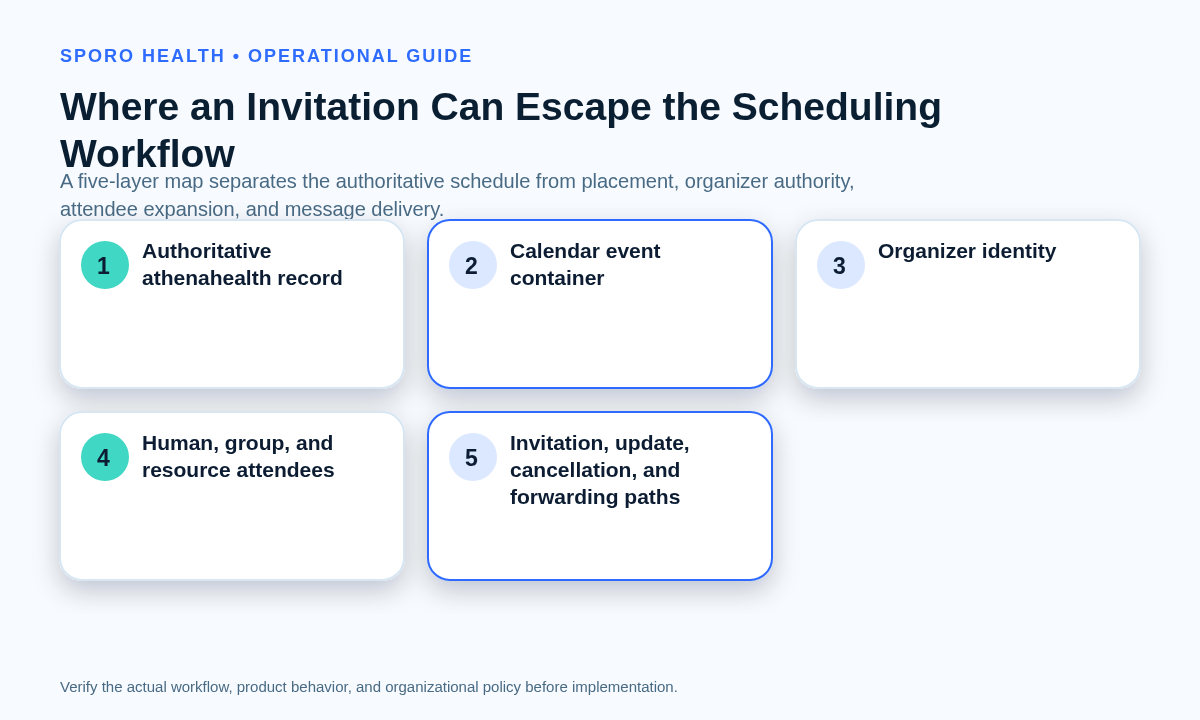
Because each control changes a different recipient outcome. An event can sit on an organizer’s calendar without attendees. Google’s Events insert reference separates attendees, sendUpdates, and guestsCanInviteOthers, while Google Calendar invitation guidance says guest calendars may still update when email is suppressed and describes forwarding that adds guests. Microsoft Graph’s create-event documentation states that creating an event with attendees sends invitations to all attendees and that this behavior cannot be configured.
- Placement: which organizer calendar contains the event.
- Membership: which humans, groups, or resources are attendees.
- Permissions: who may invite, modify, view, or forward.
- Delivery: which invitations and updates are sent.
- Lifecycle: what happens on reschedule, removal, cancellation, deletion, or recurrence changes.
Keep these controls distinct from application authorization and calendar sharing. Use the Google Calendar OAuth permission review, the Outlook Editor versus Delegate guide, and the Google Calendar sharing guide for medical practices for those separate boundaries.
Which recipient rules should each event class use?
Use one recipient-boundary matrix that states the allowed organizer, attendees, resources, notifications, forwarding behavior, and prohibited recipients for every event class. Do not infer the audience from a visible group, room, or shared-container label.
| Event class | Permitted recipients | Notification and forwarding rule | Release evidence |
|---|---|---|---|
| Patient appointment placeholder | No human attendees; no patient address | No invitation or forwarding path | Organizer-only copy; excluded patient and external accounts receive nothing |
| Provider availability block | No human attendees; resources only if separately approved | No guest permissions or lifecycle messages | Create, move, and remove without recipient artifacts |
| Staff meeting | Named staff required by the meeting | Forwarding and guest additions disabled unless justified | Every named copy and message matches the approved list |
| Room or equipment reservation | Approved resource mailbox; named staff only when needed | Document acceptance, rejection, updates, and cancellation | Resource and organizer copies reconcile |
| Recurring series | Stable organizer and approved named recipients | Separate one-occurrence and whole-series rules | Master, exception, and recipient copies remain traceable |
Apply the minimum-necessary calendar data worksheet before testing recipients. If patients or external parties need appointment communications, define that as a separate approved workflow with its own content, owner, delivery evidence, and recovery process.
What must the cross-platform notification blast-radius test prove?
It must prove the full lifecycle from both the organizer and recipient sides, including that excluded recipients receive no copy or message. Test Google Calendar and Outlook separately. Google’s event-update reference exposes update-delivery choices, and its recurring-event guidance distinguishes a series from an individual exception. Microsoft Graph documents attendee-specific update behavior, distribution-list effects, organizer cancellation, recurring-occurrence cancellation, and forwarding in its update, cancel, and forward references.
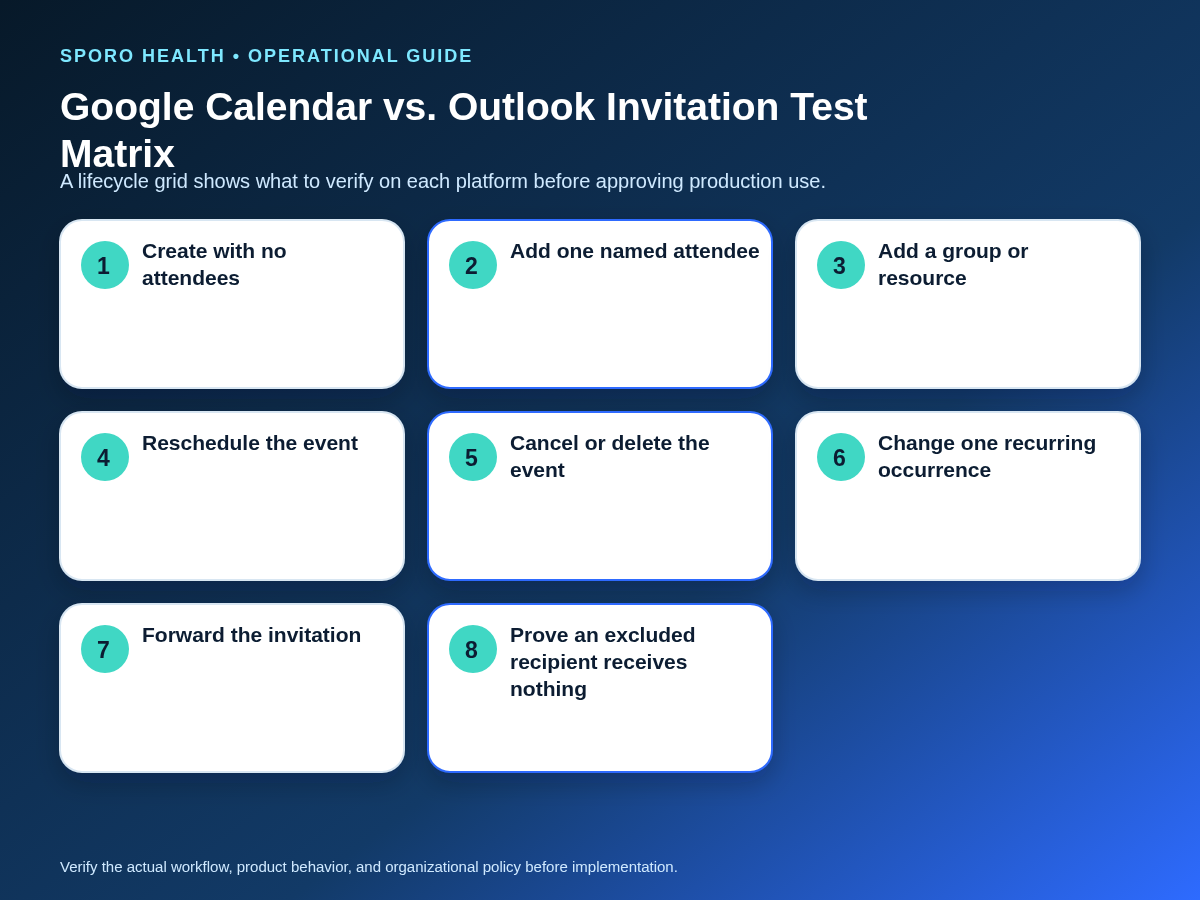
| Scenario | Evidence to capture | Pass condition |
|---|---|---|
| Create with no attendees | Organizer copy, attendee list, outbound messages | No recipient copy or invitation exists |
| Add one named attendee | Invitation, organizer copy, attendee copy | Only the named recipient is reached |
| Add an external recipient | External mailbox and calendar state | Observed behavior matches the approved rule |
| Add a group or shared container | Membership snapshot and actual deliveries | The final audience is known and approved |
| Add a resource mailbox | Acceptance or rejection and resource copy | Only the intended resource is reserved |
| Reschedule | Updates and all resulting copies | Approved recipients update; excluded recipients do not |
| Remove an attendee | Removed copy and a later-update test | The former attendee has no continuing update path |
| Cancel and delete | Messages and residual copies for each action | Each operation’s distinct behavior is documented |
| Change one occurrence | Master ID, occurrence ID, and messages | Unchanged occurrences remain unaffected |
| Change the entire series | Series copies and all lifecycle messages | Only approved recipients receive series changes |
| Forward the invitation | Forwarded mailbox, organizer list, recipient copy | Forwarding is blocked or explicitly approved |
| Excluded-recipient proof | External canary and nonmember accounts | They receive nothing throughout the lifecycle |
Capture results from every recipient account, not only the provider calendar. A correct organizer view is insufficient if an invitation, update, cancellation, or forwarded copy reached someone outside the approved boundary.
What evidence should the recipient-lineage worksheet retain?
Retain enough evidence to connect the authoritative schedule record to the organizer copy, each recipient copy, and every lifecycle message. A useful worksheet includes:
- athenahealth record identifier, state, and effective time;
- organizer identity, calendar, event ID, and stable correlation identifier;
- human, group, and resource attendee entries;
- resolved recipients or group-membership snapshot;
- invitation, update, and cancellation message identifiers;
- recipient event identifiers and response states;
- recurring-series master and occurrence identifiers;
- unresolved residual copies or future update paths.
Use one row per recipient path rather than one row per event. That structure reveals when one visible attendee label expanded into several mailboxes or when a removed attendee retained a stale copy.
When should the release gate approve or stop production?
Release only when the evidence supports one of four explicit outcomes. Unknown organizer, forwarding, notification, group-expansion, resource, or recurrence behavior should block production.
| Outcome | Use when | Required action |
|---|---|---|
| Attendee-free production use | All synchronized schedule events remain organizer-only | Approve the tested event classes and monitor for drift |
| Limited named-recipient use | A real meeting or reservation needs approved recipients | Limit recipients, event classes, organizers, and forwarding |
| Conditional retest | A bounded defect has an identified correction | Keep production blocked until the full lifecycle retest passes |
| Stop | Audience, organizer, delivery, or residual state is unknown | Redesign the workflow or reject the configuration |
Record the approver, platform, event classes, tested identities, evidence location, exceptions, and conditions that would trigger a new review.
What should you do after an unintended invitation is sent?
Contain first, preserve evidence, correct the organizer-controlled state, and prove that propagation has stopped. Do not assume deleting one visible copy recalls invitations or prevents later updates.
- Pause further edits, retries, and series changes for the affected event.
- Preserve schedule, event, message, organizer, attendee, and recurrence identifiers.
- Identify organizer, recipient, group, resource, and forwarded copies.
- Use the platform-appropriate organizer action to remove, update, or cancel.
- Reconcile the authoritative athenahealth schedule without creating a duplicate replacement.
- Test that removed or excluded recipients receive no later update or cancellation.
- Document residual uncertainty and assign an owner before normal processing resumes.
Use the provider calendar change audit method to preserve attribution evidence. If sensitive information may have been disclosed, follow the calendar privacy incident-response checklist and route the matter to authorized privacy and security reviewers. This guide does not determine legal or breach-reporting obligations.
Where do current connected-calendar options fit?
Use product pages to frame vendor questions, not as proof that recipient controls are configured correctly. Review the Sporo Health homepage, the athenahealth and Google Calendar product page, the athenahealth and Outlook product page, and the athenaConnect Marketplace listing. Then request a witnessed demonstration of attendee-free creation, organizer identity, group and resource handling, recurrence, forwarding, and failure recovery. A measured next step is a bounded test with synthetic recipients and no patient communication.
Frequently asked questions
Can an athenahealth-connected calendar event exist without attendees or invitations?
Yes. A calendar event can be created as an organizer-only item with no human attendees, but the practice must verify that the integration actually uses that model for every event class and lifecycle change.
Does choosing not to send an email prevent a guest calendar copy?
No. In Google Calendar, guest calendars may still update when email notifications are suppressed; notification choice and recipient copy are separate controls. Test the actual guest account instead of relying on the organizer’s send option.
How do Google Calendar and Outlook differ when an attendee is added?
Google Calendar exposes attendee-notification and guest-permission choices, while Microsoft Graph sends invitations when an event is created with attendees and says that behavior cannot be configured. Run separate acceptance tests instead of copying one platform’s expected result.
Should patients, staff groups, rooms, or equipment be attendees?
Patients should not be attendees on synchronized schedule placeholders unless the practice has approved a separate communication workflow. Staff groups and resource mailboxes may be valid only when the recipient-boundary matrix proves their final audience and lifecycle behavior.
How should recurring-event invitations and cancellations be tested?
Test the master series and one modified occurrence separately. Verify recipient copies and messages for creation, rescheduling, cancellation, deletion, attendee removal, and excluded recipients because a series update can differ from an occurrence exception.
Can an attendee forward a synchronized calendar invitation?
Potentially. Google guests with permission to invite others can forward invitations, and Microsoft Graph provides a forward action. Disable or restrict forwarding where possible, then test from an attendee account and verify the new recipient path.
What should a practice do after an unintended invitation has been sent?
Contain further changes, preserve identifiers, identify every organizer and recipient copy, apply the organizer-appropriate correction, reconcile athenahealth, and verify that no later update or cancellation can still reach an unintended recipient. Escalate suspected sensitive-data exposure to authorized reviewers.
What is the practical approval standard?
The practical answer to how to prevent unintended calendar invitations in athenahealth sync is to approve recipients by event class and verify every lifecycle message. Prefer attendee-free production use. Permit named recipients only for a documented meeting or resource workflow, require a complete cross-platform test, and stop release whenever the final audience or future propagation path remains uncertain.
Sources
- Google Calendar Events: insert
- Google Calendar Events: update
- Google Calendar: Invite people to your event
- Google Calendar recurring events
- Microsoft Graph: Create event
- Microsoft Graph: Update event
- Microsoft Graph: Cancel event
- Microsoft Graph: Forward event
- athenahealth appointments documentation