Auditing Provider Calendar Changes in athenahealth Integrations: An Evidence-Chain Guide
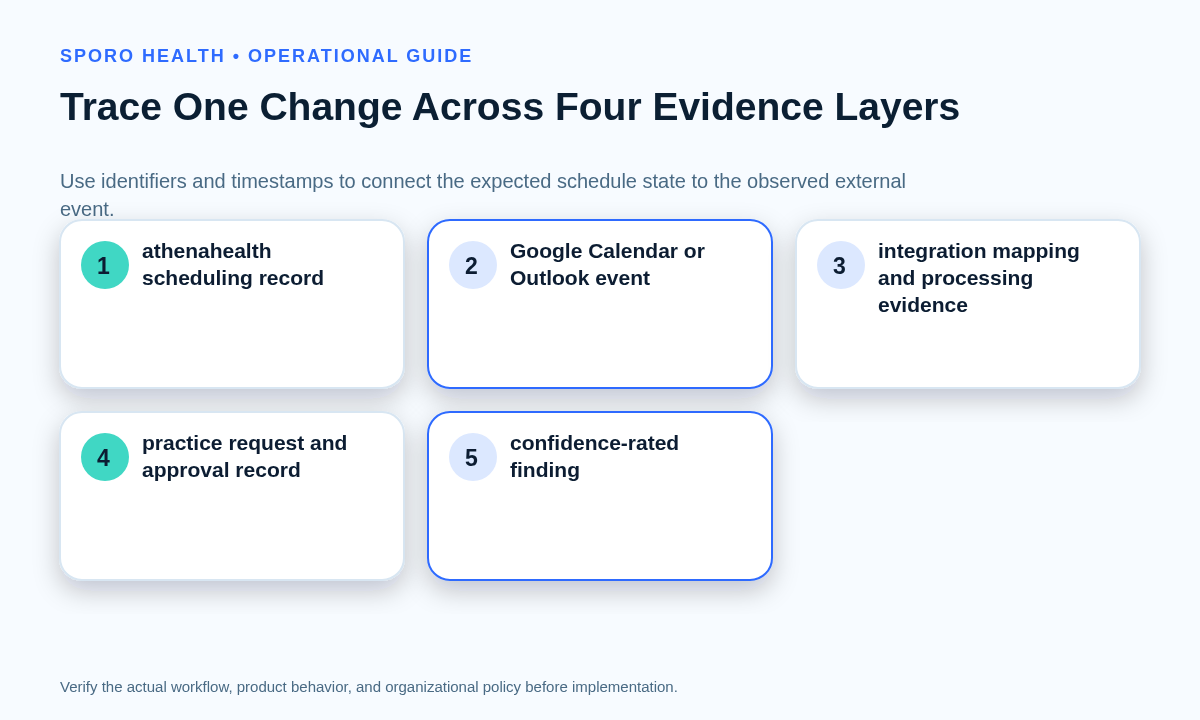
To audit provider calendar changes for athenahealth integrations, practice privacy leaders and healthcare IT administrators should reconstruct one unexplained create, update, delete, or recurring-instance change across four records: the practice-designated athenahealth scheduling record, the external calendar event, the integration mapping or processing record, and the approved practice request. Preserve identifiers and timestamps before correction, then state attribution as confirmed, supported, unresolved, or contradicted.
How to audit provider calendar changes for athenahealth integrations
Audit one bounded schedule change across independent records before trying to name the actor or cause. Start with the observed mismatch, preserve the evidence window, trace event identity, compare timestamps and states, grade attribution, correct the schedule, and document remaining uncertainty.
- Open one case for one provider and one affected schedule object.
- Freeze or export the available evidence before overwriting it.
- Match records by identifiers, recurrence relationships, time, and state.
- Separate observed facts from inferences and missing evidence.
- Close only after correction and an appropriate control follow-up.
A mismatch selected through a routine calendar sync drift detection framework can enter this workflow without declaring a broad outage or privacy incident.
What should be scoped before anyone edits the schedule?
Record the affected provider, exact time window, schedule object, expected state, observed state, and operational impact. Preserve the original view before staff recreate, delete, move, or overwrite anything that could remove identifiers or change timestamps.
- Provider, department, location, calendar, and mailbox owner
- Appointment, block, event, or recurring instance
- Exact start and end, including time zone
- Expected and observed status or availability
- When and by whom the mismatch was noticed
- Immediate booking or staff-workflow impact
- Temporary containment already performed
For every collected row, record the system, record type, identifier, parent or instance relationship, timestamp and time zone, actor or application, action, old and new state when available, collector, export location, and known gaps. Use the minimum necessary calendar data worksheet to avoid copying unnecessary event content.
Evidence preservation for this case does not establish a general retention period. Route that separate decision through the practice’s calendar event retention governance guide.
Which four sources belong in the evidence chain?
Use the athenahealth record, external calendar record, integration evidence, and practice change record together. No single source should be treated as complete proof.
| Source | Minimum fields | Owner | What it establishes |
|---|---|---|---|
| Practice-designated athenahealth scheduling record | Record ID, provider, department, start/end, time zone, status, prior and observed state | Scheduling administrator | The practice schedule state. Verify fields against the current athenahealth appointment reference. |
| Google Calendar or Outlook event | Calendar or mailbox ID, event ID, created/updated time, start/end, status, recurrence identity | Workspace or Microsoft 365 administrator | The external event state and platform-visible activity. |
| Integration or mapping evidence | Source and destination IDs, application identity, correlation ID, processing time, retry or replay, result | Integration owner or vendor | How the integration interpreted and processed the change. |
| Practice request or approval record | Request ID, submitter, approver, approved scope, execution time, staff response | Practice manager or privacy leader | Whether the change was requested, authorized, and implemented as intended. |
A valid finding explains how these records corroborate or conflict. Similar titles and times are leads, not sufficient identity evidence.
How do you match an athenahealth record to a calendar event?
Build an identity chain from stable record identifiers, recurrence relationships, timestamps, and integration mappings. Do not match solely on a provider name, event title, or approximate time.
| Identity element | Capture | Test |
|---|---|---|
| Scheduling record | athenahealth appointment or block identifier | Is it the same record before and after the change? |
| Calendar container | Google calendar ID or Outlook mailbox and calendar | Was the search run against the correct owner and container? |
| External event | Platform event ID and any integration-stored ID | Does it map to the scheduling record? |
| Recurring parent | Parent event or series-master identifier | Was the parent changed, or only one occurrence? |
| Original instance | Original start plus current start and time zone | Was a moved instance mistaken for a new event? |
| Processing record | Mapping, request, or correlation identifier | Does the integration evidence reference both endpoints? |
Google documents recurringEventId and originalStartTime for identifying recurring instances. Microsoft Graph exposes seriesMasterId and originalStart for Outlook events, but its default event ID can change when an item moves between containers; applications can opt into immutable Outlook identifiers. Preserve the identifier format actually used by the integration.
How should actor attribution be graded?
Classify the result as confirmed, supported, unresolved, or contradicted. The named actor may be a provider, delegate, administrator, integration application, platform service, or unknown party.
| Finding | Evidence rule | Recommended wording |
|---|---|---|
| Confirmed | Independent sources align on identity, actor or app, action, timestamp, and resulting state. | “The evidence confirms…” |
| Supported | Several sources align, but one material actor or processing link is unavailable. | “The evidence supports…” |
| Unresolved | Gaps prevent a reliable choice between plausible sequences. | “Attribution remains unresolved…” |
| Contradicted | The proposed explanation conflicts with identifiers, timestamps, or resulting states. | “The available evidence contradicts…” |
Attribution is separate from deciding who should retain access. If the evidence identifies a stale delegate, administrator, group, or application path, route that issue through the provider calendar access recertification workflow.
What changes between Google Workspace and Microsoft 365?
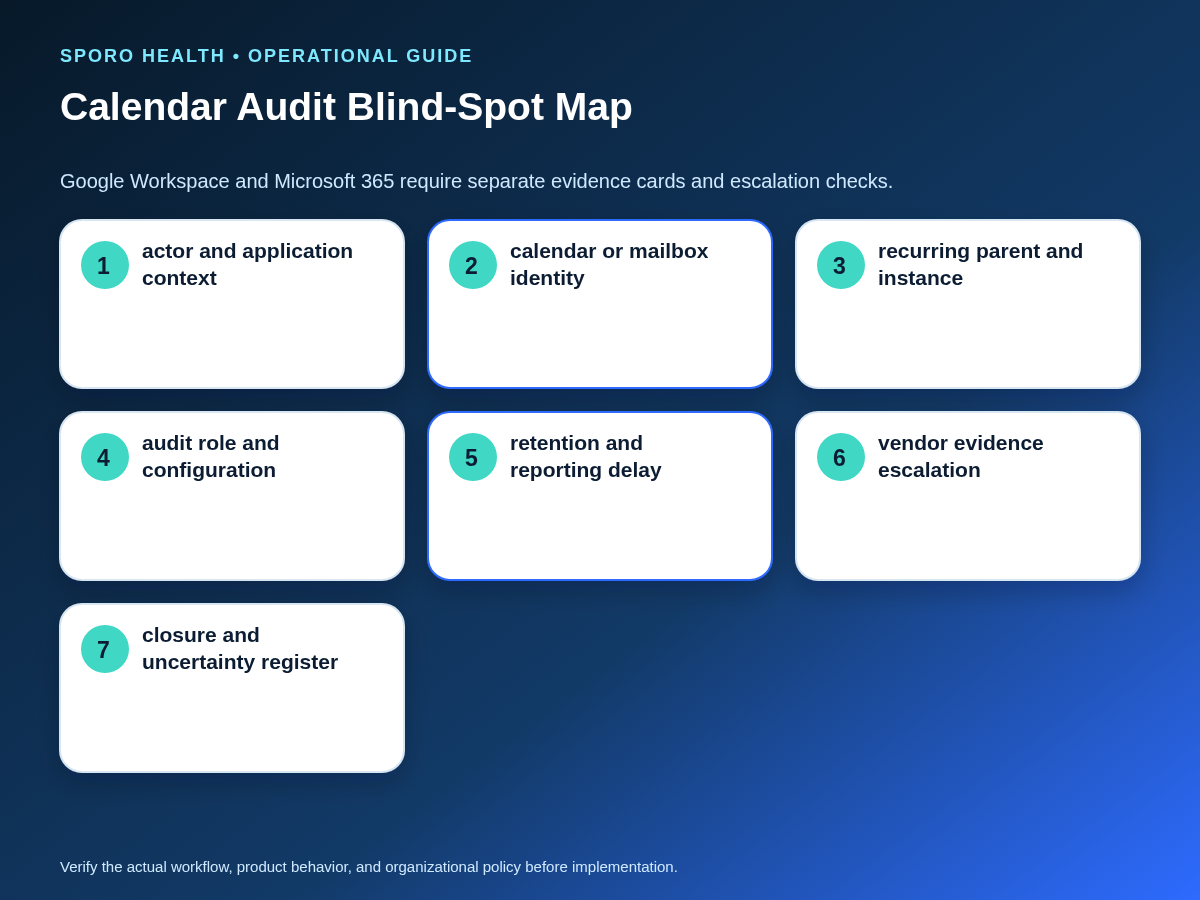
Use one investigation method, but create a separate evidence card for each platform. Google Workspace and Microsoft 365 expose different fields, administrative roles, recurrence models, identifier behavior, audit configuration, and retention assumptions.
Google’s Calendar log event documentation describes actor, application, OAuth client, impersonation, API kind, calendar ID, event ID, timestamps, and selected old or new values. Microsoft documents its audit operations, Exchange audit-record properties, and Graph event fields separately.
| Evidence card | Google Workspace | Microsoft 365 |
|---|---|---|
| Actor and application | Actor, application name, OAuth client ID, impersonation, API kind when populated | UserId, UserType, operation, client information, mailbox context when present |
| Event identity | Calendar ID, event ID, recurringEventId, originalStartTime | Mailbox/calendar, event ID, iCalUId, seriesMasterId, originalStart |
| Administrative access | Edition and Audit & Investigation or Security Center privileges affect tools | Audit roles, mailbox type, auditing configuration, license, and searched operations matter |
| Availability window | Calendar log events are currently documented as retained for six months; reporting can lag | Audit Standard currently defaults to up to 180 days, subject to configuration and policy |
| Identity blind spot | Application details are not populated for every activity | Default Graph IDs may change after a move unless immutable IDs were requested |
Record the assumptions used for the specific tenant rather than copying one platform’s evidence expectations to the other.
Does an empty calendar audit search prove no change occurred?
No; an empty search is an evidence gap, not proof that no action occurred. Check the search conditions and evidence availability before drawing a conclusion.
- Edition, license, and administrator privileges
- Audit enablement and the actions configured for collection
- UTC, browser, event, mailbox, and practice time zones
- Date range, actor filter, operation, calendar, mailbox, and event ID
- Retention window and reporting delay
- Primary, shared, delegated, subscribed, or secondary calendar ownership
- Recurring parent, exception, cancellation, and original-start structure
- Application, integration, or vendor-held processing evidence
Google notes that Calendar log events can take tens of minutes or longer to appear and documents current retention in its data retention and lag-time reference. Microsoft’s mailbox audit-search guidance also requires different filters for user and shared mailboxes.
When should evidence gaps be escalated?
Escalate when corrected searches still cannot connect the schedule record, external event, actor or application, and resulting state. Preserve the uncertainty instead of converting a plausible story into a confirmed finding.
- Repeat the narrow search with corrected time zones, identifiers, ownership, and operations.
- Expand only enough to cover reporting delay, retries, replays, notifications, and staff response.
- Request vendor evidence with exact source and destination identifiers and a bounded time window.
- Correct the schedule through the authorized workflow while retaining the pre-correction evidence.
- Open a separate incident workflow if the facts indicate possible unauthorized access or exposure.
Use the medical practice calendar privacy incident response checklist when the finding crosses the practice’s authorized privacy or security escalation threshold.
What must happen before the audit closes?
Close only when the schedule is corrected, the strongest supported sequence is documented, and every material uncertainty has an owner or accepted disposition. Closure should not imply certainty that the evidence does not support.
- State the most supported sequence and confidence grade.
- List preserved identifiers, timestamps, time zones, and exports.
- Separate facts, inferences, contradictions, and evidence gaps.
- Verify the corrected athenahealth and external-calendar state.
- Document access, workflow, training, or configuration follow-up.
- Record vendor escalation and the evidence still requested.
- Assign the preventive control change, owner, and review date.
A reviewer who did not perform the investigation should be able to reproduce the identity chain, understand why the confidence grade was chosen, and distinguish schedule correction from proof of causation.
Where do connected-calendar products fit?
The audit method should remain practice-owned and work independently of any calendar integration vendor. If the practice is evaluating Sporo, review the current Sporo Health overview, the athenahealth and Google Calendar product page, the athenahealth and Microsoft Outlook product page, and the Sporo Health athenaConnect Marketplace listing. Treat capability and evidence-availability statements as vendor claims until they are demonstrated for the practice’s configuration.
What is the practical audit standard?
The practical answer to how to audit provider calendar changes for athenahealth integrations is to investigate one bounded change, preserve its evidence before correction, connect records through identifiers rather than titles, use platform-specific evidence cards, and grade attribution without overclaiming. A defensible closure record says what most likely happened, what remains unknown, how the schedule was corrected, and which control will reduce the same ambiguity next time.
Frequently asked questions
Can an audit log prove that a calendar integration caused the change?
Only when the application identity, event identifier, timestamp, action, and resulting state align across independent sources. A single platform entry can establish correlation, but it may not establish the entire causal sequence.
Which identifiers matter most?
Preserve the athenahealth scheduling-record identifier, external calendar and event identifiers, and, for recurrence, the parent-series and original-instance identifiers. Also preserve the integration mapping or correlation identifier when available.
How far back should the practice search?
Search the smallest window that covers the expected change, log delay, retries, and staff response. Expand earlier or later only when the evidence suggests another action materially affected the sequence or final state.
What should a calendar integration vendor provide after a mismatch?
Request the mapped source and destination identifiers, application identity, processing timestamps with time zones, normalized action, retry or replay history, result or error, and any known retention or logging gap.
How should one occurrence of a recurring series be investigated?
Trace the series parent, affected instance, original start, current start, exception or cancellation state, and any future-split boundary in both systems before deciding whether the change was instance-only or series-wide.
Does an empty calendar audit search prove no change occurred?
No. Record it as an evidence gap and check permissions, audit configuration, edition or license, time zone, search fields, retention, mailbox or calendar ownership, recurrence, reporting delay, and vendor-held evidence.
Sources
- athenahealth appointment API reference
- Google Workspace Calendar log events
- Google Workspace data retention and lag times
- Google Calendar Events API reference
- Microsoft Purview audit log activities
- Microsoft mailbox audit-search guidance
- Microsoft Exchange audit-record properties
- Microsoft Graph event resource
- Microsoft Graph immutable Outlook identifiers