Personal Phones and Provider Calendars: A BYOD Policy for athenahealth Practices
A BYOD policy for provider calendars in athenahealth practices should let practice privacy leaders and healthcare IT administrators approve the smallest mobile-access model that completes the scheduling task. The policy should inventory every display and copy, govern apps, native sync and notifications, define lost-device and role-change actions, and require evidence that work access and derived data can be removed.
What should a mobile calendar access policy decide?
It should define eligible users and devices, approved accounts and apps, permitted calendar data, native-sync and notification rules, removal capabilities, exception owners, and the evidence required for approval and revocation. Approval should apply to a named user-device-account-app combination, not to personal phones as an undifferentiated category.
HHS guidance on mobile access to ePHI does not mandate one technology. It calls for appropriate administrative, physical, and technical safeguards based on the actual risks. HHS mobile-device materials also direct organizations to decide, assess, identify safeguards, document policies, and train users rather than treating a passcode as the entire control set.
Define the fields allowed on each surface with the minimum necessary calendar data worksheet. Account ownership, mobile access, calendar permissions, and synchronized data are separate approvals.
- Eligibility: approved roles, employment states, devices, operating systems, and support windows.
- Access path: work account, browser or app, enrollment mode, and target calendar.
- Data boundary: fields allowed in the app, native calendar, notifications, widgets, and offline storage.
- Device conditions: authentication, supported software, encryption state, and prohibited device conditions.
- Lifecycle actions: enrollment, replacement, loss, role change, leave, and offboarding.
- Exceptions: business reason, compensating controls, approver, expiration, and retest date.
- Evidence: screenshots or records of configuration, test results, removal status, and reviewer sign-off.
Which mobile calendar paths must be inventoried?
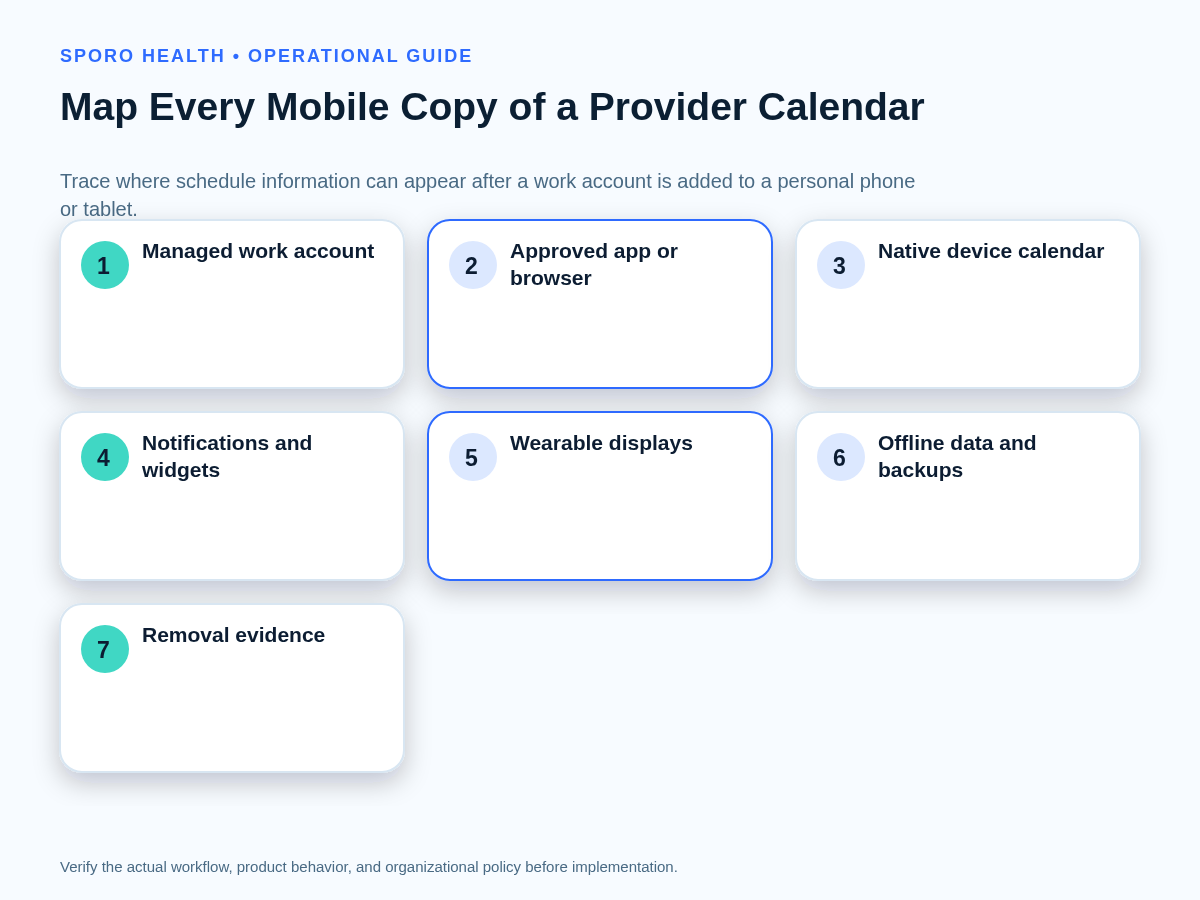
Map the work account, approved app or browser, native device calendar, notifications, widgets, wearables, offline stores, backups, sharing paths, and every device that can retain or display schedule data. The inventory must follow data beyond the sign-in screen.
- Start with the managed work identity and the calendar it can reach.
- Record the approved calendar app or browser and every signed-in account.
- Determine whether events are copied into the device’s native calendar database.
- Inspect lock-screen previews, notification history, banners, and notification-center records.
- Check home-screen widgets, search results, voice assistants, and suggested events.
- Test watches, vehicle displays, shared screens, and other connected displays.
- Identify offline caches, screenshots, downloads, exports, and manually copied events.
- Review device backups, cloud backups, subscribed calendars, and forwarded invitations.
For every node, record the owner, permitted fields, persistence period, removal action, proof method, and stop condition. If the practice cannot determine whether a copy exists or can be removed, that path is not ready for routine approval.
Which mobile access model should a practice choose?
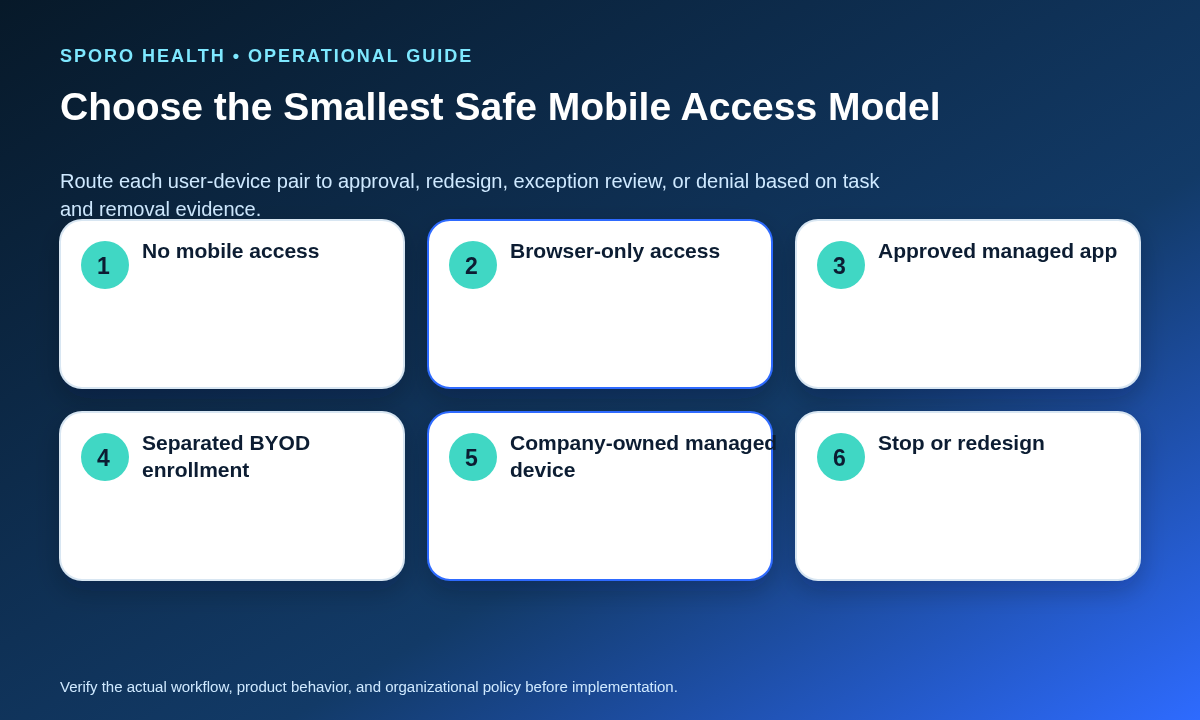
Choose the least permissive model that completes the scheduling task and produces credible removal evidence. Convenience alone should not move a user from browser-only access to native synchronization or broad device enrollment.
First settle identity ownership with the guide to personal versus managed Google Calendar account models; then make the separate endpoint decision below.
| Disposition | Use when | Primary boundary | Approval evidence |
|---|---|---|---|
| No mobile access | The task can be completed from an approved workstation or mobile risk cannot be bounded. | No work-calendar account on the personal device. | Access block tested; alternative scheduling workflow documented. |
| Browser-only access | Occasional viewing is needed without native-calendar integration. | Approved browser, bounded session, no intentional local calendar copy. | Sign-in, timeout, download, notification, and sign-out tests. |
| Approved managed app | Routine mobile access is needed inside a policy-capable application. | Work data remains in the approved app unless a separate transfer is authorized. | Account restriction, notification, data-transfer, and app-removal tests. |
| Separated BYOD enrollment | The workflow needs stronger work-personal separation and managed work accounts or apps. | Android work profile, Apple User Enrollment, or an equivalent supported model. | Enrollment record, management scope, selective-removal test, and privacy notice. |
| Company-owned managed device | The role needs broader controls, higher assurance, or workflows unsupported on BYOD. | Organization-owned device under the approved management standard. | Inventory, full lifecycle controls, return process, and wipe or retirement test. |
Use a stop disposition when the device is unsupported, the account cannot be separated, native copies cannot be governed, required notification detail cannot be hidden, or removal cannot be tested without relying solely on the user’s assurance.
Should work calendars sync into a phone’s native calendar?
Approve native sync only when the workflow requires it and the practice can control displayed data, local copies, notifications, account removal, and residual-copy testing. Otherwise, keep calendar data inside the approved work app or browser.
For Microsoft environments, keep the person’s calendar rights distinct from mobile controls by using the Outlook scheduling role and permission guide.
- Document the scheduling task that fails without native sync.
- Limit event fields before data reaches the device.
- Confirm whether the native store is managed, removable, and excluded from uncontrolled backups.
- Define locked-screen, banner, widget, watch, and vehicle-display rules.
- Test account removal, app removal, re-enrollment, and a deliberately prohibited event field.
Notification policy should specify whether alerts are allowed, which fields may appear while the device is locked, who configures them, and how testers verify hidden details across supported devices. A safe result in the open app does not prove that notification history, widgets, or wearables show the same boundary.
How do mobile calendar controls differ by platform?
Keep a platform-delta worksheet because similarly named controls can create different data paths, removal actions, and evidence. Test the configured tenant, app, operating system, and enrollment mode rather than copying a generic control statement into the policy.
| Layer | Decision to keep separate | Current primary evidence | Local proof required |
|---|---|---|---|
| Google Workspace | Basic, advanced, or no mobile management; allowed apps; account-wipe capability. | Google documents different management privileges, including that unmanaged access lacks administrative work-account wipe and device visibility. | Admin configuration, enrolled device record, and account-removal result. |
| Android work profile | Work-profile calendar and apps versus copies or displays in the personal profile. | The same Google guidance describes a BYOD work profile in which the organization controls the profile’s work apps and data rather than the personal space. | Cross-profile test, work-profile removal, notification test, and residual-copy scan. |
| Microsoft 365 and Intune | Outlook app data, native-calendar sync, notification detail, and managed-app wipe. | Microsoft’s supported-app documentation identifies controls for native calendar sync and organizational notification data. Selective-wipe guidance explains managed-app removal and its check-in dependency. | Assigned policy, affected account, wipe status, native-copy result, and negative sign-in test. |
| Apple User Enrollment | Organization-managed accounts and apps versus the user’s personal accounts and data. | Apple describes User Enrollment as a BYOD model limited to organizational accounts, settings, and information. Apple’s organizational-data guidance distinguishes managed apps, managed accounts, backups, and supported data-flow restrictions. | Enrollment scope, managed-account removal, app removal, backup setting, and display tests. |
| Native calendar | Whether work events enter an operating-system calendar outside the approved app boundary. | Do not infer that every app-layer control follows data into a native store. | Create, update, notification, offline, removal, and re-enrollment tests on each supported device family. |
Browser-only access also needs its own row in the practice worksheet. It may reduce deliberate native copies, but the test still needs to cover session persistence, downloads, screenshots, browser notifications, shared-device use, and sign-out.
What should happen when a phone is lost or stolen?
Contain work access, record the affected account and device, start the approved account-removal or wipe action, preserve scheduling continuity, verify completion, and route possible exposure to authorized privacy and security reviewers. Do not wait for the device to be recovered before protecting the account.
If the facts suggest exposure rather than routine loss, use the calendar privacy incident-response checklist for evidence preservation and authorized escalation.
- Open one incident or service record with the user, device, account, app, and last-known state.
- Block or revoke the affected mobile account and application path.
- Issue the platform-appropriate work-account removal, selective wipe, lock, or device action.
- Give scheduling staff an approved continuity path to the authoritative athenahealth schedule.
- Check native calendars, notifications, widgets, wearables, shared links, and other derived copies.
- Track pending actions until the device or managed app reconnects and reports a result.
- Close only after technical evidence and authorized privacy or security review requirements are satisfied.
How should mobile calendar access be removed during offboarding or a role change?
Revoke account and app paths, remove managed work data where supported, inspect native calendars and derived copies, confirm notifications stop, and preserve the authoritative schedule. A disabled EHR login alone does not test every mobile path.
Connect this device-level sequence to the broader provider calendar offboarding checklist.
- Identify every approved and exception device for the user.
- Revoke sessions, tokens, account access, app assignments, and enrollment as applicable.
- Run the approved work-data removal action and retain its status.
- Inspect the native calendar, widgets, notification history, wearables, and offline states.
- Verify the former role cannot reconnect or re-enroll without a new approval.
- Confirm approved staff can still reach future schedules and operational calendar assets.
How should a practice test and measure the policy?
Run enrollment, data-boundary, notification, lost-device, account-removal, and re-enrollment tests, then measure coverage, unmanaged copies, overdue removals, failed negative tests, and recurring exceptions. Policy publication is not proof that endpoint controls work.
Add approved mobile paths to the recurring provider calendar access recertification workflow so device, account, app, and exception decisions are reviewed together.
The test pack should include a normal event, an event containing a deliberately prohibited field, a locked-device notification, an offline device, a native-sync attempt, a lost-device action, removal, blocked re-entry, and authorized re-enrollment.
| Measure | Calculation or count | What it reveals |
|---|---|---|
| Approved-device coverage | Approved active user-device pairs divided by observed active mobile pairs. | Unknown or unreviewed access paths. |
| Unmanaged-copy exceptions | Open exceptions involving native stores, exports, backups, or unsupported displays. | Data paths outside the standard boundary. |
| Overdue removal actions | Revocations past the policy deadline without verified completion. | Lifecycle exposure and weak closure. |
| Failed negative tests | Tests in which prohibited access, display, sync, or re-enrollment still succeeds. | Controls that exist on paper but not in practice. |
| Recurring exception rate | Repeat exception types divided by all exceptions in the review period. | Where the standard needs redesign, training, or a different access model. |
How should a BYOD policy for provider calendars in athenahealth practices be approved?
Approve the policy only after authorized owners accept the access model, data boundary, platform-specific controls, exception process, recovery flow, and test evidence. Calendar synchronization may improve schedule visibility, but it does not approve a phone, mobile app, native-calendar copy, notification setting, or wearable display.
Keep product evaluation separate from endpoint governance. Practices can review Sporo Health’s healthcare automation resources, the athenahealth and Google Calendar connection option, the athenahealth and Microsoft 365 or Outlook connection option, and the Sporo Health athenaConnect Marketplace listing. Treat these as vendor materials and verify fit through the practice’s own review and acceptance tests.
Frequently asked questions
These answers summarize the policy decisions; authorized reviewers should apply them to the practice’s actual accounts, devices, contracts, configurations, and schedule data.
Does HIPAA prohibit every personal phone?
No blanket rule should be inferred. HHS says providers may use mobile devices to access ePHI when appropriate safeguards and service relationships are in place, but authorized practice reviewers must assess the actual workflow, information, contracts, controls, and documented risks.
Is a phone passcode enough to approve calendar access?
No. A passcode is one control; approval also depends on account separation, app choice, data movement, notification exposure, device condition, removal capability, and verification evidence for the practice’s scheduling workflow.
Can providers use personal phones for work calendars?
Yes, if the practice explicitly approves a bounded user-device-app combination after review. Personal ownership alone neither approves nor prohibits access; the decision should follow operational need, data boundaries, removal capability, and residual risk.
Should work calendars sync to a phone’s native calendar?
Only when the scheduling task requires native sync and the practice can control and test displayed fields, local copies, notifications, account removal, and residual data. Otherwise, keep work calendar data inside the approved app or browser.
What calendar details may appear in mobile notifications?
Only the fields authorized by the practice should appear. Test locked screens, notification history, widgets, wearables, vehicle displays, and shared-screen states; if details cannot be bounded reliably, disable previews or notifications.
What if the lost phone is offline?
Block or revoke work access immediately, start the approved account-removal or work-data wipe action, preserve schedule continuity, and record that removal may remain pending until the device reconnects or the managed app checks in.
How do you verify mobile calendar access was revoked?
Run a negative test. Confirm the account and approved app path fail, native-calendar copies and widgets no longer update, notifications stop, managed work data reports removal where supported, and the authoritative athenahealth schedule remains available to approved users.
Sources
- HHS: Mobile devices and access to ePHI in a cloud
- HHS: Mobile Devices and Health Information Privacy and Security
- Google Workspace: Android device management with Google endpoint management
- Microsoft Learn: Supported Microsoft Intune apps
- Microsoft Learn: Wipe corporate data from Intune-managed apps
- Apple: User Enrollment and device management
- Apple: Manage organizational data on Apple devices