
Provider Email Changes in athenahealth Calendar Sync: A Cutover Checklist
For practice managers deciding how to change a provider email without disrupting athenahealth calendar sync, the safest approach is to classify the identity change, preserve stable account and event identifiers, freeze competing edits, test representative schedule states, and keep a documented rollback. Treat the email address as one attribute—not automatically as the integration’s permanent key.
This checklist is for an active provider who is staying with the practice. Credentialing and onboarding teams and healthcare IT administrators should coordinate the change with the calendar-platform administrator, athenahealth scheduling owner, and integration vendor rather than treating it as a routine directory edit.
How to change a provider email without disrupting athenahealth calendar sync
Preserve the provider-to-calendar relationship before changing the visible address. Name one authoritative schedule, document the present identity and mapping, approve who can edit each system, capture a test baseline, and define the exact state that rollback will restore.
Do not combine a rename with unrelated permission cleanup, mailbox migration, calendar replacement, or schedule redesign unless the combined change has been tested. If the provider is departing, use the separate provider calendar offboarding checklist; a departure requires access revocation and schedule handoff rather than identity continuity.
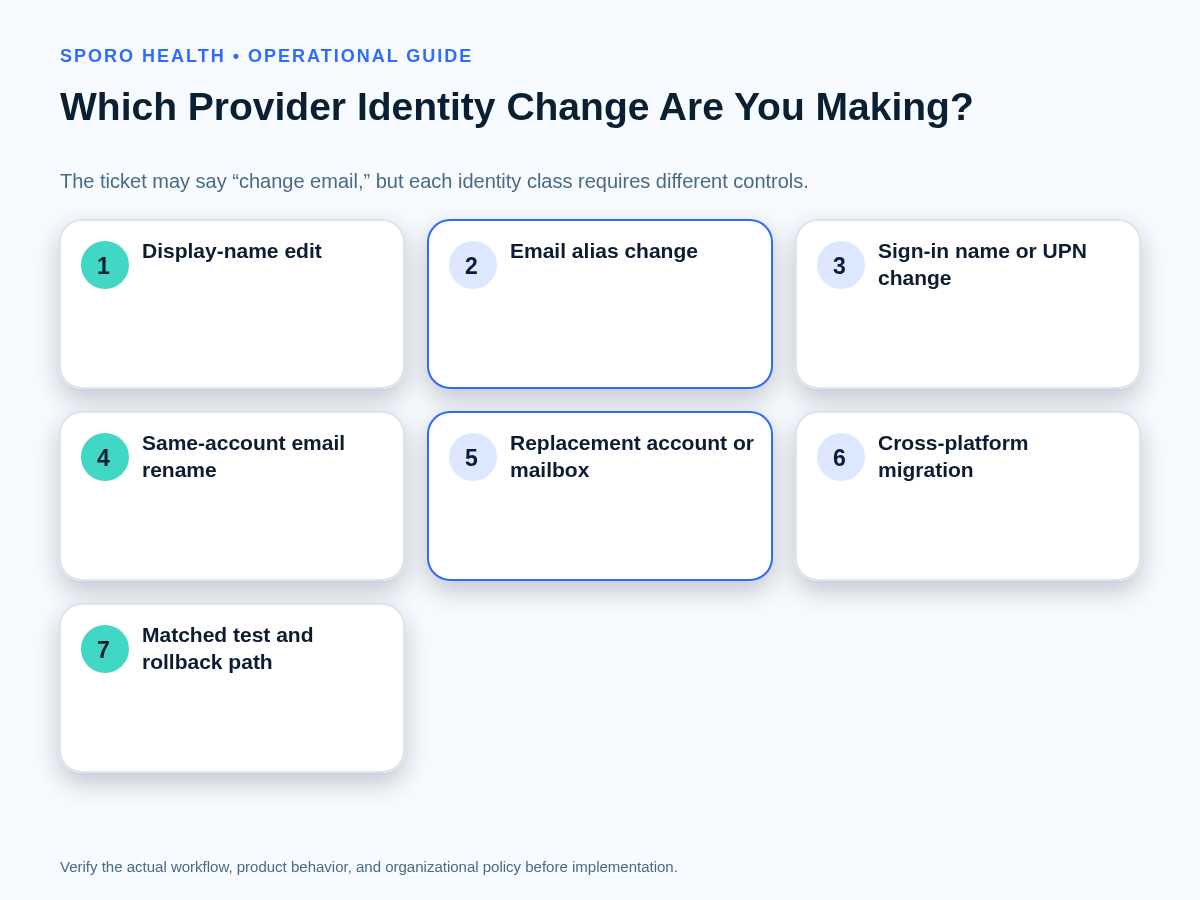
Which provider identity change are you making?
Classify the request by what actually changes, not by the ticket’s label. “Change email” may describe a harmless display-name edit, a new alias, a different sign-in identifier, a new account, or a cross-platform migration.
| Change class | What moves | Required control path |
|---|---|---|
| Display-name edit | Visible profile label | Confirm that email, sign-in, account, calendar, and authorization remain unchanged. |
| Alias addition or removal | Address reachability | Test old and new addresses; do not assume the alias controls application identity. |
| Sign-in name or UPN change | Authentication identifier | Test sign-in, tokens, application profile continuity, and vendor lookup behavior. |
| Same-account email rename | Primary address on an existing account | Prove that the same account and calendar persist, then verify recurring events and mappings. |
| Replacement account or mailbox | Directory object, mailbox, or calendar | Plan an approved remap or migration with explicit ownership and rollback. |
| Cross-platform migration | Identity, calendar platform, and authorization | Treat it as a migration project, not a transparent rename. |
Google distinguishes a profile-name change from a username or email change in its administrator guidance. Microsoft likewise manages display name, UPN, and mailbox addresses as related but separate properties.
What should the before-and-after identity map contain?
Map every identity layer that can remain stable or change during the cutover. The worksheet should let an independent reviewer determine which provider, account, calendar, authorization, and schedule records existed before and after the change.
| Layer | Record before and after | Closure evidence |
|---|---|---|
| athenahealth context | Practice context, provider ID, departments, locations | Same intended provider and scheduling scope |
| Organizational identity | Directory object identifier and account status | Approved object retained or replaced |
| Address and sign-in | Primary email, aliases, username, UPN | Old and new behavior documented |
| Mailbox and calendar | Mailbox, primary or secondary calendar, calendar identifier | Correct destination accepts representative reads and writes |
| Authorization | Authorization subject, application, consent owner, scopes | Approved access works without an unintended profile |
| Integration mapping | Provider-to-account and account-to-calendar relationship | One approved mapping is active |
| Access paths | Delegates, groups, direct shares, administrative access | Required access remains; obsolete access is contained |
| Schedule baseline | Representative event IDs, states, timestamps, dates | Post-change comparison completed |
| Rollback state | Prior values, owners, restoration order | Restoration is authorized and feasible |
Preserve event identity where the integration exposes it. Google documents opaque event IDs, shared iCalendar identifiers, and separate recurring-instance fields in the Calendar Events resource. Microsoft Graph separately exposes user, event, recurrence, and series identifiers. If reauthorization is required, recheck approved fields and scopes with the calendar data-minimization worksheet.
What differs between Google Workspace and Microsoft 365?
The control questions are common, but the identifiers and documented side effects are platform-specific. Verify the current tenant configuration and integration behavior instead of transferring assumptions from one platform to the other.
| Control question | Google Workspace | Microsoft 365 |
|---|---|---|
| Is this the same account? | Confirm the organizational Google account and primary calendar persist. | Confirm the Microsoft Entra object, mailbox, and calendar persist. |
| Which address changed? | Separate profile name, primary email, and aliases. | Separate display name, UPN, primary SMTP, aliases, and routing address. |
| What identifies the app user? | Verify the authorization subject and vendor mapping. | Verify object ID, UPN use, authorization, and application profile. |
| What must be sampled? | Old and new address behavior, recurring events, secondary calendars. | Authentication, mailbox/calendar access, delegates, recurring series. |
What should the Google Workspace cutover verify?
Verify that the same managed account and intended calendar remain connected after the primary address changes. Record aliases, secondary calendars, delegates, third-party access, recurring events, and the provider’s old and new sign-in behavior.
Google reports that events created before an address change can retain the old displayed address while later events display the new one; repeating events may require an update. Its guidance also warns that applications storing data by domain or email can be affected and that some OAuth or OpenID apps may require reinstallation. Review the current Google Workspace address-change impacts before cutover.
What should the Microsoft 365 cutover verify?
Treat UPN, primary SMTP address, directory object, mailbox, and calendar as distinct fields. Determine which one the integration uses, verify the new sign-in, and check whether the application preserved the existing profile instead of creating another one.
Microsoft recommends that developers use the directory object ID rather than UPN or email as an immutable identifier and warns that UPN changes can break SaaS profile relationships. See its UPN planning guidance, Microsoft 365 username and email guidance, and the deeper Microsoft 365 calendar-integration preflight.
What must be confirmed with athenahealth and the integration vendor?
Confirm the exact identifiers used by the deployed connection and the approved remapping procedure. Ask whether the mapping uses email, UPN, directory object ID, authorization subject, mailbox, calendar ID, an internal vendor record, or a combination.
athenahealth publishes API documentation and an appointment API reference, but public documentation cannot establish how a particular vendor deployment maps a provider identity. Require written confirmation for the live configuration.
What sequence should the cutover follow?
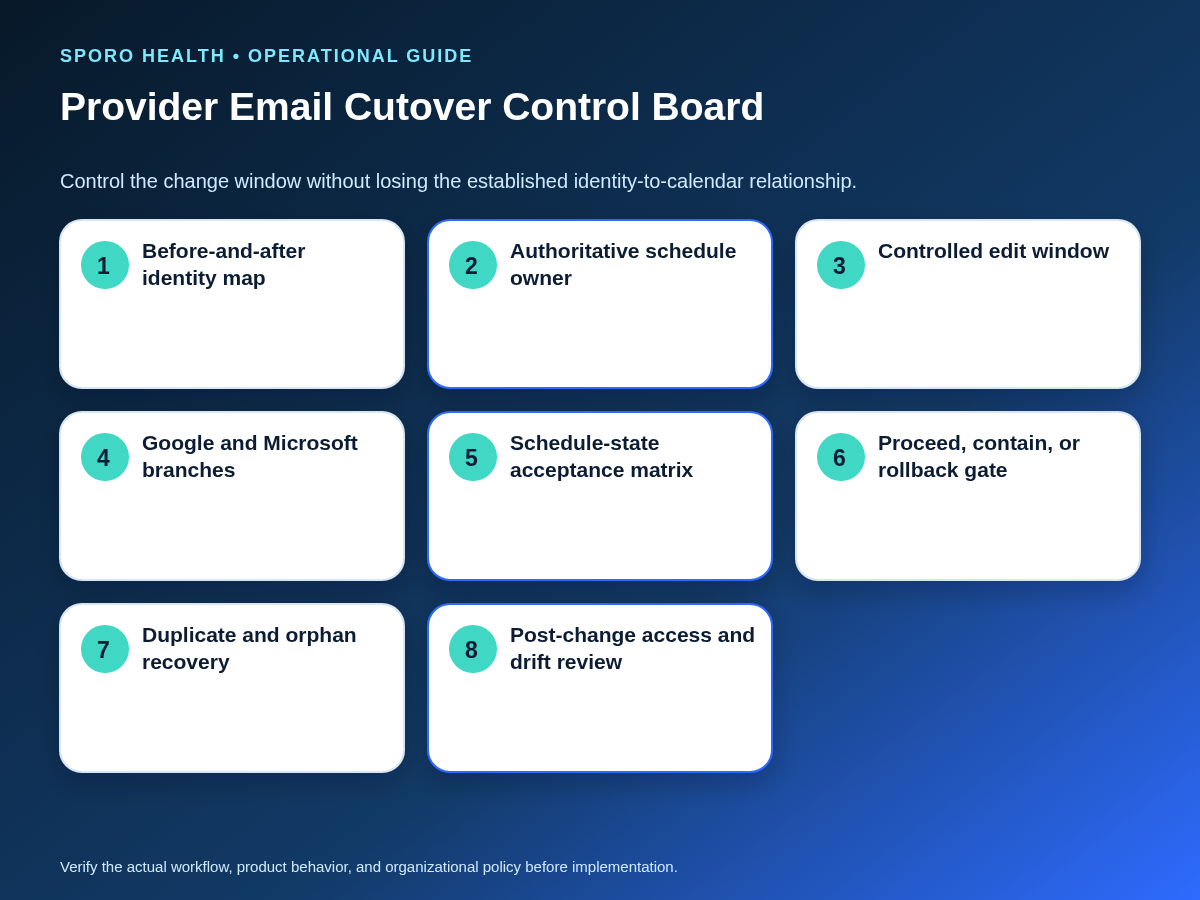
Run one approved sequence with named owners and a bounded change window. Avoid informal reconnections while administrators are still determining whether the original mapping survived.
- Approve the class: Document whether this is a display edit, alias, rename, replacement, or migration.
- Name authority: Identify the authoritative schedule and who can edit athenahealth, the directory, the calendar, and the integration.
- Capture the baseline: Save the identity map and representative schedule states.
- Contain edits: Pause nonessential mapping, permission, and calendar changes.
- Change identity: Apply only the approved directory, email, UPN, mailbox, or domain edits.
- Update once: Remap or reauthorize only when the approved path requires it.
- Test and reconcile: Run read, write, negative, delegate, and future-date tests.
- Decide: Record proceed, contain, or rollback, plus the evidence and approver.
How should you test calendar sync after a provider email change?
Test representative schedule states across immediate and later dates, not merely whether the provider can sign in. Compare source records, destination events, identifiers, timestamps, location, time zone, and final status.
| Scenario | Required test | Pass evidence |
|---|---|---|
| Create | Create one approved test item | One correct destination record with preserved mapping |
| Reschedule | Change date or time | Existing counterpart updates without duplication |
| Cancellation | Cancel the test item | Expected cancellation state appears on both sides |
| Availability block | Add or change a representative block | Intended capacity is represented correctly |
| Recurring exception | Modify one occurrence | Exception changes without replacing the series incorrectly |
| Time zone | Use a relevant time-zone case | Start, end, and recurrence expand as expected |
| Location | Test a representative department or site | Provider and location remain correctly associated |
| Delegate | Have an approved delegate read or edit | Required access works through the intended path |
| Old identity | Attempt the prohibited old path | It cannot create an unintended schedule change |
| Future horizon | Compare near-term and later dates | No unexplained gap appears beyond the immediate window |
After functional testing, use the provider calendar access review workflow to check old direct, delegated, group, administrative, and application access. Microsoft’s user resource and event resource illustrate why user, calendar, and recurrence identifiers should be recorded separately.
When should you proceed, contain, or roll back?
Use a decision gate based on mapping evidence and schedule integrity, not on whether the rename command succeeded. The approver should record one decision before ordinary editing resumes.
| Decision | Required conditions |
|---|---|
| Proceed | Approved mapping is visible, representative tests pass, one schedule is authoritative, and no unexplained duplicates or residual write paths exist. |
| Contain | The affected window is bounded and authority is known, but propagation, access, or one test result still requires investigation. |
| Roll back | The provider maps to the wrong account or calendar, old identity changes schedules, records are duplicated or orphaned, tests fail, or authority is unclear. |
Passing the immediate gate does not prove long-term consistency. Sample the connection during an observation period using the calendar sync drift sampling framework, with extra attention to later appointments and recurring exceptions.
What if the mapping is lost or duplicates appear?
Stop repeated reconnect attempts and stabilize the schedule before making another correction. Multiple informal fixes can enlarge the affected window and make record lineage harder to reconstruct.
- Declare the authoritative schedule and temporary edit owner.
- Preserve old and new account, calendar, event, and mapping identifiers.
- Bound the affected time window and provider-location scope.
- Separate legitimate changes from duplicates, orphans, and stale entries.
- Compare the old identity path with the new identity path.
- Apply one approved remap, reauthorization, or rollback.
- Repeat the full acceptance matrix and obtain independent verification before closure.
Provider email address change calendar sync checklist
- Classify the identity change.
- Record the provider, directory object, email, UPN, mailbox, calendar, and authorization.
- Name the authoritative schedule.
- Assign cutover, testing, approval, and rollback owners.
- Capture representative event states and identifiers.
- Freeze competing mapping and permission edits.
- Verify platform-specific address and sign-in behavior.
- Remap or reauthorize only through the approved path.
- Run the acceptance matrix and negative tests.
- Record proceed, contain, or rollback and monitor the observation window.
How do you make the change controlled and reversible?
Make identity continuity a documented operational requirement rather than an assumption. For teams deciding how to change a provider email without disrupting athenahealth calendar sync, success means preserving the intended provider, calendar, authorization, and schedule relationship—or restoring the prior approved state without guesswork.
For vendor-specific feasibility, review Sporo Health, the current athenahealth and Google Calendar connection, the athenahealth and Microsoft Outlook connection, and the Sporo Health athenaConnect Marketplace listing. Use them to prepare configuration questions, then require confirmation of mapping, reauthorization, testing, and rollback behavior for the deployed practice.
Frequently asked questions
Does changing only a provider’s display name require reconnection?
Not necessarily. A display-name edit is different from changing an email, username, UPN, account, mailbox, calendar, or authorization, but administrators should still verify the deployed integration’s behavior.
Can the old provider email remain as an alias?
It can, if policy and platform configuration allow it. An alias can preserve address reachability, but it does not prove that authentication, calendar ownership, application identity, integration mapping, or obsolete access is correct.
Should a Microsoft 365 UPN and primary SMTP address be treated as the same identifier?
No. Microsoft documents them as separate attributes, even though it recommends aligning the sign-in UPN and primary SMTP address; record and test both.
What is the strongest reason to roll back the cutover?
Roll back when the team cannot identify one authoritative schedule or the provider maps to the wrong account or calendar. Duplicates, orphaned records, residual old-identity writes, and failed representative tests are also rollback triggers.
How should recurring events be tested after the change?
Test the series and one modified occurrence separately. Confirm the recurring pattern, original occurrence time, time zone, exception behavior, and identifiers without recreating the whole series unnecessarily.
What should you do if the new sign-in creates a new application profile?
Stop further reconnect attempts and preserve both profiles’ identifiers. Ask the application or integration administrator to reconcile the relationship, apply one approved correction, and repeat the acceptance matrix.
Sources
- Google Workspace: Impact on apps when changing a user’s email address
- Google Workspace: Change a user’s profile name
- Google Calendar API: Events resource
- Microsoft Entra: Plan and troubleshoot UPN changes
- Microsoft 365: Change a user name and email address
- Microsoft Graph: User resource
- Microsoft Graph: Event resource
- athenahealth API documentation
- athenahealth appointment API reference

One comment
Comments are closed.
[…] a provider email, UPN, mailbox, or calendar-identity change, use the provider email change cutover checklist. If analysis shows that the integration or part of its scope should end, use the controlled […]