Calendar Notification Coverage for athenahealth Sync: A Renewal-and-Recovery Playbook
For healthcare IT teams asking how to monitor calendar notification coverage for athenahealth sync, the practical answer is to track every provider-calendar connection as its own renewable control. Record the watched resource, authorization, expiration, last detected change, synthetic-test evidence, and reconciliation status; renew before the risk window; investigate unexplained silence; and close recovery only after missed creates, updates, reschedules, and cancellations are reconciled.
How to monitor calendar notification coverage for athenahealth sync
Monitor one provider-calendar-resource-connection pair at a time, and require both lifecycle health and recent proof that changes are detected. Calendar notification coverage exists only when every in-scope pair has an active path, known renewal state, recent activity or test evidence, and a reconciliation backstop. A tenant-level dashboard cannot prove that one provider’s watched calendar is still covered.
Notification monitoring and schedule-state checking are complementary controls. Use reconciliation sampling for calendar sync drift as an independent backstop because a technically active path can still miss or mishandle a schedule transition.
What should the coverage register include?
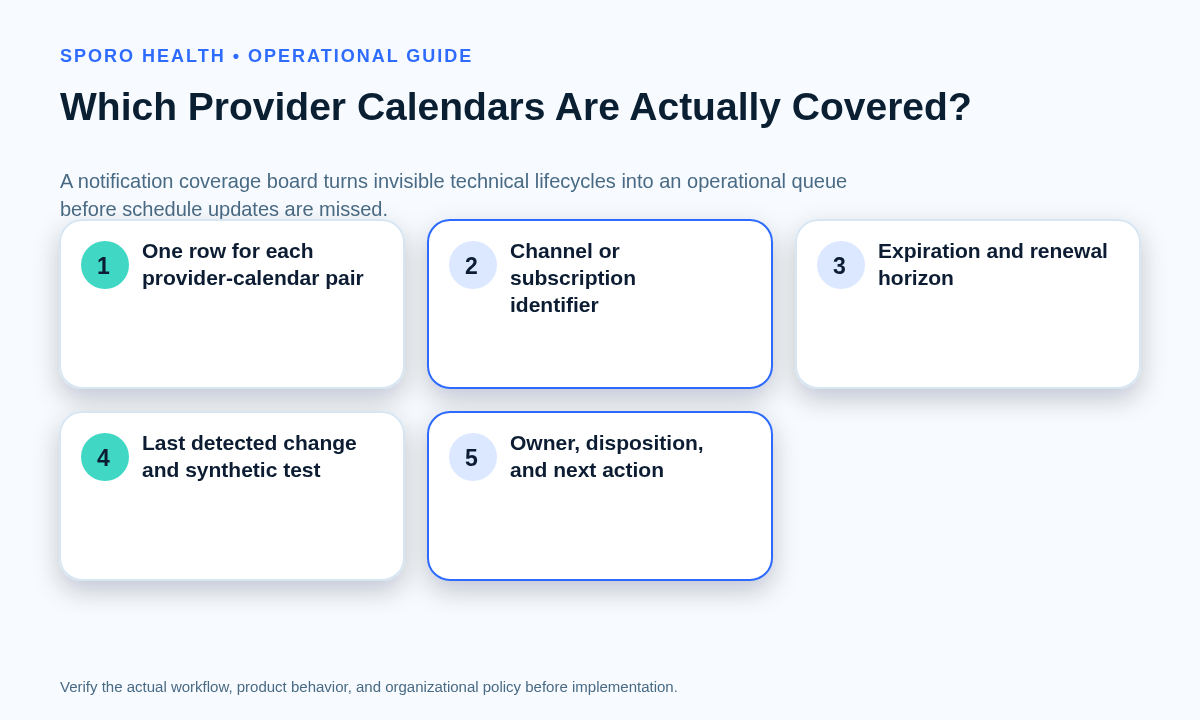
Give every provider-calendar pair one operational row containing identity, lifecycle, evidence, ownership, and disposition fields. The correct unit is one provider, one external calendar, one watched resource, and one integration connection—not merely an application, tenant, or vendor account.
| Field | What to record |
|---|---|
| Coverage identity | Provider, external calendar, platform, watched resource, and connection identifier |
| Notification identity | Google channel or Microsoft Graph subscription identifier |
| Authorization | Current authorized, uncertain, revoked, or reconnect-required state |
| Lifecycle deadline | Expiration, renewal target, last attempt, and replacement identifier |
| Last evidence | Last detected change, processed change, synthetic test, and reconciliation |
| Ownership | Monitoring owner, renewal owner, operations contact, and vendor route |
| Schedule exposure | Nearest affected scheduling horizon and any protective restriction |
| Disposition | Healthy, renew soon, contain and investigate, or restore and reconcile |
Keep timestamps in a consistent time standard and retain non-sensitive identifiers sufficient to trace the control without copying unnecessary patient information.
How do Google and Outlook notification lifecycles differ?
Use one control objective but document separate Google Calendar channel and Microsoft Graph subscription procedures. Google requires a notification channel for each watched resource, does not automatically renew channels, and warns that some push messages may be dropped. Microsoft Graph subscriptions have limited lifetimes and Outlook events support lifecycle signals for reauthorization, removal, and missed notifications. See the current Google Calendar push-notification guidance, Outlook change-notification overview, and Microsoft Graph lifecycle guidance.
| Control | Google Calendar | Microsoft Outlook |
|---|---|---|
| Coverage object | Notification channel tied to a watched resource | Graph subscription tied to an Outlook resource |
| Renewal | Create a replacement channel with a new identifier before expiration | Extend before expiration or recreate a removed or expired subscription |
| Lifecycle evidence | Returned expiration, channel headers, sync message, and recent delivery | Expiration time, lifecycle events, authorization, and recent delivery |
| Miss recovery | Retrieve changes; an invalid sync token requires the documented full-sync path | Use the applicable delta or resynchronization path for the affected calendar view |
Microsoft’s current subscription lifetime table lists Outlook event subscriptions at under seven days without resource data and under one day with resource data. Treat those as platform limits, not as the practice’s safe renewal threshold.
Which coverage disposition applies?
Every register row should resolve to healthy, renew soon, contain and investigate, or restore and reconcile. Each disposition needs a named owner, deadline, scheduling safeguard, and closure evidence.
| Disposition | Use when | Required action and closure |
|---|---|---|
| Healthy | Active path, sufficient renewal margin, recent evidence, and no unexplained gap | Continue monitoring; close the review with current evidence |
| Renew soon | The remaining lifetime is inside the practice’s renewal horizon | Renew, test the replacement path, and record the new deadline |
| Contain and investigate | Silence or delivery uncertainty exists, but a gap is not yet proven | Protect near-term schedules, diagnose the branch, and set a decision deadline |
| Restore and reconcile | Coverage was lost, removed, expired, unauthorized, or confirmed to have missed changes | Restore the path, reconcile the gap, pass a new test, and close exceptions |
How should renewal thresholds be set?
Set the threshold from the time needed to detect trouble, retry safely, escalate, and protect near-term schedules—not from an arbitrary percentage of subscription life. Add a safety margin for weekends, owner availability, vendor response, and platform limits. A renewal API success is only intermediate evidence; the replacement or extended path must detect and process an approved test change.
How should a synthetic test work?
Use an approved non-patient test calendar or event to create, update, and cancel an item while tracing the full detection path. The test should not expose patient information or alter live booking capacity.
- Record the test pair, expected result, owner, and test window.
- Create an approved test item and confirm detection and processing.
- Change its time or status and verify the same identity is updated.
- Cancel or delete it and verify the final disposition.
- Store timestamps, identifiers, results, exceptions, and closure evidence.
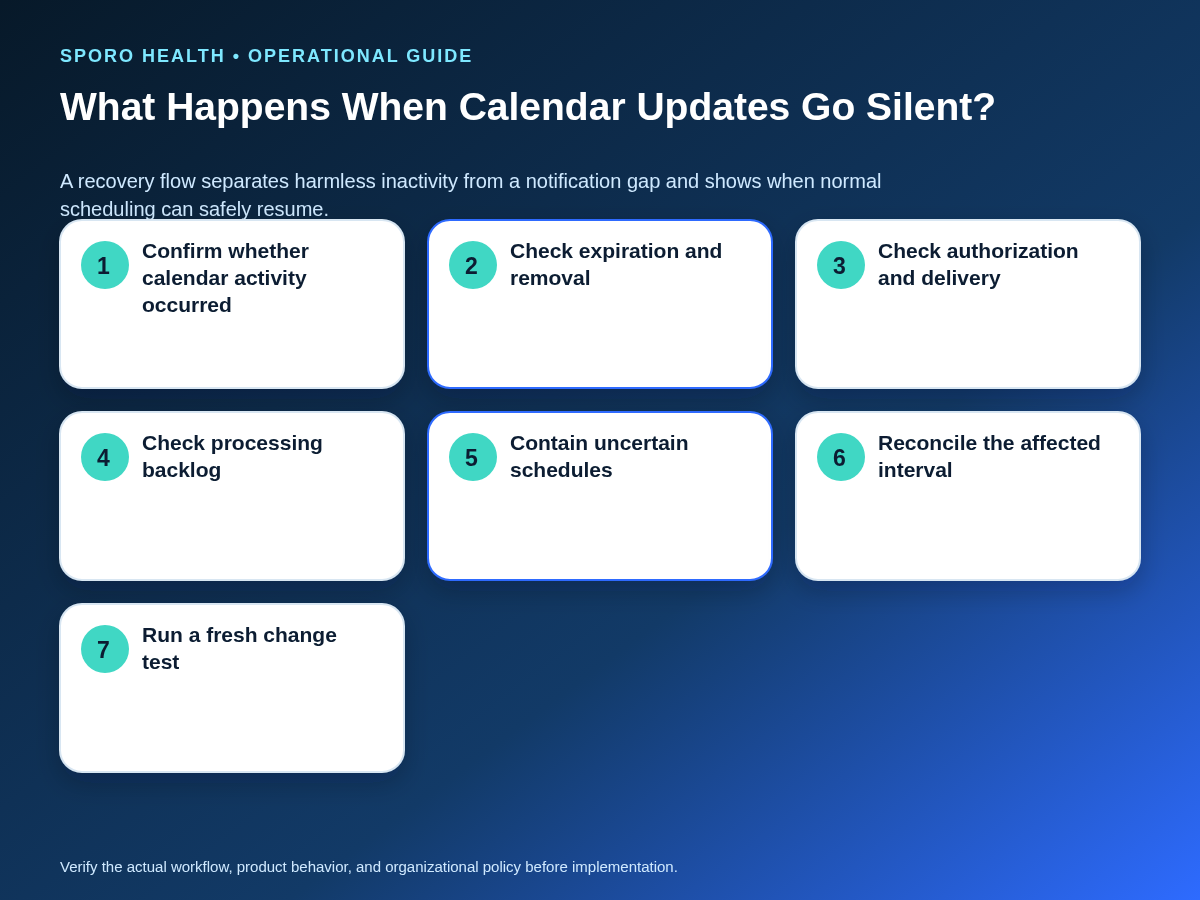
What should happen when calendar updates go silent?
First distinguish normal inactivity from expiration, authorization loss, endpoint failure, processing backlog, or subscription removal. Silence is a diagnostic signal, not proof of failure or health.
| Branch | Evidence to check | Action |
|---|---|---|
| Normal inactivity | Did any real source-calendar change occur? | Run a bounded synthetic test if confidence is still required |
| Expired or removed | Expiration, channel or subscription lookup, lifecycle signal | Restore coverage and define the possible gap |
| Authorization loss | Permission errors, revoked consent, reconnect state | Contain the pair and restore approved authorization |
| Delivery failure | Endpoint reachability, responses, certificate, and delivery logs | Repair delivery and retrieve missed changes |
| Processing backlog | Received versus processed timestamps and queue depth | Protect schedules until the backlog is cleared and verified |
| Unknown gap | No conclusive lifecycle or activity evidence | Use the safest containment and reconciliation path |
Route persistent technical signals through the calendar sync failure triage matrix. If the branch proves that authorization or the provider connection itself is lost, follow the separate process for recovering a disconnected provider calendar.
How should a missed window be reconciled?
Define the affected interval, restore the approved path, reconcile every relevant transition in that interval, and test a fresh change before closure. Google’s incremental-sync guidance says an invalid sync token returning 410 requires a new full synchronization; Microsoft documents calendar-view delta queries for retrieving added, updated, or deleted events. Apply the platform path supported by the implementation.
| Worksheet field | Required evidence |
|---|---|
| Gap boundaries | Last confirmed success and first reliable restoration |
| Affected scope | Provider, calendar, resource, location, and scheduling horizon |
| Transitions | Creates, updates, reschedules, cancellations, and relevant blocks |
| Identity | Stable source and destination identifiers; no blind recreation |
| Comparison | Expected versus observed state in each approved system |
| Exceptions | Owner, safeguard, deadline, and final disposition |
| Closure | Fresh test, completed reconciliation, and approved residual exceptions |
If the gap expands beyond isolated pairs and normal synchronization cannot be trusted, move into the broader calendar integration outage recovery runbook.
Which measures show notification coverage?
Measure coverage, renewal, silence, testing, reconciliation, and recurrence with provider-calendar pairs as the main denominator.
| Measure | Definition |
|---|---|
| Covered pairs | Pairs meeting every healthy-state requirement |
| Renewal exposure | Pairs inside the renewal threshold |
| Renewal success | Renewals that also pass change detection |
| Unexplained silence | Pairs without expected activity or passing tests |
| Test success | Approved synthetic tests completed without exceptions |
| Gap duration | Time from last confirmed coverage to reliable restoration |
| Reconciliation load | Records reviewed, corrected, and still unresolved |
| Repeat failures | Pairs returning to the same failure branch |
Do not treat a successful API call, renewal response, or green vendor status as proof of schedule integrity without provider-level evidence.
What vendor evidence should the practice require?
Require evidence that connects lifecycle ownership to observable detection, recovery, escalation, and closure. Ask the vendor to identify:
- Who owns renewal and what happens when it fails.
- Which expiration, authorization, delivery, removal, missed, and backlog states are monitored.
- How notification loss is detected when no platform alert arrives.
- How missed changes are retrieved and reconciled.
- Which provider-level evidence the practice can observe or export.
- What chronology and identifiers accompany escalation and closure.
How should the practice implement the control?
Begin with a bounded inventory, prove one Google and one Outlook path where applicable, rehearse recovery, and expand only when the evidence is reproducible.
- Inventory in-scope provider-calendar-resource-connection pairs.
- Assign register, renewal, containment, reconciliation, and escalation owners.
- Document platform-specific lifecycle and recovery checks.
- Set renewal thresholds from operational response time and schedule risk.
- Run synthetic create, update, and cancel tests.
- Rehearse a silent-gap diagnosis and missed-window reconciliation.
- Review measures and expand only after repeated, documented success.
Add this recurring responsibility to the calendar sync operations handoff checklist. The goal is old-fashioned monitoring: boring, visible, and reliable.
Where can current connected-calendar options be reviewed?
Review current vendor destinations, then validate monitoring and recovery responsibilities against the evidence checklist above. Relevant destinations include the Sporo Health overview, the athenahealth and Google Calendar product page, the athenahealth and Microsoft Outlook product page, and the Sporo Health athenaConnect Marketplace listing. Treat product descriptions as vendor claims until the practice verifies current behavior and ownership.
What keeps notification monitoring reliable?
The durable answer is provider-level ownership, early renewal, independent testing, bounded reconciliation, and evidence-based closure. That is how to monitor calendar notification coverage for athenahealth sync without confusing authorization, a successful request, or vendor-wide status with proof that every schedule change can still be detected and recovered.
Frequently asked questions
What is calendar notification coverage for athenahealth sync?
Calendar notification coverage means each in-scope provider-calendar pair has an active change-detection path, a known renewal state, recent detection evidence, and a reconciliation backstop for silent gaps.
Is a successful channel or subscription renewal enough?
No. Renewal is incomplete until the replacement or extended path passes an approved change-detection test and any possible gap interval has been checked for missed changes.
How often should synthetic tests run?
Run them after renewal, authorization changes, endpoint changes, incident recovery, and on a practice-defined recurring cadence based on schedule risk.
What should happen after a missed notification?
Bound the affected interval, restore the approved notification path, retrieve or compare changes, reconcile every relevant schedule transition, and then test a new change.
Can a vendor-wide green status prove all provider calendars are covered?
No. A tenant or vendor status can look healthy while one provider-calendar-resource-connection pair has expired, lost authorization, stopped delivering, or fallen behind.
Which metrics best show monitoring is working?
Use covered pairs, pairs nearing expiration, renewal success, unexplained silence, synthetic-test success, gap duration, records reconciled, unresolved exceptions, and repeat failures.
Sources
- Google Calendar API: Push notifications
- Google Calendar API: Synchronize resources efficiently
- Microsoft Graph: Change notifications for Outlook resources
- Microsoft Graph: Reduce missing subscriptions and change notifications
- Microsoft Graph: Subscription resource type and lifetimes
- Microsoft Graph: Incremental changes to events in a calendar view