
Provider Running Late in athenahealth: A Same-Day Schedule Recovery Playbook
For front-desk leaders asking how to handle a provider running late in athenahealth scheduling, the first rule is to treat the delay as a changing clinic-flow state—not an automatic reschedule. Record a time-stamped estimate, identify the earliest affected appointment, assign one response owner, communicate through approved channels, and change appointment times only after an authorized reschedule, cancellation, or session-disruption decision.
How to handle a provider running late in athenahealth scheduling?
Classify the event before anyone edits an appointment. A live delay means the provider is still expected to work, but actual flow has slipped behind the booked clock. It is not automatically an absence, a calendar-sync failure, or a formal reschedule. Capture the first reliable estimate, estimate timestamp, earliest affected appointment, and response owner.
This event differs from a future provider request governed by a provider schedule change freeze-window policy. It also differs from a confirmed absence, where capacity is unavailable. The operational question is whether the active session can recover without changing authoritative appointment records.
- Flow delay: Provider remains available and the lag may change.
- Absence: Continued service is unavailable or uncertain.
- Sync issue: Systems disagree even though clinic flow has not changed.
- Schedule transaction: An appointment has an approved new time, status, or disposition.
The AMA STEPS Forward wave-scheduling guidance emphasizes that visit needs and durations vary and that usable buffer capacity can help practices absorb that variability. That supports measuring recovery capacity instead of adding one fixed delay to every remaining appointment.
What should the live delay board track?
Use one shared control board that shows the current estimate, downstream exposure, assigned actions, and next recheck. It can be a restricted operational view inside an approved system, but it should not become a second appointment schedule. One owner maintains the board while authorized staff complete assigned actions.
- Provider, location or department, session, and estimate timestamp.
- Current lag, direction of travel, confidence, and next recheck time.
- Next fixed commitment, remaining slot lengths, usable buffers, and room or resource constraints.
- Earliest affected appointment and the appointments currently exposed.
- Patient arrival, contact, acknowledgment, and requested-disposition states.
- Action, owner, deadline, escalation state, and final outcome.
A board should make the next decision obvious: who will recalculate, who will contact patients, who can authorize schedule changes, and when the team will reconvene. This extends the schedule-review and action-plan practices described in the AMA’s daily team huddle guidance into the active session.
How do you estimate downstream appointment delays in a medical practice?
Project exposure only to the next meaningful constraint, using current lag, trend, remaining work, buffers, arrival states, and resource dependencies. The output is not a promise to patients. It is a working estimate that identifies the earliest appointment likely to exceed available recovery capacity.
| Worksheet input | What to record | How it changes the estimate |
|---|---|---|
| Current lag | Minutes behind at a time-stamped checkpoint | Creates the starting deficit |
| Direction of travel | Improving, stable, worsening, or unknown | Changes the confidence and recheck interval |
| Remaining work | Booked durations and the team’s current operational estimate | Shows where lag may accumulate or shrink |
| Recovery capacity | True buffers, unused provider time, and available rooming support | Offsets the deficit only when actually usable |
| Patient state | Not arrived, arrived, roomed, contacted, or acknowledged | Limits which responses remain practical |
| Fixed constraint | Procedure, meeting, travel, coverage change, or session end | Defines the calculation horizon |
Start with current lag. Add expected overrun before the fixed constraint, then subtract only verified recovery capacity. The first appointment at which the remaining deficit cannot be absorbed is the earliest exposed appointment. Recalculate at each checkpoint; do not shift every appointment by the provider’s current lag.
Which same-day delay disposition applies?
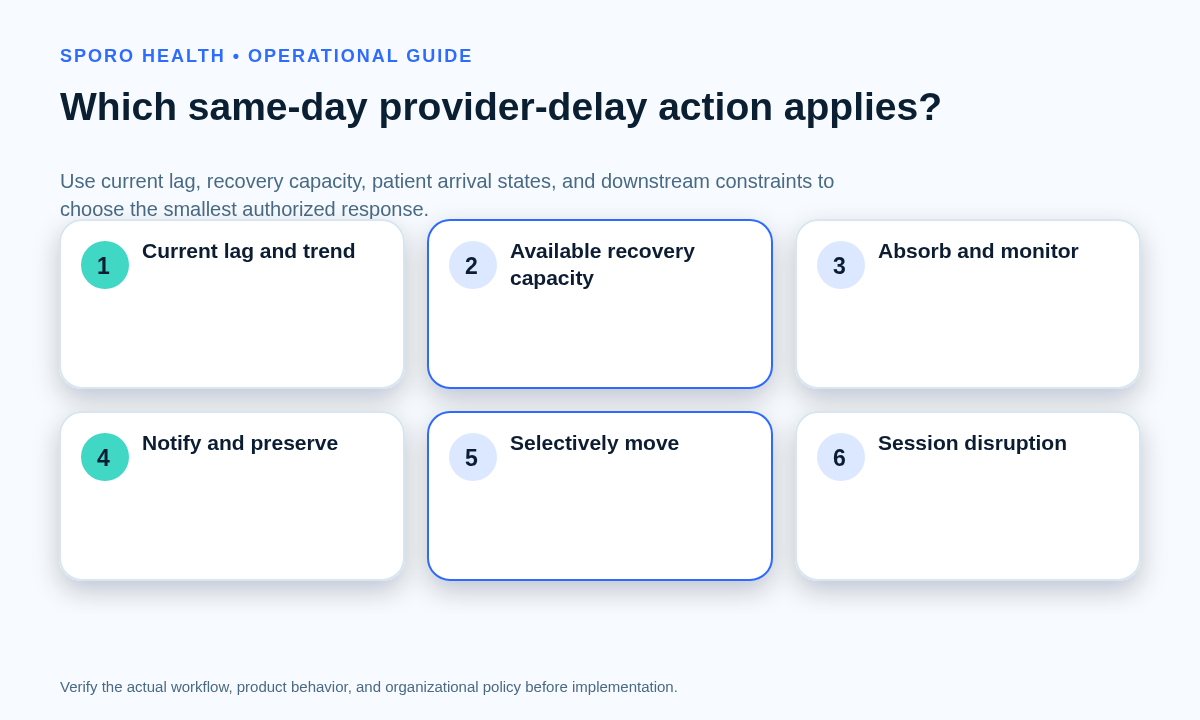
Choose among four dispositions: absorb and monitor, notify while preserving appointments, selectively move affected appointments, or declare a partial or full session disruption. The choice should follow projected exposure, estimate confidence, patient state, fixed constraints, and locally approved authority.
| Disposition | Use when | Required action | Schedule effect |
|---|---|---|---|
| Absorb and monitor | Verified buffers can contain the projected deficit | Assign a recheck and watch the trend | No appointment transaction |
| Notify and preserve | A meaningful wait is expected, but appointments remain supportable | Contact selected patients and record acknowledgment | Booked times remain unchanged |
| Selectively move | Specific appointments exceed recovery capacity | Obtain authorization, agree on a disposition, and process it | Only approved appointments change |
| Session disruption | Continued service is uncertain or the capacity deficit crosses local escalation rules | Activate the authorized partial-cancellation or absence path | Process and verify every affected transaction |
When the decision creates a real reschedule or cancellation, continue with the established front-desk reschedule and cancellation workflow rather than leaving the change only on the delay board.
When should affected patients be contacted?
Begin contact at a locally approved trigger based on expected lag and confidence, not a universal number of minutes. The trigger should consider travel burden, appointment type, whether the patient has arrived, available recovery capacity, and when another update can be provided.
AHRQ includes whether a patient was informed about the length of an office wait among its CAHPS supplemental access items. The practical control is a contact ledger recording the estimate range communicated, channel, timestamp, acknowledgment, requested disposition, next update time, and unresolved owner.
The care team is currently running about 20 to 35 minutes behind. Your appointment remains scheduled unless we agree on a change. Would you prefer to keep it, receive another update, or discuss an available alternative?
Use approved channels and avoid unnecessary patient details. HHS states that covered entities generally must take reasonable steps to limit applicable uses and disclosures of protected health information to the minimum necessary for the purpose; application depends on the actual workflow and its exceptions. Review the HHS minimum necessary guidance with the practice’s authorized privacy resources.
Any change in patient order must follow approved operational and clinical escalation rules. Front-desk staff should not independently decide that one patient’s clinical needs take priority over another’s.
Should a provider delay change appointment times in Google Calendar or Outlook?
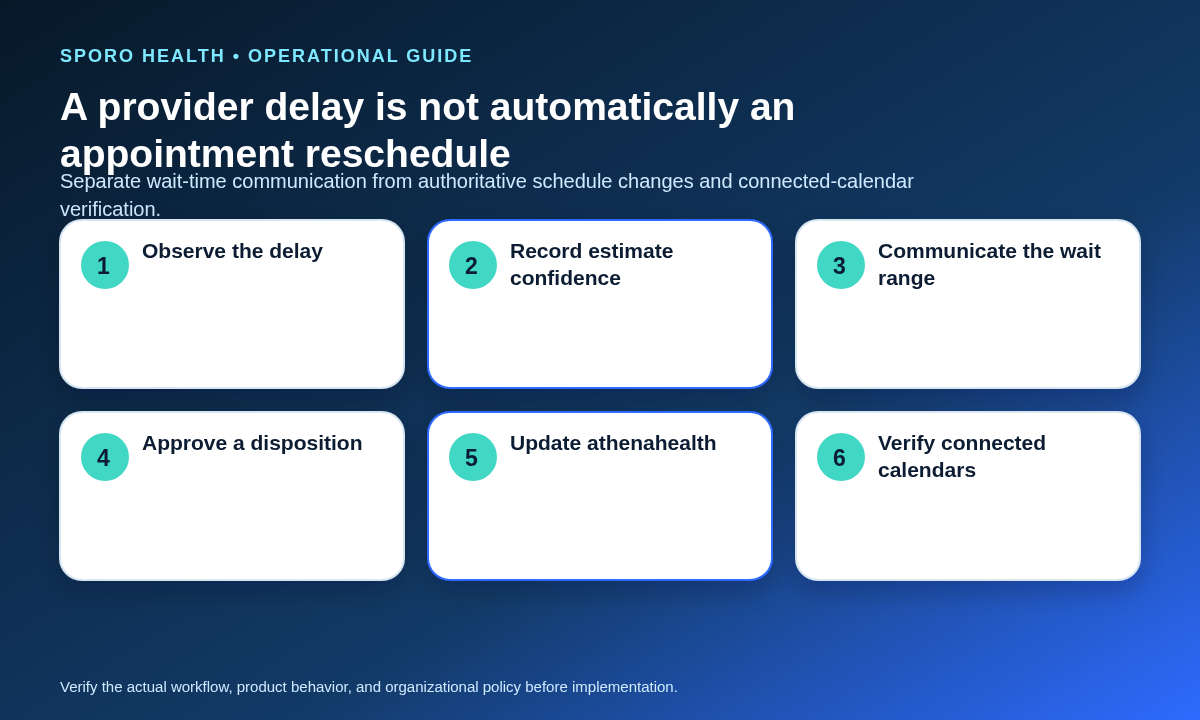
No—changing wait estimates should not rewrite authoritative appointment times. Update athenahealth and verify connected calendars only when the practice has made an actual scheduling decision, such as a reschedule, cancellation, approved order change, or session disruption.
| Observed state | Operational record | Appointment or calendar action |
|---|---|---|
| New lag estimate | Update delay board | None |
| Revised wait range | Update board and contact ledger | None |
| Patient keeps appointment | Record acknowledgment and next update | Preserve booked time |
| Authorized reschedule or cancellation | Record final disposition and owner | Change athenahealth and verify connected event |
| Partial or full disruption | Track each affected patient to closure | Process and verify each approved transaction |
The athenahealth appointment API reference is the technical source implementation teams should consult for supported appointment operations. Google event resources have formal start, end, and status fields in the Google Calendar Events API; Microsoft event resources similarly expose start, end, show-as, and cancellation state in Microsoft Graph. Operationally, that means editing an event is a schedule-state change, not merely a note about a changing queue estimate.
What if delay estimates keep failing or the lag worsens?
Reset the estimate, stop offering false precision, recalculate affected capacity, repeat patient communication, and escalate the disposition. Repeatedly missed estimates are evidence that the current recovery assumption is unreliable, even if the provider remains present.
- Time-stamp the failed estimate and replace it with a range or unknown state.
- Recalculate from current lag to the next fixed constraint.
- Identify newly exposed appointments and repeat approved contact.
- Escalate from monitoring to selective moves or a session disruption.
- Assign unresolved patients and transactions to an accepted handoff.
If continued service becomes uncertain, transition through the practice’s physician out-of-office availability-control workflow. A delay becomes an absence or partial cancellation through authorized escalation—not simply because a particular minute threshold has passed.
How do you close and measure schedule recovery?
Close the event only after every affected patient has a confirmed disposition and every actual schedule transaction has been verified. Temporary controls should be removed, unresolved work should have an accepting owner, and recurring patterns should enter operational review.
- Confirm kept, completed, rescheduled, canceled, or unresolved status for each affected patient.
- Verify each actual athenahealth transaction and its connected-calendar representation.
- Record accepted handoffs with owner, next action, and due time.
- Remove temporary boards, labels, holds, or routing instructions when no longer needed.
- Move remaining exceptions into the daily athenahealth schedule reconciliation process.
| Measure | What it reveals |
|---|---|
| Detection time | How quickly the session recognized material lag |
| Maximum lag | Peak operational disruption |
| Affected appointments | Size of downstream exposure |
| Pre-arrival contact completion | Whether selected patients were reached before arrival |
| Actual schedule changes | How often delay became a transaction |
| Estimate revisions | How stable the forecasting process was |
| Unresolved handoffs | Work carried beyond the session |
| Pattern by provider and session | Where template, staffing, or buffer review may be warranted |
Use these measures to compare like sessions over time, not to impose an unsupported universal benchmark.
How do you put the playbook into use?
Approve the thresholds, roles, records, and escalation routes before the next live delay. The playbook works only when staff know who may communicate, who may change appointments, who makes clinical-priority decisions, and who verifies connected calendars.
- Approve local contact and escalation triggers.
- Name the delay owner and backup for each session.
- Create the board, propagation worksheet, contact ledger, and closure checklist.
- Rehearse improving, worsening, fixed-constraint, and uncertain-service scenarios.
- Review measures and adjust templates or buffers through normal governance.
Add these drills to scenario-based front-desk calendar-sync training so staff practice the boundary between communicating a delay and executing a schedule transaction.
Restore schedule integrity without over-editing
How to handle a provider running late in athenahealth scheduling comes down to one boundary: a changing delay estimate describes clinic flow, while a reschedule or cancellation changes the appointment record. Measure the first, communicate it honestly, and execute the second only when authorized.
If connected-calendar verification is part of your operating model, learn about Sporo Health, review its athenahealth and Google Calendar product page, compare the athenahealth and Microsoft Outlook product page, or visit the Sporo Health athenaConnect Marketplace listing. Treat product statements as vendor claims and evaluate them against your approved workflow, configuration, and acceptance tests.
Frequently asked questions
How many late minutes should trigger patient contact?
There is no universal minute threshold. The practice should approve a trigger based on expected lag, estimate confidence, travel burden, appointment type, arrival state, and recovery capacity.
Should staff shift every remaining appointment by the current delay?
No. The lag may shrink or grow, so staff should estimate downstream exposure and change only appointments that receive an authorized new disposition.
When should front desk reschedule patients because a provider is running late?
Front desk should reschedule only when the projected capacity deficit cannot be absorbed and an authorized owner approves the change. Clinical-priority decisions require the practice’s approved escalation path.
Should a changing provider delay update Google Calendar or Outlook?
No. A changing wait estimate belongs on the delay board and contact ledger. Update athenahealth and verify connected calendars only after an actual appointment transaction.
When does a provider delay become a partial clinic cancellation?
It becomes a partial disruption when continued service for part of the session is uncertain or unsupported under local escalation rules, not merely when a fixed number of minutes passes.
What should staff track during a same-day clinic delay?
Track the estimate timestamp, current lag, trend, next constraint, affected appointments, arrival and contact states, actions, owners, recheck time, actual transactions, and final dispositions.
Sources

One comment
Comments are closed.

[…] visit and its surrounding commitments as one capacity envelope. Current clinic lag matters: use the same-day provider delay recovery playbook when the provider is already […]