How to Compare athenahealth Calendar Integration Costs: A Total-Cost Worksheet
For practice managers asking how to compare athenahealth calendar integration costs, the defensible answer is to normalize every option over the same scope and evaluation horizon. Put vendor quotes, custom-build estimates, and manual-workflow costs into six life-cycle buckets; include internal labor, recovery, change, and exit work; label unknowns honestly; and test low, expected, and high scenarios before selecting an approach.
How should you compare athenahealth calendar integration costs?
Compare every option over the same documented scope and evaluation horizon. A setup charge or monthly subscription alone is not a total-cost comparison, and an omitted obligation is not a zero-cost obligation.
Start with the operational outcome the practice needs, then compare the manual workflow, custom build, and vendor product against one baseline. Use a horizon long enough to include implementation, routine operations, provider and account changes, renewal, and a plausible exit. Twelve, twenty-four, or thirty-six months may be appropriate, but the same horizon must apply to every option.
- Freeze the covered scope before collecting figures.
- Classify every cost into the same life-cycle buckets.
- Record the source and evidence status for every figure.
- Model uncertain inputs rather than hiding them.
- Reject apparent savings created by exclusions or unequal scope.
What scope must be fixed before collecting figures?
Define the providers, locations, calendar platforms, ownership models, workflows, support expectations, lifecycle events, recovery duties, and exit requirements covered by the comparison. Without that baseline, two accurate quotes may still describe materially different solutions.
The federal Health IT Playbook’s vendor-pricing resources separate software, implementation, training, and support rather than treating base price as the complete cost. Apply the same discipline to a narrower calendar integration decision.
| Scope dimension | Baseline question | Comparison evidence |
|---|---|---|
| People and sites | How many providers, departments, and locations are included? | Named roster and growth assumption |
| Calendars | Which Google or Outlook calendars must be read, written, or ignored? | Calendar inventory and ownership model |
| Workflows | Are creates, blocks, reschedules, cancellations, recurrence, and competing edits covered? | Written requirements and exclusions |
| Operations | Who monitors, reconciles, supports, and escalates? | Responsibility matrix and support terms |
| Lifecycle | What happens when providers, accounts, locations, or permissions change? | Change scenarios and owner |
| Exit | How are access, mappings, events, and continuity handled at retirement? | Exit obligations and written assumptions |
Create one baseline row for every requirement, then mark whether each option includes it, excludes it, makes it conditional, or leaves it unknown. A low quote that covers fewer calendars, states, or support duties is not directly comparable with an inclusive quote.
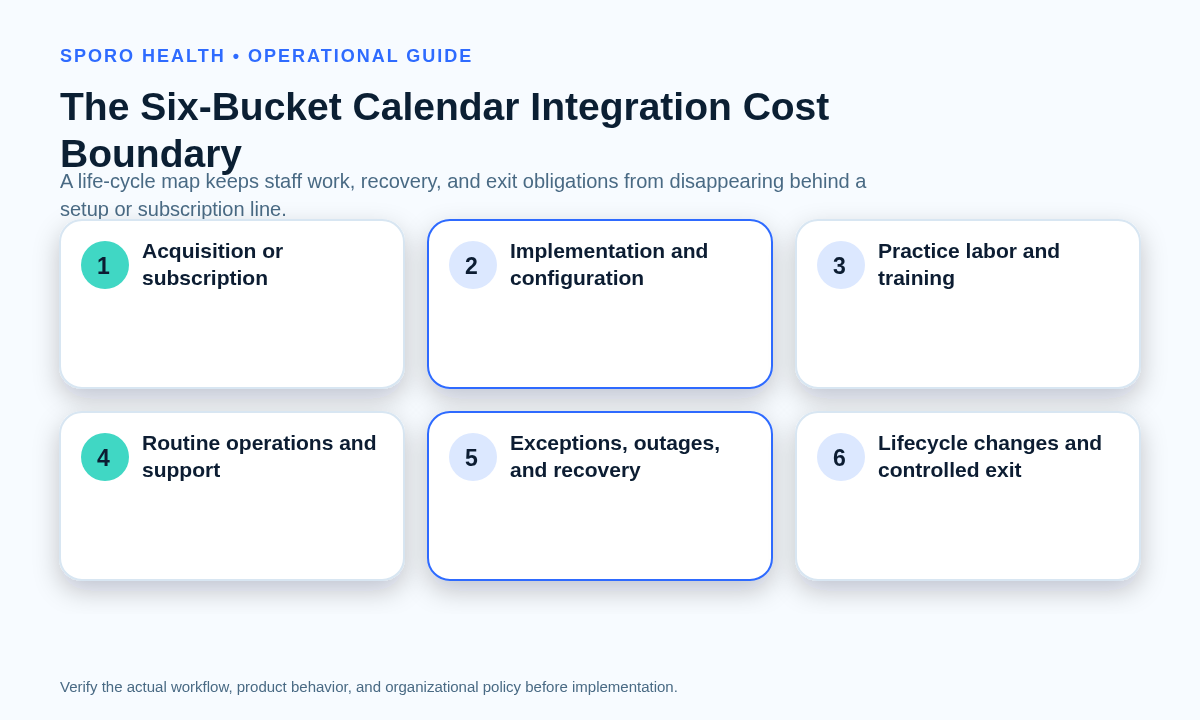
Which costs belong in the six-bucket boundary?
Include acquisition or subscription, implementation, internal labor, routine operations, exceptions and recovery, and lifecycle or exit work. The boundary should capture the full period of ownership, not only the purchasing event.
| Cost bucket | Examples to investigate |
|---|---|
| Acquisition or subscription | License, subscription, minimum commitment, usage charge, optional module, or third-party service |
| Implementation and configuration | Discovery, mapping, configuration, permission setup, testing, migration, training, and launch support |
| Practice labor | Management, IT, finance, provider, trainer, scheduler, tester, and privacy-reviewer time |
| Routine operations | Monitoring, reconciliation, support intake, account administration, access review, renewal, and reporting |
| Exceptions and recovery | Outage fallback, failed-change investigation, replay, duplicate cleanup, escalation, and post-recovery checks |
| Lifecycle and exit | Provider changes, calendar conversion, expansion, contract transition, access removal, artifact handling, and decommissioning |
The GAO Cost Estimating and Assessment Guide emphasizes scope, technical baselines, assumptions, life-cycle cost, sensitivity analysis, documentation, and updates from actual experience. For the final bucket, use the operational duties in Sporo’s guide to plan a controlled calendar integration exit as prompts for prospective cost lines.
How do you normalize unequal vendor quotes and estimates?
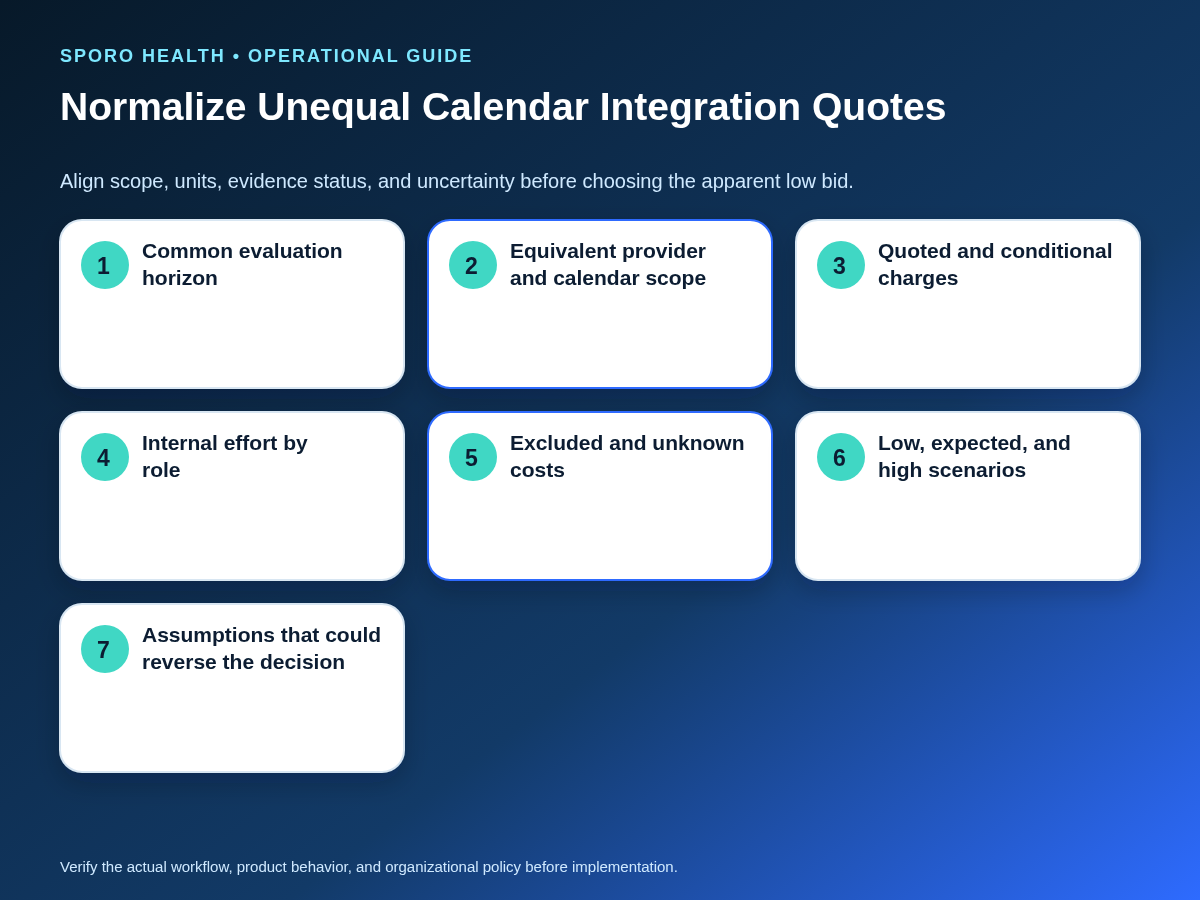
Translate every option into common units, timing, cost buckets, scope, and evidence statuses. Preserve missing amounts as unknown instead of replacing them with unsupported industry averages.
For each option, calculate the selected horizon as: one-time cost plus recurring cost over the horizon, usage-based cost, internal labor, exception-and-recovery cost, and lifecycle-or-exit cost. Keep taxes, contingency, optional work, and contract-dependent charges visible rather than burying them in notes.
| Worksheet field | What to record |
|---|---|
| Cost line | Specific product, service, task, or obligation |
| Unit and quantity | Per practice, provider, calendar, transaction, hour, month, or event |
| Timing | One-time, monthly, annual, event-driven, or exit-only |
| Evidence status | Quoted, estimated, conditional, excluded, unknown, or verified after pilot |
| Scenario values | Low, expected, and high figures with an assumption owner |
| Source | Dated quote, contract, internal sample, builder estimate, invoice, or pilot record |
Do not let a blank cell imply zero. Ask for a dated written clarification, or keep the amount unknown and expose its decision risk. Use proof-based calendar integration vendor due diligence to verify whether quoted capabilities, support boundaries, responsibilities, and exclusions are supported by evidence.
How do custom build, vendor, and manual options become comparable?
Compare the obligations each option actually covers, not the labels applied to it. Manual work, a custom integration, and a vendor product distribute cost and responsibility differently.
| Approach | Costs commonly owned by the practice | Questions that prevent false equivalence |
|---|---|---|
| Manual workflow | Repeated entry, reconciliation, supervision, coverage, training, exception handling, and continuity | Which tasks recur, who performs them, and what happens during absence or growth? |
| Custom build | Discovery, engineering, testing, infrastructure, monitoring, maintenance, support, documentation, and technical exit | Who owns production support, API changes, recovery, and knowledge transfer? |
| Vendor product | Quoted fees plus practice-side setup, administration, testing, training, escalation, lifecycle changes, and contract exit | Which required calendars, workflows, support levels, changes, and exit duties are included? |
Before applying the worksheet, compare the available athenahealth and Google Calendar connection approaches to identify which responsibilities belong to each model. Do not conclude that one architecture is always cheaper; use the practice’s current written figures and equivalent covered scope.
Should internal staff time be included in the comparison?
Include internal time whenever the practice must perform work to implement, operate, recover, change, or retire the option. Measure that effort by role and task instead of applying one generic labor assumption.
- List the roles involved, including management, scheduling, IT, finance, training, and review functions.
- Define observable tasks such as mapping, testing, reconciliation, support, access review, and provider change processing.
- Sample representative occurrences and record observed low-to-high time bands.
- Record task frequency separately from time per occurrence.
- Apply finance-approved labor rates without publishing sensitive compensation data.
- Separate temporary implementation effort from recurring operating effort.
AHRQ’s time-and-motion resources illustrate role- and task-specific observation, while its primary-care health IT research identifies planning, training, workflow redesign, support, and end-user time as costs that can remain hidden from purchase figures.
Represent front-desk calendar sync training requirements and calendar sync pilot acceptance testing as explicit tasks when they fall within the option’s scope. Do not assume that training or testing is free because no vendor invoice names it.
Should Google Calendar and Outlook costs be compared separately?
Yes; cost Google Calendar and Outlook assumptions independently before combining them. Account ownership, permissions, administration, calendar coverage, acceptance tests, support paths, and recovery duties may differ.
Treat the current athenahealth appointment API reference as part of the technical baseline that the responsible vendor or builder must interpret. Google documents full and incremental synchronization with stored tokens in its Calendar synchronization guide and publishes separate quota and backoff considerations. Microsoft documents calendar-specific, date-bounded change tracking in its event delta-query guidance and recovery behavior for throttled requests in its Microsoft Graph throttling guidance.
| Platform worksheet | Questions to price or assign |
|---|---|
| Google Calendar | Which accounts and calendars are covered? Who manages authorization, notification or polling assumptions, quota handling, reconnection, and calendar changes? |
| Outlook and Microsoft 365 | Which tenant, mailbox, and calendar models are covered? Who manages permissions, change tracking, throttling, mailbox changes, and support escalation? |
These documents do not establish a vendor price. They demonstrate why one platform’s operating and recovery assumptions should not be copied into the other platform’s cost model without verification.
How should uncertainty change the decision?
Use low, expected, and high scenarios for every input that could vary materially. Record which assumption could reverse the preferred option rather than presenting one fragile total.
| Uncertain input | Scenario basis | Possible reversal trigger |
|---|---|---|
| Internal workload | Observed time and task-frequency range | Recurring work exceeds available capacity |
| Provider or calendar growth | Approved low, expected, and high counts | Pricing unit or administrative effort changes |
| Support demand | Pilot evidence or explicit assumption | Required support is outside the quoted tier |
| Change and recovery volume | Lifecycle scenarios and sensitivity range | Exceptions make the apparent low-cost option more expensive |
| Unknown charge | Written clarification or bounded placeholder | A credible high case changes the ranking |
Run sensitivity analysis one input at a time, then test a combined high-workload case. Keep the selected assumptions, date, owner, and evidence beside the result so finance reviewers can reproduce the comparison.
Can the worksheet prove ROI or savings?
No; a cost worksheet supports budgeting and comparison but cannot prove ROI, savings, fewer conflicts, or clinical outcomes. Keep value evidence in a separate measurement plan with a baseline, exposure definition, metric formulas, data sources, balancing measures, and decision rules.
A problem-cost estimate is not automatically an avoided-cost result. After functional testing, use a separate framework to measure calendar sync pilot outcomes. Only then can reviewers examine whether observed results, remaining labor, and unintended effects support expansion, redesign, or discontinuation.
What should the final decision record contain?
Document the selected option, covered scope, unresolved cost risks, budget owner, required pilot evidence, review date, renewal assumptions, and exit conditions. The record should show why the option remained preferable under the scenarios the practice considered credible.
- Selected option and accountable owner
- Evaluation horizon and approved scope baseline
- Normalized expected cost and scenario range
- Quoted, conditional, excluded, and unknown lines
- Internal labor method and approved rates
- Assumptions that could reverse the choice
- Pilot evidence required before expansion
- Renewal, reassessment, and budget-review dates
- Exit conditions, obligations, and continuity owner
The practical answer to how to compare athenahealth calendar integration costs is to reject headline-price comparisons. Select from a normalized, full-life-cycle worksheet whose scope, evidence, uncertainty, ownership, and exit assumptions remain visible to the decision-makers.
Where can current Sporo options be reviewed?
Use current product destinations to define questions, then request a dated, scope-specific written quote. Review Sporo Health, the current athenahealth and Google Calendar product page, the athenahealth and Microsoft Outlook product page, and Sporo Health’s athenaConnect Marketplace listing. Treat product statements as vendor claims until the relevant scope, responsibilities, contract terms, pricing, and acceptance evidence are confirmed.
Frequently asked questions
Is there a standard athenahealth calendar integration price?
No. There is no universal athenahealth calendar integration price; a defensible estimate requires current written pricing and the practice-specific scope covered by that quote.
What costs belong in an athenahealth calendar integration quote?
Include one-time acquisition and implementation, recurring and usage charges, internal labor, routine operations, exceptions and recovery, lifecycle changes, and controlled exit work.
Should internal staff time be included in calendar integration costs?
Yes, when the practice must perform the work. Record the role, task, frequency, observed time band, approved labor rate, and whether the effort is temporary or recurring.
Should Google Calendar and Outlook integration costs be compared separately?
Yes. Evaluate each platform’s account model, permissions, administration, tests, support path, and recovery duties separately before combining totals.
How do custom build, manual workflow, and vendor calendar sync costs compare?
Compare them over the same covered scope and horizon. Manual work emphasizes recurring labor, custom builds emphasize engineering and ownership, and vendor options may combine fees with practice-side administration and contract conditions.
Can a calendar integration cost worksheet prove ROI?
No. It can support budgeting and option comparison, but ROI requires separate, credible evidence about outcomes, avoided costs, attribution, and the period over which value is assessed.
How should bundled or undisclosed calendar integration pricing be evaluated?
Request a written breakdown or preserve the amount as unknown. Never convert an omission into zero; test a plausible range and record whether it could reverse the decision.
Sources
- ONC Health IT Playbook: Electronic Health Records
- GAO Cost Estimating and Assessment Guide
- AHRQ Time and Motion Studies Database
- AHRQ: Impact of Health IT on Primary Care Workflow and Financial Measures
- athenahealth Appointment API Reference
- Google Calendar: Synchronize Resources Efficiently
- Google Calendar API Usage Limits
- Microsoft Graph: Incremental Changes to Calendar Events
- Microsoft Graph Throttling Guidance